
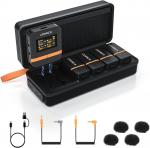
Wireless Lavalier Microphone System with 4 Transmitters and 1 Receiver
SKU: GW53.0108
Q
What should I do if my camera come with loud background noise?
Answer Question
A
Manually adjust camera recording volume, lower camera gain, and turn off automatic gain control. Note: Vimo Q may not be compatible with wind noise suppression and noise reduction functions of your camera. Turn off both functions when recording.
Related products

Products You May Like


Related articles
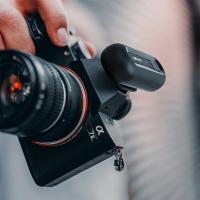
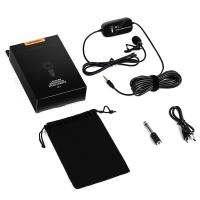



Hot Searches
microphone for youtube wireless
wireless microphone for android
microphone wireless with bluetooth
wireless lavalier microphone for vlogging
microphone wireless clip on
microphone wireless for phone
microphone for youtube videos
wireless microphone for youtube
microphone for iphone wireless
uhf wireless microphone system
Related Searches
Earbuds With Background Noise Cancelling Microphone
Wireless Collar Microphone Receiver With Transmitter
Wireless Transmitter And Receiver For Microphone
Bluetooth Microphone And Receiver
Sound System With Microphone
Audio System With Microphone
Microphone Transmitter And Receiver Circuit
Portable Wireless Microphone And Speaker System
New Wireless Lavalier Microphone
Wireless Lavalier Microphone For Iphone And Ipad
Related Scenes
Best Vlogging Camera With Microphone
Best Camera With Microphone For Vlogging
Best Wireless Security Camera With Light
Best Wireless Security Camera With Audio
Best Vlogging Camera And Microphone
Best Security Camera System With Night Vision
Best Outdoor Wireless Camera With Night Vision
Best Wireless Outdoor Security Camera With Light
Best Wireless Security Camera With Night Vision
Best Camera And Microphone For Streaming