
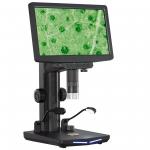
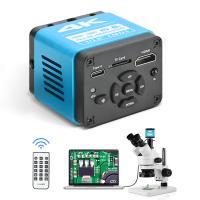
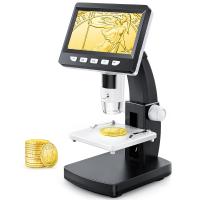
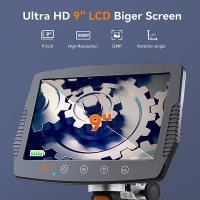
10.1" IPS Screen Digital Microscope, 50X-1600X Magnification with Remote Control, HDMI Connection to PC, Mac, for Industrial Inspection
SKU: GW45.0075
Q
What should I do if the digital microscope cannot display the image properly when connected to a monitor via HDMI?
Answer Question
A
If there is an image problem when the digital microscope is connected to a monitor via HDMI, you can try to check whether the HDMI cable is firmly connected, confirm that the input signal source of the monitor has been switched to the correct HDMI interface, and make sure that the HDMI output of the digital microscope is set correctly.
Related products
NEW
Arrival


Products You May Like
NEW
Arrival

$135.99 $74.99

$162.99 $106.99

Related articles








Related Searches
The Objective Lens Of A Microscope
The Sharper Image Night Vision Monocular
The Effect Of A Magenta Lens Filter
The Voice Earbuds
Co Detector With Digital Display
Golf Rangefinder With Digital Display
Digital Microscope
Filter Lens To See The Sun
Adapt To The Same Lens Mount
Digital Camera Hdmi Output
Related Scenes
The Best Digital Microscope
Best Hdmi Microscope Camera
The Best Easy To Use Digital Camera
Digital Camera With Best Image Quality
The Best Digital Video Camera
The Best Portable Digital Camera
The Best Professional Digital Camera
The Best Small Digital Camera
The Best Pocket Digital Camera
The Best Compact Digital Camera