
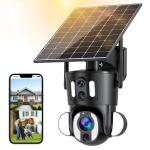
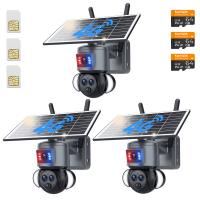
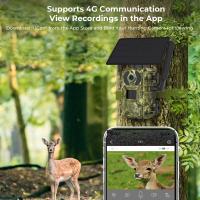
Dual-Lens Security Camera Solar Outdoor Surveillance 10X Optical Zoom 2.4G WiFi
SKU: GW50.0104
A
Remove the silicone cover at the bottom of the camera and press the reset button for 3–5 seconds to reset the device.
A
1. Ensure the outdoor surveillance camera is powered on and check if the working light is functioning normally.
2. Verify that your WiFi network is stable. If not, try rebooting the router.
3. If the device is far from the router and unable to receive a strong WiFi signal, move the camera closer to the router.
4. Remove the camera from your UBox account, reset the camera, and re-add it. Ensure the app is updated to the latest version.
A
For optimal performance, install the solar panel in an open area with direct sunlight exposure for at least 5 hours a day.
A
Absolutely, with 2K full-color night vision, every detail is sharp, even in the dark.
A
Yes, you can choose from 3 modes: alarm recording (starts 0.2 seconds after motion is detected), scheduled recording, or 24/7 continuous recording.
Related products
NEW
Arrival
NEW
Arrival
NEW
Arrival
NEW
Arrival
NEW
Arrival
NEW
Arrival
NEW
Arrival
NEW
Arrival
NEW
Arrival
Products You May Like
NEW
Arrival
Related articles





Hot Searches
low cost neutral density filter
nd filter for morning photos
Circular Variable Neutral Density Filter
true variable nd filter
neutral density filter for mirror lens
58mm variable neutral density filter
true color nd filter
variable neutral density filter product photography
optical neutral density filter
72mm lens filter color
Related Searches
Related Scenes
Best Neutral Density Filter System
Best Neutral Density Filter For Video
Best Neutral Density Filter For Landscape Photography
Best Camera Lens Filter
Best Lens Filter System
Best Filter For Camera Lens
Best Lens Filter For Landscape
Best Filter For Fuji Lens
Best Filter For Camera Lens Protection
Best Uv Filter For Camera Lens