
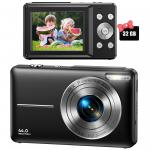
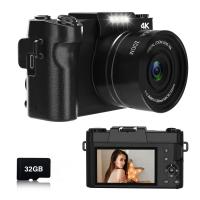
Children Camera, FHD 1080P Digital Camera for 5-12-Year-Old Boys & Girls Kids with 32GB SD Card 16X Digital Zoom, Point and Shoot Camera for Teens Students Boys Girls, Black
SKU: GW41.0088
A
The charging cable plugs into the camera. So the battery has to be in the camera to charge it. What I did was charge the first battery in the camera and once it was charged swap it for the other battery and charge that one. Hope this helps.
A
This digital camera has lots of filters, you can choose the filters you need.
A
You can turn off sound, but this digital camera's lens is fixed, the lens won't come out.
A
You cannot recover pics once deleted. This rule applies to all memory cards.
A
sometimes you have to push it really deep and hear a little click or just try all directions :)
A
Please press the right button in the middle circle panel, you will see top left corner change of the camera home page after pressing the right button.
Q
A
This digital camera kit comes with 2 rechargeable batteries, pls fully charge them before camping, it will last long time to capture good memories.
A
If you want to directly transfer the photos/videos, there are following ways for you: Way 1: need a USB A to USB C adapter. If your phone is type-c port, you need to have a USB A to USB C adapter, use the equipped usb cable, type-C end of USB cable to connect the camera, another end of USB Cable (usb-A) to connect the USB A to USB C adapter, and then insert into your phone, you will see a U disk on your phone, and you can transfer the phones and videos. Way 2: Need a usb c sd card reader for Micro SD/SDXC/SDHC. We hope it is helpful to you. Thanks for your kind asking.
A
Oh, no. It is not a macro lens. Thanks for your kind asking.
A
I guess your Macbook Air port is Type-C port, there are following ways for you: Way 1: need a USB A to USB C adapter. If your computer is type-c port, you need to have a USB A to USB C adapter, use the equipped usb cable, type-C end of USB cable to connect the camera, another end of USB Cable (usb-A) to connect the USB A to USB C adapter, and then insert into your computer, you will see a U disk icon on your computer, and then you can transfer the phones and videos on your computer. Way 2: Need a usb c sd card reader for Micro SD/SDXC/SDHC. We hope it is helpful to you. Thanks for your kind asking
Related products
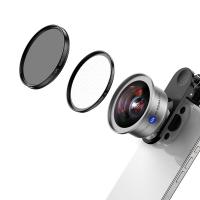
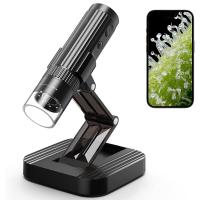
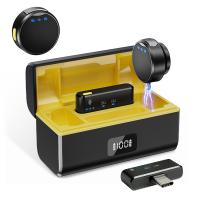
Products You May Like

$135.99 $74.99

Related articles









Hot Searches
phone camera focus lens
lens attachments for smartphones
lens for mobile phone camera
Digital Wifi Microscope
light with power bank
gimbal stabilizer for phone
3 axis gimbal stabilizer for iphone
wireless microphone transmitter receiver
travel tripod for iphone
background noise cancelling microphone