kfconcept

KENTFAITH
K&F Concept    Blog >

Enjoy Your Selected Digital Life

Recently Viewed
  • Recently Viewed
  • Recently Viewed list is empty.

Compare (0) 0
  • Compare
  • You have not chosen any products to compare.

  • Compare
Currency: USD
  • Currency
Shop by Scene Shop by Rank

Log Into Your Account

Account

Order History

Wish List

Login

Forgotten Password?

Or connect with

Register Account

Already have an Account?Log In

  • Shopping Cart
  • Your shopping cart is empty!

  • Register/Login to purchase, earn points
  • Favorite
  • Your wish list is empty.

  • Register/Login to like, earn points
  • Activities
  • Guide
    • Filter Guide
    • Lens Adapter
    • Product Review
  • News & Reviews
    • Camera Reviews
    • Sample Gallery
    • News
  • Tutorials
    • Solar eclipse photography
    • Photography Basics
    • Landscape Photography
  • Inspiration
    • Travel
    • Travel Stories
  • Home
  • Blog
  • Camera Which Will Connect By Wifi To Pc?

Camera Which Will Connect By Wifi To Pc?

Kentfaith 2024-09-13 01:09:15 0 Comments

In today's digital age, the need for seamless connectivity between devices has become paramount. One such requirement that has gained significant traction is the ability to connect cameras to PCs via Wi-Fi. This capability is particularly beneficial for photographers, content creators, and professionals who need to transfer images and videos quickly and efficiently without the hassle of cables. In this article, we will delve into the various aspects of Wi-Fi-enabled cameras, their benefits, how to set them up, and some of the best options available in the market.
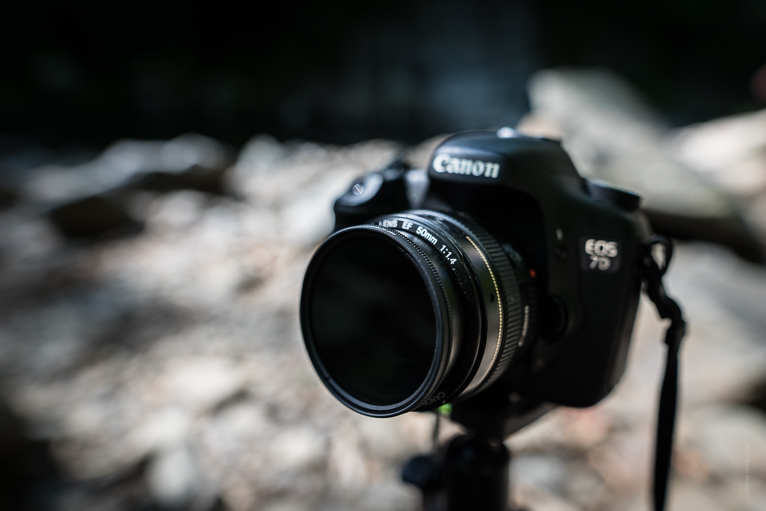

Understanding Wi-Fi-Enabled Cameras

Wi-Fi-enabled cameras are digital cameras that come with built-in Wi-Fi capabilities, allowing them to connect to other devices such as PCs, smartphones, and tablets wirelessly. This feature is incredibly useful for a variety of reasons:

1. Convenience: No need for cables or card readers to transfer files.

2. Speed: Faster transfer rates compared to traditional methods.

3. Remote Control: Ability to control the camera remotely using a PC or smartphone.

4. Instant Sharing: Quick sharing of photos and videos to social media or cloud storage.

Benefits of Connecting Cameras to PCs via Wi-Fi

1. Enhanced Workflow Efficiency

For professionals, time is money. Wi-Fi-enabled cameras streamline the workflow by allowing instant transfer of files to a PC. This is particularly useful in studio settings where photographers can review shots on a larger screen immediately after taking them, making adjustments on the fly.

2. Remote Shooting

Many Wi-Fi-enabled cameras come with apps that allow remote control from a PC or smartphone. This is invaluable for situations where the camera needs to be placed in hard-to-reach locations or for capturing wildlife photography without disturbing the subjects.

3. Backup and Storage

Transferring files to a PC via Wi-Fi ensures that your photos and videos are backed up immediately. This reduces the risk of losing valuable data due to memory card corruption or loss.

4. Collaboration

In professional settings, multiple team members can access the files on a PC as soon as they are transferred, facilitating better collaboration and quicker decision-making.

Setting Up Your Wi-Fi-Enabled Camera

Setting up a Wi-Fi-enabled camera to connect to a PC is generally straightforward, but it can vary slightly depending on the camera model and manufacturer. Here are the general steps:

Step 1: Enable Wi-Fi on the Camera

Navigate to the settings menu on your camera and enable the Wi-Fi function. Some cameras may require you to set up a Wi-Fi network or connect to an existing one.

Step 2: Install Necessary Software

Most camera manufacturers provide software that needs to be installed on your PC to facilitate the connection. Examples include Canon's EOS Utility, Nikon's Wireless Transmitter Utility, and Sony's Imaging Edge.

Step 3: Pair the Camera with the PC

Open the installed software on your PC and follow the on-screen instructions to pair the camera with your PC. This usually involves selecting the camera from a list of available devices and entering a password if prompted.

Step 4: Transfer Files

Once the camera is connected to the PC, you can start transferring files. Some software allows automatic transfer of files as soon as they are captured, while others may require manual initiation.

Top Wi-Fi-Enabled Cameras

1. Canon EOS R5

The Canon EOS R5 is a high-end mirrorless camera that offers robust Wi-Fi capabilities. It supports both 2.4GHz and 5GHz bands, ensuring fast and reliable connections. The Canon Camera Connect app allows for easy file transfer and remote shooting.

2. Nikon Z6 II

The Nikon Z6 II is another excellent option, featuring built-in Wi-Fi and Bluetooth. The Nikon SnapBridge app facilitates seamless file transfer and remote control, making it a favorite among professional photographers.

3. Sony Alpha a7 III

The Sony Alpha a7 III is a versatile mirrorless camera with strong Wi-Fi capabilities. The Sony Imaging Edge app provides a user-friendly interface for file transfer and remote shooting, making it a popular choice for both amateurs and professionals.

4. Fujifilm X-T4

The Fujifilm X-T4 combines excellent image quality with robust Wi-Fi features. The Fujifilm Camera Remote app allows for easy file transfer and remote control, making it a great option for photographers who need flexibility and convenience.

Troubleshooting Common Issues

While connecting a camera to a PC via Wi-Fi is generally straightforward, you may encounter some common issues. Here are a few troubleshooting tips:

1. Connection Drops

If the connection between your camera and PC keeps dropping, ensure that both devices are within range of the Wi-Fi network. Interference from other devices can also cause connection issues, so try to minimize the number of devices connected to the same network.

2. Slow Transfer Speeds

Slow transfer speeds can be frustrating. Ensure that your camera and PC are connected to a 5GHz Wi-Fi network if possible, as it offers faster speeds compared to the 2.4GHz band. Also, check for any software updates for your camera and PC that might improve performance.

3. Compatibility Issues

If your camera is not recognized by the PC, ensure that you have installed the latest version of the manufacturer's software. Compatibility issues can often be resolved by updating the software or firmware.

Wi-Fi-enabled cameras offer a plethora of benefits, from enhanced workflow efficiency to remote shooting capabilities. By understanding how to set up and use these cameras, you can significantly improve your photography experience. Whether you are a professional photographer or an enthusiast, investing in a Wi-Fi-enabled camera can be a game-changer. With the right setup and troubleshooting knowledge, you can make the most of this technology and take your photography to the next level.
Leave your comment
Cancel reply
Note: HTML is not translated!
Related products
Handheld Microcsope, 500X Zoom, 1080P Videos,  PC Connect, with Large 5X Magnifier, Autofocus, Kentfaith
Handheld Microcsope, 500X Zoom, 1080P Videos, PC Connect, with Large 5X Magnifier, Autofocus, Kentfaith
15
$87.49 $69.99
Camera Sunglasses, HD 1080P, EIS Stabilization, WiFi Connect, Translation, 4H Playtime, Kentfaith
16
$119.99 $95.99
Smart Camera Glasses, HD 1080P, EIS Stabilization, WiFi Connect, Translation, 4H Playtime, Kentfaith
16
$119.99 $95.99
4K Video Camera, 64MP Photos, WiFi Connect, 28X Zoom, Wireless Mic, Full Color NV, Kentfaith
18
$212.49 $169.99
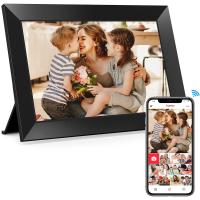
Digital Photo Frame, 10.1 inch Touchscreen, WiFi Transfer from Any Corner, 32GB Storage, Multi-user Connect & Share, Auto Rotation, Kentfaith
17
$187.49 $149.99
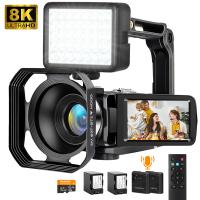
8K Ultra-HD Camcorder, 64MP Video Camera with SONY CMOS Sensor & Built-in Fill Light, WiFi Connect & Transfer, Microphones, 2 Batteries, Remote Control, 64GB Card, Kentfaith
16
$362.49 $239.99
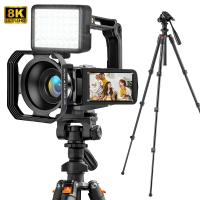
8K Ultra-HD Camcorder, 64MP Video Camera with SONY CMOS Sensor & Built-in Fill Light, WiFi Connect & Transfer, Tripod, Microphones, 2 Batteries, Remote Control, 64GB Card, Kentfaith
$349.99 $279.99
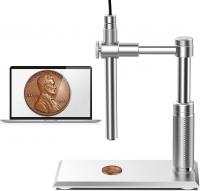
DM101 Digital USB Microscope Camera Coin Magnifier, 10X-500X Magnification, PC Compatible
HOT Seller
DM101 Digital USB Microscope Camera Coin Magnifier, 10X-500X Magnification, PC Compatible
41
$77.99 $59.99
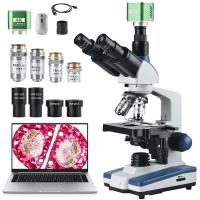
Compound Microscope with 4K Camera, 40X-2500X Magnification, PC Connection, Plan Optical System, Mechanical Stage, Kentfaith
$824.99 $659.99
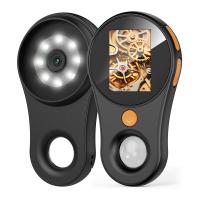
500X Handheld Digital Microscope with 8 LEDs 2" IPS Screen PC Compatible
12
$97.49 $68.99
Products You May Like
Children Beginner Astronomical Refracting Telescope 70mm Aperture 400mm Focal Length Travel Telescope with Carrying Bag, Adjustable Tripod
7
$223.19 $125.99
72mm Filter Set (UV, CPL, FLD, Graduated Blue, Orange, Grey)
4
$37.99 $18.99
Unexplained Trail Camera
10
$162.99 $106.99
62mm Magnetic ND1000 Filter, HD Waterproof Scratch-Resistant Anti-Reflection Nano-Xcel Series
43
$54.99 $43.99
TWS Bluetooth Earbuds Wireless Earphones In-Ear Headset Gold for Mobile
$25.99
Polarized Film 300*200mmx4, with a Film Scraper, 8 Bags Dry and Wet Cloth Alcohol Bags, with Packaging
27
$36.99 $34.99
52mm ND4-64 (2-6 Stop) Variable ND Filter and CPL Circular Polarizing Filter 2 in 1,28 Layers Coated Nano-Xcel Series
68
$99.99 $79.99
24MP*1296P night vision, 120° wide-angle*0.2S trigger 2-inch screen tracking camera, dead wood color 3pcs
$229.99
K&F Concept 6.7 inch Magnetic Lens Filter Mount Adapter with 67mm CPL Filter for iPhone, Compatible with 16/15/14/13/12 Pro Max, 16/15/14 Plus
20
$36.99
43mm CPL Filter Circular Polarizer Filter with Lens Cap Optical Glass Ultra Slim 18 Multi-Layer for Camera Lens Nano-Klear Series
NEW Arrival
43mm CPL Filter Circular Polarizer Filter with Lens Cap Optical Glass Ultra Slim 18 Multi-Layer for Camera Lens Nano-Klear Series
23
$21.99
Related articles
How To Transfer Photos By Wifi Via Camera?
Which Wifi Camera?
Which Wifi Camera?
How To Connect Wireless Camera With Pc?
Will Blink Camera Work Without Wifi ?
Can Connect Wifi Camera To Android Phone?
How To Connect A Wifi Smart Camera?
How To Connect Wifi Camera To Smart Tv ?
How To Connect Wifi Camera To Android Phone ?
How To Connect Geeni Camera To New Wifi?
What Size Binoculars?
Blog You May Like
How To Use Apple Headphones Mic On Ps4 ?
How To Find Camera Plugged Into Mac?
Where To Put Cameras On House?
What's The Best Filter To Control Highlights Camera?
What's the Best EF to E-mount Lens Adapter?
How To Switch Sd Cards Between Phones?
Binoculars Which Are Best?
What Baby Monitors Connect To Iphone?
How To Take Pictures With Studio Lighting?
How Much Are Memory Cards?
Related categories
Outdoor Security Camera Wifi C mount lens adapter Wifi Trail Cameras Baby Movement Monitor m4/3 adapter Camera Parts | Studio Camera Accessories streaming video camera
Popular products
500x portable handheld digital microscope Camera Glasses With Wifi 8K Camcorder 8K Camcorder camcorder with memory card baby monitor with screen and app baby monitor 2 cameras best baby monitor with screen and app Bluetooth mesh intercom digital microscope for students
Related searches
Camera Connect With Wifi Smart Watch Connect To Iphone Retro Game Console Connect To Tv Pc Camera And Microphone Cheap Security Cameras That Connect To Your Phone Usb Pc Camera With Microphone Microphone And Camera For Pc Wireless Security Camera For Pc Cinemorph Lens Filter By Vid-atlantic Usb Camera For Pc With Microphone
Popular searches
Variable Nd Filter 82mm Marumi 330 Macro Lens Filter Leica L Mount Spec Fld Filter For Camera Lens Gopro Stick Li Ion Camera Battery Charger Nikon Coolpix L330 Adapter Frys Battery Adapter For Fujifilm Cameras Mag Filter 52mm Lens Mount Adapter Canon T3i
Blog Category
  • Activities
  • Guide
    • Filter Guide
    • Lens Adapter
    • Product Review
  • News & Reviews
    • Camera Reviews
    • Sample Gallery
    • News
  • Tutorials
    • Solar eclipse photography
    • Photography Basics
    • Landscape Photography
  • Inspiration
    • Travel
    • Travel Stories
Search Article
Latest from the Blog
Where Can I Find Hidden Cameras?
Which Bluetooth Earphones?
Camera That Can Wifi Photos To Phone?
What Tripod To Buy?
How To Find A Good Digital Camera?
How To Find Camera Roll On Iphone 5s?
How To Wear Monocular?
What Is The Difference Between Binoculars And Telescope?
Is the Sony A7M5 worth buying?
What Is The Best Camera To Record Videos?
  • Easy Payment Multilple Payment Options

  • Free Shipping Global WareHouse Shipment

  • No Risk 30-Day No Reason Return

  • Limited Deals Buy More, Save More

  • Tax Free No any surcharges or tax fee

Information
  • About us
  • Contact Us
  • Site Map
  • Blog
  • Video
  • Gallery
  • VIP Membership Rewards
Service
  • Privacy Policy
  • Terms & Conditions
  • Shipping & Delivery
  • Payment Info
  • Warranty, Return & Refund
  • Intellectual Property Rights
  • Ambassador
  • Affiliates
  • Wholesale
Support
  • My account
  • Order History
  • FAQs
  • Extend Warranty
  • Logistics Tracking
Follow us
NewsLetter

Get the latest product, K&F Concept respects your privacy.
Powered By KENTFAITH © 2026