kfconcept

KENTFAITH
K&F Concept    Blog >

Enjoy Your Selected Digital Life

Recently Viewed
  • Recently Viewed
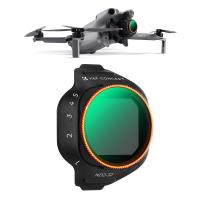
  • 37mm ND4-ND64 (2-6 Stop) Variable ND Filter and CPL Circular Polarizing Filter 2 in 1 with 28 Layers of Anti-reflection Green Film, Two Orange Levers, Imported White Cloth Nano-X Series
    37mm ND4-ND64 (2-6 Stop) Variable ND Filter and CPL Circular Polarizing Filter 2 in 1 with 28 Layers of Anti-reflection Green Film, Two Orange Levers, Imported White Cloth Nano-X Series
    $70.99
    40.5mm ND2-32 (1-5 Stop) Variable ND Filter and CPL Circular Polarizing Filter 2 in 1 for Camera Lens Nano-Xcel Series
    40.5mm ND2-32 (1-5 Stop) Variable ND Filter and CPL Circular Polarizing Filter 2 in 1 for Camera Lens Nano-Xcel Series
    $78.99 $62.99
    ND4 (2 Stops) Square ND Filter, 4"x5.65" Neutral Density Filter Compatible with Tilta Compatible with SmallRig Matte Box, Slim Multi Coated HD Optical Glass
    ND4 (2 Stops) Square ND Filter, 4"x5.65" Neutral Density Filter Compatible with Tilta Compatible with SmallRig Matte Box, Slim Multi Coated HD Optical Glass
    $62.99 $49.99
    Anti-Shake 3-Axis Gimbal Stabilizer, for iPhone, Android Phones and Gopro Sports Cameras, Dynamic Face/Object Tracking
    Anti-Shake 3-Axis Gimbal Stabilizer, for iPhone, Android Phones and Gopro Sports Cameras, Dynamic Face/Object Tracking
    $79.99
    ND64 (6 Stops) Square ND Filter, 4"x5.65" Neutral Density Filter Compatible with Tilta Compatible with SmallRig Matte Box, Slim Multi Coated HD Optical Glass
    ND64 (6 Stops) Square ND Filter, 4"x5.65" Neutral Density Filter Compatible with Tilta Compatible with SmallRig Matte Box, Slim Multi Coated HD Optical Glass
    $62.99 $49.99
    Matte Box Kit+ND4+ND32 Square Filter Compatible with Two 4x5.65" Square Filters Includes 67/72/77/82/95mm Adapter Rings Nano-Xcel Series
    Matte Box Kit+ND4+ND32 Square Filter Compatible with Two 4x5.65" Square Filters Includes 67/72/77/82/95mm Adapter Rings Nano-Xcel Series
    $162.99 $129.99
Compare (0) 0
  • Compare
  • You have not chosen any products to compare.

  • Compare
Currency: USD
  • Currency
Shop by Scene Shop by Rank

Log Into Your Account

Account

Order History

Wish List

Login

Forgotten Password?

Or connect with

Register Account

Already have an Account?Log In

  • Shopping Cart
  • Your shopping cart is empty!

  • Register/Login to purchase, earn points
  • Favorite
  • Your wish list is empty.

  • Register/Login to like, earn points
  • Activities
  • Guide
    • Filter Guide
    • Lens Adapter
    • Product Review
  • News & Reviews
    • Camera Reviews
    • Sample Gallery
    • News
  • Tutorials
    • Solar eclipse photography
    • Photography Basics
    • Landscape Photography
  • Inspiration
    • Travel
    • Travel Stories
  • Home
  • Blog
  • Picture Not Showing On Camcorder When Playing Back?

Picture Not Showing On Camcorder When Playing Back?

Kentfaith 2024-10-10 02:50:41 0 Comments

If you have ever found yourself in a situation where the video playback on your camcorder is not displaying properly, you are not alone. It's a common issue that can occur for a variety of reasons, and troubleshooting it can sometimes be confusing. In this article, we will explore the different potential causes behind this frustrating problem and provide practical solutions that you can attempt to get your videos playing back smoothly.

Understanding the Problem
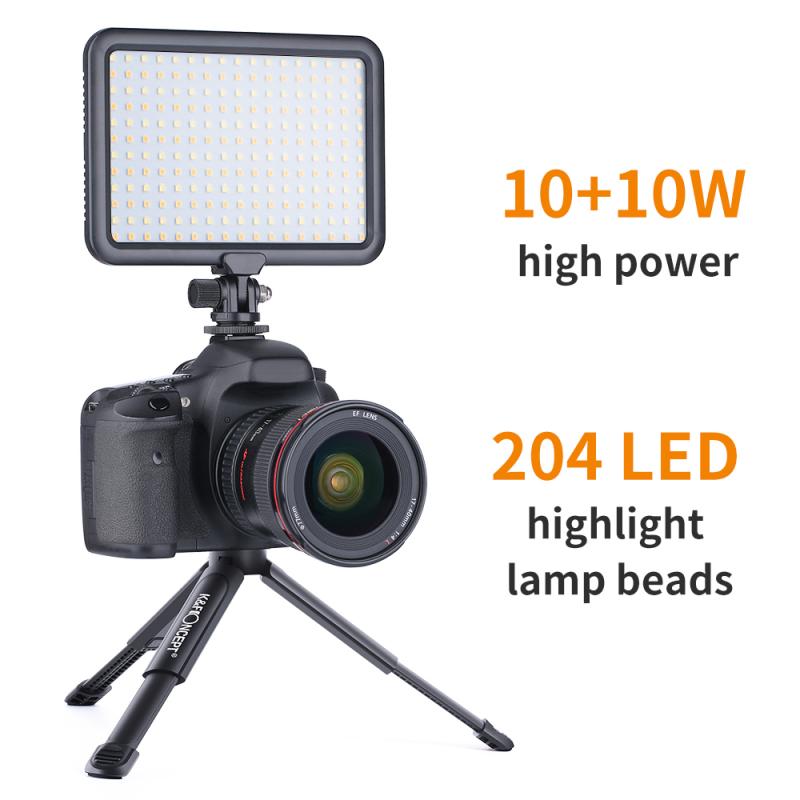
picture not showing on camcorder when playing back 1

Before delving into the solutions, it’s important to understand the possible reasons behind your camcorder's playback issue. The problem can be categorized into four main areas:

1. Technical Malfunctions or Hardware Failures

2. Media or File Issues

3. Settings and Software Configurations

4. Cabling or Connection Problems

By identifying which category your issue falls into, it will be easier to troubleshoot and implement an effective solution.

Technical Malfunctions or Hardware Failures

Battery and Power Issues: Sometimes, insufficient power can lead to playback problems. Make sure your camcorder is fully charged or connected to a reliable power source.

Internal Damage: Internal components such as the LCD screen, video playback chip, or other critical parts might be damaged. If this is the case, professional repair may be necessary.

Overheating: Overheating can cause various functionalities of the camcorder to malfunction. Ensure that your camcorder is cool and that your device is not subjected to excessive heat.

Steps to Take:

1. Restart your camcorder.

2. Check the physical condition of the camcorder—look for visible signs of damage or overheating.

3. Try playing back the video with the camcorder connected to a TV or external monitor to rule out issues with the display.

Media or File Issues

Corrupted Files: Files can become corrupted for various reasons and may not playback properly.

Unformatted or Incompatible Media Card: If your memory card is corrupt or not formatted correctly, this could lead to playback issues.

Bad Sectors: Memory cards can develop bad sectors over time, which can cause playback problems.

Steps to Take:

1. Try playing the file on a different device to check its integrity.

2. Reformat the memory card—back up the data first, if possible.

3. Use a different memory card to determine if the issue persists.

Settings and Software Configurations

Playback Settings: Ensure that you haven’t inadvertently adjusted settings that may affect playback.

Firmware Updates: Sometimes, outdated firmware can cause issues. Ensure your device firmware is up to date.

File Compatibility: If the video format does not match the playback mechanism of the camcorder, this could result in an error. Verify the format compatibility.

Steps to Take:

1. Reset the camcorder to its factory settings.

2. Check for and install any available firmware updates.

3. Verify that the video file format is supported by your camcorder.

Cabling or Connection Problems

Faulty Cables: Worn-out or faulty cables can disrupt the signal required for video playback.

Loose Connections: Loose or improper connections can also cause playback problems.

External Display Issues: If you're using an external display, make sure it's functioning correctly.

Steps to Take:

1. Use a different set of cables to connect your camcorder to an external display.

2. Ensure all connections are secure and properly fitted.

3. Test the playback on an alternate external display to rule out display issues.

Practical Troubleshooting Guide

Step 1: Simple Fixes

Turn off the camcorder, remove the battery, wait for a few seconds, and then reinsert the battery. This simple power cycle can resolve minor internal issues.

Step 2: Connection Tests

Connect your camcorder to a different TV or monitor using new cables to determine if the problem lies with your display or cables.

Step 3: File Transfer

Transfer the video files to a computer to check if they play properly there. This can help identify if the issue is with the files or the camcorder itself.

Step 4: Consult the Manual

Refer to the user manual for troubleshooting tips specific to your camcorder model. Different models have different configurations, and the solution might be unique to your device.

Step 5: Seek Help

If none of the above methods work, it’s best to consult a technician or contact the manufacturer’s customer support for further assistance.

Preventive Measures Moving Forward

Once you have resolved the issue, it is crucial to take some preventive steps to avoid recurrence.

- Regular Maintenance: Keep your camcorder and its components clean and well-maintained. Avoid exposing your device to extreme weather conditions.

- Proper Storage: Store your camcorder and its accessories in a protective case to prevent accidental damage.

- Regular Backups: Consistently back up your data to avoid data loss in case of file corruption.

- Correct Handling: Always follow the manufacturer’s guidelines for handling and operating your camcorder.

- Frequent Updates: Keep the firmware updated to ensure the camcorder functions smoothly and incorporates the latest fixes.

Experiencing issues with video playback on your camcorder can be an inconvenient hurdle, but with a systematic approach to troubleshooting, most problems can be identified and resolved. Whether the root cause is a technical malfunction, media problem, setting misconfiguration, or connection issue, the key is to methodically eliminate potential causes until you find the true source of the problem. By understanding the foundational troubleshooting steps and ensuring regular maintenance, you can enjoy a hassle-free video recording and playback experience with your camcorder.
Leave your comment
Cancel reply
Note: HTML is not translated!
Related products
Camera Backpack, 40L Large Capacity Camera Bag, Waterproof DSLR Camera Back Pack, Extra Large Photography Bag Backpack
18
$269.99
Portable CO Detector (Carbon Monoxide Detector), Alarm Temp/Humidity Detector with Magnetic Back, Built-in 1000mAh Battery for Home/Travel/Outdoor
18
$146.39 $58.99
AI Smart Glasses with 164 Languages Real-Time Translation, 4 Translation Modes, Voice Control, AI Assistant, Music Playing All-in-one Bluetooth Smartglasses for iPhone, Android, iPad
93
$99.99 $79.99
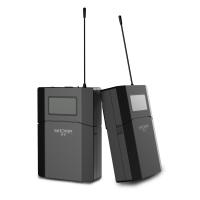
【$59.99 Flash Deal One order per customer】M8 UHF Wireless Lavalier Microphone for Video Camera & Camcorder
56
$79.99
WIFI outdoor security camera Courtyard Light Camera 1080P Ultra HD picture Audible alarm IP66 waterproof 24*7 Continuous Recording EU Version
$139.99 $99.99
5K Digital Video Camera Camcorder WIFI IR Night Vision for Vlogging Youtube
95
$269.99 $189.99
WIFI Outdoor Security Camera Outdoor Camera 2K Ultra HD Picture Audible Alarm IP66 Waterproof Two-Way Voice Night Vision Range 8m/26ft US Version
118
$89.99 $58.99
WIFI Outdoor Security Camera Outdoor Camera 2K Ultra HD Picture Audible Alarm IP66 Waterproof Two-way Voice Night Vision Range 8m/26ft EU Version
$89.99 $58.99
WIFI Outdoor Security Camera Outdoor Camera 2K Ultra HD Picture Audible Alarm IP66 Waterproof Two-way Voice Night Vision Range 8m/26ft UK Version
$89.99 $59.99
Products You May Like
49mm Black Mist 1/4 and ND2-32 (1-5 Stop) Variable ND Lens Filter 2 in 1 with 28 Multi-Layer Coatings Nano-Xcel Series
36
$91.99 $72.99
10W Metal Laser Engraving Machine with Air Assist 0.01mm Spot 600mm/min Speed
$749.99 $524.99
Borescope Inspection Camera with Dual 1080P Lenses 4.5" Screen 8mm/0.32in Slim Probe IP67 Waterproof
16
$224.99 $157.99
Pentax K/M/A/FA/DA Lenses to Fuji X Lens Mount Adapter K&F Concept M35111 Lens Adapter
5
$60.99 $33.99
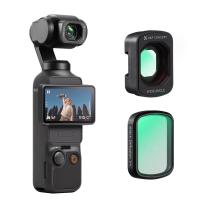
K&F Concept Variable ND&CPL&Wide Angle Lens Compatible with DJI Osmo Pocket 3 Creator Combo, Neutral Density ND2-32 ND32-512 Polarizing Wide-Angle Lens 4Pack Kit, Multi-Coated HD Optical Glass
$59.99
Aluminum Alloy 360 Degree Panoramic Gimbal Head With 1/4'' Standard Quick Release Plate
98
$154.99 $80.99
Live Online Trail Cameras
10
$162.99 $106.99
77mm UV Filter Ultra Low Reflection Tempered Glass Protection Lens Filter, Slim Lens HD Optical Glass Scratch-resistant, Ultraviolet Filters for DSLR Cameras Nano-X Series
19
$98.99 $73.99
Lens Mount Adapter MD-NEX IV Manual Focus Compatible with Minolta Rokkor (SR/MD/MC) Lens and Sony E Mount Camera Body
74
$70.99 $39.99
26mm Metal Tripod Ball Head with Handle 360 Degree Rotating Panoramic with 1/4 inch Quick Release Plate Bubble Level for Monopod Camera Camcorder Load Capacity up to 17.6 lbs/8KG Black
2
$49.99 $37.99
Related articles
When Not To Use Cpl Filter?
Sound Not Working When Screen Recording?
White Mist Filter: When and When Not To Use One
How To Capture Video On Pc From Camcorder?
Does Camera Lens Protector Affect Picture Quality?
Camcorder That Can Live Stream?
No Sound When Recording On Instagram?
How To Make Camcorder From Gopro?
Camcorder Can See In The Dark?
Can I Add A Microphone To My Headphones?
Blog You May Like
Can You Connect Bluetooth Earphones To Laptop?
How To Remove Cpl Filter For Lens?
How Does The Camera Lens Work?
How To Remove Memory Card From Note 8?
What Are Good Fishing Video Cameras?
How Do I Turn On My Video Camera?
Which Bluetooth Earphone Is Best For Calling?
How To Hook Up A Wireless Backup Camera?
What Is Scanning Microscope?
Can I Set Up One Outdoor Security Camera?
Related categories
On-Dash Camera Non Cellular Trail Camera 4G surveillance camera camera filter accessories Ultra-low Reflection UV Filters 55mm lens filter square camera filter system
Popular products
AI Smart Glasses Portable CO Detector video lavalier microphone wireless baby monitors wireless camera baby monitor baby monitor wireless wifi security camera outdoor solar outdoor camera cloud recording hd camera video camera Hd Digital Video Camera
Related searches
Back To Back Lens Adapter On Ebay Ltm Lens Not Centered On Adapter Wifi Picture Camera Best Video Picture Camera Camera Back Bag Sling Back Camera Bag Back Light For Photography Camcorder Video Camera 4k Camera Camcorder Universal Camcorder Tripod
Popular searches
77mm Filter For Solar Eclipse Beginner Camera Drone Micro Video Camera With Sd Card Osmo Pocket 3 Nd Filter Set Camera Bag Backpack Bluetooth Surveillance Camera Canon 5d Mk Iv Mount 1080p Microscope Camera Red Komodo Lens Mount L39 To Nikon F Adapter
Blog Category
  • Activities
  • Guide
    • Filter Guide
    • Lens Adapter
    • Product Review
  • News & Reviews
    • Camera Reviews
    • Sample Gallery
    • News
  • Tutorials
    • Solar eclipse photography
    • Photography Basics
    • Landscape Photography
  • Inspiration
    • Travel
    • Travel Stories
Search Article
Latest from the Blog
What is A Variable ND Filter? The Complete Guide to Mastering Exposure Control
Which Smart Watches Are Waterproof?
How Much Storage For Security Camera?
How Do Night Vision Goggles Work?
How To Remove Memory Card From Nikon Camera?
How Big A Memory Card For Camera?
Which Bluetooth Earphones?
What Is A Good Quality Dash Cam?
Can Security Cameras Detect Motion Through Glass?
How To Fix The Straps On A Camera?
  • Easy Payment Multilple Payment Options

  • Free Shipping Global WareHouse Shipment

  • No Risk 30-Day No Reason Return

  • Limited Deals Buy More, Save More

  • Tax Free No any surcharges or tax fee

Information
  • About us
  • Contact Us
  • Site Map
  • Blog
  • Video
  • Gallery
  • VIP Membership Rewards
Service
  • Privacy Policy
  • Terms & Conditions
  • Shipping & Delivery
  • Payment Info
  • Warranty, Return & Refund
  • Intellectual Property Rights
  • Ambassador
  • Affiliates
  • Wholesale
Support
  • My account
  • Order History
  • FAQs
  • Extend Warranty
  • Logistics Tracking
Follow us
NewsLetter

Get the latest product, K&F Concept respects your privacy.
Powered By KENTFAITH © 2025