Which Wifi Camera?
A Comprehensive Guide to Selecting the Right Wi-Fi Camera for Your Needs

Wi-Fi cameras have become increasingly popular as a reliable tool for home security, business monitoring, and even as convenient devices for personal use, such as communicating with family members or keeping an eye on pets. These cameras come in a variety of specifications and features, making it challenging for users to choose the ideal one. In this article, we’ll break down how to select the best Wi-Fi camera for your needs, guide you to make informed decisions, and address common practical concerns.
1. Why Invest in a Wi-Fi Camera?

Before diving into the details, understanding the value of a Wi-Fi camera is crucial. Unlike traditional cameras, Wi-Fi cameras are connected to your home or office network and allow for remote monitoring, cloud storage, and real-time notifications. Whether you’re protecting your home from intruders, checking in on employees, or filming family moments, these devices cater to various needs. So the first step is determining your specific purpose.
2. Key Factors to Consider When Choosing a Wi-Fi Camera
i) Purpose: Indoor vs. Outdoor Use

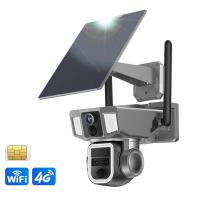
Your intended use determines the type of camera you’ll need. Indoor Wi-Fi cameras are ideal for home interiors, tending to be compact and designed for environments with controlled lighting. Outdoor cameras, on the other hand, are built to be weatherproof, capable of withstanding rain, dust, or extreme temperatures.
*Practical Advice:* If you need outdoor surveillance, prioritize models with IP65 or higher water resistance and night vision capabilities.
ii) Resolution and Image Quality
Resolution determines how sharp and clear the footage appears. Most modern cameras offer resolutions ranging from 720p to 4K. While higher resolution ensures better clarity, it may take up more storage space and bandwidth.
*Recommended Use-Cases:*
- For general home security, 1080p is more than sufficient.
- Opt for 2K or 4K if you’re securing wide areas or require detailed imagery (e.g., identifying license plates or facial features).
iii) Field of View and Lens Type
The camera's field of view (FoV) defines how much area the device can capture. Cameras typically range from 90° to 180°.
*Pro Tip:* Choose a wide-angle lens for covering large spaces like living rooms or industrial areas, and select narrower lenses for focusing on specific zones (e.g., doorways or driveways).
iv) Connectivity and Network Support
Since these cameras rely on Wi-Fi, network compatibility is critical. Key factors to evaluate:
- Dual-band Wi-Fi (2.4 GHz and 5 GHz support): Ensure the camera can connect to your router effortlessly, especially in homes where high interference exists.
- Stability and bandwidth: If your internet connection is slow, opt for lower-resolution cameras or offline recording features.
v) Storage Options
Wi-Fi cameras offer different storage solutions:
- Local: Video footage is stored on an SD card or hard drive. Ideal for privacy concerns and one-time purchase costs.
- Cloud: Footage is stored on the manufacturer’s server and can be accessed remotely. Convenient but may incur monthly fees.
*Advice for Privacy-Conscious Users:* Always check the encryption standards of cloud systems to ensure data security. AES-256-bit encryption is the gold standard.
vi) Power Supply: Wired vs. Battery-Operated
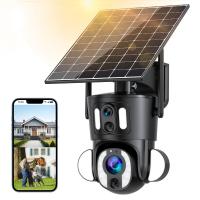
Wired cameras are connected to a power outlet, offering uninterrupted functionality but limiting placement flexibility. In contrast, battery-operated cameras are more versatile but require regular recharging.
*Tip:* If you opt for a battery-powered version, choose one with a battery life exceeding three months for consistent performance.
vii) Smart Features
Modern Wi-Fi cameras often come equipped with AI-driven features. Some worth considering include:
Motion Detection: Sends an alert when movement is detected in specified zones.
Facial Recognition: Helps to differentiate between family members and strangers.
Two-Way Audio: Allows you to talk and listen through the camera.
Integration with Smart Devices: Compatibility with ecosystems like Alexa, Google Assistant, or Apple HomeKit.
viii) Ease of Setup and Maintenance
A camera with a seamless installation process saves time and money. Look for plug-and-play models or those with companion mobile apps offering guided setup instructions.
3. Popular Types of Wi-Fi Cameras
Here is a breakdown of the most common types with their unique advantages:
i) Dome Cameras
- Designed to provide a discreet appearance.
- Offer 360° pan and tilt options, making them ideal for covering larger areas with fewer devices.
*Best For*: Business surveillance or wide-open spaces like warehouses.
ii) Bullet Cameras
- Long cylindrical design aimed at focusing on specific areas.
- Typically weatherproof and excellent for outdoor use.
*Best For*: Driveways, backyards, and entrance surveillance.
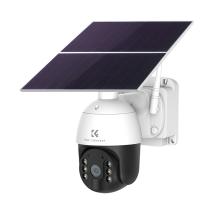
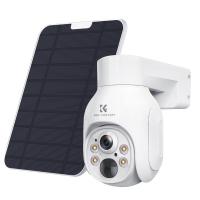
iii) Pan-Tilt-Zoom (PTZ) Cameras
- Allows users to remotely control the angle, zoom range, and direction.
- Useful for remote monitoring of large or multiple areas using a single device.
*Best For*: Large properties or flexible usage scenarios.
iv) Doorbell Cameras
- Combines video capabilities with a doorbell, offering enhanced visitor monitoring.
- Often includes features like package detection or visitor logs.
*Best For*: Residential front doors.
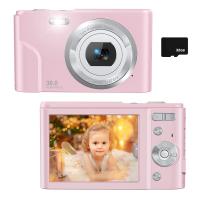
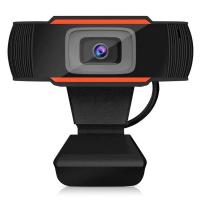
v) Compact Indoor Cameras
- Portable devices suited for basic home monitoring or personal needs.
- Cost-effective and simple to set up.
*Best For*: Apartments, children’s rooms, or pet monitoring.
4. Avoiding Common Purchasing Mistakes
To ensure you’re making the best investment, steer clear of these common pitfalls:
Ignoring Hidden Costs: Many budget-friendly Wi-Fi cameras charge extra for cloud storage or software upgrades. Always review the fine print.
Overlooking Privacy Policies: Your footage may be stored on external servers. Choose brands that guarantee encryption and have a solid track record of protecting user data.
Disregarding Network Compatibility: Always verify that your chosen camera supports your network specifications.
Not Considering Scalability: If you plan to expand your setup (e.g., adding more cameras later), ensure the brand supports multi-device integrations.
5. Affordable and Premium Recommendations
To help you narrow your search, here are some high-performing Wi-Fi cameras classified by price range:
*Budget Models*:
Wyze Cam v3: Affordable, compact, and offers excellent video quality for its price.
Blink Mini: Simple installation and ideal for basic home monitoring needs.
*Mid-Range Options*:
Eufy Security 2K Indoor Cam: Delivers 2K video quality, AI features, and privacy-focused local storage.
Ring Stick Up Cam: Versatile and compatible with the broader Ring ecosystem of devices.
*High-End Solutions*:
Arlo Ultra 2: 4K video resolution, advanced AI features, and robust outdoor performance.
Nest Cam IQ: Exceptional facial recognition capabilities and seamless integration with Google Home.
6. Frequently Asked Questions
Q: How do I improve my camera’s connectivity in a large home?
A: Install a reliable Wi-Fi extender or mesh network system to eliminate dead spots.
Q: Are Wi-Fi cameras secure?
A: Security depends on the manufacturer and how you configure your system. Change default passwords, enable two-factor authentication, and ensure frequent firmware updates.
Q: Can I use a Wi-Fi camera without internet access?
A: Some models offer offline storage to SD cards, but you’ll lose remote monitoring capabilities.
Final Thoughts
Selecting the right Wi-Fi camera boils down to understanding your specific needs, balancing key features, and being mindful of hidden costs. Whether it’s safeguarding your home or monitoring a business, today’s diverse market ensures there’s a suitable option for every user. By considering factors like resolution, field of view, storage capacity, and smart features, you’ll be better equipped to make a confident decision.
In the end, the best Wi-Fi camera is the one that integrates seamlessly with your lifestyle while ensuring peace of mind.