How Much Storage For Security Camera?
When setting up a security camera system, one of the most common questions people ask is, "How much storage will my security camera need?" Understanding the storage requirements for security cameras is crucial for achieving a balance between capturing vital footage and managing costs effectively. In this article, we'll walk you through the factors that influence your camera's storage needs, methods to calculate storage requirements, and tips on choosing the right storage for your surveillance system.
Why Storage Matters for Security Cameras

The storage capacity of a security camera system determines how much footage can be saved before it is overwritten by new data. Insufficient storage can result in the loss of valuable footage, which can be critical if you're using cameras to monitor security threats, review incidents, or collect evidence.
Having ample storage ensures you can retain footage for longer. This is especially important in environments like workplaces, retail stores, or homes, where capturing and storing video can act as a deterrent, provide peace of mind, and serve as a record in case of disputes, theft, or accidents. Moreover, the right storage capacity allows for more extended recording times without the need for constant manual oversight.
Key Factors That Influence Storage Needs

1. Video Resolution
The resolution of your cameras has the greatest impact on storage requirements. Higher resolutions, such as 1080p (Full HD), 4K (Ultra HD), or even higher, produce clearer videos but require more space for proper storage. For instance, 4K video contains significantly more detail and therefore generates much larger file sizes compared to 720p or 1080p footage.
2. Frame Rate
The frame rate, measured in frames per second (FPS), determines how smooth the video appears. A frame rate of 30 FPS will look much smoother and more natural than 10 FPS but will also consume more storage. For general surveillance purposes, lower frame rates like 15 or 20 FPS may suffice, whereas applications requiring detailed analysis (e.g., casinos, banks) might require 30 FPS or higher.
3. Compression Technology
Modern security cameras use video codecs like H.264, H.265, or H.265+ to compress data and reduce storage requirements. H.265 and its successor, H.265+, are highly efficient codecs that can significantly reduce file sizes without compromising video quality. The compression type used by your camera is a significant determinant of storage needs.
4. Recording Schedule
How often do you plan to record? A camera that records continuously will use far more storage than one configured to record only during motion events, at specific times, or upon the triggering of certain pre-defined conditions. For example, motion-triggered recording minimizes unnecessary footage and results in a lower data footprint.
5. Number of Cameras
A home system with one or two cameras will naturally require less storage than a commercial system with 20 or more cameras recording simultaneously. Keep in mind that each camera will require a portion of the overall storage.
6. Retention Period
Another vital consideration is how long you intend to keep recorded footage on file. Some industries or legal regulations may require you to store video for a certain number of days or weeks. Homes or small offices might require less retention time, like 7–14 days, while businesses may need 30 days or more.
7. Audio Recording
If you’re recording audio alongside video footage, that will add to your storage requirements. While some systems offer optional audio recording, it’s a feature that not all users need or use, meaning storage requirements vary depending on your decision.
How to Calculate Storage Requirements
Calculating the storage needs for your security camera system can feel overwhelming, but it becomes simpler if you break it down into steps. Here’s a quick formula to help:
1. Determine your video bitrate: The bitrate of your footage—which is dependent on video resolution, frame rate, and compression method—measures how much data the camera produces per second. Bitrate is usually specified in kilobits per second (kbps). For example:
- Low Resolution (720p) with H.265: 512 kbps to 1024 kbps
- Full HD (1080p) with H.265: 2 Mbps to 4 Mbps
- 4K with H.265: 12 Mbps or higher
2. Convert the bitrate to bytes: To calculate storage in megabytes (MB), divide the bitrate (in kbps) by 8 to get kilobytes per second (KB/s), then divide by 1024 to get MB/s.
3. Multiply by recording time: Determine how many seconds, minutes, hours, or days of footage you plan to store. Multiply that by the MB/s you calculated earlier to find total data storage required.
4. Multiply by the number of cameras: If you have multiple cameras, scale the result accordingly.
Here’s a practical example:
- A single 1080p camera with a bitrate of 4 Mbps, recording 24/7, would require approximately 1.3 TB of storage per month.
Choosing the Right Storage Option

You have several storage options when it comes to security cameras, and selecting the most suitable one depends on your needs, budget, and preferences.
1. MicroSD Cards for Local Storage
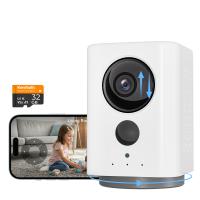
Some security cameras offer built-in support for microSD cards. This is a great option for simpler systems that don’t require much storage. MicroSD cards usually support up to 512 GB of storage and are best-suited for smaller recordings or motion-based systems.
Pros:
- Cost-effective.
- Easy to set up and access.
- Doesn’t require additional hardware.
Cons:
- Limited storage capacity.
- Vulnerable to theft or damage if the camera is exposed.
2. Network Video Recorder (NVR) or Digital Video Recorder (DVR)
NVRs and DVRs are dedicated devices designed for managing video feeds. They connect to multiple cameras and store footage on built-in or connected hard drives. NVRs tend to be used for IP cameras, while DVRs are designed for analog systems.
Pros:
- Centralized storage for multiple cameras.
- Higher storage capacity (up to several terabytes).
- Easier to manage with built-in software.
Cons:
- Higher initial cost.
- Requires separate hardware.
3. Cloud Storage
Many modern smart cameras offer cloud storage solutions in which footage is uploaded and saved to a cloud server. These services often operate on subscription models.
Pros:
- Accessible from anywhere via the internet.
- No risk of physical damage to the video footage.
- Convenient backup option.
Cons:
- Monthly subscription fees can add up over time.
- Dependent on a stable internet connection.
- Privacy concerns.
4. External Hard Drives
External hard drives can be used as standalone storage solutions by connecting them to your existing recording system.
Pros:
- Portable and cost-efficient.
- Can provide large amounts of additional storage.
Cons:
- Can be prone to damage if mishandled.
- No redundancy if the drive fails.
Recommendations Based on Common Use Cases
1. For Home Security
Homes with one or two cameras and motion-activated recording will typically need a manageable amount of storage. A 128 GB microSD card provides sufficient storage for up to 10–20 days of motion-activated clips, especially with efficient H.265 compression.
2. Small Business Surveillance
A setup of 4–8 cameras recording at 1080p around the clock will generally require an NVR or DVR configured with at least 2–4 TB of storage for about 30 days of footage. If motion detection is activated, this requirement could drop by up to 50%.
3. Office or Warehouse with High Security Needs
Businesses requiring footage retention for legal or insurance purposes may consider larger NVR systems with 8–16 TB of storage. If the footage is minimal or not required to be kept long-term, hybrid setups involving local storage with occasional backups in the cloud offer good flexibility.
Tips for Optimizing Storage Usage
To ensure that your system operates efficiently without wasting storage space, consider the following tips:
1. Adjust Resolution and Frame Rates: Use higher resolutions only for critical areas and balance frame rates to achieve smooth recordings without