How To Choose A Surveillance Camera System?
Security Needs and Camera Placement
the first question you may ask yourself is simple: is a security camera necessary in the first place? and the answer depends on the level of security you want to add to your home or business. while sensors can detect motion, letting you know if doors or windows have been opened or closed, without cameras, you can’t actually see what’s going on at home.
there are a few different ways to approach the different types of security cameras, either by location, where you put them in your home or business, by power, how they receive power, by connectivity, whether they require wi-fi or cellular signals, by the way they record footage, whether locally or on a cloud, or by their design.
- outside your home, you’ll need to decide whether you want a security camera, doorbell camera, or floodlight camera.
- battery-powered security cameras, video doorbells, and floodlight cameras offer the most flexibility in terms of placement in and around your home.
- hardwired cameras and doorbells neatly sidestep the recharging problem but may limit your placement options, unless you’re willing to run an extension cord or hire an electrician.
- keep in mind that the power source you use could limit the number of models you can choose from.
- this is especially true of floodlight cameras because there are few battery-powered models on the market.
Types of Home Security Cameras
there are three main types of home security cameras: wireless security cameras, doorbell cameras, and floodlight cameras. here are the differences.
- Wireless security cameras
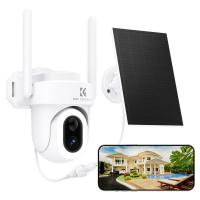
- these unobtrusive security cameras connect to your home wifi network and send alerts and videos to your smartphone.
- some models need to be plugged into an outlet, while others run on rechargeable batteries, making them truly wireless.
- certain cameras can store video clips locally on a memory card, but many don’t have that feature, forcing you to store them in the cloud—and allowing manufacturers to charge you a recurring fee.
- pros: they can be placed just about anywhere inside your home. weatherproof models can be placed outdoors. you can check on your home and receive smartphone alerts from anywhere with cell service or wifi.
- cons: cloud storage fees add up over time. some smart features may require a monthly fee.
- Doorbell cameras
- doorbell cameras offer all the features of a wireless security camera while also alerting you if someone rings the doorbell.
- they do double duty: if you have a video doorbell, you probably don’t also need a wireless security camera watching the front door.
- all video doorbells also feature two-way audio, so you can talk to whoever is ringing.
- pros: most use doorbell wiring for power, negating the need to run a separate power line. you can answer your doorbell even when you’re not home.
- cons: they won’t work with an existing wireless doorbell chime, though some may work with an existing wired chime. their connection to wifi can be spotty in some homes because they’re outside. cloud storage fees can add up. in many cases, smart features require you to pay a monthly fee.
- Floodlight security cameras
- these devices combine a security camera with bright led floodlights to shine a light on potential intruders and scare them off with built-in sirens.
- most models are designed to replace an existing floodlight, which means you have to wire them into an electrical box.
- some battery-powered and plug-in models are available, though.
- pros: because they replace regular hardwired floodlights, most floodlight cameras have a constant source of power, so you don’t need to bother with batteries.
- cons: their wifi connection may be affected by being outside the thick walls of your home. cloud storage fees can add up. some smart features often require paying a monthly fee.

Form Factor and Coverage
cctv cameras play an important role in securing buildings and protecting people. they enable security staff to monitor vulnerable spaces and provide evidence in the event of asecurity breach. however, as there are many different types of surveillance cameras to choose from, it can be difficult to select the most suitable cameras that fit your security needs.
- Dome cameras
- dome cameracctv camera that incorporates acamera with awide-angle lens inside aclear dome-shaped enclosure that protects the device from damage and harsh weather conditions.
- these security cameras can be mounted on walls or ceilings and in indoor or outdoor environments, and it has adiscreet appearance that blends in with the surroundings.
- dome models also can’t be repositioned without being removed and reinstalled.
- however, the wide-angle lens can provide great coverage of large open spaces if they are carefully positioned.
- PTZ cameras
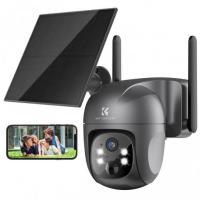
- ptzptz360cctv camera types can be controlled from on-site control rooms or via secure smart devices and cloud management systems.
- ptzcctvbusiness security cameras are best used to monitor spaces like retail stores, warehouses and commercial buildings in situations where hired operators are expected to observe live activities.
- Fisheye cameras
- fisheye camera incorporates an ultra-wide-angle lens, which allows it to monitor awide area or capture panoramic images of atarget location.
- these security camera types can be acost-effective solution, covering large spaces like parking lots and warehouses that would otherwise require multiple cameras to achieve optimal coverage.
- fisheye cameras are also commonly used in conjunction with other cameras to cover blind spots in large installations.
- cctv cameras is that captured footage is displayed as acircular image, which can become distorted if de-warping software is not utilized.
Connectivity and Power Source
how will your camera get power, through a battery or from a wall outlet? this is an essential question to ask yourself before purchasing a camera, and it may come down to your personal preference, with pros and cons for each type.
- with power comes responsibility for installation. make sure your camera either has a cord long enough to reach an outlet, if it’s plug-in, or is close enough to connect to your home’s wi-fi network.
- because a majority of home security cameras rely on wifi to stay connected, it’s important to make sure you have an adequate wifi signal in the areas where you plan to place them.
- this is especially important for cameras you place outside because it can be difficult for wifi to penetrate the exterior walls of homes.
- most wifi routers broadcast two networks simultaneously: 2.4ghz wifi and 5ghz wifi.
- the former offers a better range and can penetrate walls more easily, while the latter offers faster speeds.
- most security cameras only work with 2.4ghz networks, but many newer cameras support both networks, allowing for faster loading speeds and lower latency when they can connect to 5ghz networks.
- if you want speedier alerts and load times, consider cameras that support 5ghz wifi.
- Wired cctv cameras
- wired cctvcctv cameras to monitoring devices and wider security systems.
- the footage is sent via ethernet or coaxial cables to acentral monitoring room, where video recording and storage solutions process incoming data to be reviewed, analyzed and organized by security professionals.
- these types of cctv systems are common in high-security environments, as wired solutions are resistant to interference, receive aconstant mains power supply and are able to produce aconsistent video signal.
- however, they’re expensive to develop and not particularly flexible, requiring cables to be removed and reinstalled when monitoring positions need to be altered.
- Wireless cctv cameras
- wireless (wi-fi) cctv cameras transmit data to monitoring solutions via asecure wi-fi connection, enabling property owners to install these types of security cameras almost anywhere.
- cameras usually have individual power cables that must be connected to aphysical power supply, although some models with batteries allow for more flexibility.
- wireless cameras are best suited for smaller installations or in situations where installing cabling infrastructure is deemed too costly or impractical.
- while the flexibility of wireless cctv systems can be amajor advantage, wireless communications are susceptible to interference and will require cybersecurity protection to prevent data from being intercepted.
Indoor and Outdoor Environments
- Indoor cctv cameras
- indoor cameras usually feature small and discreet casings, as they don’t require protection from the elements.
- these cameras typically offer wide-angle coverage to observe indoor environments like shop floors, offices and access points.
- dome and turret cameras are suitable for environments where asubtle appearance is important and security does not need to be obvious, like hotel lobbies or high-end retail outlets.
- low-light or night vision features should also be prioritized if 24-hour surveillance is required.
typical environments for indoor cctv cameras:
- retail floors
- building entrances
- office hallways
- museums
- hotel lobbies
- Outdoor cctv cameras
- outdoor cameras may also be used as avisual crime deterrent and must be capable of capturing high-quality footage at long distances, meaning bullet types of cctv247.
typical environments for outdoor cctv cameras:
- commercial building perimeters
- parking lots
- access roads
- industrial sites
- transportation hubs
buyer beware: most security companies claim their outdoor cameras are either weatherproof, weather-resistant or waterproof, but these terms don’t really mean much; to truly know how a camera will fare in different weather conditions, check its ip rating and operating temperature, especially if you live where the temperature drops to below zero during winter.
Storage, Monitoring, and Subscriptions
aside from the actual camera itself, there are a couple of other potential costs that come with security cameras, namely, monitoring and storage costs.
- most manufacturers opt for cloud storage—where the footage is stored remotely on a server—instead of memory cards because the video files are large and the manufacturer can make additional money from subscriptions.
- while you may want to avoid subscriptions altogether and go with a camera that uses free, local storage, there are some benefits to paying the monthly fee.
- the biggest benefit is that the footage is securely stored far from your home, which can be helpful in the event of a crime or natural disaster.
- some cameras with local storage house the footage on a microsd card in the camera itself, which means an intruder could simply steal the camera to get rid of the evidence.
- if you want a camera with local storage but have this concern, you can buy a model with a separate base station or hub that can store the footage somewhere else in your home.
- but there are some cons to cloud storage besides the monthly fee.
- you don’t have complete control over your video footage, which conceivably could be accessed by the company or even hackers for their own purposes.
before you pick the camera or doorbell you want, be sure to find out how much free cloud storage it comes with and how much additional storage will cost you.
the amount of free online storage and the cost of storage plans can vary significantly by manufacturer and model.
Features to Compare
home security cameras come loaded with many features that take advantage of their internet connection. these are the main ones to look for as you shop.
- smartphone alerts
- security cameras and doorbell cameras will send alerts to your phone when they detect motion and doorbell rings.
- some cameras also analyze footage to send alerts for people, faces, animals, vehicles, and even packages.
- the frequency and sensitivity of alerts can usually be adjusted in the app.
- activity zones
- most cameras offer activity zones (also called motion zones), where you can select a portion of the camera’s field of view to watch for motion instead of the whole field of view.
- this feature is especially useful to block out annoying repetitive alerts from areas such as busy streets.
- two-way audio
- all doorbell cameras and most security cameras offer two-way audio, allowing you to hear and speak with people in front of the camera.
- cloud video storage
- most cameras store footage in the cloud, so it’s safely backed up and available from anywhere, but it usually requires a monthly fee of $1 to $30 per month.
the next decision you'll have to make involves the device's specs and features. do you want live streaming? is two-way talk a priority? what about night vision? modern home security cameras are loaded with neat extra features: motion detection, professional monitoring, push notifications, cloud video storage, weather resistance, sound and motion alerts and integration with third-party devices. narrowing down which smarts you want your device to have will help you make a final decision.
Special Features for Surveillance
cctv cameras come equipped with specialized features, such as infrared night vision or thermal imaging, to meet unique security needs.
- Day/night cameras
- day/night cameras are designed to capture images in various light conditions, from bright sunlight to low light and near total darkness.
- they feature extra-sensitive imaging chips that allow the lens to adjust to prevailing light conditions.
- some models include adjustable filters that automatically switch in response to light fluctuations, ensuring that images are always clear.
- these types of security cameras are best suited for outdoor environments that require 247 security, although they can also be effective for indoor use in areas that aren’t always well-lit.
- while day/night cameras are incredibly effective at capturing footage in low-light conditions, they still require some light to work effectively, making them ineffective in complete darkness.
- Infrared or night vision cameras
- ir sensors pick up infrared radiation reflected from objects in the camera’s view.
- this data is then processed internally to produce viewable footage, regardless of external light conditions.
- Thermal imaging cameras
- thermal imaging cameras use infrared rays to detect intruders during the day or at night.
- these cameras can detect motion at long distances of up to 300meters, even in complete darkness, making them useful for observing large outdoor areas round-the-clock.
- thermal cameras are similar to irircompared to ir or night vision cameras.
- Varifocal cameras
- varifocal cameras are used in types of cctv systems where the cameras need to focus on different areas at different times.
- these cameras utilize high-quality zoom lenses that retain sharp focus at variable focal depths, returning amuch higher quality image than is possible when using the digital zoom functions in other types of security cameras.
- varifocal cameras are typically installed indoors and used to monitor locations where assets of high value require protection, such as storage rooms and display cabinets in high-end retail stores.
- these cctv cameras can help eliminate blind spots by allowing operators to adjust viewing positions.
System Selection Factors
a wide range of cctv camera types has unique benefits and limitations that help determine ideal use cases. in terms of surveillance systems, there’s no one-size-fits-all approach, meaning all options must be carefully considered.
to identify the best cameras to suit specific security requirements, property owners and security teams will need to account for several determining factors, including:
- location — will cameras be indoors or outdoors? do they require tamper-proof casings? do they need to be physically accessible to allow routine maintenance?
- coverage—how large is the target area? will zoom functions be necessary? does one camera need to cover alarge area? are remote controls required?
- environment—will the camera be exposed to harsh weather? will contaminants like dust be aproblem? will glare or visual obstructions impact the camera’s operability?
- deterrence—should cameras act as avisible crime deterrent? does the business have issues with vandalism or loitering? is subtle or discreet surveillance required?
- connectivity—is remote viewing necessary? is astable video feed imperative? is the business atarget for cybercrimes? will installations need to be moved or scaled?
- 247 surveillance required? are cameras operated on apermanent basis? are automated security systems required?
- budget—how large is the business’ security budget? how much will maintenance cost? how many cameras are required to monitor key locations?
Installation Process
installing security cameras can look like a lot of things. if it’s a wireless camera, installation probably either means simply plopping the camera on a flat surface or screwing it into a wall or ceiling. for outdoor cameras, make sure that your camera is installed within the zone of your wi-fi so it retains a connection with your app. wired cameras are a bit more difficult to install than wireless cameras, depending on the design. some cameras only need to be plugged into a power outlet, while hardwired cameras are connecting with your home’s electrical system. many video doorbells will be hardwired into an existing doorbell and chime setup, which is obviously harder than setting up a battery-powered video doorbell.
for most security cameras, you’ll install them yourself, a process called diy installation. however, some security companies offer professional installation, either in-house or by a third party installer.
for the most part, though, you’ll be able to install your camera yourself typically through a guided app setup. typically, that looks like:
- downloading the camera’s respective app
- creating an account and logging in
- clicking a plus sign to add the device
- naming the device based on its location, i.e living room
- adding the camera to your home’s wi-fi network
- testing out the camera’s motion or person detection
- linking the camera with voice assistants and other compatible devices in your home
- mounting or placing the camera where you want it and testing out the wi-fi connection.
trust us, you don’t have to be a security expert to install most diy home security cameras; rather, they’re designed to be easy to install for anyone, so long as you’re comfortable with using apps.