
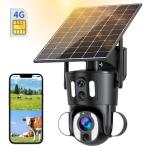
Dual-Lens 4G LTE Security Camera Solar Outdoor Surveillance 10X Optical Zoom
SKU: GW50.0105US
A
Remove the silicone cover at the bottom of the camera and press the reset button for 3–5 seconds to reset the device.
A
Follow these steps to troubleshoot:
1. Ensure the device is powered on and check if the working light is functioning normally.
2. Verify that the 4G network connection is stable.
3. If the camera is in an area with a poor 4G signal, relocate it to a spot with better signal reception.
4. Delete the camera from your UBox account, and re-add it. Ensure the app is updated to the latest version.
A
The security camera support can support T-Mobile, AT&T and Verizon. This 4G camera can not work with WiFi.
A
Yes, the 4G security camera comes with a SIM card preloaded with 300MB of mobile data.
A
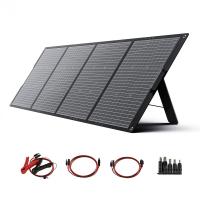
For optimal performance, install the solar panel in an open area with direct sunlight exposure for at least 5 hours a day.
Related products
NEW
Arrival
NEW
Arrival
NEW
Arrival
NEW
Arrival
NEW
Arrival
NEW
Arrival
NEW
Arrival
NEW
Arrival
NEW
Arrival
Products You May Like

$162.99 $106.99
Related articles







Related Scenes