
Reviews
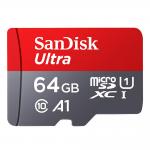
Worked great in my Nintendo Switch (plus info on data management)
Worked great in my Nintendo Switch. At the time of my purchase (which was fairly close to the time of this review), I felt the 64 gig was the best value for the money. But because the prices will likely continue to go down over time and because of the reasons that follow, I probably wouldn’t get a micro sdxc card until you're running low on the Switch's internal storage space.Here are the things to consider...1. Game saves will always go on the Switch's internal hard drive. They don't take up much space, and you can archive saves for games you aren’t currently playing...but for the save files you're actively using, you need enough room on the internal hard drive.2. Screenshots and videos will default to the new micro sdxc card, but you can change the default back to the Switch's internal hard drive in the data management settings. You can also move the files back and forth between the internal drive and the micro sdxc card fairly easily (while the micro sdxc card is in the Switch).3. Digital download games and updates (even updates for game cards or digitally downloaded games saved on the internal hard drive) will default to the micro sdxc card so long as it is in the Switch. If you want to move your downloaded games and updates over to the internal storage, you will need to archive them (which will remove them from the micro sdxc card), take out the micro sdxc card (turn off* your Switch first), then select the game you want to play (it'll still be on your home screen menu if you've archived it) and the game, updates, and save files will download to the internal storage.It's for the third reason, especially, that I recommend using up most of the internal storage before actually using the micro sdxc card. Because the downloaded games and updates are a pain to move around.Anyway, hope all that helps. It's a great card. It's easy to put in. Just turn off* your Switch, put the card in (label facing you as you're looking at the back of your Switch), and turn the Switch back on. For cards bigger than 32 gigs, you'll be prompted to install an update, but once that's done, you'll be ready to go.*To turn off the Switch, hold the power button on top of the Switch until you see a menu pop up. choose “Power Options” then choose “Turn Off”.
27/01/2018
Related products

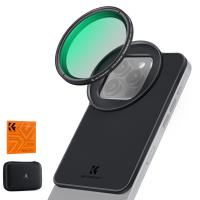
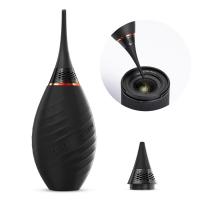
Products You May Like
$37.99 $19.99

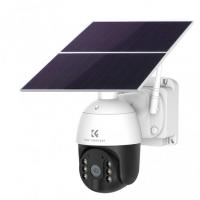
![[4X Optical Zoom] Recharge power Security Camera PTZ Outdoor for Home Security with Human Detection Auto Tracking-UK Standard](https://img.kentfaith.com/cache/catalog/products/us/KF50.0003/KF50.0003-1-200x200.jpg "[4X Optical Zoom] Recharge power Security Camera PTZ Outdoor for Home Security with Human Detection Auto Tracking-UK Standard")
Related articles






Blog You May Like






Popular products
portable game console case
nintendo switch accessories case
vehicle usb charger
headset with microphone noise cancellation
remote monitoring color weather station
sony 4k video camera
sim card with unlimited data
clip on phone camera lens
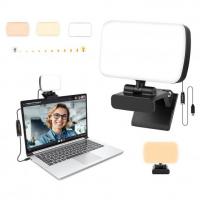
rechargeable light with stand
smart watch swimming heart rate
Related searches
Nintendo Switch Headset With Microphone
Nintendo Switch Headphones With Mic
Microphone Headphones For Nintendo Switch
Noise Cancelling Headphones For Nintendo Switch
Headphones For Nintendo Switch With Microphone
Microphone On Iphone 8 Plus
Voice Data Recorder
Trail Camera With Cellular Data
Great Binoculars For Hunting
Great Hd Video Camera
Related Scenes