kfconcept

KENTFAITH
K&F Concept    Blog >

Enjoy Your Selected Digital Life

Recently Viewed
  • Recently Viewed
  • USB Microphone Kit 192K24Bit Cardioid High Sampling Rate With Desktop Cantilever Bracket for PC Game Professional Voice Recording Karaoke
    USB Microphone Kit 192K24Bit Cardioid High Sampling Rate With Desktop Cantilever Bracket for PC Game Professional Voice Recording Karaoke
    $47.99
    Q1 Fingerprint Smart Door Lock, Keyless Entry Door Lock, with App, Fingerprint Recognition, for Indoor Doors of Homes, Hotels, Offices, Apartments, & Bedrooms
    Q1 Fingerprint Smart Door Lock, Keyless Entry Door Lock, with App, Fingerprint Recognition, for Indoor Doors of Homes, Hotels, Offices, Apartments, & Bedrooms
    $137.99 $96.99
Compare (0) 0
  • Compare
  • You have not chosen any products to compare.

  • Compare
Currency: USD
  • Currency
Shop by Scene Shop by Rank

Log Into Your Account

Account

Order History

Wish List

Login

Forgotten Password?

Or connect with

Register Account

Already have an Account?Log In

  • Shopping Cart
  • Your shopping cart is empty!

  • Register/Login to purchase, earn points
  • Favorite
  • Your wish list is empty.

  • Register/Login to like, earn points
  • Activities
  • Guide
    • Filter Guide
    • Lens Adapter
    • Product Review
  • News & Reviews
    • Camera Reviews
    • Sample Gallery
    • News
  • Tutorials
    • Solar eclipse photography
    • Photography Basics
    • Landscape Photography
  • Inspiration
    • Travel
    • Travel Stories
  • Home
  • Blog
  • How To Install Sd Card On Nintendo Switch?

How To Install Sd Card On Nintendo Switch?

Kentfaith 2024-10-07 01:22:12 0 Comments

Installing an SD card on your Nintendo Switch is a necessary step to expand the console's storage, allowing more room for game downloads, screenshots, and other data. The growing library of games and updates available means that an increasing number of users find themselves requiring additional storage space. Luckily, the process of installing an SD card is straightforward and can be accomplished in a few simple steps. This article provides a step-by-step guide designed to be accessible to both new and veteran Nintendo Switch users, ensuring that you have the maximum storage possible for your gaming needs.

Introduction to SD Cards for Nintendo Switch
how to install sd card on nintendo switch 1

The Nintendo Switch is compatible with microSD, microSDHC, and microSDXC cards. The main difference between these cards lies in their storage capacities:

- MicroSD: Up to 2GB

- MicroSDHC: 4GB to 32GB

- MicroSDXC: 64GB and above

Before you begin the installation process, make sure that you have chosen a microSDXC card from a reputable brand with sufficient storage capacity to meet your gaming needs. This will provide the most value and longevity for your investment.

Step-by-Step Guide to Installing an SD Card on a Nintendo Switch
how to install sd card on nintendo switch 2

Step 1: Power Off the Nintendo Switch

how to install sd card on nintendo switch 3

Always ensure that you power off your Nintendo Switch entirely before installing the SD card. This prevents any potential data corruption or system issues. To do this, hold down the power button (located on the top-left side of the console) for a few seconds until the power options menu appears. Select “Power Options,” then choose “Turn Off.”

Step 2: Locate the SD Card Slot
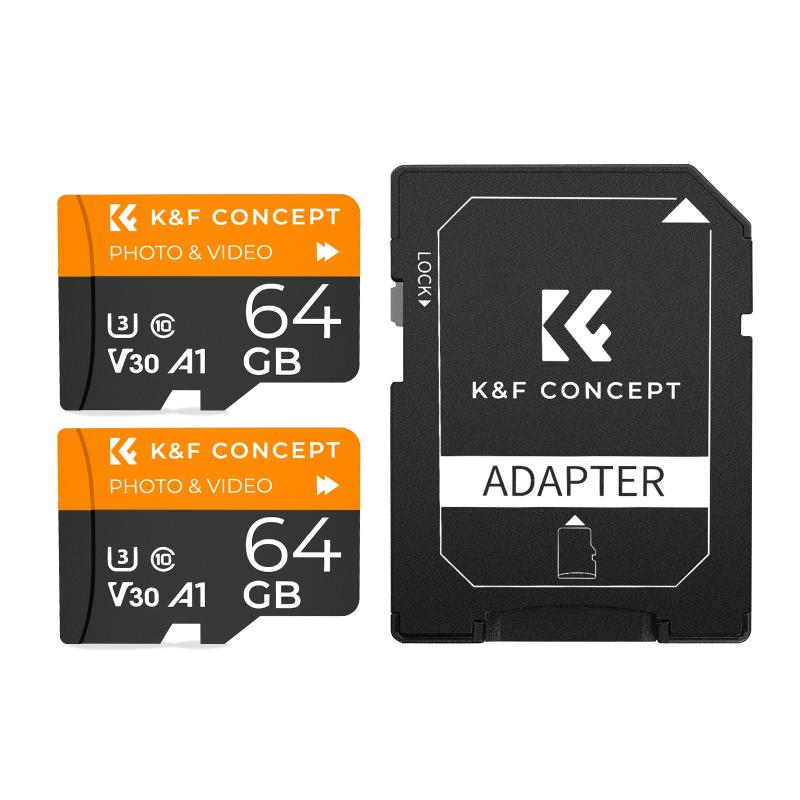
how to install sd card on nintendo switch 4

The SD card slot on the Nintendo Switch is somewhat hidden for aesthetic and packaging reasons. It is located underneath the kickstand at the back of the console. Place the console on a soft surface to avoid any damage, gently open the kickstand, and you’ll see the SD card slot.

Step 3: Insert the SD Card

Take your microSD card and ensure it is facing the right direction—gold contacts should be facing downwards, and the label side should face upwards. Insert the SD card into the slot until you hear or feel a slight click, indicating that it is securely in place. Be careful not to apply too much pressure as this could damage the delicate components.

Step 4: Power On the Nintendo Switch

Once the SD card is securely in place, power on your Nintendo Switch by holding the power button until the Nintendo logo appears. The system will automatically recognize the new SD card. In most cases, the device will display a notification confirming that the SD card is now in use.

Step 5: Format the SD Card (If Necessary)

Sometimes, the SD card may require formatting before it can be used. If your Switch prompts you to format the card, follow the on-screen instructions to do so. Note that formatting will erase all data on the SD card, so ensure there’s nothing important on the card before proceeding.

To manually format the SD card, navigate to:

1. System Settings (the gear icon on the Home menu)

2. Scroll down to “System”

3. Select “Formatting Options”

4. Choose “Format microSD Card”

Step 6: Confirm the SD Card’s Functionality

After installing the SD card and formatting it if necessary, you can confirm that the Nintendo Switch recognizes the new storage space. To do this:

1. Go to System Settings

2. Scroll down to “Data Management”

3. Select “Manage Software”

Here, you’ll see the available storage space on both the internal memory and the SD card. If you see an increase in your available storage, the SD card is working correctly.

Managing Your Data

Once the SD card is installed, you will likely want to move existing data to utilize the additional space effectively. Nintendo Switch does not provide an in-system method to transfer data between the console's internal memory and the SD card, so this will need to be done manually using a computer:

1. Power off the Nintendo Switch and remove the SD card

2. Use an SD card reader to access the SD card on your computer

3. Copy the Nintendo folder to your computer

4. Insert the new, larger SD card into the reader

5. Transfer the Nintendo folder onto the new SD card

Re-insert the new SD card into your Nintendo Switch and power it on, and it should recognize the data without any issues.

Choosing the Right SD Card

When selecting an SD card for your Nintendo Switch, consider the following factors:

- Capacity: Choose a card with a storage amount appropriate to your gaming habits. A minimum of 128GB is advisable for moderate gamers, while heavy gamers may want 256GB or more.

- Speed: For optimal performance, select a card with a high-speed rating, such as UHS-I (Ultra High Speed). This will ensure faster read/write speeds, reducing loading times and increasing overall game performance.

- Brand Reliability: Stick to well-known brands like SanDisk, Samsung, or Kingston, which offer durable and high-performing SD cards.

Troubleshooting

If your Nintendo Switch does not recognize the SD card:

1. Ensure that the card is inserted correctly.

2. Confirm that the card is not damaged by testing it in another device.

3. Check for any updates to your Nintendo Switch system software that may improve compatibility with newer SD card models.

Expanding your Nintendo Switch storage by installing a microSD card is a simple yet impactful way to enhance your gaming experience. Following the steps outlined in this guide will ensure smooth installation and efficient use of your new storage space. Enjoy the freedom of downloading more games, taking screenshots, and saving exciting game moments without worrying about storage limitations. With the right SD card, your Nintendo Switch experience can be as expansive and enjoyable as you want it to be.


Leave your comment
Cancel reply
Note: HTML is not translated!
Related products
SD Card Reader for iPhone/iPad/Android/Mac/Computer/Camera, 4 in 1 Micro SD Card Reader Tracking Camera Viewer, Portable Memory Card Reader SD Card Adapter Compatible with SD and Micro SD Card/TF Card ( black)
$14.99
Carrying Case with 8 Game Cards Slots, Portable Game Bag for Consoles & Accessories, Lightweight Sling Crossbody Bag Compatible with Nintendo Switch 2/Steam Deck OLED/PlayStation
$35.99
K&F Concept 36 Slots SD Micro SD Memory Card Case, Water-Resistant SD Card Holder, Anti-Shock Card Carrying Storage Box for 24 Micro SD SDXC SDHC TF Cards and 12 SD SDXC SDHC Cards
$18.99 $9.99
K&F Concept 28 Slots Micro SD Card Case,Water-Resistant Anti-Shock Anti-Dust TF Card Holder,Micro SD/Micro SDHC/Micro SDXC Card Box Organizer Storage
$18.99 $9.99
128GB MicroDrive Micro SD UHS-I Memory Card
2
$31.99
K&F Concept 24 Slots SD Card Holder Memory Card Case, Water-Resistant Shockproof Memory Card Storage Carrying Case for 12 SD SDXC SDHC Cards, 12 CFexpress Type A Cards
$18.99 $9.99
32GB Micro SD Card U3/V30/A1 with Adapter, Memory Card for Cameras, Borescopes,  Microscopes, Night Vision Goggles, Kentfaith
32GB Micro SD Card U3/V30/A1 with Adapter, Memory Card for Cameras, Borescopes, Microscopes, Night Vision Goggles, Kentfaith
$19.99 $15.99
64GB Micro SD Card U3/V30/A1 with Adapter, Memory Card for Cameras, Borescopes,  Microscopes, Night Vision Goggles, Kentfaith
64GB Micro SD Card U3/V30/A1 with Adapter, Memory Card for Cameras, Borescopes, Microscopes, Night Vision Goggles, Kentfaith
$23.75 $23.73
4K 32MP Hunting Camera, 100° Wide Motion Sensor 0.2s Trigger IP67 Waterproof, 2.31" Display, with 64G SD Card +Card Reader
$114.99
Products You May Like
Canon FD Lens to Micro Four Thirds M4/3 Olympus Pen and Panasonic Lumix Cameras Lens Mount Adapter Ring
130
$45.99 $28.99
1080p 16mp Trail Camera
10
$135.99 $74.99
95mm UV Filter Ultra Low Reflection Tempered Glass Protection Lens Filter, Slim Lens HD Optical Glass Scratch-resistant, Ultraviolet Filters for DSLR Cameras Nano-X Series
19
$125.99 $93.99
49mm Ultra-Low Reflection Variable ND Lens Filter, ND2-400 (1-9 Stop)  HD Adjustable Neutral Density Filter with 28 Multi-Layer Coatings for Camera Lenses - Nano-X Series
49mm Ultra-Low Reflection Variable ND Lens Filter, ND2-400 (1-9 Stop) HD Adjustable Neutral Density Filter with 28 Multi-Layer Coatings for Camera Lenses - Nano-X Series
52
$110.99 $82.99
K&F Concept 5-in-1 Light Reflector with Grip 22"(60cm) Photography Diffuser Collapsible Portable for Studio and Outdoor Lighting Gold Silver White Black Translucent
87
$24.99
K&F Concept 28 Slots Micro SD Card Case,Water-Resistant Anti-Shock Anti-Dust TF Card Holder,Micro SD/Micro SDHC/Micro SDXC Card Box Organizer Storage
$18.99 $9.99
Infrared Night Vision Monocular, 10X Digital Zoom, View 800M, 2in Screen, 64GB 2000mAh Battery Kentfaith
15
$99.99 $79.99
Outdoor Trail Security Cameras
10
$162.99 $106.99
64"/1.6m Travel Tripod Lightweight Aluminum Compact Vlog Camera Tripod Flexible & Portable 17.6lbs/8kg Load with Portable, for DSLR Cameras O234A1+BH-36
$59.99 $49.99
Olympus OM Lenses to Pentax Q Camera Mount Adapter with tripod mount
$55.99 $29.99
Related articles
Where To Install Sd Card On Switch?
How Big Of Sd Card For Nintendo Switch?
How Much Are Nintendo Switch Sd Cards?
What Memory Card Works With Nintendo Switch?
How To Store Switch Games On Sd Card?
Where Does The Nintendo Switch Memory Card Go?
Can You Use Any Sd Card On Switch?
How To Insert Micro Sd Card Switch?
How To Open Switch Sd Card Slot?
How Far Can Binoculars See?
Blog You May Like
What Is the Best Rangefinder Binoculars?
How To Light For Video Calls?
What Is A Pl Camera Filter?
What Smart Watch To Get?
Can I Put Dash Camera On Dashboard?
Which Car Dash Camera Is Best?
How To Use Camera Flash?
How To Choose A Outdoor Security Camera?
Where To Buy Apple Smart Watch?
How To See If Sd Card Is Working?
Related categories
On-Dash Camera camera card memory C mount lens adapter Screw-In Filter Pentax 67 Mount Lens Adapters
Popular products
trail camera 4k outdoor motion sensor camera hunting wifi wildlife camera portable sd card reader 64Gb Micro Sd Memory Card 32gb sd flash memory card 4k sd memory card Full Size Sd Memory Card sd memory card carrying case 64gb memory card micro
Related searches
Micro To Sd Card Adapter Sd Card Cameras Sd Card Recorder Standard Sd Card Internal Sd Card Easy To Install Wireless Outdoor Security Cameras Sd Card Security Cameras Camera Sd Card Holder Micro Sd Card Adapters Canon Sd Card Adapter
Popular searches
4k Sports Action Camera Snap On Lens Filter For Sony Cybershot Sony Multi Terminal Right Angle Adapter Wireless Camera For Tablet Light For Making Videos Black Mist Filter K&f Fujifilm Uv Filter M12 Lens Mount Cad 40.5 Mm Lens Filter For Sony A6000 Phase One Hasselblad Lens Adapter
Blog Category
  • Activities
  • Guide
    • Filter Guide
    • Lens Adapter
    • Product Review
  • News & Reviews
    • Camera Reviews
    • Sample Gallery
    • News
  • Tutorials
    • Solar eclipse photography
    • Photography Basics
    • Landscape Photography
  • Inspiration
    • Travel
    • Travel Stories
Search Article
Latest from the Blog
How To Make Your Eyes Flash On Camera?
What Is The Best Camera To Record Videos?
Can You Zoom In With Binoculars?
How To Buy A Security Camera System?
Neutral Density Filter: The Ultimate Guide for Photographers and Videographers
Which Camera Is Best For Low Light Photography?
What Power Binoculars For Long Distance Viewing?
Can Security Cameras Detect Motion Through Glass?
What Tripod To Buy?
How To Stream Live From Surveillance Camera?
  • Easy Payment Multilple Payment Options

  • Free Shipping Global WareHouse Shipment

  • No Risk 30-Day No Reason Return

  • Limited Deals Buy More, Save More

  • Tax Free No any surcharges or tax fee

Information
  • About us
  • Contact Us
  • Site Map
  • Blog
  • Video
  • Gallery
  • VIP Membership Rewards
Service
  • Privacy Policy
  • Terms & Conditions
  • Shipping & Delivery
  • Payment Info
  • Warranty, Return & Refund
  • Intellectual Property Rights
  • Ambassador
  • Affiliates
  • Wholesale
Support
  • My account
  • Order History
  • FAQs
  • Extend Warranty
  • Logistics Tracking
Follow us
NewsLetter

Get the latest product, K&F Concept respects your privacy.

Powered By KENTFAITH © 2025