kfconcept

KENTFAITH
K&F Concept    Blog >

Enjoy Your Selected Digital Life

Recently Viewed
  • Recently Viewed
  • Recently Viewed list is empty.

Compare (0) 0
  • Compare
  • You have not chosen any products to compare.

  • Compare
Currency: USD
  • Currency
Shop by Scene Shop by Rank

Log Into Your Account

Account

Order History

Wish List

Login

Forgotten Password?

Or connect with

Register Account

Already have an Account?Log In

  • Shopping Cart
  • Your shopping cart is empty!

  • Register/Login to purchase, earn points
  • Favorite
  • Your wish list is empty.

  • Register/Login to like, earn points
  • Activities
  • Guide
    • Filter Guide
    • Lens Adapter
    • Product Review
  • News & Reviews
    • Camera Reviews
    • Sample Gallery
    • News
  • Tutorials
    • Solar eclipse photography
    • Photography Basics
    • Landscape Photography
  • Inspiration
    • Travel
    • Travel Stories
  • Home
  • Blog
  • How To Store Switch Games On Sd Card?

How To Store Switch Games On Sd Card?

Kentfaith 2024-08-14 01:15:36 0 Comments

In the ever-evolving world of gaming, the Nintendo Switch has carved out a significant niche for itself, thanks to its hybrid nature that allows for both handheld and docked play. One of the key aspects of maximizing your Nintendo Switch experience is managing storage effectively, especially when it comes to storing games on an SD card. This article will delve into the practical steps and considerations for storing Switch games on an SD card, ensuring you can enjoy your gaming library without constantly worrying about running out of space.
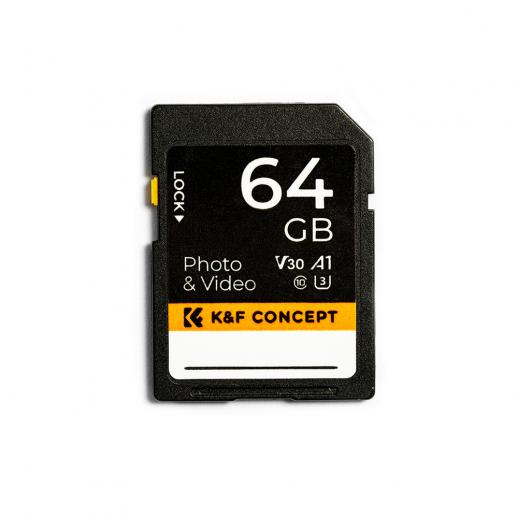

Understanding the Need for an SD Card

The Nintendo Switch comes with a modest internal storage capacity of 32GB, which can quickly fill up with just a few game downloads, updates, and save files. Given the size of modern games, this internal storage is often insufficient for avid gamers. This is where an SD card becomes essential. By expanding your storage capacity with an SD card, you can store more games, downloadable content (DLC), and updates without having to delete existing content.

Choosing the Right SD Card

Before diving into the process of storing games on an SD card, it’s crucial to choose the right one. Here are some factors to consider:

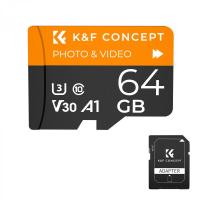
1. Capacity: SD cards come in various capacities, ranging from 32GB to 1TB. Depending on your gaming habits and the size of your game library, you should choose a card that offers ample space. For most users, a 128GB or 256GB card strikes a good balance between cost and capacity.

2. Speed: The speed of the SD card affects how quickly games load and how smoothly they run. Look for cards with a high read and write speed. The Nintendo Switch supports UHS-I cards, and a card with a speed class of U3 or higher is recommended for optimal performance.

3. Brand and Reliability: Opt for reputable brands like SanDisk, Samsung, or Kingston. These brands are known for their reliability and performance, reducing the risk of data corruption or card failure.

Formatting the SD Card

Once you have chosen the right SD card, the next step is to format it for use with your Nintendo Switch. Here’s how to do it:

1. Insert the SD Card: Power off your Nintendo Switch and insert the SD card into the slot located behind the kickstand.

2. Power On and Format: Turn on your Switch. If the card is not already formatted, the system will prompt you to format it. Follow the on-screen instructions to complete the process. Note that formatting the card will erase all data on it, so ensure it’s empty or that you have backed up any important files.

Transferring Games to the SD Card

With the SD card formatted and ready, you can now transfer games to it. There are two main methods to do this: downloading games directly to the SD card or moving existing games from the internal storage to the SD card.

Downloading Games Directly to the SD Card

When you download a new game from the Nintendo eShop, the Switch will automatically save it to the SD card if one is inserted and there is sufficient space. This is the simplest method, as it requires no additional steps beyond the initial download.

Moving Existing Games to the SD Card

If you already have games stored on the internal memory and want to free up space, you can move them to the SD card. Here’s how:

1. Access Data Management: From the Home menu, go to System Settings > Data Management.

2. Move Data: Select “Move Data Between System / microSD Card.” You will see options to move data from the system memory to the microSD card and vice versa.

3. Select Games: Choose the games or applications you want to move and confirm your selection. The system will transfer the data to the SD card.

Managing Your Storage

Effective storage management is key to ensuring a smooth gaming experience. Here are some tips to help you manage your storage efficiently:

1. Regularly Check Storage: Periodically check your storage usage by going to System Settings > Data Management. This will help you keep track of how much space you have left and plan accordingly.

2. Delete Unused Games: If you have games that you no longer play, consider deleting them to free up space. You can always re-download them from the eShop if you want to play them again.

3. Backup Save Data: While game data can be re-downloaded, save data is often irreplaceable. Use the Nintendo Switch Online service to back up your save data to the cloud, ensuring you don’t lose your progress.

4. Organize Your Library: Keep your game library organized by categorizing games based on your preferences. This can make it easier to find and manage your games.

Troubleshooting Common Issues

Despite following the best practices, you may encounter some issues when using an SD card with your Nintendo Switch. Here are some common problems and their solutions:

1. SD Card Not Recognized: If your Switch doesn’t recognize the SD card, ensure it’s properly inserted and formatted. Try reformatting the card using a computer if the issue persists.

2. Slow Performance: If games are loading slowly, it could be due to a low-speed SD card. Consider upgrading to a faster card with a higher speed class.

3. Data Corruption: Data corruption can occur due to improper ejection or a faulty card. Always power off your Switch before removing the SD card and use reliable brands to minimize this risk.

Storing Nintendo Switch games on an SD card is a practical solution to the limited internal storage of the console. By choosing the right SD card, formatting it correctly, and managing your storage efficiently, you can ensure a seamless gaming experience. Regularly checking your storage, backing up save data, and troubleshooting common issues will help you make the most of your expanded storage capacity. With these steps, you can focus on what truly matters: enjoying your favorite games without interruption.


Leave your comment
Cancel reply
Note: HTML is not translated!
Related products
SD Card Reader for iPhone/iPad/Android/Mac/Computer/Camera, 4 in 1 Micro SD Card Reader Tracking Camera Viewer, Portable Memory Card Reader SD Card Adapter Compatible with SD and Micro SD Card/TF Card ( black)
$14.99
K&F Concept 36 Slots SD Micro SD Memory Card Case, Water-Resistant SD Card Holder, Anti-Shock Card Carrying Storage Box for 24 Micro SD SDXC SDHC TF Cards and 12 SD SDXC SDHC Cards
$18.99 $9.99
K&F Concept 28 Slots Micro SD Card Case,Water-Resistant Anti-Shock Anti-Dust TF Card Holder,Micro SD/Micro SDHC/Micro SDXC Card Box Organizer Storage
$18.99 $9.99
128GB MicroDrive Micro SD UHS-I Memory Card
2
$31.99
K&F Concept 24 Slots SD Card Holder Memory Card Case, Water-Resistant Shockproof Memory Card Storage Carrying Case for 12 SD SDXC SDHC Cards, 12 CFexpress Type A Cards
$18.99 $9.99
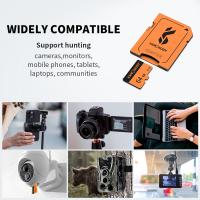
32GB Micro SD Card U3/V30/A1 with Adapter, Memory Card for Cameras, Borescopes,  Microscopes, Night Vision Goggles, Kentfaith
32GB Micro SD Card U3/V30/A1 with Adapter, Memory Card for Cameras, Borescopes, Microscopes, Night Vision Goggles, Kentfaith
$19.99 $15.99
64GB Micro SD Card U3/V30/A1 with Adapter, Memory Card for Cameras, Borescopes,  Microscopes, Night Vision Goggles, Kentfaith
64GB Micro SD Card U3/V30/A1 with Adapter, Memory Card for Cameras, Borescopes, Microscopes, Night Vision Goggles, Kentfaith
$23.75 $23.73
4K 32MP Hunting Camera, 100° Wide Motion Sensor 0.2s Trigger IP67 Waterproof, 2.31" Display, with 64G SD Card +Card Reader
$114.99
Digital Mini Microscope for Kids, 100x-1000x Handheld Microscope with 32GB SD Card & Battery
32
$92.99 $65.99
Products You May Like
49mm Lens Filter Kit Neutral Density ND8+ND64+CPL Circular Polarizer for Professional Camera Lens with Multiple Layer Nano Coated
13
$66.99 $43.99
43mm Variable ND Filter ND2-ND32 (1-5 Stops) Lens Filter Waterproof Scratch Resistant with 18 Layers of Nano-coating Nano-Klear Series
30
$37.99 $29.99
K&F Concept 2 in 1 Sling Bag Everyday Shoulder Bag & Multifunction Photography Crossbody Camera DSLR Backpack Portable Bag - Sling Bag 10L Urban Wander 01 (Black + Brown)
131
$49.99 $39.99
Leica R Lenses to Pentax Q Lens Mount Adapter with Tripod Mount K&F Concept M21162 Lens Adapter
$55.99 $28.99
4K Solar Eclipse Telescope Electronic Eyepiece with 1600mAh battery for 1.25in Telescope WiFi Connection
12
$128.99 $85.99
Lens Mount Adapter EOS-NEX IV IV Manual Focus Compatible with Canon (EF/EF-S) Lens and Sony E Mount Camera Body, Not Auto-Focus
72
$75.99 $43.99
62mm Gold Streak Effect Lens Filter (2mm) Anamorphic Optical Glass Light Flare Effect Filter for Camera Lens Nano-Xcel Series
30
$49.99 $39.99
67mm ND64 (6 Stop) Lens Filter Fixed Neutral Density Filter, Waterproof, Scratch-Resistant, Anti-reflective and Translucent Green Film Nano-Xcel
18
$49.99 $39.99
62mm Solar Filter 20-Stops,ND1000000 Solid Neutral Density Filter Solar Filter For Eclipse With 18 Multi-Layer Coatings Nano-Klear Series
33
$24.99 $19.99
mini trail camera
mini trail camera
10
$135.99 $106.99
Related articles
How To Save Games On Sd Card Android?
Where To Install Sd Card On Switch?
How To Install Sd Card On Nintendo Switch?
Can I Install Games On Sd Card Android?
How To Use Sd Card For Games?
How To Store Apps On Memory Card?
Can You Use Any Sd Card On Switch?
How To Insert Micro Sd Card Switch?
How To Open Switch Sd Card Slot?
360 Degree Video Camera How Does It Work?
Blog You May Like
How To Format A Sd Card In Linux?
How Much Are Memory Cards?
Phone Makes Microphone Noise When Camera Is On?
How To Record Video With Selfie Stick?
Telescope How Does It Work?
How To Install Lens Light Filter?
What Do You Need To Record Your Voice?
Can Dash Cam Work When Car Is Off?
How To Build A Telescope?
Does Uv Light Damage Camera Lens?
Related categories
On-Dash Camera camera card memory C mount lens adapter m4/3 adapter Canon EOS M mount adapter
Popular products
portable sd card reader 64Gb Micro Sd Memory Card 32gb sd flash memory card 4k sd memory card Full Size Sd Memory Card sd memory card carrying case 64gb memory card micro surveillance memory card magnetic memory card gaming video camera
Related searches
Micro To Sd Card Adapter Sd Card Cameras Sd Card Recorder Standard Sd Card Internal Sd Card Sd Card Security Cameras Camera Sd Card Holder Micro Sd Card Adapters Canon Sd Card Adapter Sd Card For Cameras
Popular searches
Fuji Adapter Sigma Nikon Lens 70-200 Video Camera Accessories Pan Head Tripod Mount Anamorphic Projector Lens Adapter Home Recording Microphone Wireless Indoor Security Camera Nikon G To Fuji X Adapter Sony A Mount To E Mount Adapter Best Camera For Recording Videos Nd Filter 43mm
Blog Category
  • Activities
  • Guide
    • Filter Guide
    • Lens Adapter
    • Product Review
  • News & Reviews
    • Camera Reviews
    • Sample Gallery
    • News
  • Tutorials
    • Solar eclipse photography
    • Photography Basics
    • Landscape Photography
  • Inspiration
    • Travel
    • Travel Stories
Search Article
Latest from the Blog
Which Smart Watches Are Waterproof?
Camera That Can Wifi Photos To Phone?
What To Look For In A Dash Cam?
ND Filter: The Complete Guide to Neutral Density Filters for Photography and Video
Which Binoculars To Buy?
What Is Surveillance Camera Control System?
How To Remove Memory Card From Nikon Camera?
How To Make Your Eyes Flash On Camera?
Can You Zoom In With Binoculars?
How Do Trail Cameras Work? The Ultimate Guide to Trail Cameras
  • Easy Payment Multilple Payment Options

  • Free Shipping Global WareHouse Shipment

  • No Risk 30-Day No Reason Return

  • Limited Deals Buy More, Save More

  • Tax Free No any surcharges or tax fee

Information
  • About us
  • Contact Us
  • Site Map
  • Blog
  • Video
  • Gallery
  • VIP Membership Rewards
Service
  • Privacy Policy
  • Terms & Conditions
  • Shipping & Delivery
  • Payment Info
  • Warranty, Return & Refund
  • Intellectual Property Rights
  • Ambassador
  • Affiliates
  • Wholesale
Support
  • My account
  • Order History
  • FAQs
  • Extend Warranty
  • Logistics Tracking
Follow us
NewsLetter

Get the latest product, K&F Concept respects your privacy.

Powered By KENTFAITH © 2025