kfconcept

KENTFAITH
K&F Concept    Blog >

Enjoy Your Selected Digital Life

Recently Viewed
  • Recently Viewed
  • SD Card Reader for iPhone/iPad/Android/Mac/Computer/Camera, 4 in 1 Micro SD Card Reader Tracking Camera Viewer, Portable Memory Card Reader SD Card Adapter Compatible with SD and Micro SD Card/TF Card ( black)
    SD Card Reader for iPhone/iPad/Android/Mac/Computer/Camera, 4 in 1 Micro SD Card Reader Tracking Camera Viewer, Portable Memory Card Reader SD Card Adapter Compatible with SD and Micro SD Card/TF Card ( black)
    $14.99
Compare (0) 0
  • Compare
  • You have not chosen any products to compare.

  • Compare
Currency: USD
  • Currency
Shop by Scene Shop by Rank

Log Into Your Account

Account

Order History

Wish List

Login

Forgotten Password?

Or connect with

Register Account

Already have an Account?Log In

  • Shopping Cart
  • Your shopping cart is empty!

  • Register/Login to purchase, earn points
  • Favorite
  • Your wish list is empty.

  • Register/Login to like, earn points
  • Activities
  • Guide
    • Filter Guide
    • Lens Adapter
    • Product Review
  • News & Reviews
    • Camera Reviews
    • Sample Gallery
    • News
  • Tutorials
    • Solar eclipse photography
    • Photography Basics
    • Landscape Photography
  • Inspiration
    • Travel
    • Travel Stories
  • Home
  • Blog
  • How To Set Up Surveillance Camera Online?

How To Set Up Surveillance Camera Online?

Kentfaith 2024-11-27 09:23:50 0 Comments

Setting Up a Surveillance Camera Online: A Comprehensive Guide

Ensuring the safety and security of your home or business is a top priority, and one of the most effective ways to achieve this is by setting up surveillance cameras. These cameras allow you to monitor your property remotely, providing reassurance and evidence in case of suspicious activities. With advancements in technology, setting up and accessing these cameras online has become more straightforward than ever. Today, we will walk you through a detailed, step-by-step guide on how to set up your surveillance camera online and provide critical insights into the process.

1. Choosing the Right Surveillance Camera
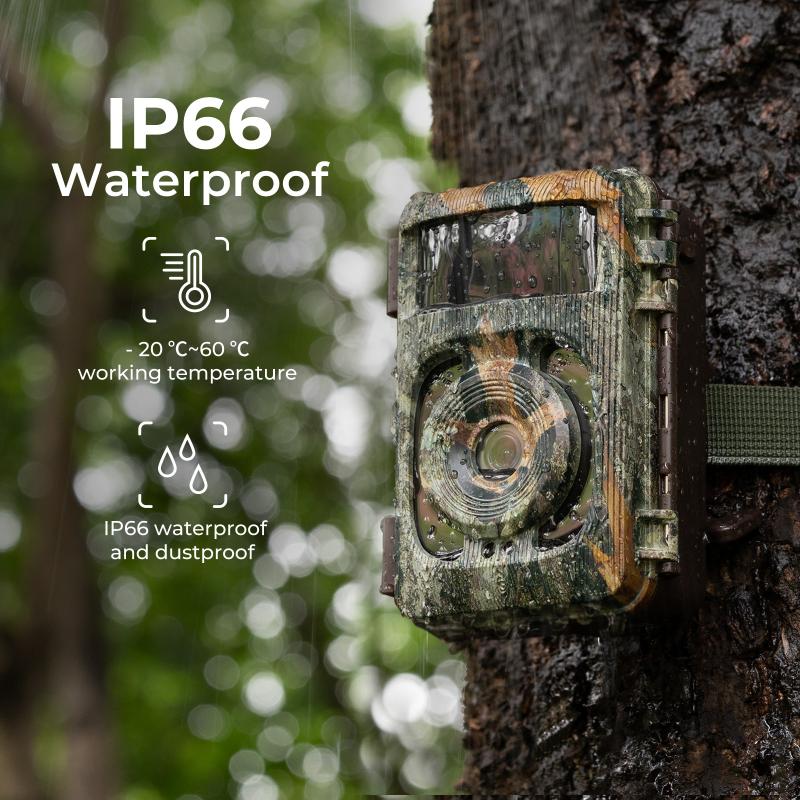
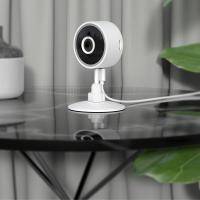
how to set up surveillance camera online 1

The first step in setting up your surveillance camera online is selecting the right camera for your specific needs. Surveillance cameras come in various types, each suited for different environments and purposes. Here are some common options:

- Dome Cameras: Ideal for indoor usage, offering a broad field of view.

- Bullet Cameras: Suitable for outdoor use, easily noticeable, and can deter potential intruders.

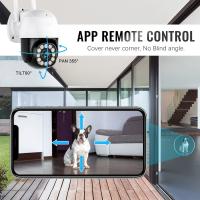
- PTZ (Pan-Tilt-Zoom) Cameras: Allow remote control of the camera's position and zoom, perfect for extensive area surveillance.

- Wireless Cameras: Easier installation without the need for significant cabling.

When choosing your camera, consider factors like resolution, night vision capability, weather resistance, and storage options.

2. Preparing for Installation

Before installing your surveillance camera, it is essential to plan the setup meticulously. Here are a few preparatory steps to ensure a smooth installation process:

- Survey the Location: Identify the areas you want to monitor and determine the best spots for camera placement. Key areas include entry points, driveways, and commonly used pathways.

- Obtain Necessary Tools: Have tools like drills, screws, mounts, and ladders ready if you are installing a wired camera.

- Ensure Power Availability: Check power outlet availability near the camera location or consider using PoE (Power over Ethernet) if supported by your camera.

3. Physical Installation of the Camera

This phase involves positioning and fixing your surveillance camera in the desired location. Here’s a step-by-step guide:

1. Mount the Camera: Use mounting brackets or stands and secure the camera in place. Align it properly for optimal coverage.

2. Connect Power Supply: For wired cameras, connect the camera to the power supply. Wireless cameras will need to be charged or battery-operated.

3. Network Connection:

- Wired Connection: Connect the camera to your router using an Ethernet cable.

- Wireless Connection: Ensure the camera is within the Wi-Fi range of your router.

4. Setting Up the Camera Online

Once the physical installation is complete, the next step is configuring the camera for online access. Here’s how:

1. Download the Camera’s Companion App: Most surveillance cameras come with a dedicated app available for smartphones or tablets (e.g., Nest, Arlo, Ring).

2. Create an Account: Sign up and create an account on the app, which will allow you to manage your cameras.

3. Add Your Camera:

- Scan QR Code: Your camera may have a QR code that can be scanned using the app, automatically linking the camera to your account.

- Manual Entry: Input the camera’s serial number or MAC address manually if there’s no QR code.

4. Configure Network Settings: Enter your Wi-Fi credentials if the camera connects wirelessly. Ensure a stable, secure connection for uninterrupted surveillance.

5. Adjust Camera Settings: Set the resolution, sensitivity, alerts, and other preferences using the app’s interface.

5. Understanding Storage Options

Storing footage is crucial for reviewing past events. Surveillance cameras offer different storage options:

- Local Storage: This involves using SD cards or hard drives to store footage on-site. It’s more secure but has limited capacity.

- Cloud Storage: Footage is stored on remote servers, offering scalable capacity but requiring a subscription.

- Hybrid Storage: Combines local and cloud storage, providing backup and redundancy.

Choose the option that best suits your preferences and budget.

6. Remote Access and Monitoring

One of the significant advantages of online surveillance cameras is the ability to monitor your property remotely. Here’s how you can access and control your surveillance system:

1. Live Streaming: Use the camera’s app to view real-time footage from anywhere.

2. Playback Feature: Access recorded footage and review past events.

3. Receive Alerts: Get notifications on your mobile device for any detected motion or sound.

4. Share Access: Grant access to family members or trusted individuals for collaborative monitoring.

7. Ensuring Security and Privacy

With online surveillance, security and privacy are paramount. Here are some best practices to secure your setup:

- Use Strong Passwords: Ensure your account and Wi-Fi network have strong, unique passwords to prevent unauthorized access.

- Regularly Update Firmware: Keep your camera’s firmware up-to-date to protect against vulnerabilities.

- Enable Two-Factor Authentication: Add an extra layer of security by enabling 2FA on your account.

- Change Default Settings: Avoid using default usernames and passwords provided by the camera manufacturer.

8. Troubleshooting Common Issues

Even with meticulous planning, you might encounter some issues while setting up or operating your online surveillance camera. Here are some common problems and solutions:

- Connectivity Issues: Ensure the camera is within the router’s Wi-Fi range and there are no obstructions. Restart your router and camera if needed.

- Poor Image Quality: Adjust the camera’s resolution settings and clean the camera lens regularly.

- Failure to Record: Check storage space availability and ensure proper connection to storage devices or cloud services.

- Delayed Alerts: Confirm that your network is operating smoothly and without excessive latency.

Setting up a surveillance camera online offers a robust solution for safeguarding your home or business. By following the steps outlined above, you can ensure a successful installation and seamless operation of your surveillance system. From choosing the right camera to securing and troubleshooting your setup, each phase is crucial in achieving optimal security and peace of mind. So go ahead and embrace the technological advancements in surveillance to enhance your safety and security. Your efforts will undoubtedly yield a vigilant eye over your premises, providing unmatched reassurance and protection.
Leave your comment
Cancel reply
Note: HTML is not translated!
Related products
11 in 1 Step Up Ring Set
56
$37.99 $19.99
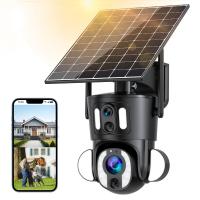
Dual-Lens Security Camera Solar Outdoor Surveillance 10X Optical Zoom 2.4G WiFi
12
$274.99 $230.99
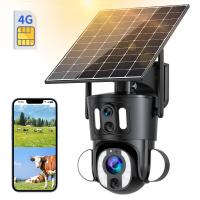
Dual-Lens 4G LTE Security Camera Solar Outdoor Surveillance 10X Optical Zoom
$344.99 $241.99
18 Pieces Filter Ring Adapter Set, Camera Lens Filter Metal Stepping Rings Kit (Includes 9pcs Step Up Ring Set + 9pcs Step Down Ring Set)
2
$43.99 $22.99
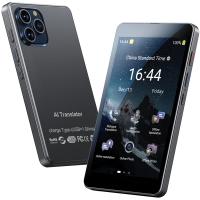
Language Translator Device Real-Time Online & Offline 142 Languages 5.5in Screen Kentfaith
12
$112.49 $89.99
Voice Translator Device 142 Languages Offline & Online, Support WiFi & Global 4G Internet Connection for Business, Travel, Study Kentfaith
17
$162.49 $129.99
 10 Pockets Hard Shell Lens Filter Bag Up to 95mm, Waterproof, Durable, Portable, Camera Filter Pouch Carrying Case for Travel and Photography, Size L
10 Pockets Hard Shell Lens Filter Bag Up to 95mm, Waterproof, Durable, Portable, Camera Filter Pouch Carrying Case for Travel and Photography, Size L
73
$28.99 $22.99
 10 Pockets Hard Shell Lens Filter Bag Up to 82mm, Waterproof, Durable, Portable, Camera Filter Pouch Carrying Case for Travel and Photography, Size S
10 Pockets Hard Shell Lens Filter Bag Up to 82mm, Waterproof, Durable, Portable, Camera Filter Pouch Carrying Case for Travel and Photography, Size S
73
$24.99 $19.99
Action Camera Waterproof Set 21 in 1 for GOPRO Hero 9/10/11/12 (Only Ship to US)
104
$37.99 $22.99
4K Video Camera Professional 60FPS UHD for Filmmaking, Movie & Photography, Video Recorder Camera with 18X Zoom, Digital Camera for Video Recording, 4.0" Flip Touchscreen, 64GB Card, Up To 6 Hours Work Time
508
$404.99 $239.99
Products You May Like
77mm MCUV+CPL+ND1000+Adapter Ring Magnetic 4 in 1 Lens Filter Kit Waterproof Scratch-Resistant Anti-Reflection with Filter Pouch
41
$156.99 $124.99
48MP Autofocus Kids Camera with 32GB Card 1080P Video Camera with 16x Zoom Compact Portable Compact Camera Kids Christmas Birthday Gift Kids Teens Girls Boys (Sky Blue)
27
$189.99 $78.99
49mm Black Mist 1 Filter Mist Cinematic Effect Filter Black Diffusion 1 Filter with 18 Multi-Layer Coatings Nano-Klear Series
212
$24.99 $19.99
AI Voice Recorder, Transcribe Summarize Translation, App Control, 40H Recording Time, 64GB Memory, Kentfaith
21
$137.49 $109.99
Digital Camera for Kids with Dual 48MP Cameras Auto Focus for 3-12 Years Kids
224
$74.99 $62.99
58mm Solar Filter ND100000,16.6-Stop Solid Neutral Density Filter for DSLR Camera Nano-Xcel Series
105
$41.99 $32.99
C60 2M Pixels Webcam HD Webcam with Microphone Work with Streaming Computer Camera for Online Classes Video Conference Calling Gaming
4
$29.99
K&F Concept Digital Camera Case Waterproof & Protective Small Camera Bag Lightweight Camera Sling Bag with 2 Carrying Ways - Sling Bag 1L Urban Wander 07 (Black)
93
$25.99 $16.99
Scrapeline Trail Camera
10
$162.99 $106.99
K&F Concept 28 Slots Micro SD Card Case,Water-Resistant Anti-Shock Anti-Dust TF Card Holder,Micro SD/Micro SDHC/Micro SDXC Card Box Organizer Storage
$18.99 $9.99
Related articles
How To Set Up Wireless Surveillance Camera?
How To Set Up Action Camera?
How To Set Up Earbuds?
How To Hook Up Surveillance Cameras?
How To Set Up Garden Camera Wildlife?
How To Set Up Mini Wifi Camera?
How To Set Up Home Security Camera?
Trail Camera How Set Up New?
How To Set Up A Telescope?
How Do You Move Things To Sd Card?
Blog You May Like
What Size Sd Card For Game Camera?
How To Mount Ring Security Camera?
How To Get Condensation Out Of Iphone Camera Lens ?
How To Make A Screen Record Have Sound?
How Do I Know Camera Filter Size?
Picture Not Showing On Camcorder When Playing Back?
How To Insert Sd Card Into Akaso Camera?
What Camera Should I Buy For Video?
How Much Is A Dash Cam Camera?
What Is Car Dvr Recorder?
Related categories
step up lens filter adapter rings camera lens adapter C mount lens adapter camera filter kit m4/3 adapter Camera Parts | Studio Camera Accessories
Popular products
live online trail cameras outdoor home security camera system outdoor surveillance trail camera waterproof trail surveillance camera night vision binoculars with camera Camera Lens Filter Step Down Ring Adapter step down lens adapter rings lens step up adapter k&f concept 58mm lens filter kit step up lens adapter set
Related searches
Video Recording Camera Online Easy Set Up Outdoor Security Camera Wireless Camera Set Digital Camera Set Security Camera Set Video Camera Set Capture Surveillance Camera Usb Surveillance Camera Cctv Camera Surveillance Zoom Surveillance Camera
Popular searches
Osmo Action Lens Adapter Small Portable Camera Video Techart Leica M Adapter Wide Field Of View Binoculars Phone Tripod With Light And Microphone Lens Adapter For Stacking Canon 50mm 1.2 Mc-11 Adapter Sony Alpha Sel18200 E-mount 18-200mm F3.5-6.3 Oss Nikon D810 Lens Mount Repair Security Camera With Memory
Blog Category
  • Activities
  • Guide
    • Filter Guide
    • Lens Adapter
    • Product Review
  • News & Reviews
    • Camera Reviews
    • Sample Gallery
    • News
  • Tutorials
    • Solar eclipse photography
    • Photography Basics
    • Landscape Photography
  • Inspiration
    • Travel
    • Travel Stories
Search Article
Latest from the Blog
How To Find Camera Roll On Iphone 5s?
What Does A Uv Camera Filter Do?
What Is The Best Camera To Record Videos?
How To Wear Monocular?
Camera That Can Wifi Photos To Phone?
Which Bluetooth Earphones?
How To Put Sd Card In Camera?
What Does Tripod?
Black Friday 2025 Special at Kentfaith
What is A Variable ND Filter? The Complete Guide to Mastering Exposure Control
  • Easy Payment Multilple Payment Options

  • Free Shipping Global WareHouse Shipment

  • No Risk 30-Day No Reason Return

  • Limited Deals Buy More, Save More

  • Tax Free No any surcharges or tax fee

Information
  • About us
  • Contact Us
  • Site Map
  • Blog
  • Video
  • Gallery
  • VIP Membership Rewards
Service
  • Privacy Policy
  • Terms & Conditions
  • Shipping & Delivery
  • Payment Info
  • Warranty, Return & Refund
  • Intellectual Property Rights
  • Ambassador
  • Affiliates
  • Wholesale
Support
  • My account
  • Order History
  • FAQs
  • Extend Warranty
  • Logistics Tracking
Follow us
NewsLetter

Get the latest product, K&F Concept respects your privacy.
Powered By KENTFAITH © 2025