kfconcept

KENTFAITH
K&F Concept    Blog >

Enjoy Your Selected Digital Life

Recently Viewed
  • Recently Viewed
  • Recently Viewed list is empty.

Compare (0) 0
  • Compare
  • You have not chosen any products to compare.

  • Compare
Currency: USD
  • Currency
Shop by Scene Shop by Rank

Log Into Your Account

Account

Order History

Wish List

Login

Forgotten Password?

Or connect with

Register Account

Already have an Account?Log In

  • Shopping Cart
  • Your shopping cart is empty!

  • Register/Login to purchase, earn points
  • Favorite
  • Your wish list is empty.

  • Register/Login to like, earn points
  • Activities
  • Guide
    • Filter Guide
    • Lens Adapter
    • Product Review
  • News & Reviews
    • Camera Reviews
    • Sample Gallery
    • News
  • Tutorials
    • Solar eclipse photography
    • Photography Basics
    • Landscape Photography
  • Inspiration
    • Travel
    • Travel Stories
  • Home
  • Blog
  • How To Set Up A Telescope?

How To Set Up A Telescope?

Kentfaith 2024-07-26 01:13:19 0 Comments

Setting up a telescope can be an exciting yet daunting task, especially for beginners. Whether you are an amateur astronomer or a seasoned stargazer, understanding the correct setup process is crucial for a successful and enjoyable experience. This article will guide you through the essential steps to set up a telescope, ensuring you get the most out of your astronomical observations.

Understanding Your Telescope
how to set up a telescope 1

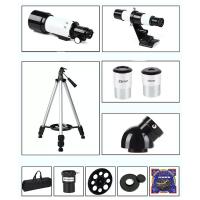
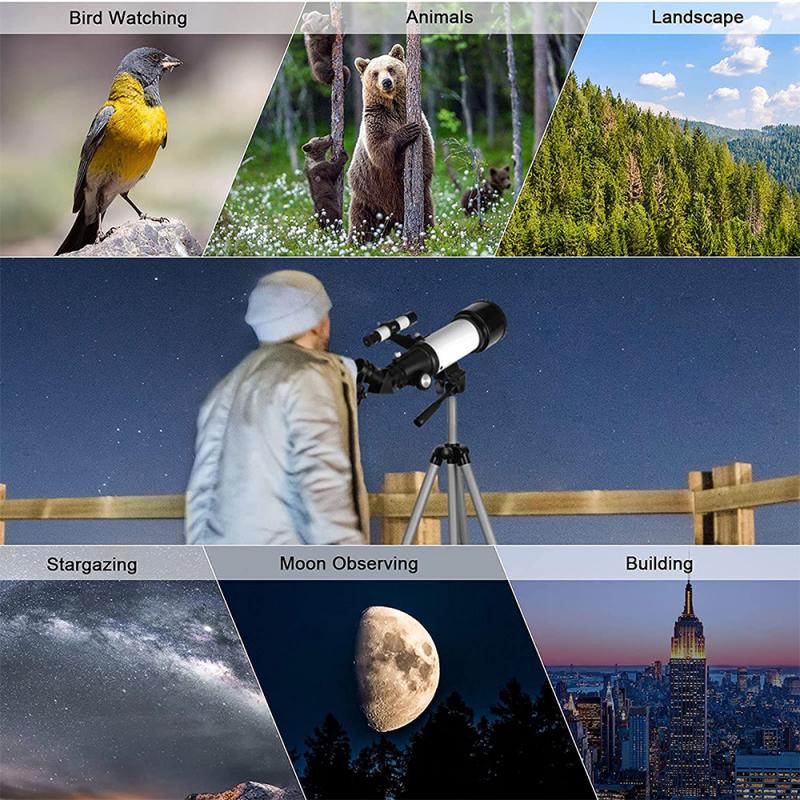
Before diving into the setup process, it is important to familiarize yourself with the different types of telescopes and their components. The three main types of telescopes are:

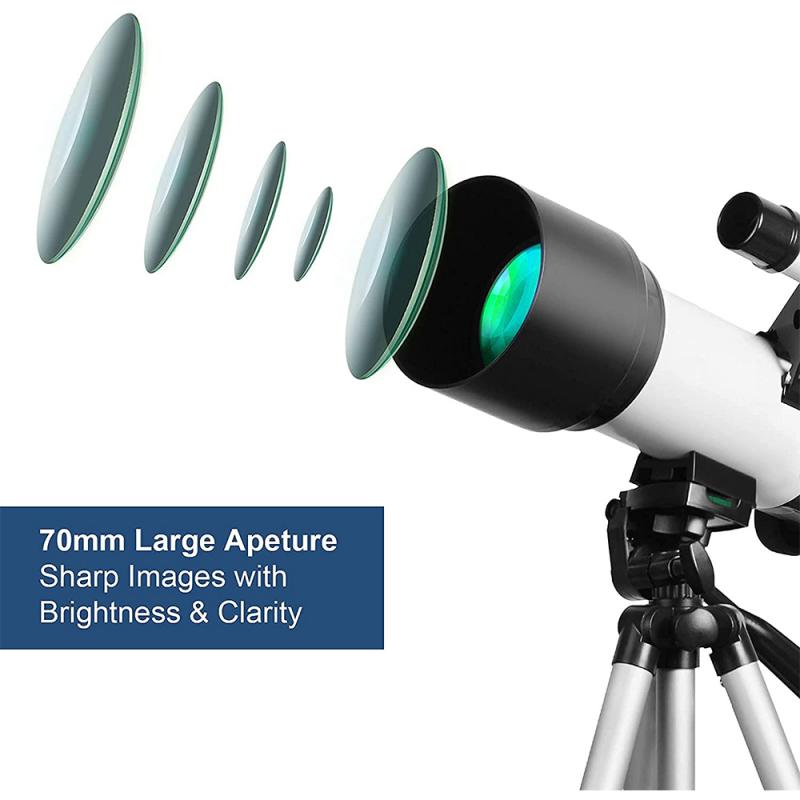
1. Refractor Telescopes: These use lenses to gather and focus light. They are known for their sharp and high-contrast images, making them ideal for viewing planets and the moon.

2. Reflector Telescopes: These use mirrors instead of lenses. They are generally more affordable and are excellent for deep-sky observations, such as galaxies and nebulae.

3. Compound (or Catadioptric) Telescopes: These combine lenses and mirrors to offer a compact design with versatile capabilities. They are suitable for both planetary and deep-sky observations.

Step-by-Step Guide to Setting Up Your Telescope
how to set up a telescope 2

1. Choose the Right Location

how to set up a telescope 3

Selecting an appropriate location is the first step in setting up your telescope. Here are some key considerations:

- Dark Skies: Light pollution can significantly affect your observations. Choose a location away from city lights.

- Stable Ground: Ensure the ground is stable and level to prevent vibrations that can blur your view.

- Clear View of the Sky: Avoid areas with obstructions like trees, buildings, or mountains.

2. Assemble the Tripod and Mount
how to set up a telescope 4

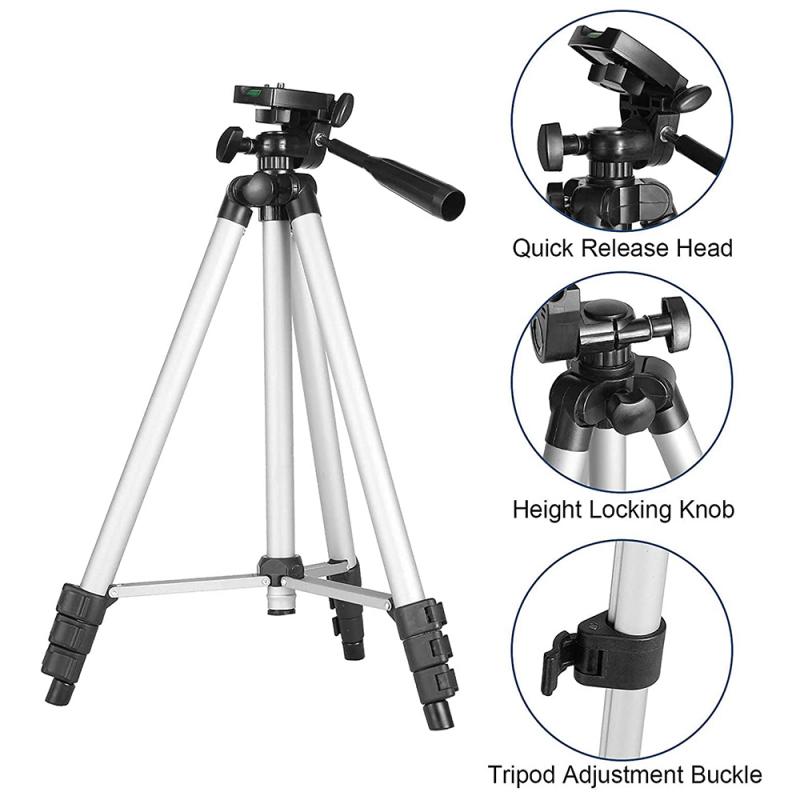
The tripod and mount are crucial for stabilizing your telescope. Follow these steps:

- Extend the Tripod Legs: Adjust the tripod legs to a comfortable height and ensure they are securely locked.

- Level the Tripod: Use a bubble level to make sure the tripod is perfectly horizontal.

- Attach the Mount: Depending on your telescope type, attach the mount (altazimuth or equatorial) to the tripod. Ensure it is securely fastened.

3. Attach the Telescope Tube

Once the tripod and mount are set up, it’s time to attach the telescope tube:

- Secure the Tube Rings: If your telescope has tube rings, open them and place the telescope tube inside. Close and tighten the rings.

- Balance the Tube: Slide the tube forward or backward within the rings to achieve balance. This prevents strain on the mount and ensures smooth movement.

4. Align the Finderscope

The finderscope is a small, low-power telescope attached to the main tube. It helps you locate objects in the sky. Here’s how to align it:

- Choose a Distant Object: During the day, point the telescope at a distant object, such as a tree or building.

- Center the Object: Use the main telescope to center the object in the eyepiece.

- Adjust the Finderscope: Look through the finderscope and use its adjustment screws to center the same object. This ensures the finderscope and main telescope are aligned.

5. Insert the Eyepiece

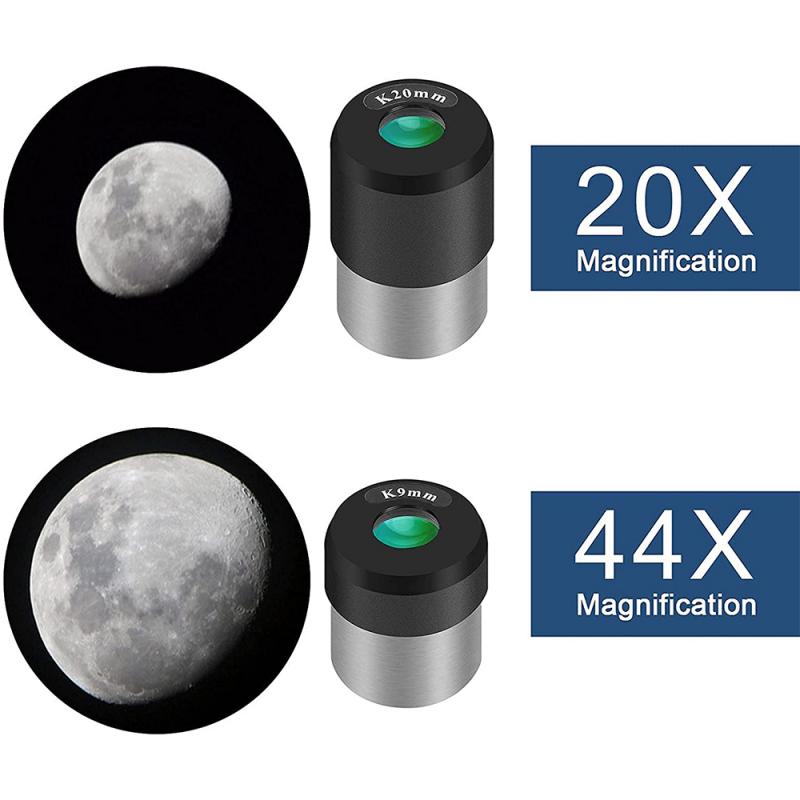
The eyepiece is where you look through to see the magnified image. Follow these steps:

- Choose an Eyepiece: Start with a low-power eyepiece (higher focal length) to get a wider field of view.

- Insert the Eyepiece: Place the eyepiece into the focuser and secure it with the thumbscrew.

- Focus the Image: Use the focuser knob to adjust the clarity of the image.

6. Polar Alignment (For Equatorial Mounts)

If you are using an equatorial mount, polar alignment is essential for tracking celestial objects. Here’s how to do it:

- Locate Polaris: Find the North Star (Polaris) in the night sky. It is located near the North Celestial Pole.

- Adjust the Mount: Use the mount’s altitude and azimuth controls to align the mount’s polar axis with Polaris.

- Fine-Tune the Alignment: Use a polar scope (if available) for more precise alignment.

7. Calibrate the GoTo System (If Applicable)

Many modern telescopes come with a GoTo system that automatically locates and tracks celestial objects. To calibrate it:

- Enter Location and Time: Input your location coordinates and the current date and time into the GoTo system.

- Align with Bright Stars: Follow the system’s instructions to align the telescope with two or three bright stars. This helps the system accurately map the sky.

Tips for Successful Observations

- Allow the Telescope to Cool Down: Telescopes need time to reach thermal equilibrium with the outdoor temperature. Allow at least 30 minutes for this process.

- Use a Star Chart or App: A star chart or astronomy app can help you identify and locate celestial objects.

- Avoid Touching the Telescope: Once aligned, avoid touching the telescope to prevent vibrations.

- Be Patient: Observing celestial objects requires patience. Take your time to fine-tune the focus and enjoy the view.

Troubleshooting Common Issues

- Blurry Images: If the image is blurry, check the focus and ensure the telescope has cooled down. Also, verify that the eyepiece is clean.

- Difficulty Finding Objects: If you struggle to find objects, recheck the alignment of the finderscope and ensure the GoTo system is properly calibrated.

- Vibrations: If you experience vibrations, make sure the tripod is on stable ground and the mount is securely fastened.

Setting up a telescope may seem complex, but with practice, it becomes a straightforward process. By following the steps outlined in this guide, you can ensure a successful setup and enjoy the wonders of the night sky. Remember, the key to a rewarding astronomical experience is patience, practice, and a passion for exploration. Happy stargazing!
Leave your comment
Cancel reply
Note: HTML is not translated!
Related products
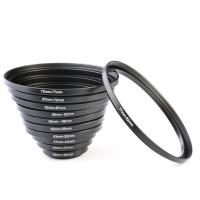
11 in 1 Step Up Ring Set
56
$37.99 $19.99
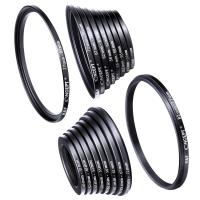
18 Pieces Filter Ring Adapter Set, Camera Lens Filter Metal Stepping Rings Kit (Includes 9pcs Step Up Ring Set + 9pcs Step Down Ring Set)
2
$43.99 $22.99
37-40.5mm Step Up Ring Aviation-grade Aluminum Filter Adapter Ring 2-pack with a Cleaning Cloth
99
$5.99
39-43mm Step Up Ring Aviation-grade Aluminum Filter Adapter Ring 2-pack with a Cleaning Cloth
99
$5.99
43-49mm Step Up Ring Aviation-grade Aluminum Filter Adapter Ring 2-pack with a Cleaning Cloth
99
$5.99
49-52mm Step Up Ring Aviation-grade Aluminum Filter Adapter Ring 2-pack with a Cleaning Cloth
101
$7.99
43-46mm Step Up Ring Aviation-grade Aluminum Filter Adapter Ring 2-pack with a Cleaning Cloth
99
$5.99
49-55mm Step Up Ring Aviation-grade Aluminum Filter Adapter Ring 2-pack with a Cleaning Cloth
99
$5.99
52-58mm Step Up Ring Aviation-grade Aluminum Filter Adapter Ring 2-pack with a Cleaning Cloth
100
$5.99
58-67mm Step Up Ring Aviation-grade Aluminum Filter Adapter Ring 2-pack with a Cleaning Cloth
99
$5.99
Products You May Like
67mm-77mm Magnetic Lens Filter Adapter Ring
18
$22.99
M10 One-two Wireless Microphone with Charging Case, Type-C, Apple Interface 2 in 1 Wireless Lavalier Microphone, 3 Levels of Noise Reduction, for Youtube, Recording, Video Blogging, Facebook Live Streaming
$34.99
Flexible Magnetic Mobile Phone Holder, with Magnetic Guide, Bluetooth Remote Control, Mobile Phone Lanyard, Gopro Adapter, MS35
20
$27.99
Handheld Photography Light Stick, Dual Color Temperature, 2000mAh Rechargeable Battery, RGB LED Video Light Stick, Stepless Dimming Tube Light, 3000K-6000K, 0-100% Brightness, Suitable for Live Streaming, Video Conferencing, YouTube, TikTok, Makeup
26
$48.99
Hohem iSteady Mobile Plus for iPhone 12 11 PRO MAX X XR XS Smartphone Vlog Youtuber Live Video Recording 3 Axis Gimbal Stabilizer with Motion Start Mode Facial Object Tracking Motion Time Lapse Black
WIN Gift
Hohem iSteady Mobile Plus for iPhone 12 11 PRO MAX X XR XS Smartphone Vlog Youtuber Live Video Recording 3 Axis Gimbal Stabilizer with Motion Start Mode Facial Object Tracking Motion Time Lapse Black
180
$101.99 $93.99
Camera and Lens Backpack for Photographers Large Capacity with Raincover - Backpack  25L Nature Wander 01(Yellow)
Camera and Lens Backpack for Photographers Large Capacity with Raincover - Backpack 25L Nature Wander 01(Yellow)
110
$161.99 $99.99
200W Portable Solar Panel for Power Station, 24V Foldable Solar Charger with Adjustable Kickstands, MC4 Connector, Water & Dustproof for Outdoor Camping RV Off Grid System
24
$867.59 $380.99
Mini Voice Recorder Voice-activated & Magnetic 128G 1600 Hours Capacity Noise Cancelling
635
$82.49 $64.99
T2 Lens to M43 MFT Lens Mount Adapter K&F Concept M28121 Lens Adapter
104
$45.99 $23.99
Big Rack Trail Camera
10
$135.99 $74.99
Related articles
How Do You Set Up A Telescope?
How To Set Up Earbuds?
How To Set Up A Home Studio Lighting?
How To Set Up Action Camera?
How To Set Up Wireless Surveillance Camera?
How To Set Up Garden Camera Wildlife?
How To Set Up Surveillance Camera Online?
How To Set Up Mini Wifi Camera?
How To Set Up Home Security Camera?
How Big Is An Endoscope Camera?
Blog You May Like
What Is The Difference Between Binoculars And Telescope?
How To Record Screen With System Audio?
What Mounts Do Nikon Cameras Use?
How To Find Camera In Mirror?
Can You Use A Camcorder For Skype?
Which Headphones Have The Best Noise Cancelling?
How To Get A Micro Sd Card Out?
How To Make Wifi Camera At Home?
Can You Take A Tripod In Carry On?
How To Use A Depth Finder Weight?
Related categories
step up lens filter adapter rings A Mount Lens Adapter beginner telescope Sony A Mount Lens Adapters minolta a mount lenses camera lens adapter C mount lens adapter camera filter kit
Popular products
lens step up adapter k&f concept 58mm lens filter kit step up lens adapter set lens adapter for digital camera 43-49mm step up ring 52mm filter adapter ring 52mm to 58mm adapter ring ring light for a camera 55mm to 52mm adapter ring ring light for lens
Related searches
Viewing Saturn With A Telescope Good Telescope Binoculars Telescope Amateur Telescope Monocular Telescope Lens Telescope For Stargazing Electronic Telescope Eyepiece Tripod For Telescope Telescope Phone Adapter Monocular Zoom Telescope
Popular searches
Phone Tripod And Selfie Stick Black Pro Mist Pocket 3 Battery Life Of The Switch 58mm To 67mm Step Up Ring Smart Adapter Metabones Sigma 18 35 Mft Canon 5dsr Lens Mount 82mm Nd Filter Variable 360 Video Camera Gopro Tokina Lens Filter For Solar Use Nikon G Mount Wiki
Blog Category
  • Activities
  • Guide
    • Filter Guide
    • Lens Adapter
    • Product Review
  • News & Reviews
    • Camera Reviews
    • Sample Gallery
    • News
  • Tutorials
    • Solar eclipse photography
    • Photography Basics
    • Landscape Photography
  • Inspiration
    • Travel
    • Travel Stories
Search Article
Latest from the Blog
How To Remove Memory Card From Nikon Camera?
Can You Zoom In With Binoculars?
What Tripod To Buy?
How To Find Camera Roll On Iphone 5s?
How Do Trail Cameras Work? The Ultimate Guide to Trail Cameras
Kentfaith x ANACONDA: Capturing the Wild, Frame by Frame
What Is Surveillance Camera Control System?
How Much Does It Cost For Security Cameras?
Can You Save Facebook Videos To Camera Roll?
Where Can I Buy Samsung Camera Battery?
  • Easy Payment Multilple Payment Options

  • Free Shipping Global WareHouse Shipment

  • No Risk 30-Day No Reason Return

  • Limited Deals Buy More, Save More

  • Tax Free No any surcharges or tax fee

Information
  • About us
  • Contact Us
  • Site Map
  • Blog
  • Video
  • Gallery
  • VIP Membership Rewards
Service
  • Privacy Policy
  • Terms & Conditions
  • Shipping & Delivery
  • Payment Info
  • Warranty, Return & Refund
  • Intellectual Property Rights
  • Ambassador
  • Affiliates
  • Wholesale
Support
  • My account
  • Order History
  • FAQs
  • Extend Warranty
  • Logistics Tracking
Follow us
NewsLetter

Get the latest product, K&F Concept respects your privacy.

Powered By KENTFAITH © 2026