How To Use Old Phone As Security Camera?
Steps to Turn an Old Smart Phone Into a Security Camera
there are a few steps you need to complete in order to turn your old smart phone into a security camera. the first step is to download one of the many apps that have been created for this purpose. second, choose a spot in your home for your phone. do you want to keep an eye on a pet? or the entire living room? third, mount your phone. turn on the app and you're in business. read on for details about each step.
- step 1. install security camera app on an old phone
- step 2. choose a spot for your phone security camera
- step 3. mount and power your phone security camera
Install Security Camera App on an Old Phone
the most important and time-consuming part of the process is installing and trying out security camera apps. there are many security apps to choose from, so we highly recommend downloading and playing around with these apps to see which one works best for you.
- since it's an old phone and you don't have service, make sure you're connect to the wifi and you should be able to download the app.
- you can also use wifi or bluetooth to connect the old phone to the current phone you use.
- that way, you can use your current phone to "see" what your old phone sees.
there are lots of great security camera apps out there, and we've included six of our favorites. there are many similarities and differences read about the particulars of each of these apps later in this article.
there is a wide variety of surveillance apps available, making it easier than ever to keep an eye on your house, valuables, family members, pets, or workspace. here are the six apps we recommend and all the different features of each. as previously mentioned, we invite you to try each of them so you can see first-hand which one works best for you.
Choose a Spot for Your Phone Security Camera
where you place your phone security camera will depend a lot on your individual needs. how many devices do you have that you can use? what do you want to monitor?
- if you have a pet, you might want to pick a spot that helps you monitor your pet while you're away, perhaps in front of a dog crate, or in front of your cat's food and water dishes.
- as a parent, you could set it up as a babycam to watch your infant in their crib during naptime while you're in the other room.
- for general security, a view of a doorway, or other access point, is a good option.
Mount and Power Your Phone Security Camera
once you have the app installed and have chosen a spot for your phone security camera, it's time to get it mounted. that way, while it can be moved if needed, it'll have a designated spot. take care to ensure that the camera can't be moved easily by a family member or an intruder so you can monitor when you need it the most.
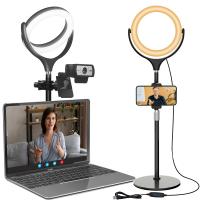
- invest in a tripod or stand
- if you don't already have one, we recommend investing in a phone tripod or stand.
- being able to mount your old smart phone on a tripod or stand offers stability, as well as the ability to adjust the angle as needed.
- use a car window suction-cup
- if you want to mount the phone in a spot that's not close to a flat surface, a good option is to get a suction tool.
- a suction-cup iphone mount is made for use in a car, but it also works great for in a home.
- if the mounting area is near an interior window, bingo! this is probably your best bet.
- position it close to a power source
- one thing to consider when mounting your smart phone as a security camera is power.
- you don't want the device to run out of battery in the middle of monitoring.
- so position it close to a power source so it can be plugged in fulltime.
iPhone and Android as a Security Camera
as you have learned, an old iphone can live a second life as a security camera pretty well. if it's still in relatively good condition, especially the camera funtion, all you need is to download the app, find the right spot for it to live, mount it in the right place, and you're good to go.
camera. if your screen still sort of works and your camera is still hanging in there, many of the same apps that you can use for iphone are also compatible with android phones. just make sure to download the correct app. there are also a few apps that are only compatible with android.
Motion Detection and Recording Needs
- automatic video recording when motion is detected
- option recording without voice
- any recommendations? bonus if it's free or has a solid free tier.
- i am looking for simple app with motion detect and no audio recording.
- no need for 2 phones, wifi, live view, etc...
another one to try, very simple set up and allows recording in the background.
hey! you may try my app, it's completely free. uses motion / object detection to trigger actions.
Motion Alerts and Multiple Devices
- alfred offers both motion detection and live video feed.
- a cool extra feature that alfred has is its “walkie-talkie” capability, a two-way audio system from the camera to the live feed.
- this is especially useful if you are planning to use your phone as a baby monitor.
- swiping through the alfred app is pretty intuitive, but it is best to try it and the remaining apps before you decide.
alfred’s setup is extremely straightforward. the first thing you see once you’ve downloaded the app is a walkthrough screen, letting you know what to do next. first, you’ll sign into the app with your email address on your usual phone, then you’ll do the same on your old phone. you’ll set one camera as a “viewer” (this will probably be the phone that you usually carry) and one as a “camera,” and starting right away you’ll be able to monitor your home.
i used alphred. worked awesome. u download alphred home to the phone and alphred monitor to your current cell phone and it alerts you when it senses motion in your room or home for free. records and everything free. u can adjust the settings to go off under all types of circumstances with all types of notification options .
Scheduled Recording, Cloud Storage, and Multi-Screen Display
- it's basic functions include all you'd expect, and then some.
- including scheduled recording, two-way communication, pan-tilt control, night vision, etc.
- but it goes a step further and has advanced functions like human body recognition, cloud storage for alert video, multi-screen display, and more.
- it has everything needed to transform your old phone into a security camera.
manything is its own security service but also provides an app to quickly set up old phones and tablets as security cameras. this limited service is free, but in order to get automatic recording to the cloud, you will need to pay a subscription fee. cloud storage is very handy unless you are able to constantly watch the live feed of video.
to set up your iphone as a security camera on manything, you will first download the app on any and all devices you plan to use as cameras, as well as on your personal phone. go ahead and name each device and link it within the app. you can designate which devices you want to be cameras, and which you would rather not. the capability to set up multiple cameras is perhaps manything’s biggest selling point.
manything also offers the ability to only begin recording if the camera detects motion. you can block out areas of the camera’s range in which you are not concerned about motion, and have the app only alert you if the camera detects movement where there shouldn’t be movement.
Video, Sound, and Baby Monitor Uses
- dormi is a free app available for android.
- one nice feature is besides video, it also offers sound.
- so if you're looking in on animals or people, you can see them and hear them, plus you can talk to them from wherever you are located.
- not to worry about noise leves, but it adjusts itself automatically.
- but if you want to listen in anytime, even if there is no noise notification, there is an option for that.
babycam has both a free version with ads and a paid version.
- some of babycam’s cool features include chromecast compatibility (you can see a live feed on your tv screen), amplified microphone volume and notifications when there is noise in the baby’s room, and two-way audio that will allow you to talk or even sing a lullaby to your baby through the babycam.
- the setup menu calls for two android devices and a stable wifi connection for both devices, although it seems that if you have at least one android device, you can still get the system to work.
- you’ll simply press the “baby” button on the device that you will be using as a camera, and the “parents” button on your personal phone.
cloud baby monitor, which not only lets you look in, but listen in too. available on both iphone and android.
- after you download it to your devices, select "baby unit" for the old phone, then select "parent unit" for the phone you currently use.
- you can also download the app for your apple watch, so if you put your phone down you can still get alerts on the watch.
Limits of Using an Old Smart Phone
while using an old smart phone can be a good option for people to keep an eye on their home, it's actually very limited. what if something happens but you can't see or hear it? what if you're not able to look at your phone when there's an emergency?
- a home security system takes into account just about every scenario.
- it includes cameras that watch for intruders and other emergencies, plus it has window and door sensors--something an old phone doesn't have.
- professional monitoring. whether you're home or away, you don't have to worry about what's happeneing at home because the monitoring team always has its eyes and ears on.
- not only that, but home security systems also include enviornmental safety such as smoke alarms and flood monitoring.
- that way, at the first sign of danger, the system notifies you.