How Important Is Image Stabilization In A Camera?
Camera Shake and Longer Shutter Speeds
One of the greatest innovations by modern camera and lens manufacturers is image stabilization, which helps to compensate for our natural tendency to slightly shake when holding an object.
Whether built into a lens or a camera body, the purpose of image stabilization is to compensate for camera shake, allowing you to get sharp handheld images at longer shutter speeds (typically 3-6 stops) than without it.
Image stabilization, or vibration reduction, O.I.S., optical steadyshot, SR, VC, VR, Mega O.I.S., and other equally catchy monikers, are technologies that enable photographers to take pictures under lighting conditions that once upon a time would have been considered too iffy for capturing sharp still images.
Depending on the make, model, and vintage of your IS-enabled camera or lens, image stabilization allows you to capture sharp pictures at shutter speeds three, four, or five times slower than previously possible.
- It allows you to use longer lenses, slower shutter speeds and lower ISOs
- It’s useful.
- It’s good to have, but you need to understand it’s limitations
- It can be a game changer if it bails you out of tight situations.
- It dramatically expands my shutter speed choices.
Well it’s worth 2 stops of light on my camera which is kinda handy. It’s nice to be able to shoot handheld at ISO 400 when I’d otherwise need 1600.
However on the latest full frame cameras like the R5 it can be 10 stops with the right lens? I’ve seen people taking full second exposures handheld with sharp results. So I guess you’ve pretty much got a walking tripod at that point.
Still Subjects and Moving Subjects
Where people often go wrong is mistaking camera shake for subject motion.
The shutter speed needed to freeze a subject’s motion is not affected by the presence or lack of image stabilization.
If you have a fast subject, you’ll still need just as fast a shutter speed.
Before getting into the nitty-gritty of the subject, it’s important to clarify a common misconception about image stabilization, which is that it enables you to “freeze” fast-moving objects at slower shutter speeds. This is totally false.
Image stabilization only allows you the ability to capture sharp images of static subjects at slower speeds.
Moving objects will be equally blurry or streaky—and in some cases blurrier or shakier with the IS turned on.
- Camera shake
- The purpose of image stabilization is to compensate for camera shake.
- Subject motion
- The shutter speed needed to freeze a subject’s motion is not affected by the presence or lack of image stabilization.
- Fast subject
- If you have a fast subject, you’ll still need just as fast a shutter speed.
- Still objects
- Image stabilization only allows you the ability to capture sharp images of static subjects at slower speeds.
But is it motion blur from camera/lens movement? Stabilization won't help for other types of blur like out-of-focus blur or diffraction or decentering or interference from ISO noise.
For example taking pictures of moving objects, OIS won't help you since you need a high shutter speed.
If you’re shooting action shots: sports, wildlife, etc. your image stabilization is, well, not necessarily unimportant, but only of limited value.
I typically shoot a minimum 1/250 s. I’ll go down to 1/125 s if need be and subject(s) are pretty still.
Handheld Shutter Speed
Stabilization is a recent invention from the past few decades. In the long history of photography before that, photographers were able to shoot handheld and avoid motion blur by using shorter exposure times / faster shutter speeds.
It’s the same principle by which photographers control motion blurring/freezing in moving subjects: the camera records all light during the exposure so a longer exposure will record more blur over a greater period of movement and a shorter exposure shortens or eliminates the motion blur trail.
The usual rule of thumb for you would be a shutter speed of at least 1 / (focal length x 2) to avoid handheld motion blur, but test it out and fudge up or down depending how steady your hands are compared to the average.
The rule of thumb for capturing sharp, handheld imagery is that you shouldn’t handhold a camera at shutter speeds slower than the equivalent focal length of the lens.
- This means a 500mm lens shouldn’t be handheld at speeds slower than 1/500-second.
- A 300mm lens shouldn’t be handheld at speeds slower than 1/300-second.
- A 50mm lens shouldn’t be handheld at speeds slower than 1/50-second.
- A 20mm lens shouldn’t be handheld at speeds slower than 1/20-second.
Add image stabilization into the mix and suddenly you can capture sharp images of still objects with a 500mm lens at speeds down to 1/60-second, a 300mm lens at speeds down to 1/30-second, and a 20mm lens at speeds down to 1/2-second.
Learn proper techniques for holding your camera and tricks for making sure your body stays still as well. Make sure your shutter speed is high enough to keep things from blurring. I can still shoot without a tripod and my hands shake pretty bad.
As for getting blurry images, just keep your shutter speed up (1/60th or 1/125) and you should be fine so long as you aren't shooting sports or something fast paced.
Low-Light and Focal Length Use
Where image stabilization generally helps the most is for when you want a longer shutter speed to let in more light or to use a lower ISO for less noise, such as shooting a cityscape at night.
But it has a wider aperture, which lets in more light, which could allow you to lean less on a longer exposure time to hit your exposure.
IS is good, but not necessary. Lens IS is most helpful for long telephoto shots, so at 19mm it’s really not crucial. You’re generally better off trying to use a faster shutter speed, and use a flash if necessary.
- The advantages of in-lens image stabilization include smoother performance when using longer focal length lenses.
- The downside of lens-based image stabilization is that it’s not available as an option for all lenses and it adds to the cost of the lens.
- If you don’t need IS, you often have the option of purchasing a non-IS version of the lens, or at least something similar.
- The pros of in-camera image stabilization are that you gain the advantages of IS technology with any lens you can mount on the camera for considerably less cost than multiple IS-enabled optics.
- The downside of in-camera image stabilization is that it’s less effective at smoothing the bumps when shooting with longer focal length optics when compared to lens-based image stabilization.
Image stabilization is a godsend for the photography that I do. A lot of the photos that I take are portraits (not action shots) of wild animals in low light situations.
I credit modern 4 or 5 stop image stabilization for over 50% of my keepers when shooting in low light.
At focal lengths of 400 to 800mm, stabilization is the difference between a keeper or all throwaways when shooting slower than 1/100th of a second.
Depends how you do photography. I hate carrying a tripod and tend to take pics while I travel. For handheld it’s super important to have IS. But for landscape or portrait photography tripod is the way to go.
Working Without Stabilization
You don't need IBIS if you are just starting out. Autofocus is handy but doesn't always work.
Neither autofocus nor image stabilization existed when I began in photography. I got by without autofocus for 45 years, and without image stabilization for another 8 years. It was 7 years more before I had a camera body with internal image stabilization. Only a few of my lenses had stabilization, so most of the time, I did without.
- Are they necessary?
- Absolutely not!
- Are they good to have?
- Most definitely.
- Manual focus
- Manual focus is like riding a bike: once you’ve got the skill, you never forget.
- Video work
- Skill at manual focus is indispensable in video work.
But I am extremely grateful that I know how to work without them.
A few years ago, I engaged a location and created a set for family portraits. I booked 12 families for 15-minute sessions. When the first session began, I discovered that the auto-focus wasn’t working on the portrait lens I’d brought. I could have used a lesser lens, but decided to stick to the plan.
Just a couple of months ago, I needed to focus on a subject that was in the distance, mostly between two nearby sand dunes. Autofocus absolutely refused to cooperate. Rather than fight it, I switched to manual focus. I learned that my current camera had some very powerful features to make manual focus easier.
Most recent digital cameras are built for video as well as still photography. And skill at manual focus is indispensable in video work. So it pays to turn off autofocus sometimes to to keep your manual focusing skills in good form.
When to Turn It Off
The problem is that, while setting up a new camera for the first time, many shooters turn the camera or lens’s image stabilization on and never look back, figuring “if I need it, it’s on,” but depending on your particular camera or lens, that may or may not be such a good idea.
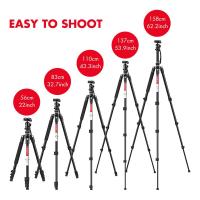
- Tripod (or similar stable platform) without cutting the IS, you risk creating what’s called a feedback loop, in which the camera’s IS system essentially detects its own vibrations and starts moving around, even when the rest of the camera is completely still.
- This introduces motion objects to your camera system and brings with it blurriness.
- This is one of the key reasons to turn off image stabilization.
- Many systems feature specialized modes for panning action and this should be used when shooting action and other subjects that require constant side-to-side motion.
- Some older lenses and entry-level systems may not have this option, or may not operate properly when panning, resulting in more blurring.
This is an instance when it may be beneficial to turn your stabilization system off.
Even when I have the camera mounted to a very stable tripod, stabilization helps a lot because there is still some minor camera movement that the stabilization offsets.
Battery life. Electronically controlled and measured, IS will eat up battery power. This is especially true with larger lenses and larger sensors, which inherently require more energy to move around.