kfconcept

KENTFAITH
K&F Concept    Blog >

Enjoy Your Selected Digital Life

Recently Viewed
  • Recently Viewed
  • Recently Viewed list is empty.

Compare (0) 0
  • Compare
  • You have not chosen any products to compare.

  • Compare
Currency: USD
  • Currency
Shop by Scene Shop by Rank

Log Into Your Account

Account

Order History

Wish List

Login

Forgotten Password?

or connect with

Register Account

Already have an Account?Log In

  • Shopping Cart
  • Your shopping cart is empty!

  • Register/Login to purchase, earn points
  • Favorite
  • Your wish list is empty.

  • Register/Login to like, earn points
  • Activities
  • Guide
    • Filter Guide
    • Lens Adapter
    • Product Review
  • News & Reviews
    • Camera Reviews
    • Sample Gallery
    • News
  • Tutorials
    • Solar eclipse photography
    • Photography Basics
    • Landscape Photography
  • Inspiration
    • Travel
    • Travel Stories
  • Home
  • Blog
  • How To Allow Camera And Microphone In Fb Messendger ?

How To Allow Camera And Microphone In Fb Messendger ?

Kentfaith 2023-06-15 09:48:29 0 Comments

In modern social media, Facebook Messenger is popular for its convenient chat and video calling features. In order to take full advantage of these features, users need to allow the application to access the camera and microphone. In this article, we will detail how to enable camera and microphone in Facebook Messenger and address any issues you may encounter. 

Learn how to allow camera and microphone in Facebook Messenger

On Android devices, users need to ensure that Facebook Messenger has permission to access the camera and microphone. This can be done by following the steps below:

Grant permission through system settings 

Step 1: Open your device's Settings app.

Step 2: Locate and tap on "Apps" or "App Management" option.

Step 3: Locate and tap on "Messenger" in the list of apps.

Step 4: Tap on the "Permissions" option and make sure the "Camera" and "Microphone" permissions are enabled.

Granting Permissions via In-App Prompts

Step 1: Open the Facebook Messenger app.

Step 2: When you make a video call or record an audio or video message, the app will pop up with a permission request.

Step 3: Click "Allow" to grant the permission.

Solve the problem of camera and microphone not working in Facebook Messenger.

If the camera and microphone are still not working after granting permissions, you can try the following solutions:

Check your device settings

Make sure the permissions are enabled: Check the permissions in the device settings again to make sure the camera and microphone permissions are enabled.

Restart the device: Restart the phone and clear the cache to make sure the settings take effect.

Update apps

Check app version: Open the Google Play Store and check if Messenger is the latest version.

Update app: If it's not the latest version, tap Update to make sure the app is compatible with the latest system.

Check network connection

Make sure your network connection is stable: Make sure your device is connected to a stable WiFi or mobile data network.

Switch networks: Try to switch to a different network to rule out network problems that may cause the audio and video functions to be unavailable.

Common Troubleshooting of Camera and Microphone in Facebook Messenger

Even if you have successfully granted the permission, sometimes you may still encounter some problems that affect the use of the camera and microphone, the following are common problems and solutions:

No screen or black screen for video call

Check camera permissions: Make sure Messenger has been granted camera permissions.

Restart the app: Close and reopen Messenger to restart the video call.

No sound or muted microphone on audio calls

Check microphone permissions: Make sure Messenger has been granted microphone permissions.

Check Volume Settings: Verify that the device volume is not muted and adjust to the appropriate volume.

Sound is delayed or stutters during a call

Optimize network environment: Make sure your network connection is stable to avoid high traffic bandwidth.

Close background apps: Close other background apps that consume resources to make sure Messenger has enough system resources.

Detailed Steps and Settings to Enable Camera and Microphone in Facebook Messenger

Here are the detailed steps and settings:

Grant permission in system settings

  • Open "Settings" app and select "Apps" or "App Management".
  • Find the "Messenger" app and click "Permissions".
  • Ensure that "Camera" and "Microphone" permissions are enabled.

In-app prompt to grant permissions

  • Open the Messenger app and initiate a video call or record an audio or video message.
  • When the app asks for permission, tap "Allow".

Check for app updates

  • Open the Google Play Store and search for "Messenger".
  • Make sure the app is up to date and update it if necessary.

Optimize your environment

  • Make sure your device is connected to a stable WiFi or mobile network.
  • Adjust the volume of your device and make sure the microphone and speakers are working properly.

Improve the quality and stability of camera and microphone usage in Facebook Messenger

In order to get a better using experience, here are some suggestions to improve the quality and stability:

Keeping your equipment clean

Clean the camera lens and microphone holes regularly to ensure that no dust or dirt affects them.

Use high-quality accessories

Use quality headphones and external microphones to improve sound and call quality.

Optimize network connectivity 

Make sure to use it in a stable WiFi or mobile network environment to avoid problems caused by unstable network.

Regular Updates

Regularly check and update the Messenger app and operating system to ensure compatibility and performance optimization.


All in all, it is not complicated to enable camera and microphone in Facebook Messenger to enhance multimedia experience. We hope this article can provide practical reference and help for users to enjoy the convenience and fun brought by smart technology.
Leave your comment
Cancel reply
Note: HTML is not translated!
Related products
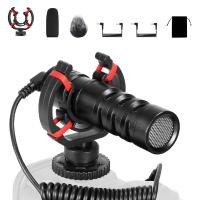
Camera Video Microphone Kit for YouTube, Vlog Windscreen 3.5mm for Phone and Camera
45
$34.99 $19.99
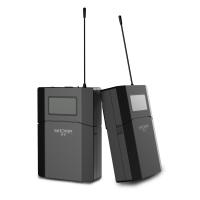
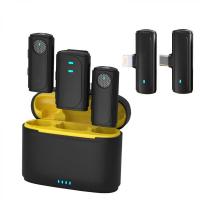
Wireless Lavalier Microphone System with 4 Transmitters and 1 Receiver
$434.99 $304.99
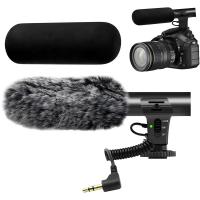
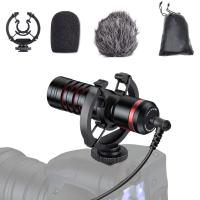
Camera Microphone, Supercardioid 3.5mm Shotgun Mic for Camera, DSLR, iPhone and Android Smartphones, with Shock Mount & Noise Reduction, Compatible with Canon EOS, Nikon, and Sony Cameras, Kentfaith
7
$87.49 $69.99
Camera Microphone, Super Cardioid  Shotgun Mic for DSLR Close Interview, Noise Reduction Video Microphone for Canon Nikon Sony Fuji with Windscreen, Compatible with Camera with 3.5mm TRS Plug, Kentfaith
Camera Microphone, Super Cardioid Shotgun Mic for DSLR Close Interview, Noise Reduction Video Microphone for Canon Nikon Sony Fuji with Windscreen, Compatible with Camera with 3.5mm TRS Plug, Kentfaith
11
$62.49 $49.99
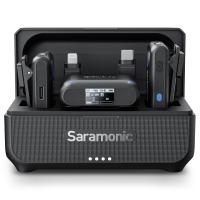
Saramonic Wireless Lavalier Microphone for Smartphone Camera 492ft Range 20h Battery Life
11
$224.99 $157.99
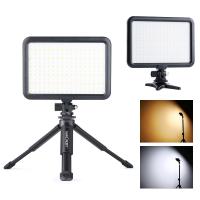
Camera Light LED Video Light Panel for Camera Camcorder Lighting in Studio or Outdoors 3200K to 5500K Variable Color Temperature (Only ship to us)
26
$44.99 $39.99
Wireless Earbuds Bluetooth Headphones TWS Waterproof with Microphone
66
$31.99
【$59.99 Flash Deal One order per customer】M8 UHF Wireless Lavalier Microphone for Video Camera & Camcorder
56
$79.99
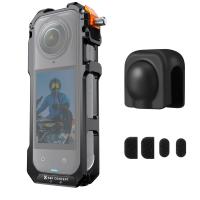
K&F Concept Standard Camera Cage Compatible with Insta360 X5, Aluminum Alloy Protective Frame Case with Silicone Lens Cover |1/4" Screw Hole | 2 Cold Shoe Mounts for Microphone and LED Video Light
NEW Arrival
K&F Concept Standard Camera Cage Compatible with Insta360 X5, Aluminum Alloy Protective Frame Case with Silicone Lens Cover |1/4" Screw Hole | 2 Cold Shoe Mounts for Microphone and LED Video Light
1
$34.99
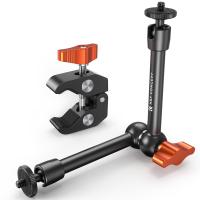
9.8" Magic Arm, 1/4" Screw Camera Mount Arm 360° Ball Heads for DSLRs, Monitor, Flash, LED Light, Microphone, Camera Cage, Action Camera
7
$19.99
Products You May Like
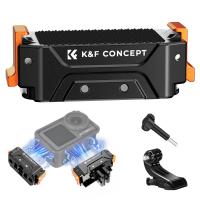
Magnetic Quick Release Adapter Mount for DJI OSMO 360, DJI Osmo Action 5 Pro, with 1/4 Screw Hole/Adapter Connection, Aluminum Alloy Bracket Expansion for Osmo Action 4/Action 3 Accessories
78
$21.99
37mm MCUV+CPL+ND4 Lens Filter Kit with Lens Cleaning Cloth and Filter Bag Nano-Klear
78
$33.99 $26.99
55mm Black Mist Filter 1/8 + 3pcs Cleaning Cloth with 18 Multi-Layer Coatings Nano-Klear Series
212
$29.99 $24.99
3-Channel Dash Cam Front and Rear Inside 4K 5G WiFi GPS Night Vision G-Sensor Kentfaith
10
$187.49 $169.99
Invisible Trail Camera
10
$162.99 $106.99
K&F CONCEPT UV CPL ND Filters Set Compatible with DJI Mini 5 Pro Drone Accessories - 4 Pack (CPL UV ND8 ND16) Light Reduction, Polarizing Daily Protection Lens Filter, Multi-Coated HD Optical Glass
NEW Arrival
K&F CONCEPT UV CPL ND Filters Set Compatible with DJI Mini 5 Pro Drone Accessories - 4 Pack (CPL UV ND8 ND16) Light Reduction, Polarizing Daily Protection Lens Filter, Multi-Coated HD Optical Glass
79
$42.99 $29.99
77mm Variable ND2-ND400 Filter+ Cleaning Cloth+ Filter Cap
$53.99 $34.99
KM-D800H 800m Golf Rangefinder with Slope, 6X Rechargeable Laser Rangefinder, Flag Lock, Slope On/Off, Continuous Scan, for Golf Tournament
$215.99 $88.99
67mm MCUV+CPL+ND4 Lens Filter Kit with Lens Cleaning Cloth and Filter Bag Nano-Klear
80
$53.99 $39.99
WIFI Outdoor Security Camera Outdoor Camera 2K Ultra HD Picture Audible Alarm IP66 Waterproof Two-way Voice Night Vision Range 8m/26ft EU Version
$89.99 $58.99
Related articles
How To Allow Camera And Microphone?
How To Allow Access To Camera And Microphone On Android ?
How To Enable Camera And Microphone On Instagram ?
How To Turn On Microphone And Camera On Hp Laptop ?
How To Turn On Camera And Microphone On Dell Laptop ?
How Does Lavalier Microphone And Recorder Work?
Camera Cleaning Kit: How to Choose and How to Use?
How To Use External Microphone Android Camera App ?
How To Use Microphone With Camera Windows 10?
How To Find Camera Roll On Iphone 5s?
Blog You May Like
What Digital Camera Has The Best Zoom?
Sony Camera How To Download Time Lapse?
What Is Advantage And Disadvantage Of Surveillance Cameras ?
How To Make Monopod Selfie Stick Work?
What Power Binoculars For Long Distance Viewing?
Where Is The Depth Finder On A Boat?
Smart Watches That Can Make Calls And Text?
How Much Is Bluetooth Earphones?
How Does Smart Phone Find Remote Wireless Camera?
Can I Connect Iphone To Projector With Usb?
Related categories
streaming video camera camera and lens cleaning kit C mount lens adapter lens adapters 2 in 1 Filter Screw-In Filter
Popular products
microphone with foam cover wireless headphones and tv mic bluetooth wireless microphone bluetooth headphones to tv microphone kit for iphone iphone wireless microphone for video Wireless Microphone 3 In 1 4 in 1 microphone microphone for long distance Wireless Lavalier Microphone
Related searches
Laptop With Built In Webcam And Microphone Webcam With Built In Microphone And Speakers Camera With Built In Microphone Best Camera And Microphone Bluetooth Camera And Microphone Pc Camera And Microphone Streaming Camera And Microphone Ip Camera With Built In Microphone Security Camera With Built In Microphone Video Conference Microphone And Camera
Related Scenes
Best Camera To Video Sports Best Camera To Capture Wildlife Best In House Camera Best Video Camera To Record Sports Best In Home Video Camera Best In Car Dash Camera Best Video Camera In Low Light Best In Home Wifi Security Camera Best Camera For In Home Security Best Camera For Video In Low Light
Blog Category
  • Activities
  • Guide
    • Filter Guide
    • Lens Adapter
    • Product Review
  • News & Reviews
    • Camera Reviews
    • Sample Gallery
    • News
  • Tutorials
    • Solar eclipse photography
    • Photography Basics
    • Landscape Photography
  • Inspiration
    • Travel
    • Travel Stories
Search Article
Latest from the Blog
Can A Tripod Fit Any Camera?
How Expensive Is A Metal Detector?
How To Put More Bass In Your Headphones?
How To Focus An Image On A Microscope?
Which Night Vision Monocular Is Best?
What Is The Best Trail Camera With Wifi?
Can You Drive With Headphones?
How To Take Great Photos With Digital Camera?
How To Clean Cleaning Cloth For Glasses?
Binoculars That Can See In The Dark?
  • Easy Payment Multilple Payment Options

  • Free Shipping Global WareHouse Shipment

  • No Risk 30-Day No Reason Return

  • Limited Deals Buy More, Save More

  • Tax Free No any surcharges or tax fee

Information
  • About us
  • Contact Us
  • Site Map
  • Blog
  • Video
  • Gallery
  • VIP Membership Rewards
Service
  • Privacy Policy
  • Terms & Conditions
  • Shipping & Delivery
  • Payment Info
  • Warranty, Return & Refund
  • Intellectual Property Rights
  • Ambassador
  • Affiliates
  • Wholesale
Support
  • My account
  • Order History
  • FAQs
  • Extend Warranty
  • Logistics Tracking
Follow us
NewsLetter

Get the latest product, K&F Concept respects your privacy.

Powered By KENTFAITH © 2026