How To Take Great Photos With Digital Camera?
A digital camera gives you more control than a phone, but better photos don’t happen just because the camera is “better.” Most disappointing camera photos come from the same handful of issues: poor light, missed focus, shaky hands, awkward composition, or settings that don’t match the scene.
The good news is that you don’t need to master every menu or shoot fully manual to take strong photos. If you learn how your camera sees light, where to focus, and how to make simple choices before pressing the shutter, your photos will improve quickly.
Start with light, not settings
Good light makes photography feel easy. Bad light makes even expensive cameras struggle.
Soft light is usually the most forgiving. Early morning, late afternoon, open shade, cloudy days, and window light all tend to look better than harsh midday sun. If you’re photographing a person outside at noon, putting them in open shade will often improve the photo more than changing any camera setting.
Direct overhead sunlight creates dark eye sockets, shiny skin, and harsh shadows. If you can’t move your subject, turn them so the light hits from the side rather than straight above or straight into their face. For portraits, avoid having people squint directly into the sun. A brighter background behind them can also fool the camera into underexposing their face, so check the photo after you take it.
Indoors, pay attention to where the light is coming from. A person standing near a window will usually photograph better than someone under ceiling lights in the middle of a room. Turn off ugly mixed lighting if you can. Lamps, daylight from windows, and overhead LEDs can create strange color casts when combined.
A simple habit: before raising the camera, look at the light on your subject. If the light looks bad to your eyes, the camera probably won’t fix it.
Learn focus before you worry about manual mode

A sharp, well-focused photo with basic settings beats a blurry “creative” photo every time.
Most digital cameras have several autofocus modes. For still subjects, single autofocus works well. On many cameras this is called AF-S or One-Shot AF. You half-press the shutter, the camera locks focus, and then you take the photo.
For moving subjects — kids running, dogs, sports, birds, cyclists — use continuous autofocus. This may be called AF-C or AI Servo. The camera keeps adjusting focus as the subject moves.
A common beginner mistake is letting the camera choose every focus point automatically. Sometimes it works, but it often focuses on the nearest object, a bright area, or the wrong face in a group. If your photos look sharp in the background but soft on the subject, this is probably why.
Use a single focus point or a small focus area when accuracy matters. Put it over the eye for portraits, the product label for product shots, or the main detail in a landscape. With mirrorless cameras, face and eye detection can be excellent, but don’t trust it blindly. Check that the camera is actually locking onto the right person or animal.
For portraits, focus on the eye closest to the camera. If the eyes are sharp, viewers forgive a lot. If the eyes are soft, the photo usually feels off.
Hold the camera properly

Camera shake ruins more photos than people realize, especially indoors or in low light.
Hold the camera with your right hand on the grip and your left hand supporting the lens or the underside of the camera. Keep your elbows gently tucked in. Don’t hold the camera out at arm’s length unless you have to. Use the viewfinder if your camera has one; pressing the camera lightly against your face gives you more stability than using the rear screen.
When pressing the shutter, squeeze gently instead of jabbing at it. A rushed press can move the camera at the exact moment the photo is taken.
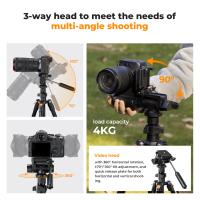
If the light is dim, brace yourself against a wall, table, tree, or railing. For static scenes, a tripod is still the cleanest solution. Even a small travel tripod can make night city shots, interiors, waterfalls, and landscapes much sharper.
Image stabilization helps, but it doesn’t freeze a moving subject. It reduces shake from your hands. If your subject is moving, you still need a fast enough shutter speed.
Use shutter speed to control motion

Shutter speed decides how long the camera records the scene. A fast shutter freezes motion. A slow shutter allows blur.
For people standing still, 1/125 second is usually a safe starting point. For kids, pets, or casual action, 1/250 or faster is better. For sports or birds, you may need 1/1000 or faster.
If you’re getting blurry photos indoors, your shutter speed is probably too slow. Many cameras in automatic mode try to keep ISO low, which can result in slow shutter speeds and motion blur. A slightly grainy photo with a faster shutter is usually better than a clean but blurry one.
For creative blur, slow the shutter deliberately. Moving water can look smooth at 1/4 second or slower. Car light trails need several seconds. Use a tripod for this kind of photo, and set a two-second timer so pressing the shutter doesn’t shake the camera.
Aperture affects background blur and depth
Aperture controls how much light enters through the lens and how much of the image appears in focus from front to back.
A low f-number like f/1.8 or f/2.8 gives more background blur and lets in more light. This is useful for portraits, food, pets, and low-light scenes. The trade-off is that focus becomes less forgiving. At f/1.8, one eye might be sharp while the other is slightly soft if the person is angled.
A higher f-number like f/8 or f/11 keeps more of the scene sharp. This is useful for landscapes, architecture, group photos, and travel scenes where you want detail throughout the frame.
Many beginners buy a fast lens, shoot everything wide open, and wonder why half their photos are slightly out of focus. Wide apertures are useful, but they’re not always the best choice. For a group of three people, f/1.8 is risky. Try f/4 or f/5.6 instead so everyone has a better chance of being sharp.
Don’t be afraid of ISO
ISO controls how sensitive the camera is to light. Higher ISO allows faster shutter speeds in dark conditions, but it adds noise or grain.
A lot of new photographers are too afraid of ISO. They keep it low, then end up with blurry photos. Modern cameras handle ISO much better than older ones. A sharp photo at ISO 3200 is usually more useful than a blurred photo at ISO 400.
Use low ISO when there’s plenty of light or when the camera is on a tripod. Raise ISO when shooting handheld indoors, at events, in the evening, or anywhere your shutter speed is dropping too low.
Noise can be reduced later. Motion blur usually cannot be fixed.
Try aperture priority before full manual
Manual mode is useful, but it’s not required for great photos. Aperture priority is often the best learning mode for everyday shooting. On many cameras it’s marked A or Av.
In aperture priority, you choose the aperture and the camera chooses the shutter speed. This lets you control background blur while still moving quickly. Use f/2 to f/4 for portraits or detail shots. Use f/8 for landscapes and general travel photos.
Keep an eye on the shutter speed. If it gets too slow, raise ISO or open the aperture. If the photo looks too bright or too dark, use exposure compensation. This is one of the most useful controls on a digital camera. A small adjustment, like -0.3 or +0.7, can fix many situations where the camera meter gets fooled.
Snow, beaches, bright walls, and backlit scenes often need positive exposure compensation because the camera tries to make bright scenes gray. Dark scenes, concerts, and black clothing may need negative compensation to avoid looking washed out.
Compose with intention
Composition doesn’t mean following strict rules. It means deciding what the photo is really about and removing distractions.
Before taking the shot, scan the edges of the frame. Beginners often focus so hard on the subject that they miss trash cans, bright signs, chopped-off feet, awkward poles, or random people at the edge. Moving one step left or right can clean up the whole image.
Get closer when the subject is too small. Many weak photos have too much empty space and no clear point of interest. If you’re photographing food, a flower, a person, or a street detail, fill the frame more than feels natural at first.
Change your height. Shooting everything from standing eye level makes photos look ordinary. Kneel for kids and pets. Shoot slightly above food. Get low for dramatic landscapes, cars, or street scenes. Small changes in position often matter more than lens choice.
Use background separation. A portrait looks better when the person isn’t pressed right against a wall or messy background. Move them a few feet forward, use a wider aperture, or choose a cleaner angle.
Use the right lens for the job
The lens affects your photo more than the camera body in many situations.
A standard kit zoom is fine for learning, travel, and family photos. It’s flexible and lightweight. Its weakness is low light and strong background blur.
A 50mm or 35mm prime lens with a wide aperture is excellent for portraits, everyday scenes, indoor family photos, and learning composition. Because it doesn’t zoom, it forces you to move your feet and think more carefully.
A telephoto lens is useful for sports, wildlife, school events, stage performances, and candid portraits. It also compresses the background, which can make portraits look more polished.
A wide-angle lens is good for interiors, landscapes, architecture, and tight spaces, but be careful with people near the edges of the frame. Wide lenses can stretch faces and bodies in unflattering ways.
Review your photos properly
The rear camera screen can be misleading. A photo may look sharp on the small screen and soft later on a computer.
Zoom in during playback to check focus, especially for important portraits or once-in-a-lifetime moments. Look at the eyes, not just the overall image. Check the histogram if your camera has one. It helps show whether highlights are blown out or shadows are completely blocked.
Don’t judge every photo one by one while shooting, though. Take a few, check for major problems, adjust, then keep shooting. Constantly staring at the screen can make you miss real moments.
After a shoot, look for patterns. Are your indoor photos blurry? Raise shutter speed or ISO next time. Are portraits focused on the background? Change autofocus settings. Are skies always too bright? Learn exposure compensation or shoot at a better time of day.
Shoot RAW if you plan to edit
JPEG files are ready to share and take up less space. RAW files keep more information and give you more room to adjust exposure, white balance, shadows, and highlights.
If you’re photographing travel, landscapes, portraits, or anything important, RAW is worth using. You don’t have to over-edit. Even simple adjustments to brightness, contrast, cropping, and white balance can make a big difference.
If you don’t want to deal with editing yet, shoot RAW+JPEG. You’ll have easy files now and better files later if you decide to revisit them.
Practice with real situations
The fastest way to improve is to shoot the same kinds of photos you actually care about. If you want better family photos, practice indoors near windows, at parks, and during gatherings. If you like landscapes, revisit the same location at different times of day. If you want sharper pet photos, practice continuous autofocus and faster shutter speeds.
Don’t wait for perfect scenes. Photograph your kitchen table, your street, your friends, your dog, the same tree in different light. Repetition teaches you what settings do in a way manuals never can.
Great photos usually come from a mix of small decisions: better light, cleaner background, steady hands, accurate focus, and timing. Once those become habits, the camera starts feeling less like a complicated device and more like a tool you can trust.