How To Place Cameras Around Your House?
How to Place Cameras Around Your House for Optimal Security
Ensuring home security is increasingly important in today’s world, and one of the most effective ways to protect your property is by installing security cameras. Not only do cameras act as a deterrent to potential intruders, but they also provide valuable footage in case of a breach. Proper placement is the key to maximizing the effectiveness of your security camera system. In this guide, I’ll break down practical strategies for placing cameras around your house to cover all vulnerable areas and get the most out of your investment.
Understanding the Purpose of Camera Placement
Before diving into the specifics of where to place cameras, it's important to have a clear understanding of why we place them strategically. Cameras serve several purposes, including:
1. Deterrence: Visible cameras can discourage burglars and trespassers.
2. Monitoring: Capturing footage for both real-time monitoring and future review.
3. Evidence Gathering: Providing police or legal authorities with evidence in the event of a crime.
4. Safety: Watching over entry points and high-risk areas to protect loved ones.
With these objectives in mind, you can create a placement plan that ensures comprehensive coverage of your home’s surroundings.
Key Areas to Place Cameras
To achieve optimal security coverage, focus on placing cameras at strategic locations where vulnerabilities are highest. Here are the most important areas to consider:
1. Front Door
This is one of the most crucial spots for camera placement. Statistics show that a significant percentage of burglars enter through the front door. A camera positioned at the front entry will provide clear footage of anyone approaching or leaving your home.
Recommended position: Mount the camera about 8–10 feet above the ground to capture faces clearly without being easily tampered with.
Coverage tip: Use a wide-angle camera to cover the door and surrounding areas like the front porch.
2. Back Door
The back door is the second most common point of entry for intruders. This area is often secluded, making it an appealing target for thieves. Placing a camera here is just as vital as the front door.
Recommended position: Similar to the front door, install the camera high enough to avoid tampering but ensure it captures a clear view of potential activity.
Considerations: If your backyard is extensive, you may want to install additional cameras to cover entrances like side gates or detached structures such as a shed.
3. Garage and Driveway
Your garage houses valuable items, such as tools, cars, and outdoor equipment. Placing cameras to monitor this area provides the added advantage of capturing footage of anyone approaching or leaving your property.
Recommended position: Install cameras overlooking the garage doors and driveway. You can opt for motion-activated cameras to conserve power and storage space.
Bonus tip: If your driveway or garage leads directly to entrances, having cameras in this area increases overall security.
4. Windows on the Ground Floor
Windows on the ground floor are another target for burglars, especially windows that aren’t visible from the street. Installing cameras near these windows can deter intruders and record any suspicious activity.
Recommended position: Place cameras that cover side windows or windows hidden by landscape features, such as tall bushes or fences.
Alternative: If installing cameras near every ground-floor window isn’t feasible, consider using glass-break sensors as an additional layer of security.
5. Common Areas
Inside the house, certain common areas should also be monitored. These include hallways, living rooms, or spaces where valuables are stored, such as safes or high-tech gadgets.
Recommended position: Use indoor cameras in these locations, particularly with wide-angle lenses to cover more area.
Discretion: Opt for cameras that are less noticeable to avoid interfering with your home’s aesthetics.
6. Outdoor Perimeters
Monitoring the outer boundary of your property is crucial, especially if you have a large yard or fencing. Outdoor perimeter cameras can alert you to unusual movements and detect trespassers before they reach your home.
Recommended position: Install cameras along fences, entry gates, and other access points.
Important features: Ensure these cameras are weather-resistant and equipped with night vision for clear footage in all weather and lighting conditions.
Dos and Don’ts of Camera Placement
Dos:
1. Ensure Proper Lighting: Cameras need ample light—either natural or provided by outdoor light fixtures—to capture clear footage during the day. For nighttime, invest in cameras with infrared capabilities or pair them with motion-activated lights.
2. Position Strategically: Choose mounting spots that cover as much of the area as possible without blind spots. Wide-angle lenses are particularly useful in tight or expansive spaces.
3. Opt for High Locations: Positioning your cameras higher up reduces the risk of tampering or vandalism by intruders.
4. Cover Entry Points: As a rule of thumb, cover all entry and exit points for the best monitoring coverage.
5. Use Weather-Resistant Cameras: Outdoor cameras should be tough enough to withstand rain, snow, dust, and temperature changes.
Don’ts:
1. Avoid Obstructed Views: Ensure no trees, walls, or other obstacles block the camera’s line of sight.
2. Don’t Install Too High: While placing cameras high deters tampering, installing them too high reduces the ability to capture clear facial features or details.
3. Avoid Privacy Violations: Be mindful of privacy concerns—both yours and your neighbors’. Refrain from pointing cameras directly at neighboring properties or private spaces such as bathrooms.
4. Don’t Forget Maintenance: Cameras can become obstructed by dirt, spider webs, or debris. Regular maintenance ensures consistent video quality.
Choosing the Right Cameras
There are various types of cameras available, each with unique features designed to cater to different needs. Here are some factors to consider when selecting cameras for your home:
1. Camera Type
Bullet Cameras are long and cylindrical, ideal for outdoor areas and entry points.
Dome Cameras are more discreet and less obtrusive, perfect for indoor spaces.
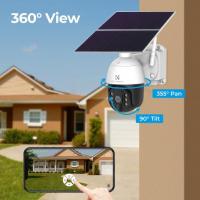
PTZ Cameras (pan-tilt-zoom) offer flexibility to zoom in or scan an area remotely.
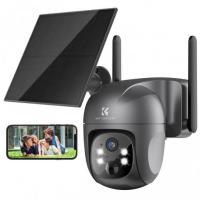
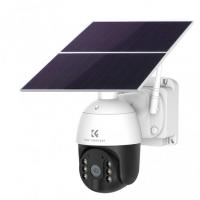
Wireless Cameras are easy to install and more aesthetically pleasing, as they avoid unsightly cables.
2. Resolution
Higher resolution cameras provide clearer footage, making it easier to identify people and objects. Aim for 1080p or higher if possible.
3. Night Vision
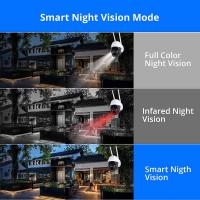
Choose cameras with infrared or low-light sensors to ensure functionality during nighttime.
4. Motion Detection
These cameras save time and storage space by recording only when movement is detected.
5. Storage Options
Opt for cameras that let you store footage either on a memory card, a cloud-based platform, or a local hard drive.
6. Remote Accessibility
Modern cameras allow you to view footage remotely through your phone, tablet, or computer. This is a key feature for monitoring your home when you're not there.
How Many Cameras Do You Need?
The total number of cameras you need depends on the size of your property, your priority areas, and your budget. For example:
- A small home may benefit from a 4-camera system covering front entrances, back doors, and common spaces.
- Larger properties with multiple access points may require 8 cameras or more.
Assess your property’s layout to determine your needs. Once that’s done, create a clear plan or diagram for where each camera should go.
Installation Tips
When installing cameras, proper mounting and configuration are crucial. Here are some tips:
1. Test Placement: Before permanently installing cameras, test their placement by temporarily mounting them and reviewing footage. This helps in identifying blind spots and making adjustments.
2. Chose Reliable Mounting Equipment: Use durable mounting brackets if you’re attaching cameras to walls, poles, or ceilings.
3. Optimize Settings: Adjust settings such as motion sensitivity, resolution, and storage preferences based on your security needs.
4. Use Professional Installation Services (if necessary): If you’re unfamiliar with wiring or camera systems, hiring professionals can save time and ensure everything functions correctly