How To Install Cameras Around The House?
How to Install Cameras Around Your House: A Comprehensive Guide
Home security is increasingly becoming a priority for homeowners seeking to protect their property, loved ones, and belongings. Installing security cameras around your house provides an effective deterrent against theft and vandalism while offering peace of mind. Whether you’re a DIY enthusiast or a first-time installer, this guide will walk you through the process, providing practical advice on how to effectively install cameras around your home.
Understanding Your Needs
Before installation, it’s essential to determine why you want cameras and what areas you need to monitor. Are you looking for a setup to prevent burglaries, keep an eye on deliveries, or observe outdoor spaces such as yards and driveways? Understanding your objectives will help you choose the right type of camera system and placement.
Key Considerations:
1. Coverage Area: Decide the zones that need surveillance, such as entrances, driveways, backyards, and any blind spots.
2. Indoor vs Outdoor Cameras: Outdoor cameras should be weatherproof, while indoor cameras prioritize resolution and discretion.
3. Connectivity: Choose between wired systems for permanence and wireless systems for flexibility.
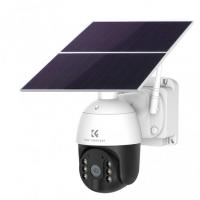
4. Power Source: Will your cameras be powered through batteries, solar energy, or wired electricity?
5. Resolution and Features: Look for cameras with high resolution (1080p or higher), night vision, motion detection, and two-way audio if required.
Types of Security Cameras
Security cameras come in different types, each suitable for specific uses:
1. Dome Cameras: Ideal for indoor spaces, these cameras are discrete and provide a wide angle of coverage.
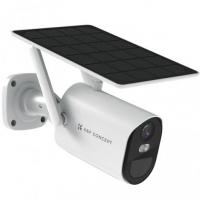
2. Bullet Cameras: Commonly used for outdoor surveillance, these cameras are visible and can act as a deterrent.
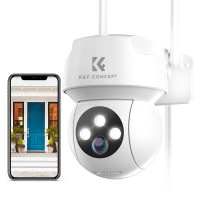
3. IP Cameras: Connected to your WiFi, these cameras allow remote access and live video streaming from your smartphone or computer.
4. Wired Cameras: These provide reliable connections, but installation can be more complex due to wiring.
5. Wireless Cameras: Easy to install and reposition, but they may require regular battery replacement.
6. Smart Cameras: Integrated with platforms like Alexa or Google Assistant, these cameras allow smart home control.
Step-by-Step Guide to Camera Installation
Here are the steps to install cameras around your house effectively.
Step 1: Prepare Your Tools and Equipment
Before getting started, assemble the required materials:
- Security cameras and mounting kits
- Drill, screws, and anchors for mounting
- Ethernet cables (for wired setups)
- Ladder for elevated spots
- Smartphone or computer for setup and testing
Additionally, read the instruction manual that comes with your camera to familiarize yourself with its features and specifications.
Step 2: Plan Camera Placement
Good placement is crucial for maximizing the effectiveness of your cameras. Poorly positioned cameras may leave blind spots or fail to capture important areas.
1. Front Door: Place a camera above or adjacent to the main entrance to monitor who arrives at your home.
2. Back and Side Entrances: These are common access points for burglars, so install cameras to cover these areas as well.
3. Driveway or Garage: For securing parked vehicles and observing activity around garages, cameras at a high angle can provide a clear line of sight.
4. Windows: For enhanced security, consider monitoring windows that aren’t visible from busy areas.
5. Yards or Outdoor Spaces: Install cameras to surveil outdoor areas and deter trespassers.
When positioning cameras:
- Mount them at least 8–10 feet high to avoid tampering.
- Ensure the cameras aren’t pointing directly at the sun to prevent glare.
Step 3: Install the Mounting Hardware
Once the locations have been decided, begin the physical installation. Outdoor cameras usually require drilling into walls or poles to affix mounting kits securely. Indoor cameras may be easier to set up using adhesive mounts or placement on furniture near power outlets.
Instructions for mounting cameras:
1. Use a drill to create holes where you marked the placement.
2. Insert wall anchors if required for stability.
3. Secure the mounting bracket with screws.
Step 4: Connect and Configure Cameras
Whether wired or wireless, ensure the camera connection is done correctly.
1. Wired Installation:
- Run Ethernet cables through walls or conduits to the central router or recorder.
- Ensure cables are neatly concealed for aesthetic and safety purposes.
2. Wireless Installation:
- Pair the cameras with your WiFi through the accompanying mobile app.
- Follow setup instructions to connect the cameras to the local network.
Power up the cameras using batteries, solar panels, or a wired connection. Test each camera by aligning it with your intended angles.
Step 5: Adjust Settings
Once the cameras are physically installed, adjust the software settings through your mobile app or computer.
1. Test the Camera Feed: Check video clarity, angles, and range of view.
2. Set Up Motion Detection: Customize the sensitivity levels to avoid false alerts.
3. Activate Alerts: Enable push notifications for instant updates when the camera detects motion.
4. Define Recording Options: Choose between continuous recording or motion-triggered recording to suit your preferences.
Step 6: Secure the System
Security cameras are only as strong as the system protecting them. Ensure that your setup cannot be hacked or tampered with.
1. Change Default Passwords: Update the default credentials provided by the manufacturer.
2. Enable Encryption: Use WPA2 or WPA3 protocols for wireless setups.
3. Regularly Check Updates: Keep your software and firmware current to patch vulnerabilities.
Maintenance Tips
To ensure your cameras remain effective over time, follow these maintenance practices:
Regular Cleaning: Wipe the lenses to prevent dust or rain from obscuring visibility.
Battery Checks: Replace or recharge batteries as needed.
Software Updates: Maintain firmware to improve performance and security.
Visual Inspections: Verify that the cameras are still properly aligned and functioning.
Common Challenges and Solutions
1. Poor WiFi Signal: If wireless cameras lose connection often, consider adding WiFi extenders near the camera locations.
2. Blind Spots: Adjust angles or locations to eliminate unmonitored areas.
3. Tampering or Vandalism: Install cameras in inaccessible or concealed locations to prevent damage.
4. False Alarms: Lower the sensitivity of motion detection if pets or moving leaves frequently trigger the system.
Do You Need Professional Help?
While DIY installation is cost-effective, certain situations might warrant hiring a professional:
- When complex wiring is required for a large setup.
- If you are unfamiliar with tools and mounting techniques.
- For integrating cameras into advanced smart home systems.
Professional installers are knowledgeable about local regulations and will ensure compliance, especially for outdoor setups that might require public-space monitoring.
Conclusion
Installing cameras around your house is an excellent way to secure your property and ensure peace of mind. By carefully planning placement, choosing the right equipment, and following installation steps, you can create a robust security system tailored to your needs. With regular maintenance and updated software, your cameras will remain effective for years to come. Remember, you don’t need to be an expert to set up a reliable security system—but when in doubt, don’t hesitate to reach out to professionals!