kfconcept

KENTFAITH
K&F Concept    Blog >

Enjoy Your Selected Digital Life

Recently Viewed
  • Recently Viewed
  • Electric Essential Oil Diffuser 400ML, Home Essential Oil Diffuser Fresh Mist, Essential Oil Diffuser with APP and Bluetooth Speaker, 30 Colors Light, YOUNGDO
    Electric Essential Oil Diffuser 400ML, Home Essential Oil Diffuser Fresh Mist, Essential Oil Diffuser with APP and Bluetooth Speaker, 30 Colors Light, YOUNGDO
    $30.99
    77mm Magnetic Variable ND8-ND128(3-7 Stop) Lens Filters + Magnetic Filter Basic Ring Kit with 28 Multi-Layer Nano-Xcel Series (Compatible with 82mm magnetic cap)
    77mm Magnetic Variable ND8-ND128(3-7 Stop) Lens Filters + Magnetic Filter Basic Ring Kit with 28 Multi-Layer Nano-Xcel Series (Compatible with 82mm magnetic cap)
    $107.99 $85.99
    62mm True Color Variable ND2-32 (1-5 Stops) ND Lens Filter, Adjustable Neutral Density Filter with 28 Multi-Layer Coatings Nano-Xcel Series
    62mm True Color Variable ND2-32 (1-5 Stops) ND Lens Filter, Adjustable Neutral Density Filter with 28 Multi-Layer Coatings Nano-Xcel Series
    $112.99 $89.99
    62mm ND2-ND2000 Filter (1-11 Stops) with 3 Vacuum Cleaning Cloths Nano-Klear Series
    62mm ND2-ND2000 Filter (1-11 Stops) with 3 Vacuum Cleaning Cloths Nano-Klear Series
    $41.99 $32.99
    MS04 62''/1.58m Tripod Phone Selfie Stick, Black And Orange With Bluetooth Remote Control + Gopro Adapter
    MS04 62''/1.58m Tripod Phone Selfie Stick, Black And Orange With Bluetooth Remote Control + Gopro Adapter
    $29.99
    95mm Circular Polarizer Filter, Super Slim CPL Filter with 36 Multi-Layer Coatings, High Definition Nano-Xcel Pro Series
    95mm Circular Polarizer Filter, Super Slim CPL Filter with 36 Multi-Layer Coatings, High Definition Nano-Xcel Pro Series
    $149.99 $119.99
    32GB Micro SD Card U3/V30/A1 with Adapter, Memory Card for Cameras, Borescopes,  Microscopes, Night Vision Goggles, Kentfaith
    32GB Micro SD Card U3/V30/A1 with Adapter, Memory Card for Cameras, Borescopes, Microscopes, Night Vision Goggles, Kentfaith
    $19.99 $15.99
    82mm White Pro Mist Filter Cinematic Effect Filter with 18 Multi-Layer Coatings for Portrait and Landscape Photography Nano-Klear Series
    82mm White Pro Mist Filter Cinematic Effect Filter with 18 Multi-Layer Coatings for Portrait and Landscape Photography Nano-Klear Series
    $37.99 $29.99
    77mm ND2-ND2000 Filter (1-11 Stops) with 3 Vacuum Cleaning Cloths Nano-Klear Series
    77mm ND2-ND2000 Filter (1-11 Stops) with 3 Vacuum Cleaning Cloths Nano-Klear Series
    $47.99 $37.99
    Sim Card Without Contract
    Sim Card Without Contract
    $9.90
Compare (0) 0
  • Compare
  • You have not chosen any products to compare.

  • Compare
Currency: USD
  • Currency
Shop by Scene Shop by Rank

Log Into Your Account

Account

Order History

Wish List

Login

Forgotten Password?

Or connect with

Register Account

Already have an Account?Log In

  • Shopping Cart
  • Your shopping cart is empty!

  • Register/Login to purchase, earn points
  • Favorite
  • Your wish list is empty.

  • Register/Login to like, earn points
  • Activities
  • Guide
    • Filter Guide
    • Lens Adapter
    • Product Review
  • News & Reviews
    • Camera Reviews
    • Sample Gallery
    • News
  • Tutorials
    • Solar eclipse photography
    • Photography Basics
    • Landscape Photography
  • Inspiration
    • Travel
    • Travel Stories
  • Home
  • Blog
  • How To Install Cameras On House?

How To Install Cameras On House?

Kentfaith 2024-07-15 01:18:19 0 Comments

Installing security cameras on your house is a practical and effective way to enhance the safety and security of your home. Whether you are looking to deter potential intruders, monitor activities around your property, or simply have peace of mind, a well-installed camera system can be a valuable addition. This article will guide you through the process of installing cameras on your house, covering everything from planning and selecting the right equipment to the actual installation and setup.

Planning Your Camera System

Before you start drilling holes and mounting cameras, it's crucial to plan your camera system carefully. Here are the key steps to consider:

1. Assess Your Security Needs

Determine the primary purpose of your security cameras. Are you looking to monitor entry points, such as doors and windows, or do you want to cover the entire perimeter of your property? Identifying your security needs will help you decide the number and type of cameras required.

2. Choose the Right Camera Types

There are various types of security cameras available, each with its own set of features. Some common types include:

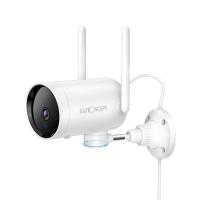
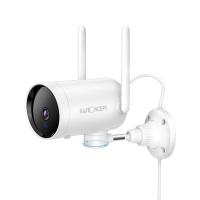
- Bullet Cameras: These are long and cylindrical, ideal for outdoor use. They are typically weatherproof and can cover long distances.

- Dome Cameras: These are dome-shaped and often used indoors. They offer a wide field of view and are less obtrusive.

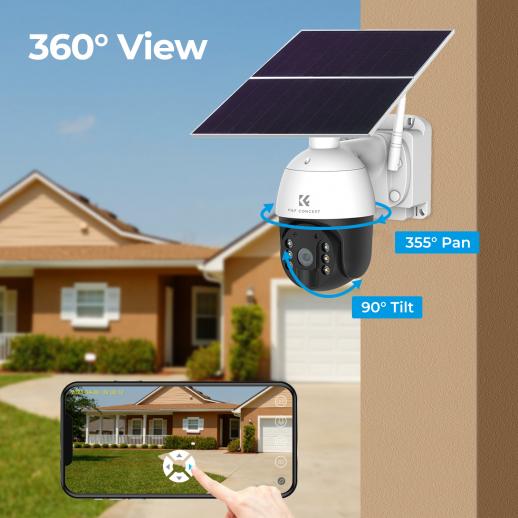
- PTZ Cameras: Pan-Tilt-Zoom cameras can be remotely controlled to pan, tilt, and zoom, providing flexible coverage.

- Wireless Cameras: These cameras connect to your Wi-Fi network, making installation easier without the need for extensive wiring.

3. Determine Camera Placement

Strategically placing your cameras is essential for optimal coverage. Consider the following locations:

- Entry Points: Place cameras at all main entry points, including front and back doors, garage doors, and windows.

- Perimeter: Install cameras around the perimeter of your property to monitor any suspicious activity.

- High Traffic Areas: Cover areas with high foot traffic, such as driveways, walkways, and common areas.

4. Plan for Power and Connectivity

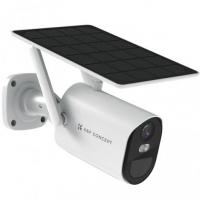
Decide how you will power your cameras. Options include wired (using electrical outlets), battery-powered, or solar-powered cameras. Additionally, ensure that your cameras can connect to your home network, either through Wi-Fi or Ethernet cables.

Selecting the Right Equipment

Once you have a clear plan, it's time to select the right equipment for your security camera system. Here are some factors to consider:

1. Resolution and Image Quality

Higher resolution cameras provide clearer and more detailed images. Look for cameras with at least 1080p resolution for good image quality. For even better clarity, consider 4K cameras.

2. Night Vision

Ensure your cameras have night vision capabilities to monitor your property effectively in low-light conditions. Infrared (IR) LEDs are commonly used for night vision.

3. Field of View

The field of view determines how much area a camera can cover. Wide-angle lenses provide broader coverage, reducing the number of cameras needed.

4. Storage Options

Decide how you will store the footage. Options include:

- Local Storage: Using a DVR (Digital Video Recorder) or NVR (Network Video Recorder) to store footage on a hard drive.

- Cloud Storage: Storing footage on a cloud server, which can be accessed remotely.

5. Motion Detection and Alerts

Look for cameras with motion detection capabilities. These cameras can send alerts to your smartphone or email when motion is detected, allowing you to respond promptly.

Installation Process

With your equipment ready, follow these steps to install your security cameras:

1. Gather Tools and Materials

Before you start, gather the necessary tools and materials, including:

- Drill and drill bits

- Screws and anchors

- Screwdriver

- Ladder

- Ethernet cables (if using wired cameras)

- Power cables or batteries

2. Mount the Cameras

Follow these steps to mount your cameras:

- Mark the Mounting Points: Use a pencil to mark the spots where you will mount the cameras.

- Drill Holes: Drill holes at the marked points for screws and anchors.

- Install Anchors: Insert anchors into the drilled holes to provide a secure base for the screws.

- Attach the Mounting Bracket: Secure the mounting bracket to the wall using screws.

- Mount the Camera: Attach the camera to the mounting bracket and adjust its angle for optimal coverage.

3. Run Cables (if applicable)

If you are using wired cameras, you will need to run Ethernet or power cables to each camera. Follow these steps:

- Plan the Cable Route: Determine the best route for running cables from the cameras to the recording device or power source.

- Drill Holes for Cables: Drill holes through walls or ceilings as needed to run the cables.

- Run the Cables: Feed the cables through the drilled holes and secure them along the route using cable clips or ties.

- Connect the Cables: Connect the Ethernet or power cables to the cameras and the recording device or power source.

4. Connect to the Network

For wireless cameras, follow these steps to connect them to your home network:

- Power On the Cameras: Insert batteries or plug in the power cables to turn on the cameras.

- Connect to Wi-Fi: Use the camera's app or web interface to connect the cameras to your Wi-Fi network. Follow the manufacturer's instructions for this process.

- Test the Connection: Ensure that each camera is connected to the network and can be accessed remotely.

5. Configure the System

Once all cameras are installed and connected, configure the system settings:

- Set Up Recording: Configure the recording settings, such as continuous recording, motion-triggered recording, or scheduled recording.

- Adjust Camera Settings: Fine-tune the camera settings, including resolution, frame rate, and field of view.

- Set Up Alerts: Enable motion detection and set up alerts to receive notifications when motion is detected.

Testing and Maintenance

After installation, it's essential to test your camera system to ensure everything is working correctly. Here are some steps to follow:

1. Test Each Camera

Check the live feed from each camera to ensure it provides a clear and stable image. Adjust the camera angles if necessary.

2. Test Motion Detection

Trigger the motion detection feature by walking in front of each camera. Verify that you receive alerts and that the camera records the motion events.

3. Check Night Vision

Test the night vision capabilities by viewing the camera feed in low-light conditions. Ensure that the cameras provide clear images in the dark.

4. Regular Maintenance

Perform regular maintenance to keep your camera system in good working condition:

- Clean the Lenses: Wipe the camera lenses regularly to remove dust and debris.

- Check Connections: Ensure that all cables and connections are secure and free from damage.

- Update Firmware: Keep the camera firmware up to date to benefit from the latest features and security patches.

Installing security cameras on your house is a worthwhile investment in the safety and security of your home. By carefully planning your camera system, selecting the right equipment, and following the installation steps, you can create a robust surveillance system that meets your needs. Regular testing and maintenance will ensure that your cameras continue to provide reliable protection for years to come. With the right approach, you can enjoy peace of mind knowing that your home is well-protected.
Leave your comment
Cancel reply
Note: HTML is not translated!
Related products
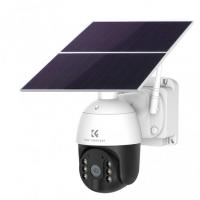
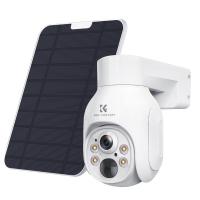
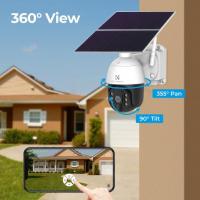
4G 3 Lens Solar Security Camera Wireless Outdoor, 6MP Full HD Video, 360° View Pan/Tilt Home Security Camera with Color Night Vision, Easy to Install, PIR Alarm, Kentfaith
15
$187.49 $149.99
WiFi 3 Lens Solar Security Camera Wireless Outdoor, 6MP Full HD Video, 360° View Pan/Tilt Home Security Camera with Color Night Vision, Easy to Install, PIR Alarm, Kentfaith
15
$156.24 $124.99
67mm Clip-on CPL Phone Camera Lens Filter Kit Applicable to All Mobile Phone Models
24
$18.99
67mm Clip-on ND2-32 Phone Camera Lens Filter Kit Applicable to All Mobile Phone Models
24
$37.99
67mm Clip-on Black Mist 1/4 Phone Camera Lens Filter Kit Applicable to All Mobile Phone Models
24
$29.99
52mm Clip-on CPL Phone Camera Lens Filter Kit, Circular Polarizer Polarizing Filter Applicable to All Mobile Phone Models
24
$16.99
K&F Concept Blower & Suction 2 in 1 Compressed Air Duster, with LED Light,150000RPM Electric Air Duster, 3 Gear Adjustable&Portable, Dust Blower for Computer, Keyboard, House, Outdoor and Car
$49.99
AI(G) to M4/3 Adapter Manual Lens Adapter with Matting Varnish Design Compatible with Nikon Nikkor AI/F G-Mount Lens to MFT Micro 4/3 Mount Cameras Olympus Panasonic Lumix Cameras
24
$66.99 $34.99
Olympus OM Mount Lens to M4/3 MFT Olympus Pen Cameras Lens Mount Adapter
24
$64.99 $35.99
PL-L Mount Lens Adapter, Compatible with PL Lens Converter to L Mount Cameras
$99.99
Products You May Like
T2 Lenses to Nikon F Lens Mount Adapter K&F Concept M28171 Lens Adapter
$36.99 $18.99
62mm Snap-On Center Pinch Lens Cap 4 in 1 with Anti-Loss Keeper Leash Compatible with Nikon, Canon, Sony, Fujifilm Camera Lenses
$11.99 $5.99
Mini Voice Recorder Magnetic & Voice-activated, 1600H Recording with Noise Cancelling, Kentfaith Voice Recorder for Meetings, Lectures, Studying, Interviews 128G
621
$82.49 $53.99
K&F Concept 2-Pack LP-E17 Battery with USB C Fast Charging for Canon EOS R10, R8, R50, Rebel T8i, T7i, T6i, T6s, SL2, SL3, EOS M3, M5, M6, EOS 200D, 77D, 750D, 760D, 800D, 8000D
14
$34.99
2 in 1 Wireless WiFi Camera Microscope for Kids, Portable Handheld USB Digital Microscope 8 LED Lights with Slides
14
$99.99
Professional Camera Backpack Large Size Photography Bag Compatible with Camera DSLR, 14.4'' Laptop,Tripod - Backpack 18L Nature Wander 04 (Grey)
158
$95.99 $59.49
58mm Colorful Streak Filter Starlight Dreamy Creative Special Effects Optical Glass Lens Filters Nano-B Series
16
$31.99 $24.99
62mm Black Pro-Mist Filter 1/2 Special Effects Filter Ultra-Clear Multi-layer Coated, Waterproof, Scratch-Resistant, Anti-Reflection Nano-Xcel Series
135
$58.99 $46.99
Canon FD & FL 35mm Lens to  Leica SL T Sigma FP Panasonic L-mount digital camera Mount Adapter
Canon FD & FL 35mm Lens to Leica SL T Sigma FP Panasonic L-mount digital camera Mount Adapter
82
$53.99 $29.99
GOPRO Hero 9/10/11/12/13 Action Camera CPL Circular Polarizer Filter, High-Definition Lens, Anti-reflection Green Film, Waterproof and Scratch-Resistant
104
$29.99
Related articles
How To Install Cameras Around The House?
How To Install Security Cameras Front Of House?
How To Mount Cameras On House?
Who Can Install Cameras In My House?
Where To Put Cameras On House?
Where To Mount Cameras On House?
How To Install Camera Outside House?
Where To Place Security Cameras On House?
How To Install Camera Inside The House?
Can You Use Any Webcam On Ps5 ?
Blog You May Like
What Filter Should I Keep On My Lens?
How To Replace Camera Lens On Galaxy 5?
How To Format Sd Card On My Phone?
What Is The Best Budget Action Camera?
How Do You Make A Voice Recording?
How To Set Up V380 Wifi Camera On Android Phone ?
What Is A Drone Animal?
How To Find Ip Cameras On Network?
How To Make Soft Light Photography?
Why Is My Camera Screen Flashing?
Related categories
On-Dash Camera 4G Cameras C mount lens adapter m4/3 adapter endoscope cameras endoscope cameras Wifi Trail Cameras digital camera for beginner
Popular products
trail camera 4k outdoor motion sensor camera hunting wifi wildlife camera iphone 15 selfie stick M4/3 Adapter simple golf rangefinder olympus om d lens adapter Center Pinch Lens Cap fujifilm camera lens cap 67mm camera lens cap
Related searches
Easy To Install Wireless Outdoor Security Cameras Hidden Cameras In House Hidden Cameras For House Without Wifi House Video Camera In House Camera Security Cameras On Sale Trail Cameras On Sale Video Cameras On Sale Video Camera For House Camera For House Indoor
Popular searches
52mm Filter Sony E Mount To A Mount Adapter Sigma Lens For Canon Rf Mount Outdoor Camera For Wildlife Microphone For Security Camera Sony Ericsson Speaker Adapter Sony E Mount Lens Price In Bangladesh Tripod Top Plate Canon 80d Lens Adapter Ring Light Tripod Stand
Blog Category
  • Activities
  • Guide
    • Filter Guide
    • Lens Adapter
    • Product Review
  • News & Reviews
    • Camera Reviews
    • Sample Gallery
    • News
  • Tutorials
    • Solar eclipse photography
    • Photography Basics
    • Landscape Photography
  • Inspiration
    • Travel
    • Travel Stories
Search Article
Latest from the Blog
How Do Metal Detectors Work? A Complete Guide for Beginners and Pros
How Many Stops Is An Nd 8 Filter?
Can You Zoom In With Binoculars?
Which Binoculars To Buy?
What Is The Best Camera To Record Videos?
What Does Tripod?
What Is Nd Filter On Video Camera?
How To Remove Memory Card From Nikon Camera?
Dash Cam That Can Connect To Phone?
How To Buy A Security Camera System?
  • Easy Payment Multilple Payment Options

  • Free Shipping Global WareHouse Shipment

  • No Risk 30-Day No Reason Return

  • Limited Deals Buy More, Save More

  • Tax Free No any surcharges or tax fee

Information
  • About us
  • Contact Us
  • Site Map
  • Blog
  • Video
  • Gallery
  • VIP Membership Rewards
Service
  • Privacy Policy
  • Terms & Conditions
  • Shipping & Delivery
  • Payment Info
  • Warranty, Return & Refund
  • Intellectual Property Rights
  • Ambassador
  • Affiliates
  • Wholesale
Support
  • My account
  • Order History
  • FAQs
  • Extend Warranty
  • Logistics Tracking
Follow us
NewsLetter

Get the latest product, K&F Concept respects your privacy.
Powered By KENTFAITH © 2025