kfconcept

KENTFAITH
K&F Concept    Blog >

Enjoy Your Selected Digital Life

Recently Viewed
  • Recently Viewed
  • Recently Viewed list is empty.

Compare (0) 0
  • Compare
  • You have not chosen any products to compare.

  • Compare
Currency: USD
  • Currency
Shop by Scene Shop by Rank

Log Into Your Account

Account

Order History

Wish List

Login

Forgotten Password?

Or connect with

Register Account

Already have an Account?Log In

  • Shopping Cart
  • Your shopping cart is empty!

  • Register/Login to purchase, earn points
  • Favorite
  • Your wish list is empty.

  • Register/Login to like, earn points
  • Activities
  • Guide
    • Filter Guide
    • Lens Adapter
    • Product Review
  • News & Reviews
    • Camera Reviews
    • Sample Gallery
    • News
  • Tutorials
    • Solar eclipse photography
    • Photography Basics
    • Landscape Photography
  • Inspiration
    • Travel
    • Travel Stories
  • Home
  • Blog
  • How To Mount Cameras On House?

How To Mount Cameras On House?

Kentfaith 2024-07-05 07:44:06 0 Comments

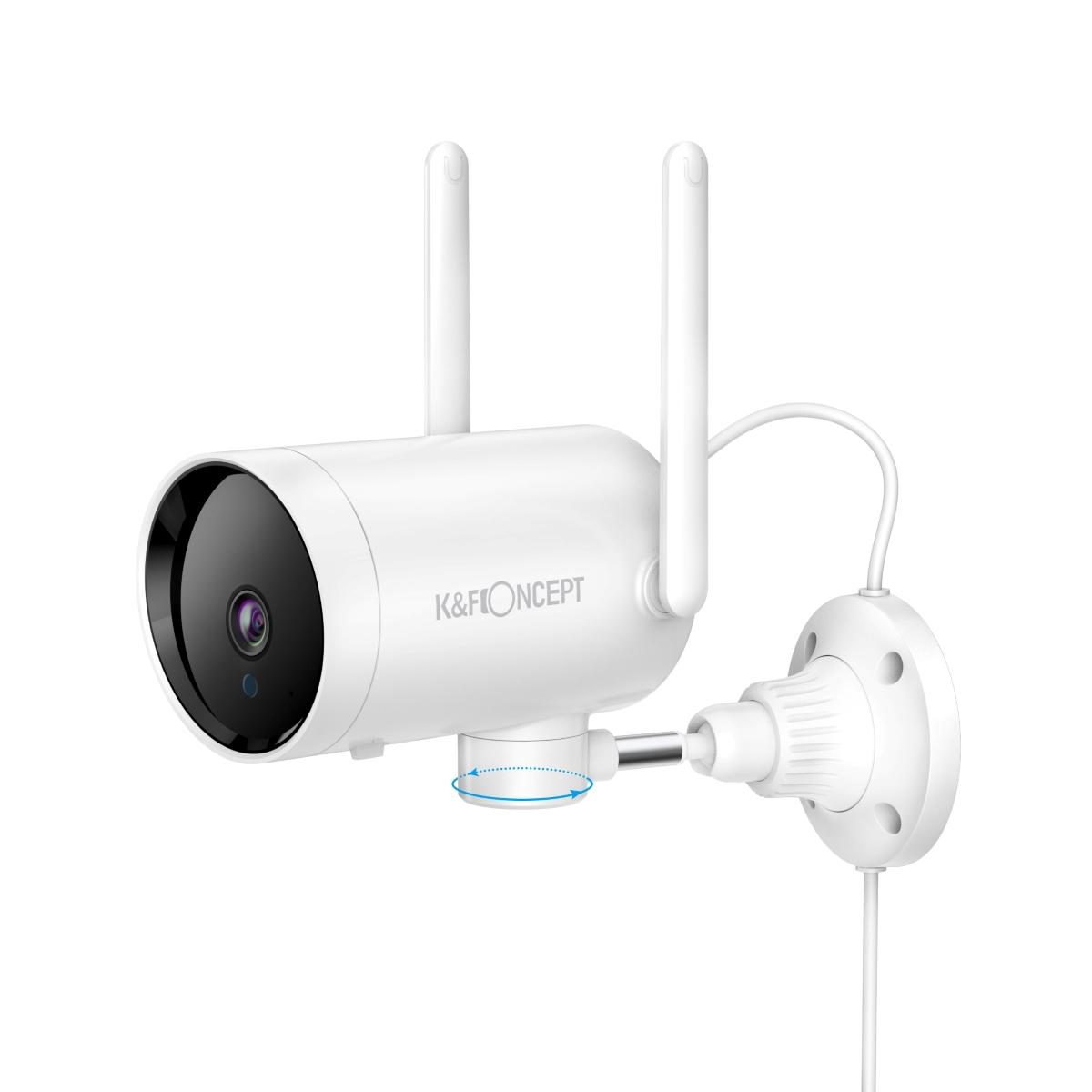
Mounting cameras on your house is an essential step in enhancing your home security. With the rise in home invasions and burglaries, having a reliable surveillance system can provide peace of mind and act as a deterrent to potential intruders. This article will guide you through the process of mounting cameras on your house, covering everything from selecting the right cameras to ensuring they are installed correctly for optimal performance.

Selecting the Right Cameras

Before you start the installation process, it's crucial to choose the right type of cameras for your needs. Here are some factors to consider:

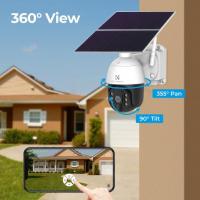
1. Camera Type: There are various types of cameras available, including bullet cameras, dome cameras, and PTZ (pan-tilt-zoom) cameras. Bullet cameras are ideal for long-distance viewing, while dome cameras offer a more discreet appearance. PTZ cameras provide flexibility with their ability to pan, tilt, and zoom.

2. Resolution: Higher resolution cameras provide clearer images, which can be crucial for identifying intruders. Look for cameras with at least 1080p resolution.

3. Night Vision: Ensure your cameras have night vision capabilities to monitor your property effectively in low-light conditions.

4. Weather Resistance: Outdoor cameras should be weatherproof to withstand various environmental conditions. Look for cameras with an IP66 or higher rating.

5. Connectivity: Decide whether you want wired or wireless cameras. Wired cameras offer a more stable connection, while wireless cameras are easier to install and can be placed in more locations.

Planning Camera Placement

Proper camera placement is essential for maximizing coverage and ensuring your cameras capture critical areas. Here are some tips for planning your camera placement:

1. Entry Points: Place cameras at all main entry points, including front and back doors, garage doors, and any side entrances.

2. Windows: Install cameras near ground-floor windows, especially those that are not easily visible from the street.

3. Driveways and Garages: Monitor your driveway and garage to keep an eye on vehicles and any activity around them.

4. Blind Spots: Identify and cover any blind spots around your property where intruders could potentially hide.

5. Height and Angle: Mount cameras at a height of 8-10 feet to avoid tampering and ensure a wide field of view. Angle the cameras slightly downward to capture faces and other identifying features.

Tools and Materials Needed

Before you begin the installation, gather the necessary tools and materials:

- Cameras and mounting brackets

- Power drill and drill bits

- Screws and anchors

- Screwdriver

- Ethernet cables (for wired cameras)

- Power cables or batteries (for wireless cameras)

- Ladder

- Level

- Pencil or marker

Installation Steps

Follow these steps to mount your cameras:

1. Mark the Mounting Points: Use a pencil or marker to mark the spots where you will drill holes for the mounting brackets. Ensure the marks are level to avoid crooked installations.

2. Drill Holes: Use a power drill to create holes at the marked points. If you are mounting the cameras on brick or concrete, use masonry drill bits and anchors.

3. Attach the Mounting Brackets: Secure the mounting brackets to the wall using screws and anchors. Make sure the brackets are firmly attached and level.

4. Mount the Cameras: Attach the cameras to the mounting brackets. Adjust the angle and position of the cameras to ensure they cover the desired areas.

5. Run Cables: For wired cameras, run the Ethernet cables from the cameras to your recording device or router. Use cable clips or conduit to secure the cables and keep them tidy.

6. Connect Power: Plug in the power cables for wired cameras or insert batteries for wireless cameras. Ensure the power source is reliable and protected from the elements.

7. Test the Cameras: Once the cameras are mounted and connected, test them to ensure they are working correctly. Check the video feed on your recording device or smartphone app to verify the coverage and image quality.

8. Adjust Settings: Configure the camera settings, such as motion detection, recording schedules, and alerts, to suit your needs. Refer to the camera's user manual for specific instructions.

Maintenance and Troubleshooting

Regular maintenance and troubleshooting are essential to keep your cameras functioning optimally. Here are some tips:

1. Clean the Lenses: Periodically clean the camera lenses with a soft cloth to remove dust, dirt, and debris that can affect image quality.

2. Check Connections: Ensure all cables and connections are secure and free from damage. Replace any worn or frayed cables.

3. Update Firmware: Keep your camera firmware up to date to benefit from the latest features and security patches.

4. Test Night Vision: Regularly test the night vision capabilities to ensure the cameras provide clear images in low-light conditions.

5. Monitor Power Supply: For wireless cameras, check the battery levels and replace or recharge batteries as needed. For wired cameras, ensure the power supply is stable and uninterrupted.

Mounting cameras on your house is a proactive step towards enhancing your home security. By selecting the right cameras, planning their placement strategically, and following proper installation procedures, you can create a robust surveillance system that deters intruders and provides peace of mind. Regular maintenance and troubleshooting will ensure your cameras continue to function effectively, keeping your property safe and secure. Whether you choose to install the cameras yourself or hire a professional, the investment in home security is well worth the effort.
Leave your comment
Cancel reply
Note: HTML is not translated!
Related products
PL-RF Mount Lens Adapter, Compatible with PL Mount Lens Converter to RF Mount Cameras Adapter
$89.99
Olympus OM Mount Lens to M4/3 MFT Olympus Pen Cameras Lens Mount Adapter
24
$64.99 $35.99
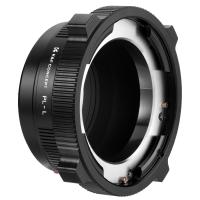
PL-L Mount Lens Adapter, Compatible with PL Lens Converter to L Mount Cameras
$99.99
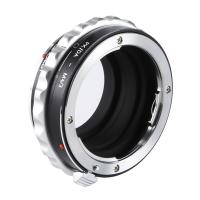
Pentax PK DA Mount Lens to Micro Four Thirds M4/3 MFT Mount Cameras Manual Lens Mount Adapter
107
$60.99 $33.99
Canon EF EF-S Mount Lens to Fuji FX Mount Cameras EF/EF-S to FX Electronic Lens Adapter K&F Concept Auto Focus Lens Mount Adapter Ring
92
$362.99 $199.99
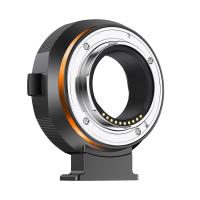
Canon EF EF-S Mount Lens to Sony E Mount Cameras EF/EF-S to E Electronic Lens Adapter K&F Concept Auto Focus Lens Mount Adapter Ring
95
$248.99 $189.99
M42 to Fuji X Lens Mount Adapter for M42 Screw Mount Lens to Fujifilm Fuji X-Series X FX Mount Mirrorless Cameras with Matting Varnish Design K&F Concept M42 to Fuji X Lens Mount Adapter
83
$64.99 $35.99
OM to Micro 4/3 Adapter, Manual Lens Mount Adapter Olympus Zuiko OM Mount Lens to Micro Four Thirds MFT M4/3 Mount Cameras K&F Concept Lens Adapter
120
$53.99 $27.99
Nikon F/AF AI AI-S Lens to Canon EF/EF-S Mount Cameras K&F Concept Lens Mount Adapter
56
$47.99 $24.99
FD to E Mount Lens Mount Adapter Comaptible for Canon FD FL Mount Lens to E NEX Mount Mirrorless Cameras with Matting Varnish Design Comaptible for Sony A6000 A6400 A7II A5100 A7 A7RIII
147
$56.99 $33.99
Products You May Like
52mm Filter Set (UV, CPL, FLD)
13
$15.99 $8.99
K&F Concept Professional 1/4" Quick Release Mounting Plate for TM2324 TM2515 TM2534 TC2534 TM2534T TM2235
30
$29.99 $19.99
40.5mm Snap-On Center Pinch Lens Cap 9 in 1 with Anti-Loss Keeper Leash Compatible with Nikon, Canon, Sony, Fujifilm Camera Lenses
$8.99
Tripod Kit 60" Carbon Fiber Camera Tripod,Super Lightweight Compact Travel Tripod with 360° Ball Head A225C0+BH-25L and Cleaning Cloth Set
81
$125.99
55-58mm Step Up Ring Aviation-grade Aluminum Filter Adapter Ring 2-pack with a Cleaning Cloth
99
$5.99
82mm MC UV Protection Filter Slim Frame with Multi-Resistant Coating for Camera Lens Nano-Klear
245
$19.99 $17.99
67''/1.7m Eccentric Tube Cellphone Tripod, Lightweight Super Portable Selfie Stick, DSLR Camera Tripod E224A3+BH-18 Black.  (Shipping only available to the UK, EU)
67''/1.7m Eccentric Tube Cellphone Tripod, Lightweight Super Portable Selfie Stick, DSLR Camera Tripod E224A3+BH-18 Black. (Shipping only available to the UK, EU)
36
$85.99 $49.99
2m HD Wireless WiFi Endoscope with 8 Adjustable Led Lights, Support Photo and Video Recording, for Android and Ios Smartphones, Windows Tablets
49
$25.99
91 inch/2.3m fluid head tripod video tripod Reversible Detachable Monopod Transverse Center Column horizontal 360 ° panoram
61
$229.99 $129.99
62mm Filter Set (ND2, ND4, ND8)
1
$35.99 $17.99
Related articles
Where To Mount Cameras On House?
Where To Mount Cameras At House?
How To Install Cameras On House?
Where To Put Cameras On House?
How To Use Mount Flashes On Canon Cameras?
Where To Place Security Cameras On House?
How To Mount Security Cameras Outdoor?
Can You Mount Sigma Lenses On Canon Cameras?
How To Check For Cameras In House?
How To Find Camera App On Android?
Blog You May Like
What Is A Nikon Z Mount?
What Size Ring Light Do I Need?
Camera I Can Wifi Direct To?
What Size Filter For 50mm Lens Nikon?
How To Read Camera Lens?
How To Replace Front Door Lock With Keyless?
How To See Plant Cells With A Microscope?
How To Password Protect A Memory Card?
Why Does A Camera Flash Make Noise?
What's the Best EF to E-mount Lens Adapter?
Related categories
C mount lens adapter On-Dash Camera 4G Cameras canon cameras lens m4/3 adapter endoscope cameras endoscope cameras Wifi Trail Cameras
Popular products
olympus om d lens adapter pentax mft adapter nikon f mount to micro 4 3 adapter M42 to Fuji X Mount Camera canon ef sony e mount high quality condenser microphone Canon FD Sony E Adapter quick release adapter for tripod nikon ais to ef canon eos lens adapter
Related searches
Hidden Cameras For House Without Wifi Security Cameras On Sale House Video Camera Video Camera For House Camera For House Indoor House Hidden Micro Spy Camera Hidden Camera For House Security Indoor House Camera With Audio Small Spy Camera For House Night Vision Camera For House
Popular searches
Micro Sdhc Memory Card 128gb Nikon Fg Adapter Canon Ef Jupiter-13 Lens M42 Adaptation Canon 35mm F 2 Ef Mount Lens Red Komodo Sony E Mount Olympus Camera Lens Mounts Canon To Fuji Gfx Adapter Dji Inspire Lens Filter Kit Canon Ex Lens Mount Motion Variable Filter Iphone
Blog Category
  • Activities
  • Guide
    • Filter Guide
    • Lens Adapter
    • Product Review
  • News & Reviews
    • Camera Reviews
    • Sample Gallery
    • News
  • Tutorials
    • Solar eclipse photography
    • Photography Basics
    • Landscape Photography
  • Inspiration
    • Travel
    • Travel Stories
Search Article
Latest from the Blog
How Much Storage For Security Camera?
Dash Cam That Can Connect To Phone?
What Is The Best Wireless Outdoor Security Camera?
Camera That Can Wifi Photos To Phone?
How To Remove Memory Card From Nikon Camera?
What To Look For In A Dash Cam?
Can You Zoom In With Binoculars?
What Is Nd Filter On Video Camera?
How To Find A Good Digital Camera?
What Is A Good Quality Dash Cam?
  • Easy Payment Multilple Payment Options

  • Free Shipping Global WareHouse Shipment

  • No Risk 30-Day No Reason Return

  • Limited Deals Buy More, Save More

  • Tax Free No any surcharges or tax fee

Information
  • About us
  • Contact Us
  • Site Map
  • Blog
  • Video
  • Gallery
  • VIP Membership Rewards
Service
  • Privacy Policy
  • Terms & Conditions
  • Shipping & Delivery
  • Payment Info
  • Warranty, Return & Refund
  • Intellectual Property Rights
  • Ambassador
  • Affiliates
  • Wholesale
Support
  • My account
  • Order History
  • FAQs
  • Extend Warranty
  • Logistics Tracking
Follow us
NewsLetter

Get the latest product, K&F Concept respects your privacy.

Powered By KENTFAITH © 2026