kfconcept

KENTFAITH
K&F Concept    Blog >

Enjoy Your Selected Digital Life

Recently Viewed
  • Recently Viewed
  • Recently Viewed list is empty.

Compare (0) 0
  • Compare
  • You have not chosen any products to compare.

  • Compare
Currency: USD
  • Currency
Shop by Scene Shop by Rank

Log Into Your Account

Account

Order History

Wish List

Login

Forgotten Password?

or connect with

Register Account

Already have an Account?Log In

  • Shopping Cart
  • Your shopping cart is empty!

  • Register/Login to purchase, earn points
  • Favorite
  • Your wish list is empty.

  • Register/Login to like, earn points
  • Activities
  • Guide
    • Filter Guide
    • Lens Adapter
    • Product Review
  • News & Reviews
    • Camera Reviews
    • Sample Gallery
    • News
  • Tutorials
    • Solar eclipse photography
    • Photography Basics
    • Landscape Photography
  • Inspiration
    • Travel
    • Travel Stories
  • Home
  • Blog
  • Polaroid Snap Camera How To Use Flash?

Polaroid Snap Camera How To Use Flash?

Kentfaith 2024-10-25 01:21:42 0 Comments

Title: Mastering the Polaroid Snap Camera: A Comprehensive Guide to Using the Flash Mode

Polaroid has long been synonymous with instant photography, evoking a sense of nostalgia and a wave of creativity among users. The Polaroid Snap camera, with its sleek design and instant printing capability, has quickly become a favorite for both amateur and professional photographers. Whether you’re capturing candid moments at a party or documenting your travel adventures, mastering the use of the flash on your Polaroid Snap can remarkably enhance your photo quality. This article will guide you through the essential steps and tips for effectively using the flash on your Polaroid Snap camera.

## Understanding the Polaroid Snap Camera

Before delving into the specifics of using the flash, it’s crucial to understand the fundamental features of your Polaroid Snap camera. This model combines digital imaging technology with instant printing, providing you with instant gratification. The camera is equipped with a fixed 3.4mm lens, capturing images at a 10-megapixel resolution. It supports various modes, including color, black and white, and sepia filters, thus allowing creative flexibility.

One of the standout features of the Polaroid Snap is its simplicity. With minimal buttons and an intuitive interface, it is designed for ease of use. However, to make the most out of your camera, especially in low light conditions, knowing how to operate the flash efficiently is essential.

## The Importance of Flash in Photography

Flash photography is essential in various scenarios, helping to eliminate shadows, brighten the subject, and enhance overall image quality. In low light conditions, using a flash can make a significant difference, ensuring your photos are neither too dark nor blurry.

The Polaroid Snap camera incorporates an automatic flash feature. While this can simplify the process for some users, understanding how to control the flash manually gives you more creative freedom and ensures you get the desired results in your photographs.

## Step-by-Step Guide to Using Flash on the Polaroid Snap Camera

1. Power On and Prepare Your Camera
polaroid snap camera how to use flash 1

Start by powering on your Polaroid Snap camera. Ensure your camera is loaded with ZINK paper and has sufficient battery charge to avoid interruptions during your photography session.

2. Understanding Flash Modes
polaroid snap camera how to use flash 2

The Polaroid Snap camera’s flash features are relatively straightforward. It includes an automatic flash mode, which activates the flash when the camera detects low light conditions. However, depending on your environment and creative needs, you may prefer to manually control the flash setting.

3. Activating and Deactivating the Flash
polaroid snap camera how to use flash 3

To manually activate or deactivate the flash, follow these steps:

- Locate the flash button on your Polaroid Snap camera. This button is typically symbolized by a lightning bolt icon.

- Press the flash button to toggle between flash modes. The camera will cycle through auto flash, forced flash (always on), and flash off modes.

- Select the desired flash mode by pressing the button accordingly. An indicator light or an icon on the camera will inform you of the current flash setting.

4. Framing Your Shot
polaroid snap camera how to use flash 4

Properly frame your shot by positioning your subject in the viewfinder. When using the flash, ensure there are no reflective surfaces or obstructions that might cause glare or unwanted reflections.

5. Adjusting for Indoor and Outdoor Settings

- Indoor Photography: Flash is particularly beneficial indoors, where lighting can be dim or uneven. In forced flash mode, the flash will fire regardless of the ambient light, ensuring your subject is well-lit.

- Outdoor Photography: While shooting outdoors, it’s usually best to rely on the camera’s automatic flash mode. This will only activate the flash when necessary, such as during overcast conditions or in shaded areas. If you’re shooting in bright sunlight, the flash may not be needed at all.

6. Experimenting with Flash Techniques

Experimentation is key to mastering flash photography. Try various techniques to see what works best:

- Fill Flash: This technique is useful when there’s a harsh backlight. By activating the flash, you can brighten your subject’s face, preventing it from appearing too dark.

- Bounce Flash: If you have access to a white ceiling or wall, you can angle the flash to bounce the light, creating a softer and more diffused illumination. While the Polaroid Snap doesn’t have a swivel flash, you can simulate this effect by shooting at various angles.

7. Review and Adjust

After capturing a photo, review the instant print to evaluate the effectiveness of the flash. If the photo appears too bright or dark, adjust the flash setting accordingly and retake the shot. Polaroid Snap’s digital component also allows you to preview images on the LCD screen before printing.

## Practical Tips for Optimal Flash Use

Positioning

- Maintain an optimal distance between the camera and the subject. Being too close can result in overexposure, while standing too far can lead to underexposure. Typically, a distance of 4-8 feet is ideal for flash photography with the Polaroid Snap.

Avoiding Red-Eye

- Red-eye occurs when the flash reflects off the retina of your subject’s eyes. Minimize red-eye by ensuring there’s sufficient ambient light in the room, or by asking your subject to look slightly away from the camera lens.

Battery Management

- Frequent use of the flash consumes more battery power. Ensure your camera is fully charged before a photo session, or carry extra batteries to avoid interruptions.

Mastering Mode Settings

- Familiarize yourself with different mode settings on the Polaroid Snap (color, sepia, black & white). Flash usage may vary depending on the selected mode, and experimenting with these settings can produce unique visual effects.

Environmental Considerations

- Always be mindful of your surroundings. Reflective surfaces, such as mirrors or windows, can cause glare, while very dark environments might require additional steps, such as adjusting the flash intensity or incorporating other light sources.

## Conclusion

The Polaroid Snap camera is designed to deliver a fun, straightforward photography experience, but understanding how to use the flash can significantly elevate your photos, especially in challenging lighting conditions. By mastering the flash features and implementing the practical tips outlined in this guide, you can ensure your instant photos are vibrant, clear, and creatively fulfilling.

Whether you’re capturing a spontaneous moment with friends, an artistic composition, or documenting a cherished event, the Polaroid Snap’s flash functionality will help you achieve the best possible results. Practice, experimentation, and a keen understanding of light dynamics are the keys to mastering your Polaroid Snap camera. Happy snapping!

Leave your comment
Cancel reply
Note: HTML is not translated!
Related products
K&F Concept Ring Flash Light KF-150C E-TTL Macro Flash Ring with 52 55 58 62 67 77mm Adapter for Canon DSLR Camera EOS 1300D 750D 200D 5D Mark 2 IV 80D 650D 600D 70D Macro Flash Ring,Ring Flash Canon
71
$119.99 $115.99
Gift Certificate: $200 Value - Can Use with Any Discounts
$200.00 $190.00
Gift Certificate: $300 Value  - Can Use with Any Discounts
Gift Certificate: $300 Value - Can Use with Any Discounts
$300.00 $285.00
Gift Certificate: $1000 Value  - Can Use with Any Discounts
Gift Certificate: $1000 Value - Can Use with Any Discounts
$1,000.00 $950.00
Gift Certificate: $500 Value  -Can Use with Any Discounts
Gift Certificate: $500 Value -Can Use with Any Discounts
$500.00 $475.00
Gift Certificate: $800 Value - Can Use with Any Discounts
$800.00 $760.00
55mm Snap-On Center Pinch Lens Cap 9 in 1 with Anti-Loss Keeper Leash Compatible with Nikon, Canon, Sony, Fujifilm Camera Lenses (Shipped only to the USA)
73
$18.99 $9.99
72mm Snap-On Center Pinch Lens Cap 9 in 1 with Anti-Loss Keeper Leash Compatible with Nikon, Canon, Sony, Fujifilm Camera Lenses (Shipped only to the USA)
73
$18.99 $10.99
77mm Snap-On Center Pinch Lens Cap 9 in 1 with Anti-Loss Keeper Leash Compatible with Nikon, Canon, Sony, Fujifilm Camera Lenses (Shipped only to the USA)
73
$18.99 $10.99
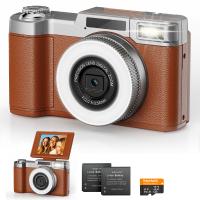
4K Digital Camera for Photography Flash + Lens Fill Light 180° Flip Screen Kentfaith
11
$157.49 $109.99
Products You May Like
55mm 4-Point Fine-Line Star Effect Filter, Cine & Dreamlike Special Filter 18-Layer Coated Optical Glass with 3 Vacuum Cleaning Cloths - Nano-Klear Series
18
$31.99 $23.99
58mm Variable ND Filter (1-5 Stop)  and CPL Filter 2 in 1 for Camera Filter Lens Nano-Klear Series
58mm Variable ND Filter (1-5 Stop) and CPL Filter 2 in 1 for Camera Filter Lens Nano-Klear Series
25
$51.99 $44.99
55mm Magnetic Lens Filter Kit CPL+ND8+ND64+Magnetic Adapter Ring+Magnetic Lens Cap 5 in 1 Quick Swap System Nano-Xcel Series
56
$106.99 $85.99
Contax Yashica Lenses to Canon EOS M Lens Mount Adapter K&F Concept M14142 Lens Adapter
$55.99 $28.99
Motorcycle Helmet Chin Mount Kit Compatible with GoPro Hero 10 9 8 7 6 5 Black, DJI Osmo Action 2/AKASO/Campark/YI Action Camera, Insta360 Camera, etc.
$15.99
64"/1.6m Carbon Fiber Lightweight Travel Tripod with 36mm Ball Head Load Capacity 8kg/17.6lbs,Quick Release Plate,for DSLR Cameras Indoor Outdoor Use K254C2+BH-36L
$119.99 $97.99
Pentax PK Lens to Sony FIT PRO Camera Body K&F Concept Lens Mount Adapter
$37.99 $26.99
67mm Black Mist 1/4 + ND8-128 Variable ND Filter with Double-sided 28-layer Anti-reflection Green Film and Lever Nano-Xcel Series
13
$116.99 $84.99
40.5mm Black Diffusion Mist Effect 1/4 & Variable ND2-32(1-5 Stops) & Circular Polarizing Filter CPL 3 in 1 Lens Filter with 18 Multi-Coatings Nano-Klear Series
NEW Arrival
40.5mm Black Diffusion Mist Effect 1/4 & Variable ND2-32(1-5 Stops) & Circular Polarizing Filter CPL 3 in 1 Lens Filter with 18 Multi-Coatings Nano-Klear Series
58
$56.99 $44.99
K&F Concept-301 16MP 1080P HD Wildlife Camera 0.4s Trigger Outdoor Waterproof Hunting Infrared Night Vision Mini Camera
28
$55.99
Related articles
How To Use Polaroid Macro Led Ring Flash?
How To Take Flash Off Polaroid Camera?
What In Old Polaroid Camera Flash?
How To Change Polaroid Camera Battery?
How To Use Camera Flash Effectively?
When To Use A Camera Flash?
How To Use Old Flash With Digital Camera?
How Do I Get Ring Light On Snap?
When Should I Use On Camera Flash?
What Filter For Moon Camera?
Blog You May Like
Does The Sun Damage Camera Lens?
How To Clear A Write Protected Sd Card?
Drones You Can Fly In?
Can Sd Cards Store Music?
How To Find Voice Recordings On Whatsapp?
How Does a WiFi Trail Camera Work?
How To Put Camera On Ring Light?
What Does A Smart Health Watch Do?
How Does The Camera Lens Work?
How To Get Ring Light In Eyes?
Related categories
detachable camera flash canon ring flash C mount lens adapter ring flash nikon flash the camera m4/3 adapter Camera Parts | Studio Camera Accessories
Popular products
kids instant print camera black flash infrared trail camera black flash trail camera invisible flash trail camera no flash trail camera white flash trail camera quadcopter drone with camera smart ai battery camera ir trail camera no flash night vision trail camera no flash
Related searches
Cameras That Use Compact Flash Wild Snap Trail Camera Polaroid Camera And Case Polaroid Camera For Kids Lens For Polaroid Camera Easy To Use Digital Slr Camera Easy To Use Drone With Camera Outdoor Use Camera Snap On Lens Cap External Camera Flash
Related Scenes
Best Compact Camera Flash Best Camera For Outdoor Use Best Camera To Video Sports Best Camera To Capture Wildlife Best Video Camera To Record Sports Best Low Light Camera Best Sports Photography Camera Best Surveillance Camera System Best Action Video Camera Top Binoculars For Bird Watching
Blog Category
  • Activities
  • Guide
    • Filter Guide
    • Lens Adapter
    • Product Review
  • News & Reviews
    • Camera Reviews
    • Sample Gallery
    • News
  • Tutorials
    • Solar eclipse photography
    • Photography Basics
    • Landscape Photography
  • Inspiration
    • Travel
    • Travel Stories
Search Article
Latest from the Blog
What Is The Best Smartwatch For A Woman?
What Projector For Outdoor Movies?
How To Reduce Noise In Bluetooth Headphones?
How Expensive Is A Metal Detector?
Prime Day 2026 - K&F Concept 15th Anniversary Celebration
Binoculars That Can See In The Dark?
What Is The Best Camera For Action Sports?
What Camera Has The Best Video Quality?
How Do You Blind A Security Camera?
How To Put More Bass In Your Headphones?
  • Easy Payment Multilple Payment Options

  • Free Shipping Global WareHouse Shipment

  • No Risk 30-Day No Reason Return

  • Limited Deals Buy More, Save More

  • Tax Free No any surcharges or tax fee

Information
  • About us
  • Contact Us
  • Site Map
  • Blog
  • Video
  • Gallery
  • VIP Membership Rewards
Service
  • Privacy Policy
  • Terms & Conditions
  • Shipping & Delivery
  • Payment Info
  • Warranty, Return & Refund
  • Intellectual Property Rights
  • Ambassador
  • Affiliates
  • Wholesale
Support
  • My account
  • Order History
  • FAQs
  • Extend Warranty
  • Logistics Tracking
Follow us
NewsLetter

Get the latest product, K&F Concept respects your privacy.

Powered By KENTFAITH © 2026