How To Change Polaroid Camera Battery?
Polaroid cameras have been beloved household items for decades, offering a fun, nostalgic way to capture life’s moments instantly. Despite their charm, like any electronic device, they require occasional maintenance—one of the most common tasks being battery replacement. Whether you are a seasoned Polaroid enthusiast or new to instant photography, knowing how to replace your camera’s battery is essential to keep it functioning properly. In this comprehensive guide, we’ll walk you through the process step by step, answering practical questions and tips along the way.
Understanding Your Polaroid Camera's Battery Type

The first step when replacing a Polaroid camera battery is to determine the type of battery your camera uses. Polaroid cameras operate differently across models, and their battery types vary accordingly.
For vintage Polaroid cameras such as the Polaroid 600 series or SX-70, the batteries are typically located within the film packs themselves. Each pack of film comes preloaded with a small, single-use battery that powers the camera. Once the film pack is used up, that battery is discarded along with the cartridge. Therefore, replacing the battery is tied directly to changing the film.
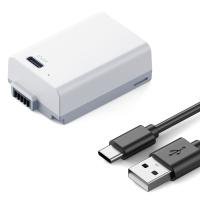
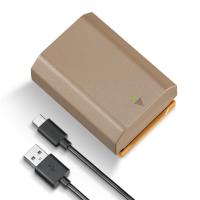
For newer instant cameras, such as the Polaroid Now or Polaroid Snap series, batteries are built into the camera itself and are rechargeable. These batteries often rely on USB charging cables. The need to replace the built-in battery happens infrequently, as these modern designs are meant to last for several years.
Identifying your camera’s battery type is crucial. Check your Polaroid camera model online or refer to the user manual to confirm whether it uses film-integrated batteries or a built-in charging system.
Replacement Process for Film-Integrated Batteries (Older Models)
If your Polaroid camera is reliant on batteries contained within the film pack, replacing the battery is relatively straightforward.
Step 1: Verify the Film Pack Is Empty

The camera will stop working once the film pack’s battery is depleted. You’ll notice that the camera won’t power on, the flash won’t charge, or it won’t eject photos properly. At this stage, it’s clear that the film pack has been used up. Always confirm that there are no remaining exposures before removing the pack.
Step 2: Open the Film Door

Locate the film compartment door on your camera. Depending on the model, you may need to slide or press a latch to open it. Be gentle to avoid damaging the camera’s mechanics.
Step 3: Remove the Old Film Pack
Carefully remove the empty film cartridge from the compartment. Be mindful not to force or bend any of the camera’s internal components, as older cameras can be more fragile.
Step 4: Insert a New Film Pack
Take your new film pack and insert it into the compartment, ensuring it is aligned properly. Most Polaroid film packs are keyed to fit only one way into the camera, preventing improper installation. Push the pack in until it clicks into place.
Step 5: Close the Film Door
Secure the film door back into position and switch on the camera. The new film pack’s battery will now invoke the system to initialize. If the camera powers on smoothly and ejects the protective cover from the new film, the replacement has been successful.
Replacement Process for Built-in Rechargeable Batteries (Modern Models)
Replacing or charging a rechargeable battery in a modern Polaroid camera follows a different set of steps.
Step 1: Confirm Battery Depletion
If your camera fails to turn on or flash, or you encounter issues with photo ejection, the battery may need charging. Check the battery indicator (if available) and ensure that it is not working due to a drained power source. Some modern Polaroid cameras feature LED displays for this purpose.
Step 2: Locate the Charging Port
Find the USB charging port on your camera. Most Polaroid instant cameras now utilize USB-C or micro-USB charging systems, making it compatible with standard charging cables.
Step 3: Charge the Battery
Connect the camera to a power source using the appropriate USB cable. Plug the cable into a computer or USB wall adapter, and let the camera charge for a few hours. Some models have LED indicators that blink or change color to signal charging status.
Step 4: Test the Battery
Once the battery is fully charged, unplug the camera from the power source and turn it on. If the camera is now responsive and functioning normally, your battery replacement was successful.
Step 5: Replace the Battery (If Necessary)
In rare cases where the rechargeable battery is damaged or no longer capable of holding a charge, you may need to contact Polaroid’s customer support team to request a battery replacement. Built-in batteries are not always user-serviceable, so professional guidance is often required.
Maintenance Tips for Polaroid Camera Batteries
To maximize the lifespan of your batteries (whether film-integrated or built-in), follow these simple maintenance tips:
1. Store Batteries Appropriately:
For film packs, store them in a cool, dry environment before use. Heat or moisture can degrade both the battery and the film. For cameras with built-in rechargeable batteries, avoid exposing the device to extreme temperatures.
2. Regular Charging:
Recharge your modern Polaroid camera battery periodically, even if you don’t use the camera frequently. This prevents the battery from falling into deep discharge, which can damage its functionality.
3. Purchase Film Packs Wisely:
For cameras with film-integrated batteries, always buy new film packs with valid expiration dates. Using old or expired film can lead to unreliable battery performance.
4. Use Compatible Accessories:
Use only manufacturer-approved charging cables and adapters for your modern Polaroid camera. Third-party accessories can damage the battery or lead to inconsistent performance.
5. Clean Contacts:
For older cameras, ensure the contact points within the film compartment are clean and free of debris. Dirt or corrosion can prevent the battery from powering the camera effectively.
Troubleshooting Issues After Battery Replacement
If issues persist after changing or charging your Polaroid camera battery, consider the following troubleshooting steps:
Inspect the Camera for Damage:
Check for visible wear and tear, corrosion, or broken parts inside the film compartment for older models.
Test Multiple Film Packs:
If a new film pack doesn’t work, the issue could be with the film cartridge itself. Try using another pack to confirm.
Reset the Camera:
For modern cameras, resetting the device (such as through a hard reset procedure) may rectify battery-related errors.
Contact Support:
For unusual or unresolvable issues, reach out to the Polaroid customer service team for advice tailored to your camera’s model.
Final Thoughts
Changing the battery in a Polaroid camera may seem daunting at first, but the process becomes straightforward once you understand your camera model’s requirements. Proper care and maintenance not only ensure your Polaroid camera remains functional but also protect your ability to capture spontaneous memories for years to come. Whether you’re replacing the film-integrated battery in a vintage model or recharging the built-in battery of a modern instant camera, following these guidelines will keep your photography experience smooth and enjoyable. So grab your Polaroid camera, replace the battery if necessary, and continue snapping those moments that deserve instant preservation!