kfconcept

KENTFAITH
K&F Concept    Blog >

Enjoy Your Selected Digital Life

Recently Viewed
  • Recently Viewed
  • Recently Viewed list is empty.

Compare (0) 0
  • Compare
  • You have not chosen any products to compare.

  • Compare
Currency: USD
  • Currency
Shop by Scene Shop by Rank

Log Into Your Account

Account

Order History

Wish List

Login

Forgotten Password?

Or connect with

Register Account

Already have an Account?Log In

  • Shopping Cart
  • Your shopping cart is empty!

  • Register/Login to purchase, earn points
  • Favorite
  • Your wish list is empty.

  • Register/Login to like, earn points
  • Activities
  • Guide
    • Filter Guide
    • Lens Adapter
    • Product Review
  • News & Reviews
    • Camera Reviews
    • Sample Gallery
    • News
  • Tutorials
    • Solar eclipse photography
    • Photography Basics
    • Landscape Photography
  • Inspiration
    • Travel
    • Travel Stories
  • Home
  • Blog
  • How To Change Canon Camera Wifi Password?

How To Change Canon Camera Wifi Password?

Kentfaith 2024-10-09 07:31:35 0 Comments

Changing the Wi-Fi password on a Canon camera is a crucial task for maintaining the security of your device and ensuring that only authorized users can access your camera's network. Whether you're updating your password for security reasons or simply because you've forgotten the existing one, this guide will take you through the steps necessary to successfully change your Canon camera Wi-Fi password. In this article, we will explore the practical considerations and the step-by-step process involved in changing the Wi-Fi password on various Canon camera models.

## Understanding the Importance of a Secure Wi-Fi Password

Before diving into the actual steps, it's essential to understand why keeping your Wi-Fi password secure is so critical. Just like any other digital device, your Canon camera's Wi-Fi network can be susceptible to unauthorized access or hacking attempts. An unsecured network can lead to potential privacy breaches, loss of important photographic data, or even unauthorized control over your camera. Therefore, frequently updating and securing your Wi-Fi password is a proactive measure that helps safeguard your equipment and your work.

## Pre-requisites Before Changing the Password

Before you change the Wi-Fi password on your Canon camera, ensure the following:

1. Battery Level: Your camera should have enough battery life to complete the process without interruption.

2. Firmware Updated: Make sure your camera's firmware is up to date to avoid any compatibility issues.

3. Instruction Manual: It's useful to have your camera's manual handy for model-specific instructions.

## Step-by-Step Guide to Changing the Wi-Fi Password

Different Canon camera models may have slightly varied procedures for changing the Wi-Fi password. Here, we’ll cover the general steps that apply to most Canon cameras with Wi-Fi capabilities.

Step 1: Turn On Your Camera

First, ensure your camera is powered on. You will need to access the camera's main menu to start the configuration.

Step 2: Navigate to Wi-Fi Settings

1. Open the Menu: Press the ‘Menu’ button on your camera.

2. Find Wi-Fi/NFC Settings: Navigate through the menu options to find ‘Wi-Fi/NFC settings.’ This is typically found under the ‘Setup’ tab, which is often represented by a wrench or spanner icon.

3. Select Wi-Fi Settings: Once in the Wi-Fi/NFC settings, select the Wi-Fi settings option.

Step 3: Modify Connection Settings

Once you’re in the Wi-Fi settings menu, you will have several options. You’ll need to modify the connection settings to change the password.

1. Choose a Network: If you have multiple networks saved, select the one you wish to change the password for.

2. Edit Settings: You will usually find an option to ‘Edit’ or ‘Change’ settings. Select this option.

Step 4: Update the Password

1. Select Password Field: Locate the password field within the settings.

2. Enter New Password: Using the camera's on-screen keyboard, delete the old password and enter the new one. Make sure your new password is strong and secure, comprising a mix of letters, numbers, and special characters.

3. Confirm Changes: After entering the new password, confirm the changes by pressing ‘OK’ or ‘Save.’

Step 5: Reconnect Devices

After changing your Wi-Fi password, you will need to reconnect any devices (such as smartphones, tablets, or computers) that previously had access to your camera’s network. Input the new password on these devices to re-establish the connection.

Step 6: Test the Connection

It’s always a good idea to test the connection after making changes to ensure everything is functioning correctly. Attempt to connect your camera to a device using the new password and verify that you can transfer images or control the camera via the app you’re using.

## Troubleshooting Tips

Sometimes, you might encounter issues while changing your Wi-Fi password. Here are a few troubleshooting tips to help you through potential challenges:

1. Password Rejection: If the camera rejects your new password, ensure no spaces are inadvertently added, and double-check for correct case-sensitive input.

2. Firmware Issues: If your camera doesn't allow password changes or you face repeated disconnections, consider updating the firmware.

3. Reset Settings: As a last resort, resetting the camera’s Wi-Fi settings to factory defaults can sometimes resolve persistent issues. Remember to reconfigure all your settings if you opt for a reset.

## Best Practices for Wi-Fi Security

While changing your Wi-Fi password is an essential step in securing your Canon camera, there are other best practices you should consider to maintain a secure Wi-Fi network:

1. Regular Updates: Frequently update your password to minimize the risk of unauthorized access.

2. Use Encryption: Ensure your Wi-Fi network uses a strong encryption method such as WPA2 or WPA3.

3. SSID Broadcasting: Avoid broadcasting your network SSID publicly if possible, making it less visible to potential hackers.

4. Secure Connections: When connecting to public Wi-Fi or unsecured networks to transfer images, ensure you are using a secure VPN connection to protect your data.

## Conclusion

Changing the Wi-Fi password on your Canon camera is a straightforward yet essential task for maintaining the security of your device and the data it holds. By following the steps outlined above, you can easily update your password and ensure that your camera’s Wi-Fi network remains secure. Regularly updating your password, along with adhering to other Wi-Fi security best practices, will help protect your valuable photographic work and keep unauthorized users at bay.

Whether you're a professional photographer or an enthusiast, taking the time to secure your equipment adequately is always a wise investment. Your Canon camera is a significant technological asset, and its security reflects the overall safety and integrity of your work. By staying vigilant and proactive, you can keep your creative process both fluid and secure.
Leave your comment
Cancel reply
Note: HTML is not translated!
Related products
K2 Keyless Entry Door Lock, Electronic Door Lock with Keyboard, 100 User Passwords, with Anti Peep Password
23
$86.99 $60.99
Canon EOS Lens to Canon EOS R Camera Body Lens Mount Adapter
49
$55.99 $31.99
Canon FD FL Lens to Canon EOS R Camera Body Lens Mount Adapter
49
$87.99 $49.99
Minolta MD MC Lenses to Canon EOS M Camera Mount Adapter
2
$53.99 $27.99
Nikon G Lens to Canon EOS R Camera Body Lens Mount Adapter
49
$100.99 $56.99
NIK DSLR Lens to Canon EOS R Camera Body Lens Mount Adapter
50
$66.99 $39.99
Pentax PK Lens to Canon EOS R Camera Body Lens Mount Adapter
50
$58.99 $43.99
Olympus OM Lens to Canon EOS R Camera Body Lens Mount Adapter
49
$87.99 $45.99
Lens Mount Adapter FD to NEX Copper Adapter Compatible with Canon FD FL Lens to NEX E-Mount Camera
151
$56.99 $29.99
Olympus OM Lenses to Canon EOS M Camera Mount Adapter with Tripod Mount
$64.99 $33.99
Products You May Like
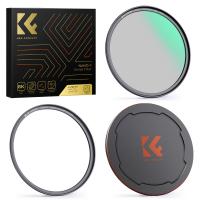
58mm Black Mist 1/4 and ND2-32 (1-5 Stop) Variable ND Lens Filter 2 in 1 with 28 Multi-Layer Coatings Nano-Xcel Series
36
$96.99 $76.99
Phone Chest Strap Harness Fixing Headband Bracket Kit for POV/VLOG, Phone Clip Compatible with iPhone, Samsung, GoPro Hero 10 9, 8, 7, 6, 5, 4, 3, 2, 1, AKASO, DJI Osmo, and action camera
$20.99
ID115HR PLUS Smart Bracelet Sports Wristband Fitness Tracker Heart Rate Monitor - Red
69
$24.99
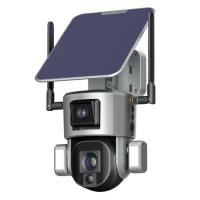
【$59.99 Flash Deal One order per customer】4G Solar Security Camera System Wireless LTE cctv Solar Camera PIR Human Sensor + AI human Detection 2-Way Audio Built-in Battery 9000mAh 2K Infrared Night Vision (Only ship to US)
58
$129.99
deer trail cameras
deer trail cameras
10
$135.99 $106.99
48pcs children's animal, insect, plant and flower specimens, microscope slides for children's microscopes
$18.99
 10 Pockets Hard Shell Lens Filter Bag Up to 82mm, Waterproof, Durable, Portable, Camera Filter Pouch Carrying Case for Travel and Photography, Size S
10 Pockets Hard Shell Lens Filter Bag Up to 82mm, Waterproof, Durable, Portable, Camera Filter Pouch Carrying Case for Travel and Photography, Size S
73
$24.99 $19.99
K&F Concept Aluminium Quick Release Plate with Standard 1/4" Screw for Arca Swiss Camera Tripod Ball Head Pack of 2
33
$39.99 $29.99
K&F Concept Lens Mount Adapter Compatible with Pentax 67 Lens to Pentax K (PK) Mount Camera - for Pentax DS, DS2, D, DL, Samsung GX-20, GX-10
17
$98.99 $51.99
46mm MCUV Lens Protection Filter with Lens Cap Optical Glass Ultra Slim 18 Multi-Layer Coatings UV Filter for Camera Lens Nano-Klear Series
82
$15.99 $11.99
Related articles
How To Find Out Your Canon Camera Wifi Password ?
How To Find Camera Wifi Password ?
How To Change Ring Camera Wifi Network ?
Smart Life Camera How To Change Wifi Network?
How To Wifi Transfer Videos From Camera Canon?
How To Change Wifi On Wyze Cameras ?
How To Connect Canon Camera To Mac Through Wifi ?
Can You Access A Camera With Wifi Password?
How To Find Camera Password?
Trail Camera How Set Up New?
Blog You May Like
How Does A Camera Filter Kit Work?
Can You Mount Sigma Lenses On Canon Cameras?
How To Make A Camera Flash?
How To Display Temperature On Outdoor Camera?
How To Find Tiny Hidden Cameras?
How Much Are Nintendo Switch Sd Cards?
How To Fix Camera On Tripod Stand?
How To View Security Camera On Phone?
How To Install Car Video Recorder?
How Does A Selfie Stick Work With Remote?
Related categories
Outdoor Security Camera Wifi C mount lens adapter Cannon camera battery Wifi Trail Cameras canon ring flash Baby Movement Monitor canon cameras lens canon ef lens mount
Popular products
smart lock office black keyless door lock EF To R Lens Adapter Canon FD To RF Adapter canon ef eos r adapter smart lock keyless home entry olympus lens mount adapter canon camera adapter Minolta Mount Adapter EF EOS R Mount Adapter
Related searches
Change Lens Mount From Minolta To Nikon Change Rokinon E Mount Lens To Ef Change Rokinon Lens Mount Glade Adapt 2 Lens Change Change Mount On Sigma Lens Trail Camera That Connects To Home Wifi Canon Sl1 Wifi Adapter Wifi Inspection Camera Wifi Trail Camera Budget Wifi Camera
Popular searches
Nikon Z50ii Battery Canon Powershot G12 Filter Adapter Canon Xl2 Lens Adapter Dslr Camera Frequency Detector Clip On Cpl Filter Lens Cap For Nd Filter Sony A Mount 40mm Camera With Invisible Selfie Stick Professional Camera Stands Using Nikon Z Lenses On F Mount
Blog Category
  • Activities
  • Guide
    • Filter Guide
    • Lens Adapter
    • Product Review
  • News & Reviews
    • Camera Reviews
    • Sample Gallery
    • News
  • Tutorials
    • Solar eclipse photography
    • Photography Basics
    • Landscape Photography
  • Inspiration
    • Travel
    • Travel Stories
Search Article
Latest from the Blog
UV Filter: Everything You Need to Know About UV Protection Lens Filters
What Does Tripod?
What To Look For In A Dash Cam?
How Do Night Vision Goggles Work?
Dash Cam That Can Connect To Phone?
How Much Storage For Security Camera?
Which Binoculars To Buy?
Which Camera Is Best For Low Light Photography?
How To Find A Good Digital Camera?
How To Make Your Eyes Flash On Camera?
  • Easy Payment Multilple Payment Options

  • Free Shipping Global WareHouse Shipment

  • No Risk 30-Day No Reason Return

  • Limited Deals Buy More, Save More

  • Tax Free No any surcharges or tax fee

Information
  • About us
  • Contact Us
  • Site Map
  • Blog
  • Video
  • Gallery
  • VIP Membership Rewards
Service
  • Privacy Policy
  • Terms & Conditions
  • Shipping & Delivery
  • Payment Info
  • Warranty, Return & Refund
  • Intellectual Property Rights
  • Ambassador
  • Affiliates
  • Wholesale
Support
  • My account
  • Order History
  • FAQs
  • Extend Warranty
  • Logistics Tracking
Follow us
NewsLetter

Get the latest product, K&F Concept respects your privacy.
Powered By KENTFAITH © 2025