kfconcept

KENTFAITH
K&F Concept    Blog >

Enjoy Your Selected Digital Life

Recently Viewed
  • Recently Viewed
  • Recently Viewed list is empty.

Compare (0) 0
  • Compare
  • You have not chosen any products to compare.

  • Compare
Currency: USD
  • Currency
Shop by Scene Shop by Rank

Log Into Your Account

Account

Order History

Wish List

Login

Forgotten Password?

Or connect with

Register Account

Already have an Account?Log In

  • Shopping Cart
  • Your shopping cart is empty!

  • Register/Login to purchase, earn points
  • Favorite
  • Your wish list is empty.

  • Register/Login to like, earn points
  • Activities
  • Guide
    • Filter Guide
    • Lens Adapter
    • Product Review
  • News & Reviews
    • Camera Reviews
    • Sample Gallery
    • News
  • Tutorials
    • Solar eclipse photography
    • Photography Basics
    • Landscape Photography
  • Inspiration
    • Travel
    • Travel Stories
  • Home
  • Blog
  • Can You Access A Camera With Wifi Password?

Can You Access A Camera With Wifi Password?

Kentfaith 2024-10-09 07:29:51 0 Comments

With the proliferation of smart devices and home security systems, accessing a camera using a WiFi password has become a question of interest for many users. Whether it’s for enhancing home security, monitoring a baby’s room, or keeping an eye on pets, the ease of accessing cameras remotely has added considerably to their value. However, this also raises several practical and security concerns. This article aims to delve into the practical aspects, steps, and security measures associated with accessing a camera using a WiFi password.

Understanding WiFi Cameras

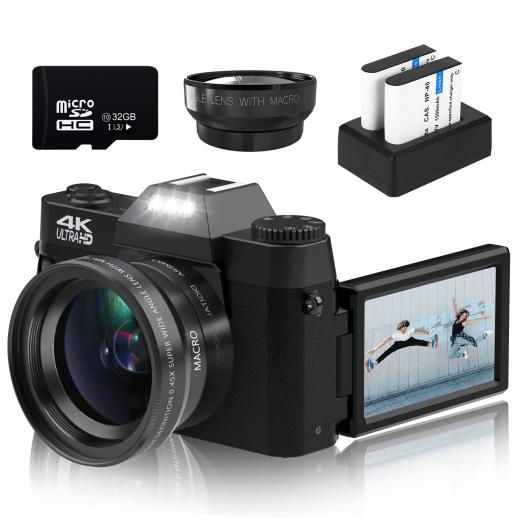
WiFi cameras, also known as wireless cameras, are devices that connect to a network via WiFi, allowing users to view the camera feed remotely. These cameras can be part of a larger security system or standalone devices employed for various purposes ranging from home security to workplace monitoring. The main appeal of WiFi cameras lies in their flexibility and ease of installation. With a WiFi network and a compatible device, users can access the camera feed from anywhere in the world.

Steps to Access a WiFi Camera

1. Setting Up the Camera

Before accessing a WiFi camera, it needs to be correctly set up. This typically involves:

- Connecting the camera to power. Ensure that your camera is powered up and within the range of your WiFi network.

- Downloading the camera’s app. Most WiFi cameras come with a dedicated mobile app that facilitates the setup process. This app can be found on the app store corresponding to your operating system (iOS or Android).

- Following the app's instructions. The camera manufacturer usually provides detailed setup instructions. This usually involves scanning a QR code or entering the camera’s unique serial number into the app.

2. Connecting to the WiFi Network

Once the camera is set up, the next step is to connect it to your WiFi network:

- WiFi credentials. The camera app will prompt you to enter your WiFi SSID (network name) and password. Ensure you input these credentials correctly, as any error may prevent the camera from connecting to the network.

- Network compatibility. It's crucial to ensure that your WiFi network is compatible with the camera. Most modern WiFi cameras support 2.4 GHz networks, but some also support the 5 GHz band. Refer to your camera’s specification to confirm.

3. Accessing the Camera’s Feed

Once the camera is connected to the WiFi network, you can access its feed:

- Through the app. Open the camera’s app on your mobile device. The app should automatically detect the camera on the network and display its live feed.

- Remote access. For remote access, make sure the camera supports it and that necessary configurations, such as creating an account on the manufacturer’s server, are completed. This step is vital for accessing the feed when you are not on the same local network.

Security Concerns

1. WiFi Network Security

Ensuring the security of your WiFi network is paramount when using WiFi cameras. An unsecured network can be an easy target for intruders, potentially compromising not just your camera but all devices on your network. Here are key steps to bolster WiFi security:

- Strong password. Use a strong, unique password for your network to prevent unauthorized access.

- WPA3 encryption. Utilize WPA3 encryption for better security. If your router supports it, enabling WPA3 can significantly enhance your network’s security.

- SSID broadcasting. Consider hiding your SSID to make it less visible to potential intruders.

2. Camera’s Security Settings

Beyond securing the network, it is essential to secure the camera itself:

- Regular updates. Ensure the camera’s firmware is up-to-date. Manufacturers regularly release updates that patch security vulnerabilities.

- Strong access credentials. Avoid using default usernames and passwords for your camera. Set unique, strong credentials to prevent unauthorized access.

- Two-factor authentication (2FA). If available, enable 2FA for an added layer of security.

Practical Considerations

1. Bandwidth

WiFi cameras can consume significant bandwidth, particularly if they stream high-resolution video. Consider your internet plan’s bandwidth and data limits to ensure smooth operation without throttling.

2. Placement

Optimal placement of your WiFi camera ensures both good coverage and network connectivity:

- Signal strength. Place the camera within a strong WiFi signal range to maintain a stable connection.

- Coverage area. Ensure the camera’s field of view covers the desired area without obstructions.

3. Power Source

While some WiFi cameras are battery-powered, others require a constant power source. Plan the camera’s location accordingly, ensuring easy access to power outlets if necessary.

Troubleshooting Common Issues

1. Connectivity Problems

If your WiFi camera fails to connect to the network, consider:

- Re-entering WiFi credentials. Double-check the SSID and password for any typing errors.

- Resetting the camera. Sometimes performing a factory reset can resolve connectivity issues.

- Checking network compatibility. Ensure your camera supports the WiFi band (2.4 GHz vs. 5 GHz) being used.

2. Poor Video Quality

If you experience poor video quality, look into:

- Bandwidth. Ensure sufficient bandwidth is available. Close other bandwidth-heavy applications if needed.

- Camera resolution settings. Lower the camera’s resolution settings to match the available bandwidth.

3. App Issues

If the camera’s app malfunctions or crashes:

- Update the app. Check for updates in the app store.

- Reinstall the app. Uninstall and reinstall the app to resolve any software issues.

Accessing a camera with a WiFi password is a straightforward yet highly beneficial aspect of modern home and office security systems. While the setup process is usually user-friendly, ensuring robust security measures and practical considerations are in place is essential to maximize the benefits and minimize risks. Whether for monitoring your home, managing workplace security, or keeping an eye on loved ones, WiFi cameras offer a flexible and powerful solution when used responsibly with a keen focus on security.

Leave your comment
Cancel reply
Note: HTML is not translated!
Related products
A Camping Lantern That Dances with You, Rechargeable, Telescoping & Compact with Bluetooth Speaker, Emergency Power Bank 14000mAh Battery Kentfaith
116
$199.99 $94.99
Gift Certificate: $200 Value - Can Use with Any Discounts
$200.00 $190.00
Gift Certificate: $300 Value  - Can Use with Any Discounts
Gift Certificate: $300 Value - Can Use with Any Discounts
$300.00 $285.00
Gift Certificate: $1000 Value  - Can Use with Any Discounts
Gift Certificate: $1000 Value - Can Use with Any Discounts
$1,000.00 $950.00
Gift Certificate: $500 Value  -Can Use with Any Discounts
Gift Certificate: $500 Value -Can Use with Any Discounts
$500.00 $475.00
Gift Certificate: $800 Value - Can Use with Any Discounts
$800.00 $760.00
4K60FPS 48MP 66FT Waterproof Action Camera without a Case, Dual Screens, 64GB Card, EIS, WiFi Remote Control, Kentfaith
NEW Arrival
4K60FPS 48MP 66FT Waterproof Action Camera without a Case, Dual Screens, 64GB Card, EIS, WiFi Remote Control, Kentfaith
14
$191.24 $152.99
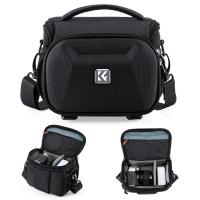
K&F Concept Camera Sling Bag, Quick Access Waterproof Crossbody Bag for DSLR/Mirrorless, with Hard Shell & Tripod Holder, Size S
46
$26.99
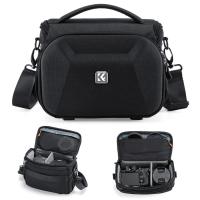
K&F Concept Camera Sling Bag, Quick Access Waterproof Crossbody Bag for DSLR/Mirrorless, with Hard Shell & Tripod Holder, Size M
46
$29.99
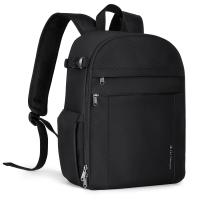
Camera Backpacks Camera Bag Professional Storage Quick Side Access 15.6 inch Camera Laptop Bag for Cameras Weatherproof Bag Cover for Photographers
112
$79.99 $69.99
Products You May Like
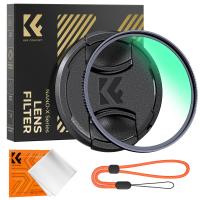
43mm Black Mist Filter 1/8 Special Effects Filter Ultra-Clear Multi-layer Coated With Waterproof Scratch-Resistant and Anti-Reflection Nano-Xcel Series
135
$66.99 $49.99
ID115HR PLUS Smart Bracelet Sports Watch Fitness Tracker Heart Rate Monitor - Black
178
$79.99 $23.99
67mm UV Filter 0.1% Ultra-low Reflection (titanium coating ) with 28 Multi-Layer Coatings Nano-Xcel Series
76
$47.99 $37.95
YG280 LED 1080p  Portable Home Theater Mini Pocket Projector - Yellow (UK Plug)
YG280 LED 1080p Portable Home Theater Mini Pocket Projector - Yellow (UK Plug)
$71.99
hunting trail cameras
10
$135.99 $106.99
Variable ND Filter ND2-32 (1-5 Stops) Limited VND Filter Compatible with DJI Mini 4 Pro
77
$19.99
6" Magic Arm with Super Clamp, Magic Arm Clamp Kit with 1/4" & 3/8" Thread Screw, Articulating Friction Arm with Cold Shoe Clamp Mount for Monitor, LED Light, Webcam, Action Camera
38
$29.99
Adult and Child Metal Detector, Higher Precision, Waterproof, 10 Inch
20
$164.99 $115.99
43mm CPL Filter 0.1% Ultra-low Reflection (Titanium Coating ) With 28 Multi-Layer Coatings Ultra-Slim HD Circular Polarizer Filter Nano-Xcel Series
54
$46.99 $36.99
Lens Cleaning Pen, Double-sided Carbon Head, K&F Concept, with K&F Concept Color Box
$22.99 $13.99
Related articles
How To Find Camera Wifi Password ?
How To Change Canon Camera Wifi Password?
Can You Record With A Selfie Stick?
Trail Cameras You Can Access From Your Phone?
Can You Travel With Camera Batteries?
Can You Fly With Camera Batteries?
How To Access Wifi Camera Away From Home ?
How To Access Iphone Camera Remotely Through Wifi ?
How To Find Out Your Canon Camera Wifi Password ?
How Insert Sd Card In Laptop?
Blog You May Like
What To Look For In A Telescope?
How To Download Games On A Smart Watch?
How To Put Voice Recording Over Video?
How To Get The Camera Filter?
What Nd Filter For 60fps Outside?
What Games Come With Ps5 Console?
Best Magnetic Adapter Rings for Camera Filters
What Digital Camera Should I Buy?
How To Put A Camera Lens On?
How Do You Have Sound On Screen Record?
Related categories
Baby Movement Monitor Outdoor Security Camera Wifi A Mount Lens Adapter Sony A Mount Lens Adapters camera battery Wifi Trail Cameras minolta a mount lenses trail camera with screen
Popular products
mini web camera wifi best camping rechargeable lantern remote access trail camera no wifi outdoor security camera smart lock office black keyless door lock uhf wireless microphone system smart lock keyless home entry video camera with stabilization crossbody camera bag thick strap
Related searches
Camera Bag With Side Access Time Lapse Camera With Remote Access Access Security Camera Remote Access Video Camera Smart Door Lock With Phone Access Best Side Access Camera Backpack Camera With Wifi Connection Hidden Camera With Wifi Wifi Camera With Sound Camera With Wifi Transfer
Popular searches
Outdoor Solar Panel Camera Video Capture Card Mavic Mini Nd Filter Lens Mount B4 Ef Rising Standard Pinhole For Canon Ef Mount Olympus E510 Lens Mount Security Camera System With Monitor Pentax 67 Adapter Sony Olympus Lens Adapter For Sony A6000 Vintage Action Sports Digital Camera
Blog Category
  • Activities
  • Guide
    • Filter Guide
    • Lens Adapter
    • Product Review
  • News & Reviews
    • Camera Reviews
    • Sample Gallery
    • News
  • Tutorials
    • Solar eclipse photography
    • Photography Basics
    • Landscape Photography
  • Inspiration
    • Travel
    • Travel Stories
Search Article
Latest from the Blog
What Is The Best Wireless Outdoor Security Camera?
How To Make A Camera Flash After Effects?
How Much Does It Cost For Security Cameras?
What Is The Difference Between Binoculars And Telescope?
Is the Sony A7M5 worth buying?
What Is A Good Quality Dash Cam?
How To Fix The Straps On A Camera?
What Tripod To Buy?
What To Look For In A Dash Cam?
How Much Storage For Security Camera?
  • Easy Payment Multilple Payment Options

  • Free Shipping Global WareHouse Shipment

  • No Risk 30-Day No Reason Return

  • Limited Deals Buy More, Save More

  • Tax Free No any surcharges or tax fee

Information
  • About us
  • Contact Us
  • Site Map
  • Blog
  • Video
  • Gallery
  • VIP Membership Rewards
Service
  • Privacy Policy
  • Terms & Conditions
  • Shipping & Delivery
  • Payment Info
  • Warranty, Return & Refund
  • Intellectual Property Rights
  • Ambassador
  • Affiliates
  • Wholesale
Support
  • My account
  • Order History
  • FAQs
  • Extend Warranty
  • Logistics Tracking
Follow us
NewsLetter

Get the latest product, K&F Concept respects your privacy.

Powered By KENTFAITH © 2026