kfconcept

KENTFAITH
K&F Concept    Blog >

Enjoy Your Selected Digital Life

Recently Viewed
  • Recently Viewed
  • Recently Viewed list is empty.

Compare (0) 0
  • Compare
  • You have not chosen any products to compare.

  • Compare
Currency: USD
  • Currency
Shop by Scene Shop by Rank

Log Into Your Account

Account

Order History

Wish List

Login

Forgotten Password?

or connect with

Register Account

Already have an Account?Log In

  • Shopping Cart
  • Your shopping cart is empty!

  • Register/Login to purchase, earn points
  • Favorite
  • Your wish list is empty.

  • Register/Login to like, earn points
  • Activities
  • Guide
    • Filter Guide
    • Lens Adapter
    • Product Review
  • News & Reviews
    • Camera Reviews
    • Sample Gallery
    • News
  • Tutorials
    • Solar eclipse photography
    • Photography Basics
    • Landscape Photography
  • Inspiration
    • Travel
    • Travel Stories
  • Home
  • Blog
  • How To Use Microphone With Camera Windows 10?

How To Use Microphone With Camera Windows 10?

Kentfaith 2024-10-23 02:05:16 0 Comments

Using a microphone with a camera on Windows 10 can enhance the quality of audio in your recordings, making it crucial for various purposes such as vlogs, online classes, video conferences, and more. This article aims to guide you through the steps and considerations involved in ensuring that your microphone and camera work seamlessly together on a Windows 10 system. Whether you are a novice or a seasoned professional, the tips and solutions provided here will be beneficial for achieving superior audio-visual quality in your projects.

Step-by-Step Guide to Using a Microphone with a Camera on Windows 10
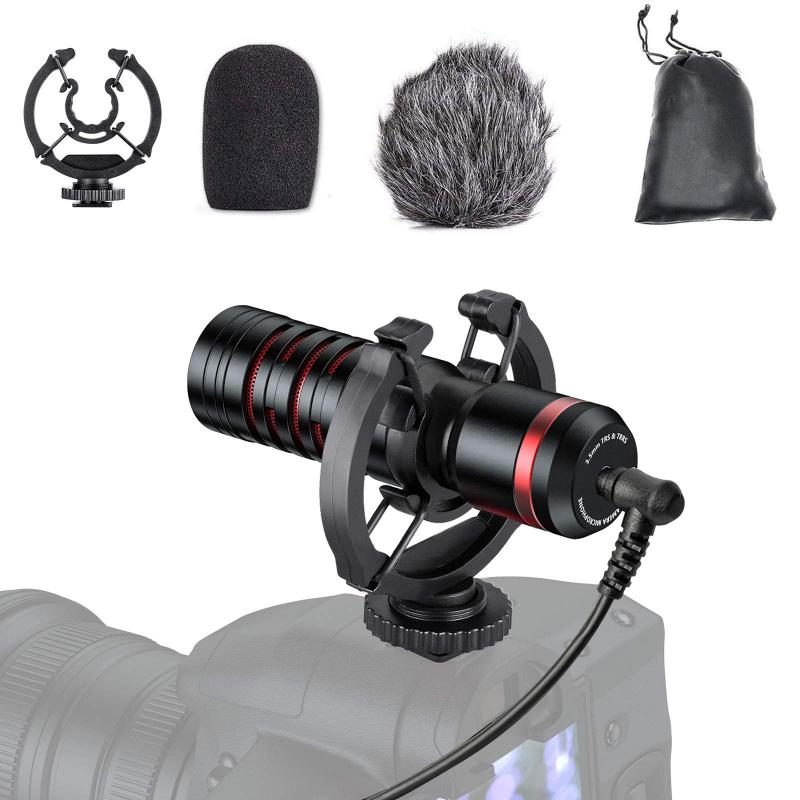
how to use microphone with camera windows 10 1

1. Check Hardware Compatibility:

Before starting, ensure that both your microphone and camera are compatible with Windows 10. Most modern USB microphones and webcams are plug-and-play, meaning they should work immediately when connected to your computer. However, checking the manufacturer's website for any required drivers or software updates for Windows 10 can save you from potential issues.

2. Connect Your Devices:

- Microphone: Plug your microphone into an available USB port or the 3.5mm audio jack (if it uses this connection). Ensure that it is securely connected.

- Camera: Connect your camera to your PC via a USB port. If you are using a DSLR or mirrorless camera, you may also need a video capture device.

3. Set Up Audio and Video Devices:

- Open the Control Panel or go directly to Settings by pressing `Win + I`.

- Navigate to System > Sound.

- Under the Input section, choose your microphone from the dropdown menu. Ensure it is set as the default device.

- To test the microphone, speak into it. The input level should respond to your voice.

4. Adjust Microphone Settings:

- Ensure that the microphone levels are correctly set to avoid distortion or low audio levels. In the Sound settings, click on Device properties for your microphone.

- Adjust the Volume slider according to your needs. You can also access additional properties such as Enhancements and Levels to finetune your microphone settings.

5. Configure Camera Settings:

- In Settings, navigate to Devices > Cameras.

- Select your camera from the list and adjust its settings as needed. You can change the video resolution, frame rate, and default camera functions.

6. Utilizing Software Applications:

- For video recording, consider using applications that allow for both video and audio configuration, such as OBS Studio, Windows Camera App, Zoom, or any other preferred video conferencing tool.

- Open your chosen application and go to its Settings or Preferences.

- In OBS Studio, for example, navigate to Settings > Audio and select your microphone. Then, go to Video and ensure your camera is selected.

7. Test Your Setup:

- Make a test recording or start a test video call to check the synchronization and quality of both audio and video.

- Pay attention to any lag or desynchronization issues. If microphone delays are evident, they may need to be addressed through software settings or hardware upgrades.

8. Troubleshooting Common Issues:

A. Microphone Not Detected:

- Verify that the microphone is properly connected.

- Ensure it is set as the default input device in Sound settings.

- Update audio drivers through Device Manager by locating your audio device, right-clicking, and selecting Update driver.

B. Camera Not Recognized:

- Ensure that the camera is properly connected and powered on.

- Check if the drivers are correctly installed. You can update or reinstall them through Device Manager.

C. Poor Audio Quality:

- Ensure that the input levels are not set too high or too low.

- Use a pop filter or windscreen with your microphone to reduce noise.

- Consider recording in a quieter environment and minimize background noise.

9. Advanced Tips for Enhanced Quality:

- If you are using a separate audio interface or mixer, ensure all connections are secure and correctly configured.

- For professional-grade recordings, consider using dedicated audio recording software (like Audacity) in conjunction with your video recording to allow for post-production editing of the audio track.

10. Maintenance and Care:

- Regularly update firmware and drivers for both your microphone and camera.

- Keep your devices clean and stored in a safe environment to prolong their lifespan.

- Periodically check and adjust your settings to maintain optimal performance as per different use cases.

Using a microphone with a camera on Windows 10 is a straightforward process that can significantly enhance the quality of your recordings. By following the steps outlined in this article, you can ensure that your microphone and camera are correctly set up and optimized for your specific needs. From ensuring hardware compatibility to fine-tuning software settings, attention to detail is key to achieving the best results.

Whether you are recording a YouTube video, participating in a virtual meeting, or creating content for an online class, clear audio and crisp video are crucial components. Therefore, investing time in setting up and testing your equipment can pay off with superior audio-visual quality, making your content more professional and engaging.

Remember that technology is continuously evolving, so staying updated with the latest tools and techniques will keep your skills sharp and your recordings top-notch. With the right setup and a bit of practice, you can master the art of using a microphone with a camera on Windows 10, thus elevating your audio-visual experience.
Leave your comment
Cancel reply
Note: HTML is not translated!
Related products
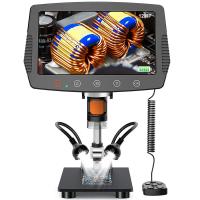
DM9 7" LCD Digital Microscope 10X-1200X, 1080P Coin Microscope with 12MP Camera Sensor Work with Windows/Mac OS
HOT Seller
DM9 7" LCD Digital Microscope 10X-1200X, 1080P Coin Microscope with 12MP Camera Sensor Work with Windows/Mac OS
118
$149.99 $121.99
Digital Microscope with 9" LCD Screen, 1000X Magnification Coin Microscope with 12MP Camera for Adults, Work with Windows/Mac OS
HOT Seller
Digital Microscope with 9" LCD Screen, 1000X Magnification Coin Microscope with 12MP Camera for Adults, Work with Windows/Mac OS
45
$215.99 $167.99
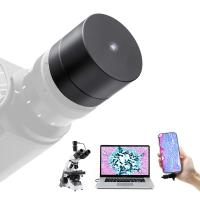
Digital Camera for Microscopes 5 Megapixel Color CMOS for Windows Mac OS Android Phones Kentfaith
12
$99.99 $79.99
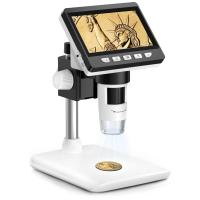
4.3" LCD Screen Digital Coin Microscope, 50X-1000X Magnification, Work with Windows/Mac iOS
24
$107.99 $88.99
Camera Microphone, Super Cardioid  Shotgun Mic for DSLR Close Interview, Noise Reduction Video Microphone for Canon Nikon Sony Fuji with Windscreen, Compatible with Camera with 3.5mm TRS Plug, Kentfaith
Camera Microphone, Super Cardioid Shotgun Mic for DSLR Close Interview, Noise Reduction Video Microphone for Canon Nikon Sony Fuji with Windscreen, Compatible with Camera with 3.5mm TRS Plug, Kentfaith
11
$62.49 $49.99
Wireless WiFi Microscope with Foldable Stand, 50X-1000X Magnification, Work with iPhone, iPad, Android, Mac, Windows
11
$47.99
Gift Certificate: $200 Value - Can Use with Any Discounts
$200.00 $190.00
Gift Certificate: $300 Value  - Can Use with Any Discounts
Gift Certificate: $300 Value - Can Use with Any Discounts
$300.00 $285.00
Gift Certificate: $1000 Value  - Can Use with Any Discounts
Gift Certificate: $1000 Value - Can Use with Any Discounts
$1,000.00 $950.00
Gift Certificate: $500 Value  -Can Use with Any Discounts
Gift Certificate: $500 Value -Can Use with Any Discounts
$500.00 $475.00
Products You May Like
Underwater LED light waterproof diving photography fill light, IP8X waterproof, 60M underwater camera LED fill light, white red blue light camera fill light
25
$46.99
PK K Mount Lens to Sony NEX E-Mount Lens Adapter, Compatible with Sony NEX-3 NEX-3C NEX-3N NEX-5 NEX-5C NEX-5N NEX-5R NEX-5T NEX-6 NEX-7 NEX-F3 NEX-VG10 VG20
102
$47.99 $25.99
40.5mm MCUV Filter Ultra-Thin Trapezoid Patterned Frame Coating with a Vacuum Cleaning Cloth Nano-Klear Series
144
$12.99 $9.89
67mm ND2-ND400 (9 Stops) Variable ND Filter Neutral Density Adjustable Filter for Canon Nikon DSLR Cameras + Lens Cleaning Cloth
119
$47.99 $37.99
Wireless Earbuds 160H Play Time Bluetooth 5.0 Earphones with Solar Charging
5
$51.99
Gift Certificate: $500 Value  -Can Use with Any Discounts
Gift Certificate: $500 Value -Can Use with Any Discounts
$500.00 $475.00
43mm MCUV Filter Brass Frame Multifunctional HD Ultra-Thin Brass Frame 36-Layer Anti-Reflection Green Film Nano-Xcel Pro Series
66
$93.99 $79.99
K&F Concept Blower & Suction 2 in 1 Compressed Air Duster, with LED Light,150000RPM Electric Air Duster, 3 Gear Adjustable&Portable, Dust Blower for Computer, Keyboard, House, Outdoor and Car (shipped only to the USA)
27
$79.99 $59.99
M9 Pro Wireless Lavalier Microphone Plug-Play Noise Reduction Auto-Sync
40
$29.99
Kids Camera Instant Print Color Photos, Front Rear Dual Selfie, 1080P HD Video for 3-12, Pink, Kentfaith
15
$81.24 $64.99
Related articles
How To Access Sd Card Windows 10?
Can T Find Camera On Windows 10?
How To Use Selfie Stick With Iphone 10?
How To Use Phone Microphone With Airpods ?
How To Fix Microphone On Windows 11?
How To Connect 2 Bluetooth Headphones To Laptop Windows 10 ?
Can I Install Windows 10 On Sd Card?
How To Focus With 10 Stop Nd Filter?
Can You Use A Microphone With An Iphone?
What Does Uv Filter Do For Dslr?
Blog You May Like
What Is The Smallest Lens On A Microscope?
How Much Are The Ring Lights?
What Is A Drone Light Show?
What Lens Mount Is The Sony A7iii?
How To Use Iphone As A Security Camera?
How To Charge Digital Camera Battery Without Charger ?
How Take Pictures Nd Filter?
How To Flip Your Webcam Camera ?
When Did Digital Cameras Become Affordable?
How To Stop Crackling Noise In Headphones ?
Related categories
streaming video camera C mount lens adapter 10 stop ND filter camera battery trail camera with screen
Popular products
portable microscope with screen pocket microscope with light light for a camera quadcopter drone with camera smart ai battery camera microphone with foam cover digital microscope for coins soldering microscope with camera and led digital coin microscope LCD Digital Microscope
Related searches
Wireless Microphone To Use With Iphone Use Usb Microphone With Iphone Easy To Use Drone With Camera Wireless Microphone For Outdoor Use Use Iphone As Wireless Microphone Easy To Use Digital Slr Camera Outdoor Use Camera 10 Digital Camera Hd Camera With Microphone Mirrorless Camera Adapter To Use Dslr Lens
Related Scenes
Best Camera For Outdoor Use Best Camera To Video Sports Best Camera To Capture Wildlife Best Video Camera To Record Sports Best Glasses With Camera Best Home Security With Camera Best Digital Camera With Video Best Digital Camera With Zoom Best Compact Camera With Wifi Best Trail Camera With Audio
Blog Category
  • Activities
  • Guide
    • Filter Guide
    • Lens Adapter
    • Product Review
  • News & Reviews
    • Camera Reviews
    • Sample Gallery
    • News
  • Tutorials
    • Solar eclipse photography
    • Photography Basics
    • Landscape Photography
  • Inspiration
    • Travel
    • Travel Stories
Search Article
Latest from the Blog
How Smart Watch Measure Heart Rate?
What Hi Fi In Ear Headphones?
Where To Get Wireless Earbuds?
What Is A Good Video Camera For Vlogging?
What Camera Has The Best Video Quality?
Which Night Vision Monocular Is Best?
How To Save A Video From Security Camera?
Which Ring Light Is Best?
How To Focus An Image On A Microscope?
How To Adjust Binoculars With Glasses?
  • Easy Payment Multilple Payment Options

  • Free Shipping Global WareHouse Shipment

  • No Risk 30-Day No Reason Return

  • Limited Deals Buy More, Save More

  • Tax Free No any surcharges or tax fee

Information
  • About us
  • Contact Us
  • Site Map
  • Blog
  • Video
  • Gallery
  • VIP Membership Rewards
Service
  • Privacy Policy
  • Terms & Conditions
  • Shipping & Delivery
  • Payment Info
  • Warranty, Return & Refund
  • Intellectual Property Rights
  • Ambassador
  • Affiliates
  • Wholesale
Support
  • My account
  • Order History
  • FAQs
  • Extend Warranty
  • Logistics Tracking
Follow us
NewsLetter

Get the latest product, K&F Concept respects your privacy.
Powered By KENTFAITH © 2026