kfconcept

KENTFAITH
K&F Concept    Blog >

Enjoy Your Selected Digital Life

Recently Viewed
  • Recently Viewed
  • Electric Essential Oil Diffuser 400ML, Home Essential Oil Diffuser Fresh Mist, Essential Oil Diffuser with APP and Bluetooth Speaker, 30 Colors Light, YOUNGDO
    Electric Essential Oil Diffuser 400ML, Home Essential Oil Diffuser Fresh Mist, Essential Oil Diffuser with APP and Bluetooth Speaker, 30 Colors Light, YOUNGDO
    $30.99
    77mm Magnetic Variable ND8-ND128(3-7 Stop) Lens Filters + Magnetic Filter Basic Ring Kit with 28 Multi-Layer Nano-Xcel Series (Compatible with 82mm magnetic cap)
    77mm Magnetic Variable ND8-ND128(3-7 Stop) Lens Filters + Magnetic Filter Basic Ring Kit with 28 Multi-Layer Nano-Xcel Series (Compatible with 82mm magnetic cap)
    $107.99 $85.99
    62mm True Color Variable ND2-32 (1-5 Stops) ND Lens Filter, Adjustable Neutral Density Filter with 28 Multi-Layer Coatings Nano-Xcel Series
    62mm True Color Variable ND2-32 (1-5 Stops) ND Lens Filter, Adjustable Neutral Density Filter with 28 Multi-Layer Coatings Nano-Xcel Series
    $112.99 $89.99
    62mm ND2-ND2000 Filter (1-11 Stops) with 3 Vacuum Cleaning Cloths Nano-Klear Series
    62mm ND2-ND2000 Filter (1-11 Stops) with 3 Vacuum Cleaning Cloths Nano-Klear Series
    $41.99 $32.99
    MS04 62''/1.58m Tripod Phone Selfie Stick, Black And Orange With Bluetooth Remote Control + Gopro Adapter
    MS04 62''/1.58m Tripod Phone Selfie Stick, Black And Orange With Bluetooth Remote Control + Gopro Adapter
    $29.99
    95mm Circular Polarizer Filter, Super Slim CPL Filter with 36 Multi-Layer Coatings, High Definition Nano-Xcel Pro Series
    95mm Circular Polarizer Filter, Super Slim CPL Filter with 36 Multi-Layer Coatings, High Definition Nano-Xcel Pro Series
    $149.99 $119.99
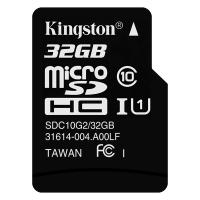
    32GB Micro SD Card U3/V30/A1 with Adapter, Memory Card for Cameras, Borescopes,  Microscopes, Night Vision Goggles, Kentfaith
    32GB Micro SD Card U3/V30/A1 with Adapter, Memory Card for Cameras, Borescopes, Microscopes, Night Vision Goggles, Kentfaith
    $19.99 $15.99
    82mm White Pro Mist Filter Cinematic Effect Filter with 18 Multi-Layer Coatings for Portrait and Landscape Photography Nano-Klear Series
    82mm White Pro Mist Filter Cinematic Effect Filter with 18 Multi-Layer Coatings for Portrait and Landscape Photography Nano-Klear Series
    $37.99 $29.99
    77mm ND2-ND2000 Filter (1-11 Stops) with 3 Vacuum Cleaning Cloths Nano-Klear Series
    77mm ND2-ND2000 Filter (1-11 Stops) with 3 Vacuum Cleaning Cloths Nano-Klear Series
    $47.99 $37.99
    Sim Card Without Contract
    Sim Card Without Contract
    $9.90
Compare (0) 0
  • Compare
  • You have not chosen any products to compare.

  • Compare
Currency: USD
  • Currency
Shop by Scene Shop by Rank

Log Into Your Account

Account

Order History

Wish List

Login

Forgotten Password?

Or connect with

Register Account

Already have an Account?Log In

  • Shopping Cart
  • Your shopping cart is empty!

  • Register/Login to purchase, earn points
  • Favorite
  • Your wish list is empty.

  • Register/Login to like, earn points
  • Activities
  • Guide
    • Filter Guide
    • Lens Adapter
    • Product Review
  • News & Reviews
    • Camera Reviews
    • Sample Gallery
    • News
  • Tutorials
    • Solar eclipse photography
    • Photography Basics
    • Landscape Photography
  • Inspiration
    • Travel
    • Travel Stories
  • Home
  • Blog
  • How To Make A Sd Card Internal Storage?

How To Make A Sd Card Internal Storage?

Kentfaith 2024-08-20 00:58:06 0 Comments

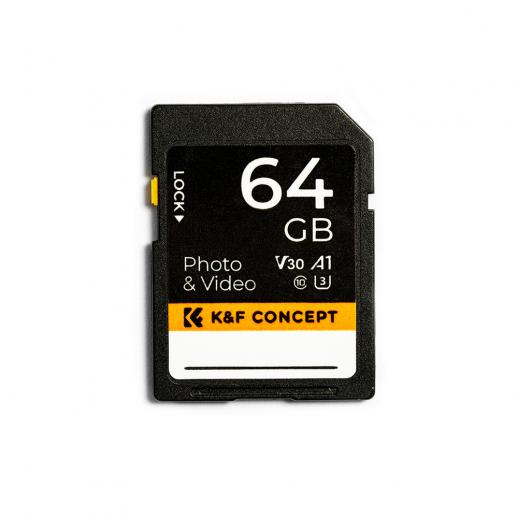
In today's digital age, the need for more storage space on our devices is ever-increasing. Whether it's for storing photos, videos, apps, or other data, running out of internal storage can be a significant inconvenience. One effective solution to this problem is to use an SD card as internal storage. This method can help expand your device's storage capacity without the need to purchase a new device. In this article, we will explore the steps to make an SD card internal storage, the benefits and drawbacks of doing so, and some practical tips to ensure a smooth transition.

Understanding the Basics

Before diving into the steps, it's essential to understand what it means to use an SD card as internal storage. Typically, SD cards are used as external storage, meaning they can be removed and used in other devices. However, when you format an SD card as internal storage, it becomes an integral part of your device's storage system. This means the SD card will be encrypted and can only be used with the device it was formatted on. This process is also known as "adoptable storage."

Benefits of Using an SD Card as Internal Storage

1. Increased Storage Capacity: The most obvious benefit is the increase in storage space. This is particularly useful for devices with limited internal storage.

2. Cost-Effective: SD cards are generally cheaper than upgrading to a device with more internal storage.

3. Flexibility: You can choose the size of the SD card based on your needs, allowing for a customizable storage solution.

Drawbacks to Consider

1. Performance Issues: Not all SD cards are created equal. Using a low-quality SD card can result in slower performance.

2. Data Loss Risk: If the SD card fails, you could lose all the data stored on it.

3. Device Compatibility: Not all devices support the use of SD cards as internal storage. It's essential to check your device's specifications before proceeding.

Steps to Make an SD Card Internal Storage

Step 1: Choose the Right SD Card

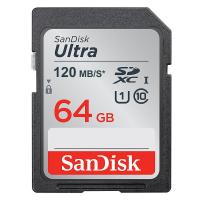
The first step is to choose an SD card that is compatible with your device and meets your storage needs. Look for high-speed SD cards (Class 10 or UHS-I) to ensure optimal performance.

Step 2: Backup Your Data

Before proceeding, it's crucial to back up any data on the SD card, as the formatting process will erase all existing data.

Step 3: Insert the SD Card

Insert the SD card into your device's SD card slot. Ensure it is properly seated to avoid any connection issues.

Step 4: Format the SD Card as Internal Storage

1. Open Settings: Navigate to your device's settings menu.

2. Storage: Find the storage option, which is usually under "Device Maintenance" or "Device Care."

3. SD Card: Select the SD card and choose the option to format it as internal storage.

4. Confirm: Follow the on-screen instructions to complete the formatting process. This will include a warning that all data on the SD card will be erased.

Step 5: Move Data to the SD Card

Once the SD card is formatted as internal storage, you can move existing data and apps to the SD card to free up internal storage space. This can usually be done through the storage settings menu.

Practical Tips for Using SD Card as Internal Storage

1. Regular Backups: Regularly back up your data to avoid losing important information in case the SD card fails.

2. Monitor Performance: Keep an eye on your device's performance. If you notice any lag or slowdowns, consider upgrading to a higher-quality SD card.

3. Avoid Frequent Removal: Since the SD card is now part of your device's internal storage, avoid removing it frequently to prevent data corruption.

4. Use Trusted Brands: Invest in SD cards from reputable brands to ensure reliability and longevity.

Troubleshooting Common Issues

Issue 1: Device Not Recognizing SD Card

If your device does not recognize the SD card, try the following steps:

- Reinsert the SD card to ensure it is properly seated.

- Restart your device.

- Check if the SD card is compatible with your device.

Issue 2: Slow Performance

If you experience slow performance, it could be due to a low-quality SD card. Consider upgrading to a high-speed SD card to improve performance.

Issue 3: Data Corruption

Data corruption can occur if the SD card is removed improperly or if the card is of low quality. Regular backups can help mitigate the risk of data loss.

Using an SD card as internal storage is a practical solution for expanding your device's storage capacity. While there are some drawbacks to consider, the benefits often outweigh the risks, especially if you choose a high-quality SD card and follow best practices. By understanding the steps involved and taking the necessary precautions, you can effectively increase your device's storage space and enjoy a more seamless user experience.

In summary, making an SD card internal storage involves choosing the right SD card, backing up your data, formatting the SD card as internal storage, and moving data to the SD card. By following these steps and keeping practical tips in mind, you can enhance your device's storage capacity and performance.

Leave your comment
Cancel reply
Note: HTML is not translated!
Related products
K&F Concept 24 Slots SD Card Holder Memory Card Case, Water-Resistant Shockproof Memory Card Storage Carrying Case for 12 SD SDXC SDHC Cards, 12 CFexpress Type A Cards
$18.99 $9.99
K&F Concept 36 Slots SD Micro SD Memory Card Case, Water-Resistant SD Card Holder, Anti-Shock Card Carrying Storage Box for 24 Micro SD SDXC SDHC TF Cards and 12 SD SDXC SDHC Cards
$18.99 $9.99
K&F Concept 28 Slots Micro SD Card Case,Water-Resistant Anti-Shock Anti-Dust TF Card Holder,Micro SD/Micro SDHC/Micro SDXC Card Box Organizer Storage
$18.99 $9.99
SD Card Reader for iPhone/iPad/Android/Mac/Computer/Camera, 4 in 1 Micro SD Card Reader Tracking Camera Viewer, Portable Memory Card Reader SD Card Adapter Compatible with SD and Micro SD Card/TF Card ( black)
$14.99
128GB MicroDrive Micro SD UHS-I Memory Card
2
$31.99
32GB Micro SD Card U3/V30/A1 with Adapter, Memory Card for Cameras, Borescopes,  Microscopes, Night Vision Goggles, Kentfaith
32GB Micro SD Card U3/V30/A1 with Adapter, Memory Card for Cameras, Borescopes, Microscopes, Night Vision Goggles, Kentfaith
$19.99 $15.99
64GB Micro SD Card U3/V30/A1 with Adapter, Memory Card for Cameras, Borescopes,  Microscopes, Night Vision Goggles, Kentfaith
64GB Micro SD Card U3/V30/A1 with Adapter, Memory Card for Cameras, Borescopes, Microscopes, Night Vision Goggles, Kentfaith
$23.75 $23.73
4K 32MP Hunting Camera, 100° Wide Motion Sensor 0.2s Trigger IP67 Waterproof, 2.31" Display, with 64G SD Card +Card Reader
$114.99
K&F Concept 6 Slots XQD Cfexpress Type-B Card Holder, Water-Resistant Memory Card Storage Carring Case, Shockproof Card Protection Box Organizer
$18.99 $9.99
Products You May Like
Professional Camera Backpacks with Removable DSLR Case fit up to 15.6" Laptop - 18L
18
$159.99 $85.99
62mm Black Mist 1/4 & ND2-400 Variable ND Filter with Double-sided 28-layer Anti-reflection Green Film and Lever Nano-Xcel Series
30
$112.99 $89.99
49mm CPL Filter 28 Layer Super Slim Circular Polarizing Filter Multi-coated Polarized MRC Filter Nano-Xcel Series
68
$57.99 $42.99
G1 smart watch fitness tracker 1.28 inch full touch screen heart rate monitor IP68 waterproof silver
10
$37.99
DJI NEO Done Circular Polarizers CPL Filter Drone CPL Filter with 28 Multi-Coated/HD Optical Glass / Lightweight
61
$16.99
NP-FW50 Replacement Battery 2 Pack and Charger for Sony A6000, A6500, A6300, A6400, A7, A7II, A7RII, A7SII, A7S, A7S2, A7R, A7R2, A55, A5100, RX10, NEX-3, ZV-E10
55
$27.99
77mm CPL Filter 0.1% Ultra-low Reflection (Titanium Coating ) With 28 Multi-Layer Coatings Ultra-Slim HD Circular Polarizer Filter Nano-Xcel Series
55
$64.99 $51.99
40.5mm Snap-On Center Pinch Lens Cap 5 in 1 with Anti-Loss Keeper Leash Compatible with Nikon, Canon, Sony, Fujifilm Camera Lenses
$15.99 $7.99
Pentax PK Mount Lens to Nikon Z6 Z7 Camera K&F Concept Lens Mount Adapter
28
$87.99 $49.99
62mm  Black Mist Filter 1/4 Special Effects Filter Ultra-Clear Multi-layer Coated With Waterproof Scratch-Resistant and Anti-Reflection Nano-Xcel Series
62mm Black Mist Filter 1/4 Special Effects Filter Ultra-Clear Multi-layer Coated With Waterproof Scratch-Resistant and Anti-Reflection Nano-Xcel Series
83
$58.99 $46.99
Related articles
How To Make An Sd Card Work?
How To Screen Record Internal Sound?
How To Backup A Micro Sd Card?
How To Use A Sandisk Sd Card?
How To Format A New Sd Card?
How To Remove A Sd Card From Phone?
How To Get A Micro Sd Card Out?
How To Clear A Write Protected Sd Card?
How To Format A Sd Card In Linux?
Can You Use Headphones With Amazon Fire Tablet?
Blog You May Like
How To Format A Sd Card In Linux?
Which Is Best Binoculars For Bird Watching?
What is the Best Golf Rangefinder with Slope?
Best Camera Sling Bag Purchase: Five Key Points
How Long Memory Card Last?
How To Record External Audio On Pc?
What Bridge Camera Will Accept Filter Attachments?
How Do You Have Sound On Screen Record?
How To Remove The Selfie Stick From Video?
How To Measure Lens Filter Size?
Related categories
A Mount Lens Adapter Sony A Mount Lens Adapters minolta a mount lenses camera card memory C mount lens adapter
Popular products
sd memory card carrying case Home Security Wifi Cameras portable sd card reader 64Gb Micro Sd Memory Card 32gb sd flash memory card 4k sd memory card Full Size Sd Memory Card 64gb memory card micro surveillance memory card magnetic memory card
Related searches
Internal Sd Card Micro Sd Card Storage Case Sd Memory Card Storage Case Surveillance Camera Sd Card Storage Security Camera With Sd Card Storage Memory Card Storage Case Memory Card Storage Box Micro To Sd Card Adapter Security Camera With Sd Storage Sd Card Cameras
Popular searches
Wireless Game Camera Sony 18-55mm F 3.5-5.6 Oss E-mount Nikkor 50mm F 1.8d Lens Adapter Eos Sony Camera Batteries Mini Projector With Hdmi Dumb Adapter Sony E A Cf Sd Adapter Canon 5d Dji Nd Filters Set Nikon D3200 Lens Filter Kit Long Selfie Stick Tripod
Blog Category
  • Activities
  • Guide
    • Filter Guide
    • Lens Adapter
    • Product Review
  • News & Reviews
    • Camera Reviews
    • Sample Gallery
    • News
  • Tutorials
    • Solar eclipse photography
    • Photography Basics
    • Landscape Photography
  • Inspiration
    • Travel
    • Travel Stories
Search Article
Latest from the Blog
Where Can I Buy Samsung Camera Battery?
How Do Trail Cameras Work? The Ultimate Guide to Trail Cameras
What Is Nd Filter On Video Camera?
How To Buy A Security Camera System?
Camera Use Which Lens?
Can You Save Facebook Videos To Camera Roll?
What To Look For In A Dash Cam?
How To Wear Monocular?
How Many Stops Is An Nd 8 Filter?
Where Can I Find Hidden Cameras?
  • Easy Payment Multilple Payment Options

  • Free Shipping Global WareHouse Shipment

  • No Risk 30-Day No Reason Return

  • Limited Deals Buy More, Save More

  • Tax Free No any surcharges or tax fee

Information
  • About us
  • Contact Us
  • Site Map
  • Blog
  • Video
  • Gallery
  • VIP Membership Rewards
Service
  • Privacy Policy
  • Terms & Conditions
  • Shipping & Delivery
  • Payment Info
  • Warranty, Return & Refund
  • Intellectual Property Rights
  • Ambassador
  • Affiliates
  • Wholesale
Support
  • My account
  • Order History
  • FAQs
  • Extend Warranty
  • Logistics Tracking
Follow us
NewsLetter

Get the latest product, K&F Concept respects your privacy.

Powered By KENTFAITH © 2025