kfconcept

KENTFAITH
K&F Concept    Blog >

Enjoy Your Selected Digital Life

Recently Viewed
  • Recently Viewed
  • 58mm Circular Polarizer Filter with 24 Multi-Layer Green Coatings HD/Hydrophobic/Scratch Resistant CPL Filters Nano-Dazzle
    58mm Circular Polarizer Filter with 24 Multi-Layer Green Coatings HD/Hydrophobic/Scratch Resistant CPL Filters Nano-Dazzle
    $29.99 $27.99
    K60 Wireless Microphone for iPhone iPad, for iPhone 14 pro Video Recording, TikTok Facebook Live Steam, Youtubers, Vloggers, Interview, Clip-on Plug and Play
    K60 Wireless Microphone for iPhone iPad, for iPhone 14 pro Video Recording, TikTok Facebook Live Steam, Youtubers, Vloggers, Interview, Clip-on Plug and Play
    $30.99
    2" Screen Video Baby Monitor with Wireless Remote Camera, Night Vision, Temperature Monitoring and Two-way Talk Work with 2.4 GHz WiFi EU Power Plug
    2" Screen Video Baby Monitor with Wireless Remote Camera, Night Vision, Temperature Monitoring and Two-way Talk Work with 2.4 GHz WiFi EU Power Plug
    $61.99
    Portable eclipse Set-Include 49mm Solar Filter + KF09.123 Carbon Fiber Tripod + KF13.087AV6 Camera Backpack + KF28.0024 6700mAh V Mount Battery
    Portable eclipse Set-Include 49mm Solar Filter + KF09.123 Carbon Fiber Tripod + KF13.087AV6 Camera Backpack + KF28.0024 6700mAh V Mount Battery
    $339.99
    Mini Portable Bi-Color LED Fill Light 3000k-6500k Adjustable Brightness Built-in 3000mah Battery for Mobile Phones, Cameras, Camcorders
    Mini Portable Bi-Color LED Fill Light 3000k-6500k Adjustable Brightness Built-in 3000mah Battery for Mobile Phones, Cameras, Camcorders
    $51.99
    67mm ND8-ND2000 (3-11stop) Variable ND Filter Neutral Density Filter with Multi-Resistant Coating Nano-Dazzle
    67mm ND8-ND2000 (3-11stop) Variable ND Filter Neutral Density Filter with Multi-Resistant Coating Nano-Dazzle
    $62.99 $49.99
    58mm Black Mist 1/4 + ND8-128 Variable ND Filter with Double-sided 28-layer Anti-reflection Green Film and Lever Nano-Xcel Series
    58mm Black Mist 1/4 + ND8-128 Variable ND Filter with Double-sided 28-layer Anti-reflection Green Film and Lever Nano-Xcel Series
    $79.99
    72mm Variable ND2-ND400 Filter+ Cleaning Cloth+ Filter Cap
    72mm Variable ND2-ND400 Filter+ Cleaning Cloth+ Filter Cap
    $33.99
    55mm Black Mist 1/4 & ND8-128 Variable ND Filter with Double-sided 28-layer Anti-reflection Green Film and Lever Nano-Xcel Series
    55mm Black Mist 1/4 & ND8-128 Variable ND Filter with Double-sided 28-layer Anti-reflection Green Film and Lever Nano-Xcel Series
    $79.99
    52mm ND2-ND2000 Filter (1-11 Stops) with 3 Vacuum Cleaning Cloths Nano-Klear Series
    52mm ND2-ND2000 Filter (1-11 Stops) with 3 Vacuum Cleaning Cloths Nano-Klear Series
    $36.99 $28.99
Compare (0) 0
  • Compare
  • You have not chosen any products to compare.

  • Compare
Currency: USD
  • Currency
Shop by Scene Shop by Rank

Log Into Your Account

Account

Order History

Wish List

Login

Forgotten Password?

Or connect with

Register Account

Already have an Account?Log In

  • Shopping Cart
  • Your shopping cart is empty!

  • Register/Login to purchase, earn points
  • Favorite
  • Your wish list is empty.

  • Register/Login to like, earn points
  • Activities
  • Guide
    • Filter Guide
    • Lens Adapter
    • Product Review
  • News & Reviews
    • Camera Reviews
    • Sample Gallery
    • News
  • Tutorials
    • Solar eclipse photography
    • Photography Basics
    • Landscape Photography
  • Inspiration
    • Travel
    • Travel Stories
  • Home
  • Blog
  • How To Remove A Sd Card From Phone?

How To Remove A Sd Card From Phone?

Kentfaith 2024-09-04 00:57:09 0 Comments

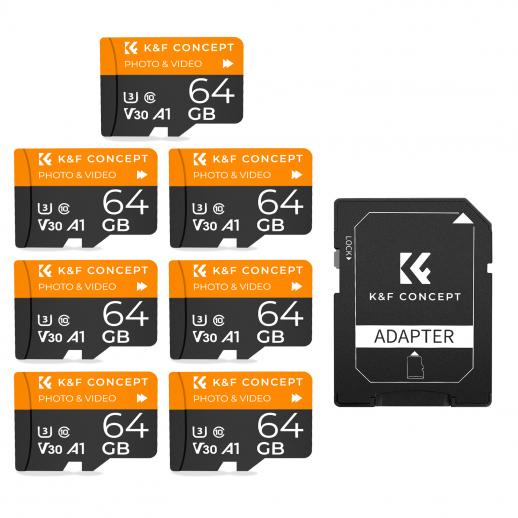
Removing an SD card from a phone might seem like a straightforward task, but it’s important to do it correctly to avoid data loss or damage to the card. In this article, we will walk you through the steps to safely remove an SD card from your phone, discuss common issues you might encounter, and provide solutions to those problems. Whether you are a tech novice or a seasoned smartphone user, this guide will ensure you handle your SD card with care and precision.

Understanding the Importance of Proper SD Card Removal

Before diving into the steps, it’s crucial to understand why proper removal of an SD card is important. An SD card is a storage device that holds valuable data such as photos, videos, music, and documents. Improper removal can lead to data corruption, loss of files, or even physical damage to the card or the phone’s SD card slot. By following the correct procedure, you can ensure the longevity of your SD card and the safety of your data.

Steps to Safely Remove an SD Card from Your Phone

1. Unmount the SD Card

The first and most important step is to unmount the SD card. Unmounting the card tells the phone’s operating system to stop using the card, ensuring that no data is being read or written during removal. Here’s how to do it:

- For Android Phones:

1. Go to the “Settings” menu.

2. Scroll down and select “Storage” or “Storage & USB.”

3. Find the SD card section and tap on “Unmount SD card” or “Eject SD card.”

4. Wait for the confirmation message that the card has been unmounted.

- For iPhones (with SD card adapters):

1. Open the “Files” app.

2. Locate the SD card under the “Locations” section.

3. Tap the “Eject” button next to the SD card’s name.

4. Wait for the confirmation that the card has been ejected.

2. Power Off the Phone (Optional but Recommended)

While not always necessary, powering off your phone can add an extra layer of safety. This ensures that no background processes are accessing the SD card. To power off your phone, press and hold the power button until the power menu appears, then select “Power off.”

3. Physically Remove the SD Card

Once the SD card is unmounted and the phone is powered off (if you chose to do so), you can proceed to physically remove the card. The method varies slightly depending on your phone model:

- For Phones with a Removable Back Cover:

1. Remove the back cover of the phone.

2. Locate the SD card slot, which is usually near the battery.

3. Gently push the SD card inwards until you hear a click, then release it. The card should pop out slightly.

4. Carefully pull the SD card out of the slot.

- For Phones with a SIM/SD Card Tray:

1. Locate the SIM/SD card tray, usually on the side of the phone.

2. Use the SIM ejector tool (or a paperclip) to press into the small hole next to the tray. The tray will pop out.

3. Remove the tray and take out the SD card.

Common Issues and Solutions

Issue 1: SD Card Not Recognized After Re-insertion

Sometimes, after reinserting the SD card, the phone may not recognize it. This can be due to several reasons:

- Solution:

1. Ensure the SD card is properly seated in the slot.

2. Restart your phone.

3. Check if the SD card is formatted correctly. If not, back up your data and format the card using the phone’s settings.

Issue 2: Data Corruption

If you experience data corruption, it might be due to improper removal or a faulty SD card.

- Solution:

1. Use a computer to run a disk check on the SD card.

2. Use data recovery software to retrieve lost files.

3. Always ensure to unmount the SD card before removal to prevent future issues.

Issue 3: Physical Damage to the SD Card

Physical damage can occur if the SD card is handled roughly or inserted incorrectly.

- Solution:

1. Handle the SD card with care, avoiding bending or dropping it.

2. Ensure the card is inserted in the correct orientation.

3. If the card is damaged, consider replacing it and restoring data from a backup.

Best Practices for SD Card Maintenance

To prolong the life of your SD card and ensure the safety of your data, follow these best practices:

- Regular Backups: Regularly back up the data on your SD card to a computer or cloud storage.

- Avoid Frequent Removal: Minimize the frequency of removing and reinserting the SD card to reduce wear and tear.

- Use Quality Cards: Invest in high-quality SD cards from reputable brands to ensure reliability and durability.

- Keep It Clean: Keep the SD card and the slot clean and free from dust and debris.

Removing an SD card from your phone is a simple process, but it requires careful attention to detail to avoid potential issues. By following the steps outlined in this guide, you can safely unmount and remove your SD card, ensuring the integrity of your data and the longevity of your storage device. Remember to address any issues promptly and follow best practices for SD card maintenance to keep your data safe and secure. Whether you are upgrading your storage, transferring files, or troubleshooting, these tips will help you handle your SD card with confidence and care.


Leave your comment
Cancel reply
Note: HTML is not translated!
Related products
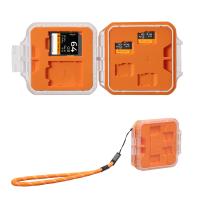
K&F Concept 24 Slots SD Card Holder Memory Card Case, Water-Resistant Shockproof Memory Card Storage Carrying Case for 12 SD SDXC SDHC Cards, 12 CFexpress Type A Cards
$18.99 $9.99
SD Card Reader for iPhone/iPad/Android/Mac/Computer/Camera, 4 in 1 Micro SD Card Reader Tracking Camera Viewer, Portable Memory Card Reader SD Card Adapter Compatible with SD and Micro SD Card/TF Card ( black)
$14.99
K&F Concept 36 Slots SD Micro SD Memory Card Case, Water-Resistant SD Card Holder, Anti-Shock Card Carrying Storage Box for 24 Micro SD SDXC SDHC TF Cards and 12 SD SDXC SDHC Cards
$18.99 $9.99
K&F Concept 28 Slots Micro SD Card Case,Water-Resistant Anti-Shock Anti-Dust TF Card Holder,Micro SD/Micro SDHC/Micro SDXC Card Box Organizer Storage
$18.99 $9.99
128GB MicroDrive Micro SD UHS-I Memory Card
2
$31.99
32GB Micro SD Card U3/V30/A1 with Adapter, Memory Card for Cameras, Borescopes,  Microscopes, Night Vision Goggles, Kentfaith
32GB Micro SD Card U3/V30/A1 with Adapter, Memory Card for Cameras, Borescopes, Microscopes, Night Vision Goggles, Kentfaith
$19.99 $15.99
64GB Micro SD Card U3/V30/A1 with Adapter, Memory Card for Cameras, Borescopes,  Microscopes, Night Vision Goggles, Kentfaith
64GB Micro SD Card U3/V30/A1 with Adapter, Memory Card for Cameras, Borescopes, Microscopes, Night Vision Goggles, Kentfaith
$23.75 $23.73
4K 32MP Hunting Camera, 100° Wide Motion Sensor 0.2s Trigger IP67 Waterproof, 2.31" Display, with 64G SD Card +Card Reader
$114.99
Digital Mini Microscope for Kids, 100x-1000x Handheld Microscope with 32GB SD Card & Battery
32
$92.99 $65.99
Products You May Like
K&F CONCEPT ND Filter Set Compatible with DJI Mini 5 Pro, (4 Pack) ND8 ND16 ND32 ND64 Snap On Multi-Coated HD Optical Glass Neutral Density Drone Camera Lens Filter Accessories
79
$42.99 $29.99
67mm Black Mist 1/4 and ND2-32 (1-5 Stop) Variable ND Lens Filter 2 in 1 with 28 Multi-Layer Coatings Nano-Xcel Series
36
$106.99 $86.99
Endless Capture Trail Camera
10
$135.99 $74.99
58mm UV Lens Filter HD MCUV Ultraviolet 28 Multi-Coated Filters (Nano-Xcel series Toughened Glass)
78
$41.99 $32.99
52mm Snap-On Center Pinch Lens Cap 9 in 1 with Anti-Loss Keeper Leash Compatible with Nikon, Canon, Sony, Fujifilm Camera Lenses
73
$18.99 $9.99
37mm CPL Filter Circular Polarizer Filter with Lens Cap Optical Glass Ultra Slim 18 Multi-Layer for Camera Lens Nano-Klear Series
23
$15.99
Variable ND64-1000 Filter for DJI Mavic 3 / Mavic 3 Cine, Neutral Density Filter with 28 Multi-Layer Coatings Waterproof/Scratch Resistant
4
$51.99 $33.99
Underwater High Power Rechargeable LED Video Light with Action Camera Mount and Cold Shoe Mount, GoPro, DSLR Compatible - Great for Vlogging, Travel, Scuba Diving, Snorkeling, Surfing, Sports
$35.99
91 inch/2.3m fluid head tripod video tripod Reversible Detachable Monopod Transverse Center Column horizontal 360 ° panoram
41
$229.99 $129.99
67mm ND Filters ND1000 (10 Stops) Lens Filter 28 Multi-Layer Coatings Waterproof Scratch Resistant Super Slim for Camera Lens (Nano-Xcel Series)
102
$49.99 $39.99
Related articles
How To Remove Memory Card From Note 8?
How To Remove Memory Card From Nikon Camera?
How To Remove Read Only Sd Card?
How To Remove Sound From A Recorded Video?
How To Watch Video From Sd Card?
How To Delete From An Sd Card?
How To Change Sd Card From Read Only?
How To View Sd Card From Security Camera?
How To Delete Files From My Sd Card?
How To Make Camera Wrist Straps?
Blog You May Like
Why Are My Beats Headphones Blinking White ?
Sound Not Working When Screen Recording?
How To Use A Telescope?
What Is Monocular Camera?
How To Make Wifi Camera At Home?
How To Read Camera Lens?
How To Choose Filter Size For Lens?
How Can The Sun Damage A Camera Lens?
How To Setup Camera For Video Conferencing?
How To Use Security Cameras Without Wifi?
Related categories
cell phone tripods A Mount Lens Adapter Sony A Mount Lens Adapters minolta a mount lenses phone camera lens iphone lens filter
Popular products
portable sd card reader 64Gb Micro Sd Memory Card 32gb sd flash memory card 4k sd memory card Full Size Sd Memory Card sd memory card carrying case 64gb memory card micro surveillance memory card magnetic memory card gaming video camera
Related searches
Remove A Stuck Lens Filter Micro To Sd Card Adapter Sd Card Cameras Sd Card Recorder Standard Sd Card Internal Sd Card Ho Remove A Lens Adapter Pentax Sd Card Security Cameras Camera Sd Card Holder Micro Sd Card Adapters
Popular searches
Headphones With Jack Sony Mhc Ec69i Ipod Dock Adapter Nikon D600 Battery Remove A Stuck Lens Filter Best Tripod Monopod For Dslr Lens Adapter Legacy Olympus To Sony A6000 Lenses That Fit The Pentax K Mount Lenses Adapter Canon To Olympus Four Thirds Camera And Strap Canon Fd Adapter Lock Ring Remove
Blog Category
  • Activities
  • Guide
    • Filter Guide
    • Lens Adapter
    • Product Review
  • News & Reviews
    • Camera Reviews
    • Sample Gallery
    • News
  • Tutorials
    • Solar eclipse photography
    • Photography Basics
    • Landscape Photography
  • Inspiration
    • Travel
    • Travel Stories
Search Article
Latest from the Blog
How To Wear Monocular?
How Do Night Vision Goggles Work?
What is A Variable ND Filter? The Complete Guide to Mastering Exposure Control
How To Buy A Security Camera System?
Neutral Density Filter: The Ultimate Guide for Photographers and Videographers
Camera Use Which Lens?
Dash Cam That Can Connect To Phone?
What Tripod To Buy?
How Do Cellular Trail Cameras Work? – The Complete Guide for Hunters and Wildlife Enthusiasts
How To Make A Camera Flash After Effects?
  • Easy Payment Multilple Payment Options

  • Free Shipping Global WareHouse Shipment

  • No Risk 30-Day No Reason Return

  • Limited Deals Buy More, Save More

  • Tax Free No any surcharges or tax fee

Information
  • About us
  • Contact Us
  • Site Map
  • Blog
  • Video
  • Gallery
  • VIP Membership Rewards
Service
  • Privacy Policy
  • Terms & Conditions
  • Shipping & Delivery
  • Payment Info
  • Warranty, Return & Refund
  • Intellectual Property Rights
  • Ambassador
  • Affiliates
  • Wholesale
Support
  • My account
  • Order History
  • FAQs
  • Extend Warranty
  • Logistics Tracking
Follow us
NewsLetter

Get the latest product, K&F Concept respects your privacy.

Powered By KENTFAITH © 2025