kfconcept

KENTFAITH
K&F Concept    Blog >

Enjoy Your Selected Digital Life

Recently Viewed
  • Recently Viewed
  • 72mm MCUV Lens Protection Filter with Filter Cap Ultra-Slim 24-Layer Coatings Waterproof for Camera Lens Nano-Dazzle Series
    72mm MCUV Lens Protection Filter with Filter Cap Ultra-Slim 24-Layer Coatings Waterproof for Camera Lens Nano-Dazzle Series
    $23.99
    DJI NEO Done Circular Polarizers CPL Filter Drone CPL Filter with 28 Multi-Coated/HD Optical Glass / Lightweight
    DJI NEO Done Circular Polarizers CPL Filter Drone CPL Filter with 28 Multi-Coated/HD Optical Glass / Lightweight
    $16.99
    trail camera with live view
    trail camera with live view
    $135.99 $74.99
    4K 32MP Trail Camera, 100° Wide Motion Sensor 0.2s Trigger, Low-Light LEDs, IP67 Waterproof, 2.31" Display Game Camera Set with 64G SD Card+Tree Mount
    4K 32MP Trail Camera, 100° Wide Motion Sensor 0.2s Trigger, Low-Light LEDs, IP67 Waterproof, 2.31" Display Game Camera Set with 64G SD Card+Tree Mount
    $111.99
    67mm True Color Variable ND2-32 (1-5 Stops) ND Lens Filter, Adjustable Neutral Density Filter with 28 Multi-Layer Coatings Nano-Xcel Series
    67mm True Color Variable ND2-32 (1-5 Stops) ND Lens Filter, Adjustable Neutral Density Filter with 28 Multi-Layer Coatings Nano-Xcel Series
    $118.99 $94.99
    K&F Concept KF-150 I-TTL Macro Ring Light Flashs LCD Display and Wireless Slave Function Speedlite with 6pcs Adapter Rings Compatible with Nikon DSLR Cameras
    K&F Concept KF-150 I-TTL Macro Ring Light Flashs LCD Display and Wireless Slave Function Speedlite with 6pcs Adapter Rings Compatible with Nikon DSLR Cameras
    $119.99 $115.99
    67mm Empty Magnetic Base Ring (Works ONLY with K&F Concept Magnetic Filters / Quick Swap System)
    67mm Empty Magnetic Base Ring (Works ONLY with K&F Concept Magnetic Filters / Quick Swap System)
    $17.99
    FeiyuTech Pocket 3 kit -Remote Handle &Camera 4K 60FPS Camera with Handheld 3-Axis Stabilizer, Pocket Action Camera, AI Tracking, Detachable Handle, Magnets for YouTube TikTok Video Vlog
    FeiyuTech Pocket 3 kit -Remote Handle &Camera 4K 60FPS Camera with Handheld 3-Axis Stabilizer, Pocket Action Camera, AI Tracking, Detachable Handle, Magnets for YouTube TikTok Video Vlog
    $503.99 $346.99
    Portable eclipse Set-Include 77mm Solar Filter + KF09.123 Carbon Fiber Tripod + KF13.087AV6 Camera Backpack + KF28.0024 6700mAh V Mount Battery
    Portable eclipse Set-Include 77mm Solar Filter + KF09.123 Carbon Fiber Tripod + KF13.087AV6 Camera Backpack + KF28.0024 6700mAh V Mount Battery
    $358.99
    Insta360 Ace Pro 2 ND8&PL + ND16&PL + ND32&PL + ND64&PL 4 Pack Hybrid ND&PL Filter Neutral Density Polarizer 2in1 Filter, Light Reduction Anti-Glare, HD Optical Glass Multi-Coated Filter Kit
    Insta360 Ace Pro 2 ND8&PL + ND16&PL + ND32&PL + ND64&PL 4 Pack Hybrid ND&PL Filter Neutral Density Polarizer 2in1 Filter, Light Reduction Anti-Glare, HD Optical Glass Multi-Coated Filter Kit
    $44.99
Compare (0) 0
  • Compare
  • You have not chosen any products to compare.

  • Compare
Currency: USD
  • Currency
Shop by Scene Shop by Rank

Log Into Your Account

Account

Order History

Wish List

Login

Forgotten Password?

Or connect with

Register Account

Already have an Account?Log In

  • Shopping Cart
  • Your shopping cart is empty!

  • Register/Login to purchase, earn points
  • Favorite
  • Your wish list is empty.

  • Register/Login to like, earn points
  • Activities
  • Guide
    • Filter Guide
    • Lens Adapter
    • Product Review
  • News & Reviews
    • Camera Reviews
    • Sample Gallery
    • News
  • Tutorials
    • Solar eclipse photography
    • Photography Basics
    • Landscape Photography
  • Inspiration
    • Travel
    • Travel Stories
  • Home
  • Blog
  • How To Format A New Sd Card?

How To Format A New Sd Card?

Kentfaith 2025-02-18 04:01:30 0 Comments

How to Format a New SD Card: A Step-by-Step Guide

SD cards are an essential part of modern technology, used in a wide range of devices such as cameras, smartphones, tablets, gaming consoles, and even in some laptops and computers. When you purchase a new SD card or if you want to prepare an SD card for a new device, formatting it is a crucial first step. Formatting ensures that the SD card is ready for use, and it also helps improve performance and extend its lifespan.

In this article, we will walk you through the process of formatting a new SD card, explain why it’s important, and address common issues you might face along the way. Whether you're a beginner or experienced user, this guide will help you complete the formatting process efficiently and correctly.

Why Format a New SD Card?

how to format a new sd card 1

Before diving into the "how" of formatting an SD card, it's important to understand the "why." When you first insert a new SD card into your device, it's usually not empty. Most new SD cards come pre-formatted with the FAT32 or exFAT file system, depending on the capacity and intended use. However, the formatting might not match the requirements of your specific device or use case. For instance:

1. File System Compatibility: Different devices may require different file systems. Cameras, smartphones, and computers may prefer FAT32, exFAT, or NTFS. Ensuring the correct format guarantees that your SD card will work optimally in the intended device.

2. Clear Old Data: A new SD card might have pre-installed data, which could interfere with the card’s performance or your intended use. Formatting erases this data and ensures you start with a fresh slate.

3. Boost Performance: Formatting can clear any fragmented files or corrupted sectors that may have been on the card since production. This can enhance the speed and reliability of the SD card.

4. Remove Errors: Sometimes, an SD card may have issues or errors out of the box. Formatting it can eliminate potential problems like unreadable files or errors related to improper file system configuration.

---

Step-by-Step Guide to Formatting a New SD Card

how to format a new sd card 2

Step 1: Choose the Right File System

how to format a new sd card 3

Before formatting your SD card, you must select the correct file system. The choice depends on what device or operating system you intend to use the card with:

- FAT32: This is the most commonly used file system for SD cards up to 32GB in size. FAT32 has wide compatibility across many devices such as cameras, smartphones, and some gaming consoles. However, it has a limitation where it can't store individual files larger than 4GB.

- exFAT: This is a modern file system designed for SD cards over 32GB in size. exFAT is preferred for storing large files and works well with devices like high-definition cameras, video recorders, and newer smartphones. It doesn’t have the 4GB file size limit that FAT32 has, making it ideal for storing large video files.

- NTFS: Although not as commonly used for SD cards, NTFS is the file system of choice for Windows-based operating systems. It's typically used for hard drives and USB flash drives rather than SD cards, but it may be an option for specialized uses.

Make sure you understand the file system requirements of the device you're using the SD card with. Once you’ve decided on the file system, you’re ready to proceed.

---

Step 2: Insert the SD Card into Your Device
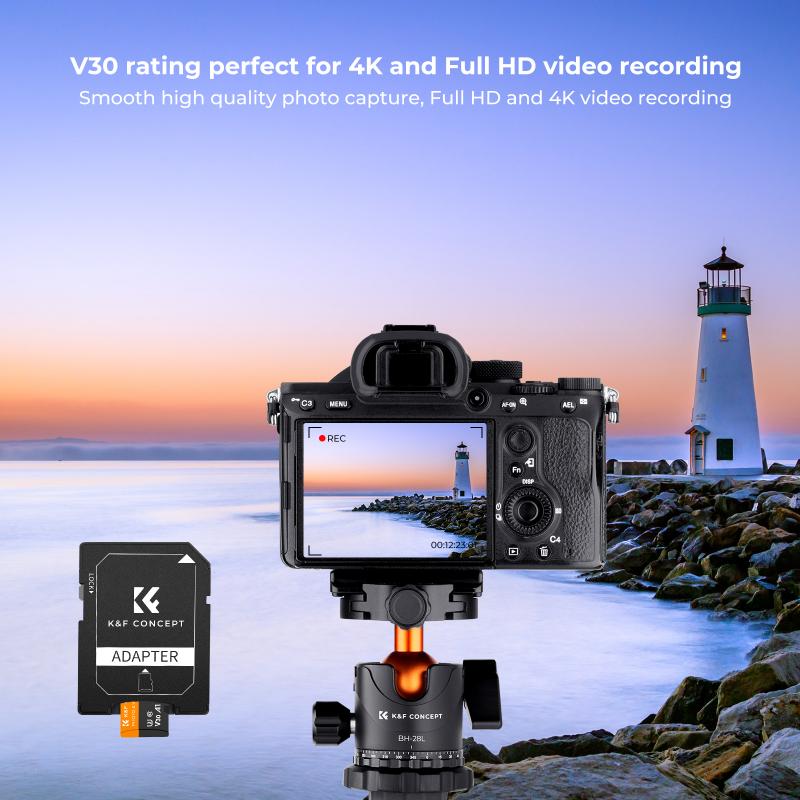
how to format a new sd card 4

To format an SD card, you first need to insert it into your device. Depending on your device, this could be a computer, a smartphone, a camera, or a tablet.

- On a Computer: Use an SD card reader to connect the SD card to your computer. Most modern laptops and desktops have a built-in SD card slot, but if your computer doesn't have one, you’ll need an external card reader.

- On a Smartphone/Tablet: If you’re using Android or another device with an SD card slot, insert the SD card into the card slot of your device.

- On a Camera: Insert the card into your camera and use the camera’s menu system to format it (details for this vary depending on the camera brand and model).

---

Step 3: Open the Format Utility

Here’s how to format an SD card depending on your operating system:

On Windows

1. Connect the SD Card: Insert your SD card into the SD card reader or slot.

2. Open File Explorer: Press `Win + E` to open the File Explorer, or click on the folder icon in the taskbar.

3. Locate the SD Card: In the File Explorer window, find the SD card under “This PC” or “My Computer.” It should be listed as a removable drive.

4. Right-Click the SD Card: Right-click on the SD card’s icon and select “Format.”

5. Choose File System: In the format window, choose the appropriate file system (FAT32, exFAT, or NTFS) based on your earlier decision.

6. Uncheck Quick Format: It's recommended to uncheck the “Quick Format” option to ensure a full format, which scans for bad sectors.

7. Start Formatting: Click “Start” and confirm that you want to erase all data. Wait for the process to complete.

On macOS

1. Insert the SD Card: Plug the SD card into the card reader or slot.

2. Open Disk Utility: Go to Applications > Utilities > Disk Utility.

3. Select the SD Card: In the left-hand sidebar, select your SD card.

4. Click “Erase”: In the main window, click the “Erase” button.

5. Choose the Format: Select the desired file system (FAT32 or exFAT are common for SD cards).

6. Name the SD Card: You can give your SD card a name here if you like.

7. Erase: Click “Erase” to begin the formatting process. Wait for it to complete.

On Android

1. Insert the SD Card: Place the SD card into the SD card slot.

2. Open Settings: Navigate to Settings > Storage.

3. Find the SD Card: Look for your SD card under “Portable Storage.”

4. Tap on Format: Tap on the three dots or menu icon and select “Format.”

5. Confirm: Confirm that you want to format the SD card and erase all data.

On a Camera

1. Insert the SD Card: Place the SD card into your camera.

2. Access the Menu: Open the camera's main menu or settings.

3. Find Format Option: Look for the “Format” or “Memory Card” option in the settings.

4. Select Format: Choose the option to format the SD card. The camera will take care of the necessary file system and cleanup.

---

Step 4: Wait for the Process to Complete

Formatting an SD card generally takes just a few minutes, but this can vary depending on the size of the card and whether you choose a quick or full format. A quick format simply deletes the file system structure, while a full format also scans for bad sectors and completely clears any existing data. If your SD card is large (e.g., 64GB or more), a full format can take 30 minutes or longer, so be patient.

---

Step 5: Safely Eject the SD Card

Once the format is complete, it's important to eject the SD card safely from your computer or device. Removing the card too soon can cause data corruption or other issues. Always ensure you use the “Eject” option on your computer or device before physically removing the SD card.

---

Troubleshooting Common Formatting Issues

Despite being a simple process, formatting an SD card can sometimes run into problems. Below are some common issues and potential solutions:

1. SD Card Not Recognized: If your device or computer doesn't recognize the SD card, try using a different card reader, slot, or device. Ensure the card is properly inserted and not damaged.

2. Unable to Format the Card: If the card refuses to format, it may have become corrupted or have bad sectors. In this case, try using a third-party tool like SD Formatter (specifically designed for SD cards) or a disk utility to force a reformat.

3. Write-Protected SD Card: Some SD cards have a physical write protection switch on the side. If this is enabled, you won’t be able to format or write data to the card. Slide the switch to the unlocked position and try again.

4. Card Shows Less Storage: If the SD card shows less storage than advertised (for example, you buy a 64GB card, but it only shows 32GB), you may have received a counterfeit card. In this case, contact the manufacturer or retailer for a replacement.

5. Corrupted SD Card: If the SD card is corrupted, you may need to use advanced recovery or repair tools to fix it, or you may need to replace it entirely.

---

Formatting a new SD card is an essential process that prepares the card for use in your devices. By choosing the appropriate file system (FAT32, exFAT, NTFS), and following the correct steps to format, you can ensure optimal performance, reliability, and compatibility. Whether you’re using a computer, smartphone, or camera, the process is relatively straightforward but can vary slightly depending on the device.

Remember to back up any important data before formatting, as this process will erase everything on the card. If you encounter any issues, there are solutions available,


Leave your comment
Cancel reply
Note: HTML is not translated!
Related products
K&F Concept 24 Slots SD Card Holder Memory Card Case, Water-Resistant Shockproof Memory Card Storage Carrying Case for 12 SD SDXC SDHC Cards, 12 CFexpress Type A Cards
$18.99 $9.99
SD Card Reader for iPhone/iPad/Android/Mac/Computer/Camera, 4 in 1 Micro SD Card Reader Tracking Camera Viewer, Portable Memory Card Reader SD Card Adapter Compatible with SD and Micro SD Card/TF Card ( black)
$14.99
K&F Concept 36 Slots SD Micro SD Memory Card Case, Water-Resistant SD Card Holder, Anti-Shock Card Carrying Storage Box for 24 Micro SD SDXC SDHC TF Cards and 12 SD SDXC SDHC Cards
$18.99 $9.99
K&F Concept 28 Slots Micro SD Card Case,Water-Resistant Anti-Shock Anti-Dust TF Card Holder,Micro SD/Micro SDHC/Micro SDXC Card Box Organizer Storage
$18.99 $9.99
128GB MicroDrive Micro SD UHS-I Memory Card
2
$31.99
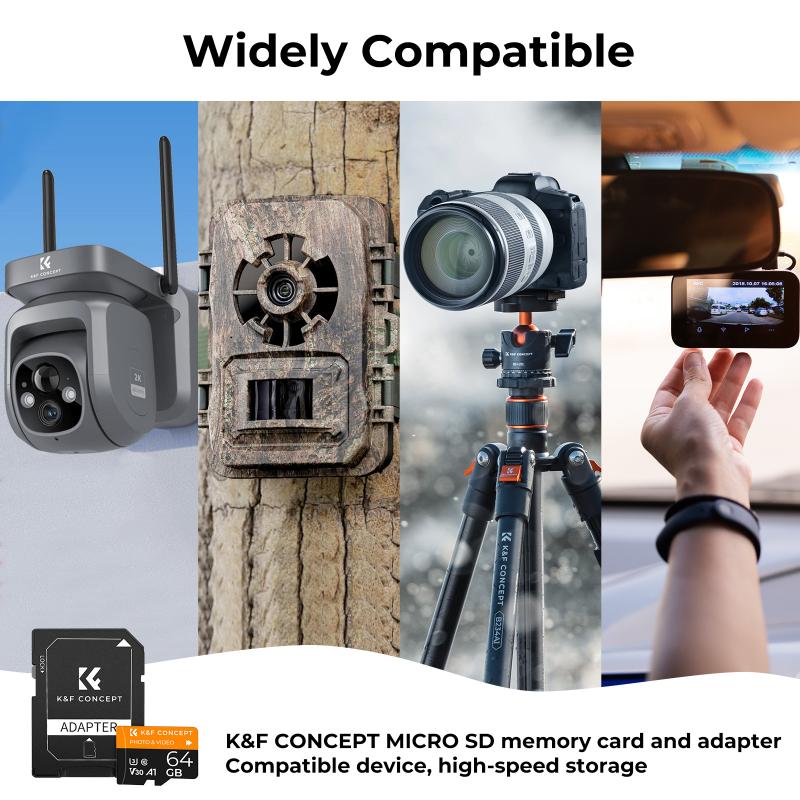
32GB Micro SD Card U3/V30/A1 with Adapter, Memory Card for Cameras, Borescopes,  Microscopes, Night Vision Goggles, Kentfaith
32GB Micro SD Card U3/V30/A1 with Adapter, Memory Card for Cameras, Borescopes, Microscopes, Night Vision Goggles, Kentfaith
$19.99 $15.99
64GB Micro SD Card U3/V30/A1 with Adapter, Memory Card for Cameras, Borescopes,  Microscopes, Night Vision Goggles, Kentfaith
64GB Micro SD Card U3/V30/A1 with Adapter, Memory Card for Cameras, Borescopes, Microscopes, Night Vision Goggles, Kentfaith
$23.75 $23.73
4K 32MP Hunting Camera, 100° Wide Motion Sensor 0.2s Trigger IP67 Waterproof, 2.31" Display, with 64G SD Card +Card Reader
$114.99
Digital Mini Microscope for Kids, 100x-1000x Handheld Microscope with 32GB SD Card & Battery
32
$92.99 $65.99
Products You May Like
best batteries for trail cameras
10
$135.99 $106.99
52-58mm Step Up Ring Aviation-grade Aluminum Filter Adapter Ring 2-pack with a Cleaning Cloth
100
$5.99
DJI Osmo Pocket 3 Magnetic Clear-Natural Night Filter - Light Pollution Reduction Filter for Night City Sky / Star Shots, Optical Glass / HD / Multi-Coated Filters
29
$19.99
58mm Circular Polarizer Filter with Lens Cap Optical Glass Ultra Slim 18 Multi-Layer Coatings Polarizing Filter for Camera Lens Nano-Klear Series
43
$26.99 $13.99
2m/6.6ft Small Inspection Camera with 1080P Image 2600mAh Battery 8 LED Light
16
$119.99 $41.99
Solar Wireless Security Camera 360° Outdoor Camera with Audio & Light Alert 2K Color Night Vision & 9600mAh Built-in Battery
23
$169.99 $55.99
K&F Concept 76.7 inch Camera Tripod with Rotatable Multi-Angle Center Column,Lightweight Travel Outdoor DSLR Tripods with 360 Degree Ball Head Load Capacity 8kg/17.6lbs, Cellphone Clips for Smartphone
158
$139.99 $64.99
Celluar Trail Cameras
9
$135.99 $74.99
Osmo action 3 hard shell travel suitcase DJI action 3 camera organizer black
$25.99 $20.99
DJI Osmo Action 4 & Osmo Action 5 Pro Action Camera Filter and Selfie Stick Kit, 4 Pack (CPL + ND8 + ND16 + ND32) Screw On Polarizing Neutral Density Filter HD Optical Glass / Multi-Coated / Metal Frame and Portable 2-in-1 Selfie Stick Tripod
$49.99
Related articles
How To Format A Sd Card In Linux?
How To Format Sd Card On Mobile?
How To Format Sd Card In Windows?
How To Format Sd Card On Tablet?
How To Format Sd Card On My Phone?
How To Format Sd Card On Gopro 10?
How To Format External Memory Card In Android?
How To Backup A Micro Sd Card?
How To Use A Sandisk Sd Card?
Can Traffic Cameras Flash?
Blog You May Like
How To Pack Your Camera Bag?
How To Put Headphones In Pc?
How To Turn On Camera And Microphone On Dell Laptop ?
Photography Camera Bag What Colour?
How To Adjust Tripod?
How To Write Protect An Sd Card?
How To Wifi Transfer Videos From Camera Canon?
Can I Use Gopro As Security Camera?
How Do You Install A Wireless Backup Camera?
How Can The Sun Damage A Camera Lens?
Related categories
A Mount Lens Adapter minolta a mount lenses camera card memory C mount lens adapter CPL polarizer filter 55mm lens filter
Popular products
portable sd card reader 64Gb Micro Sd Memory Card 32gb sd flash memory card 4k sd memory card Full Size Sd Memory Card sd memory card carrying case 64gb memory card micro surveillance memory card magnetic memory card gaming video camera
Related searches
Format Sd Card For Video Camera Micro To Sd Card Adapter Sd Card Cameras Sd Card Recorder Standard Sd Card Internal Sd Card Sd Card Security Cameras Camera Sd Card Holder Micro Sd Card Adapters Canon Sd Card Adapter
Popular searches
Adapt 35mm To Digital Lens Leica M Mount Lens List Sony Xav V631bt Adapter Nikon Coolpix B500 Lens Adapter Motion Video Camera Outdoor Mount Adapter Ef Eos R Smc Pentax-f 1 7x Af Adapter Nikon F Bayonet Mount Vs F Mount Diffusion Filter 49mm Smart Phone Watch Battery
Blog Category
  • Activities
  • Guide
    • Filter Guide
    • Lens Adapter
    • Product Review
  • News & Reviews
    • Camera Reviews
    • Sample Gallery
    • News
  • Tutorials
    • Solar eclipse photography
    • Photography Basics
    • Landscape Photography
  • Inspiration
    • Travel
    • Travel Stories
Search Article
Latest from the Blog
What Is Nd Filter On Video Camera?
How To Find Camera Roll On Iphone 5s?
How To Place Cameras Around Your House?
ND Filter: The Complete Guide to Neutral Density Filters for Photography and Video
What To Look For In A Dash Cam?
UV Filter: Everything You Need to Know About UV Protection Lens Filters
How Do Metal Detectors Work? A Complete Guide for Beginners and Pros
How To Make Your Eyes Flash On Camera?
Black Friday 2025 Special at Kentfaith
How To Make A Camera Flash After Effects?
  • Easy Payment Multilple Payment Options

  • Free Shipping Global WareHouse Shipment

  • No Risk 30-Day No Reason Return

  • Limited Deals Buy More, Save More

  • Tax Free No any surcharges or tax fee

Information
  • About us
  • Contact Us
  • Site Map
  • Blog
  • Video
  • Gallery
  • VIP Membership Rewards
Service
  • Privacy Policy
  • Terms & Conditions
  • Shipping & Delivery
  • Payment Info
  • Warranty, Return & Refund
  • Intellectual Property Rights
  • Ambassador
  • Affiliates
  • Wholesale
Support
  • My account
  • Order History
  • FAQs
  • Extend Warranty
  • Logistics Tracking
Follow us
NewsLetter

Get the latest product, K&F Concept respects your privacy.

Powered By KENTFAITH © 2025