kfconcept

KENTFAITH
K&F Concept    Blog >

Enjoy Your Selected Digital Life

Recently Viewed
  • Recently Viewed
  • 72mm Black Mist 1/4 + ND8-128 Variable ND Filter with Double-sided 28-layer Anti-reflection Green Film and Lever Nano-Xcel Series
    72mm Black Mist 1/4 + ND8-128 Variable ND Filter with Double-sided 28-layer Anti-reflection Green Film and Lever Nano-Xcel Series
    $84.99
    K&F Concept Bellows Camera Power Bellows Cleaning Equipped with Long Spouts with Soft Silicone Tip of Lens, Camera, Sensor, DSLR, Keyboard, Optics, White
    K&F Concept Bellows Camera Power Bellows Cleaning Equipped with Long Spouts with Soft Silicone Tip of Lens, Camera, Sensor, DSLR, Keyboard, Optics, White
    $20.99
Compare (0) 0
  • Compare
  • You have not chosen any products to compare.

  • Compare
Currency: USD
  • Currency
Shop by Scene Shop by Rank

Log Into Your Account

Account

Order History

Wish List

Login

Forgotten Password?

Or connect with

Register Account

Already have an Account?Log In

  • Shopping Cart
  • Your shopping cart is empty!

  • Register/Login to purchase, earn points
  • Favorite
  • Your wish list is empty.

  • Register/Login to like, earn points
  • Activities
  • Guide
    • Filter Guide
    • Lens Adapter
    • Product Review
  • News & Reviews
    • Camera Reviews
    • Sample Gallery
    • News
  • Tutorials
    • Solar eclipse photography
    • Photography Basics
    • Landscape Photography
  • Inspiration
    • Travel
    • Travel Stories
  • Home
  • Blog
  • How To Make Monopod Selfie Stick Work?

How To Make Monopod Selfie Stick Work?

Kentfaith 2024-11-05 01:54:58 0 Comments

Selfie sticks have become a staple accessory for smartphone users worldwide, allowing individuals to capture wide-angle selfies, group photos, and scenic shots with ease. However, despite their prevalence, many users find themselves struggling with the setup, connection, and usage of their monopod selfie sticks. This detailed guide aims to demystify the process and provide comprehensive steps to make your monopod selfie stick work seamlessly.

Understanding Your Monopod Selfie Stick
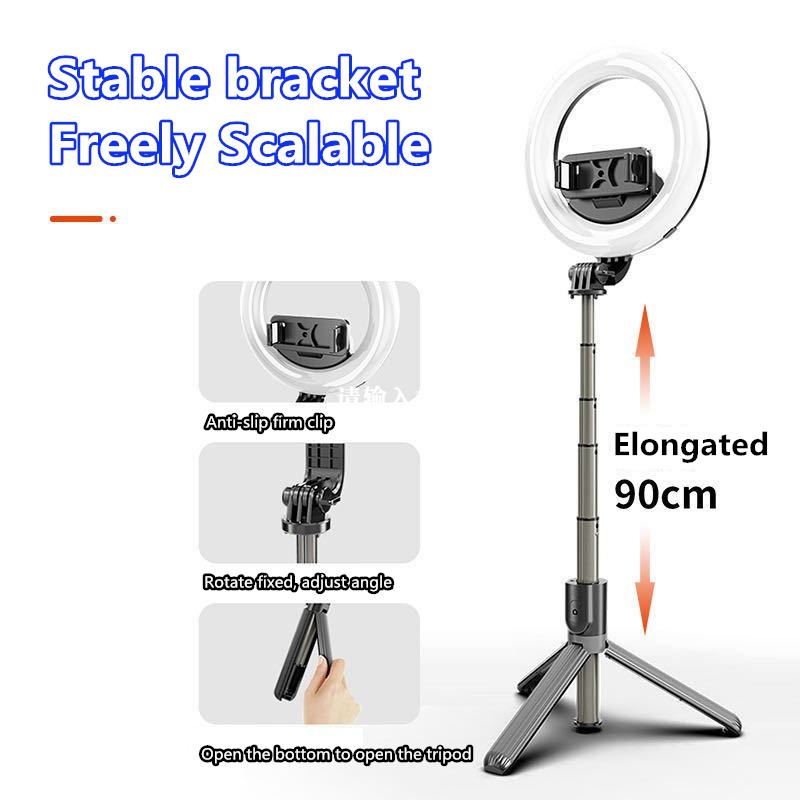
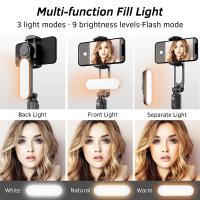
how to make monopod selfie stick work 1

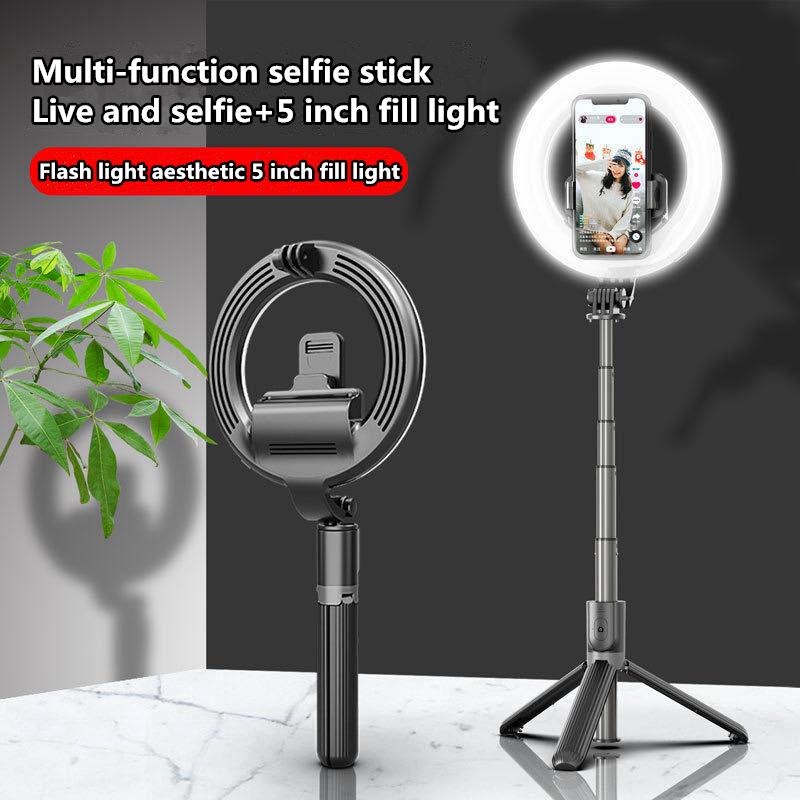
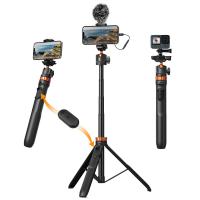
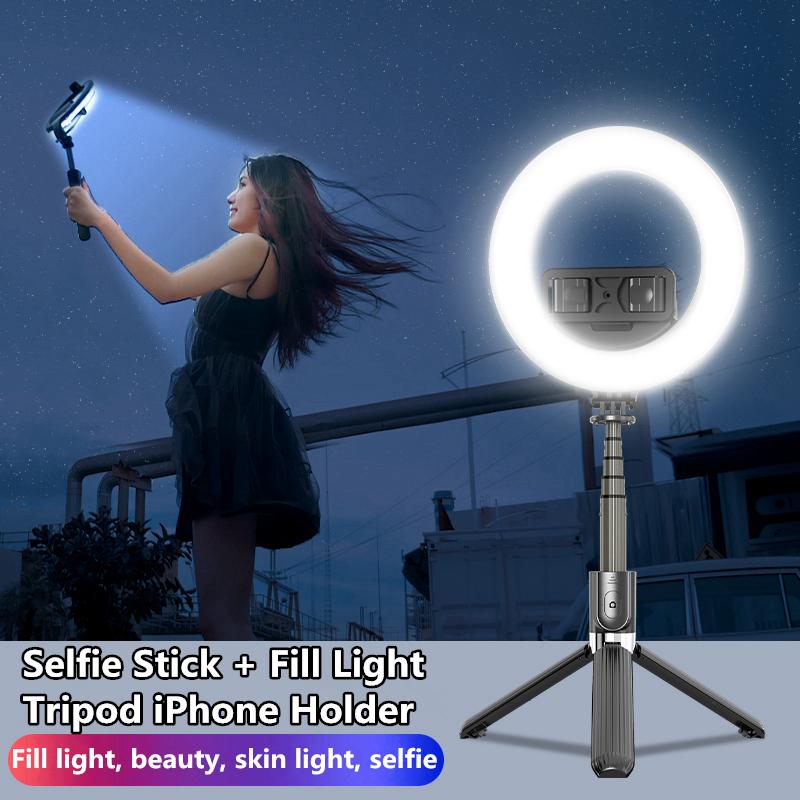
Before diving into the setup process, it’s essential to familiarize yourself with the components of your selfie stick:

1. Handle/Grip: The base you hold, often housing the battery or cord.

2. Telescopic Pole: Extends to increase the distance between the phone and the user.

3. Phone Mount: Holds the smartphone in place.

4. Button/Shutter Control: Triggers the camera; this can be integrated into the handle or may come as a separate remote.

Selfie sticks can broadly be categorized into two types:

- Wired: Connects to your phone via a headphone jack.

- Bluetooth: Connects wirelessly to your phone via Bluetooth.

Step-by-Step Guide to Setting Up Your Monopod Selfie Stick
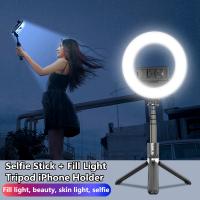
how to make monopod selfie stick work 2

1. Setting Up a Wired Selfie Stick

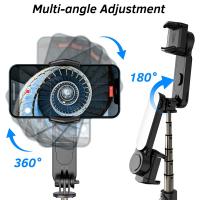
how to make monopod selfie stick work 3

Wired selfie sticks tend to be more straightforward to set up. Here’s a step-by-step process:

1. Extend the Stick: Gently extend the telescopic pole to your desired length.

2. Attach Your Phone: Secure your smartphone in the phone mount at the top of the stick, ensuring it’s firmly in place.

3. Connect the Cable: Insert the headphone jack-like cable into your phone’s headphone port.

4. Open the Camera App: Launch your phone’s camera application.

5. Take a Photo: Press the shutter button on the handle of the selfie stick. If it doesn’t work, you may need to adjust some settings (discussed in troubleshooting).

2. Setting Up a Bluetooth Selfie Stick
how to make monopod selfie stick work 4

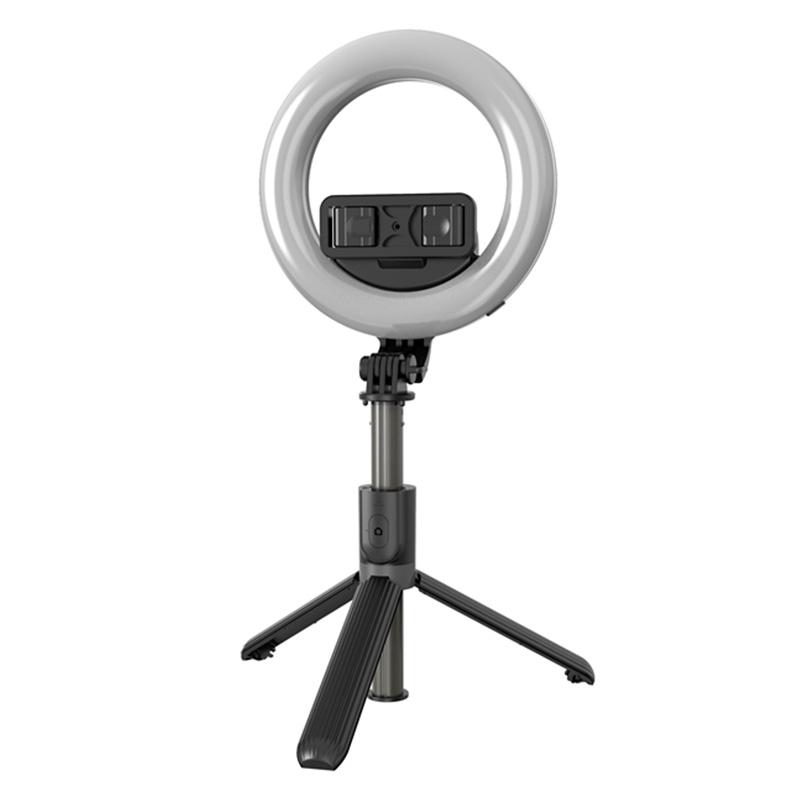
Bluetooth selfie sticks offer more flexibility as they eliminate the need for a cord. Here’s how to set it up:

1. Charge the Stick: Ensure your selfie stick is fully charged before use. Usually, an LED indicator will signal when it’s ready.

2. Extend the Stick: Extend the telescopic pole to the required length without forcing it.

3. Attach Your Phone: Safely secure your smartphone in the phone mount.

4. Pair with Your Phone: Activate Bluetooth on your phone and turn on the selfie stick. Search for available devices on your phone and select the selfie stick from the list.

5. Open the Camera App: Launch the camera app on your phone.

6. Take a Photo: Press the Bluetooth pairing button or the dedicated shutter button on the stick.

Troubleshooting Common Issues

There are instances where your selfie stick might not function as expected. Here’s how you can tackle some common issues:

Issues with Wired Selfie Sticks:

- No Response to Shutter Button:

- Check if the cable is properly inserted into your phone’s headphone jack.

- Ensure that your device’s settings allow for volume-button shutter control (especially on Android).

- Shutter Button Not Working (For iPhones):

- Sometimes, you need to enable the volume button to act as a shutter in your camera settings if it isn't working by default.

Issues with Bluetooth Selfie Sticks:

- Bluetooth Pairing Problems:

- Ensure your selfie stick is discoverable. Sometimes holding the power button for a few extra seconds can restart the pairing process.

- Remove any previously paired devices from your phone’s Bluetooth list and retry.

- Lag or Delay in Shutter Response:

- Ensure the distance between your phone and selfie stick is optimal and there are no obstructions.

- Device Compatibility:

- Some selfie sticks may not be compatible with all smartphone models. Checking the product specifications can help avoid such issues.

Tips for Optimal Use of Monopod Selfie Sticks

1. Maintaining Stability: A steady hand is crucial. Using the selfie stick’s wrist strap (if available) can provide additional stability.

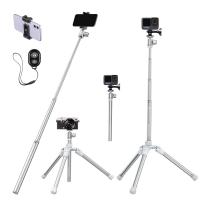
2. Using Tripod Stands: Some advanced models come with detachable tripod stands. These are perfect for shooting videos or taking timed photos.

3. Camera Angles: Experiment with different angles. Tilting the phone mount can help capture a variety of perspectives.

4. Lighting: Always be mindful of your lighting conditions. Natural light can significantly enhance the quality of your photos.

Advanced Features

Many modern selfie sticks come with additional features:

- Integrated Zoom Controls: Some sticks have built-in zoom buttons to help frame the perfect shot.

- Rotatable Mounts: Allows for both portrait and landscape photos without needing to reattach the phone.

Safety Precautions

1. Phone Security: Always double-check the tightness of your phone mount clamp to prevent your phone from slipping or falling.

2. Environmental Awareness: Be cautious of your surroundings to avoid accidents or disturbing others, especially in crowded places.

3. Battery Management: For Bluetooth sticks, always keep an eye on battery levels to ensure it’s charged when you need it.

Final Thoughts

In the era of social media and instant sharing, having a functional monopod selfie stick can significantly enhance your experience, allowing you to capture memorable moments effortlessly. By understanding the setup process and following the step-by-step devices highlighted above, you can avoid common pitfalls and ensure that your selfie stick works efficiently. Whether you’re capturing scenic views or taking group photos with friends, the right selfie stick can make all the difference, turning you from an amateur into a pro at capturing the perfect shot.

By being proactive in troubleshooting and mindful of best practices, you can enjoy a seamless and enjoyable photography experience with your monopod selfie stick, ensuring all your adventures are well-documented and Instagram-ready.
Leave your comment
Cancel reply
Note: HTML is not translated!
Related products
60 inch Invisible Selfie Stick, Extension Pole compatiable with Insta360 Sports Camera, GoPro, DJI Action, 1/4" Extended Monopod Pole with GoPro Adapter
11
$25.99
K&F Concept Invisible Selfie Stick, Extension Long Pole(120cm/47.2in) for Insta360 DJI Osmo 360 Sports Camera GoPro DJI Action, 1/4" Extended Monopod with GoPro Adapter.
4
$47.99 $23.99
K&F Concept Invisible Selfie Stick, Extension Carbon Long Pole(127cm/50in) for Insta360 Sports Camera GoPro DJI Action, 1/4" Extended Monopod with GoPro Adapter and Wrist Strap.
18
$55.99 $32.99
Cell Phone Tripod MS02 13.4''/34cm bluetooth selfie stick Desktop Stand Orange Gray
97
$29.99 $21.99
MS04 62''/1.58m Tripod Phone Selfie Stick, Black And Orange With Bluetooth Remote Control + Gopro Adapter
107
$49.99 $29.99
DJI Osmo Action 4 & Osmo Action 5 Pro Action Camera Filter and Selfie Stick Kit, 4 Pack (CPL + ND8 + ND16 + ND32) Screw On Polarizing Neutral Density Filter HD Optical Glass / Multi-Coated / Metal Frame and Portable 2-in-1 Selfie Stick Tripod
$49.99
67''/170cm Eccentric Tube Cellphone Tripod, Lightweight Super Portable Selfie Stick, DSLR Camera Tripod E224A3+BH-18 Silver
36
$89.99 $49.99
67''/1.7m Eccentric Tube Cellphone Tripod, Lightweight Super Portable Selfie Stick, DSLR Camera Tripod E224A3+BH-18 Black
36
$85.99 $49.99
MS03 13''/33cm Action Camera Mounts Selfie Stick Desktop Stand (Small Size) For Gopro, Action, And Insta Black Orange
5
$37.99 $18.99
Products You May Like
WIFI solar security camera System Floodlight PTZ Camera PIR human sensor + 2-Way Audio Built-in Battery 10400mAh 2K Infrared Night Vision 12m/39ft
730
$177.99 $133.99
Time Lapse Camera Outdoor Construction/Plant/Weather/Life 1080P, 2.4" HD TFT LCD, Waterproof Level IP66, 6 Month Battery Life, 32GB TF Card Included
51
$269.99 $179.99
K&F Concept KU04 49mm MC UV Filter Slim Design For DSLR
22
$23.99 $11.99
Low Glow Trail Camera
10
$162.99 $106.99
40.5mm ND Filters ND1000 (10 Stops) Lens Filter 28 Multi-Layer Coatings Waterproof Scratch Resistant Super Slim for Camera Lens (Nano-Xcel Series)
91
$28.99 $22.99
Portable eclipse Set-Include 52mm Solar Filter + KF09.123 Carbon Fiber Tripod + KF13.087AV6 Camera Backpack + KF28.0024 6700mAh V Mount Battery
100
$651.99 $342.99
58mm Fisheye Lens 0.45X HD Wide Angle with Macro Close Up
6
$20.63
1080P 160" Portable Mini Projector with LED 4000 Lumen Work with TV Laptops PC PS4 HDMI USB, UK Standard
4
$143.99
TAM-L Manual Focus Compatible with Tamron Adaptall (Adaptall-2) Lens to L Mount Camera Body Lens Mount Adapter
80
$53.99 $29.99
MD-L Manual Focus Compatible with Minolta Rokkor (SR/MD/MC) Lens to L Mount Camera Body Lens Mount Adapter
80
$53.99 $29.99
Related articles
How To Make Your Selfie Stick Invisible?
How To Use Selfie Monopod With Remote?
How Does Selfie Stick Work With Headphone Jack?
How Does A Selfie Stick Work With Remote?
How To Connect My Selfie Stick?
How To Connect Selfie Stick Shutter?
How To Fix Selfie Stick Button?
How To Use Camera Selfie Stick?
How To Use Audio Jack Selfie Stick?
What Does 10x25 Mean In Binoculars?
Blog You May Like
What's A Digital Camera?
Where To Buy Ring Light For Phone?
When Did The Digital Camera Start Being Used?
How To Get Sound On Screen Recordings?
How To Hard Wire A Dash Cam?
Can Traffic Cameras Flash?
Professional Photographers Use What Camera Strap?
Where Does Sound Recorder Store?
Why Are My Beats Headphones Blinking White ?
How To Install Micro Sdhc Memory Card?
Related categories
Monopod C mount lens adapter m4/3 adapter DJI Mini 3 Pro filter camera lens uv filter filter adapter ring streaming video camera 2 in 1 Filter
Popular products
mirrorless selfie stick phone tripod selfie stick insta 360 camera case 1080p pocket projector 1080p projector tv camcorder full hd 1080p camera selfie stick tripod safe selfie stick mi selfie stick tripod black dji osmo action camera selfie stick
Related searches
Gopro Selfie Stick Selfie Stick Bluetooth Small Selfie Stick Selfie Stick Tripod Selfie Stick Battery Phone Selfie Stick Selfie Stick Stand Magsafe Selfie Stick Dji Selfie Stick Portable Selfie Stick
Popular searches
Cosina Ct 1 Lens Mount Gimbal Adapter For Sony X3000 Bore Scope For Phone Hama M42 Nikon Adapter 46 Mm Nd Filter Nikon Coolpix Slide Adapter Sony A To Mft Adapter House Video Camera Compact Night Vision Monocular Bayonet Lens Mount Minolta
Blog Category
  • Activities
  • Guide
    • Filter Guide
    • Lens Adapter
    • Product Review
  • News & Reviews
    • Camera Reviews
    • Sample Gallery
    • News
  • Tutorials
    • Solar eclipse photography
    • Photography Basics
    • Landscape Photography
  • Inspiration
    • Travel
    • Travel Stories
Search Article
Latest from the Blog
How Does a WiFi Trail Camera Work?
Camera That Can Wifi Photos To Phone?
Neutral Density Filter: The Ultimate Guide for Photographers and Videographers
Can Security Cameras Detect Motion Through Glass?
Black Friday 2025 Special at Kentfaith
What Is Surveillance Camera Control System?
What Does Tripod?
What Is Nd Filter On Video Camera?
How To Make Your Eyes Flash On Camera?
Camera Use Which Lens?
  • Easy Payment Multilple Payment Options

  • Free Shipping Global WareHouse Shipment

  • No Risk 30-Day No Reason Return

  • Limited Deals Buy More, Save More

  • Tax Free No any surcharges or tax fee

Information
  • About us
  • Contact Us
  • Site Map
  • Blog
  • Video
  • Gallery
  • VIP Membership Rewards
Service
  • Privacy Policy
  • Terms & Conditions
  • Shipping & Delivery
  • Payment Info
  • Warranty, Return & Refund
  • Intellectual Property Rights
  • Ambassador
  • Affiliates
  • Wholesale
Support
  • My account
  • Order History
  • FAQs
  • Extend Warranty
  • Logistics Tracking
Follow us
NewsLetter

Get the latest product, K&F Concept respects your privacy.
Powered By KENTFAITH © 2025