kfconcept

KENTFAITH
K&F Concept    Blog >

Enjoy Your Selected Digital Life

Recently Viewed
  • Recently Viewed
  • Recently Viewed list is empty.

Compare (0) 0
  • Compare
  • You have not chosen any products to compare.

  • Compare
Currency: USD
  • Currency
Shop by Scene Shop by Rank

Log Into Your Account

Account

Order History

Wish List

Login

Forgotten Password?

Or connect with

Register Account

Already have an Account?Log In

  • Shopping Cart
  • Your shopping cart is empty!

  • Register/Login to purchase, earn points
  • Favorite
  • Your wish list is empty.

  • Register/Login to like, earn points
  • Activities
  • Guide
    • Filter Guide
    • Lens Adapter
    • Product Review
  • News & Reviews
    • Camera Reviews
    • Sample Gallery
    • News
  • Tutorials
    • Solar eclipse photography
    • Photography Basics
    • Landscape Photography
  • Inspiration
    • Travel
    • Travel Stories
  • Home
  • Blog
  • How To Use Audio Jack Selfie Stick?

How To Use Audio Jack Selfie Stick?

Kentfaith 2024-08-02 02:23:38 0 Comments

Selfie sticks have become an essential accessory for many smartphone users, especially those who love capturing moments on the go. Among the various types of selfie sticks available, the audio jack selfie stick stands out due to its simplicity and ease of use. This article will guide you through the process of using an audio jack selfie stick, addressing common issues, and providing tips for getting the best results.

Understanding the Audio Jack Selfie Stick
how to use audio jack selfie stick 1

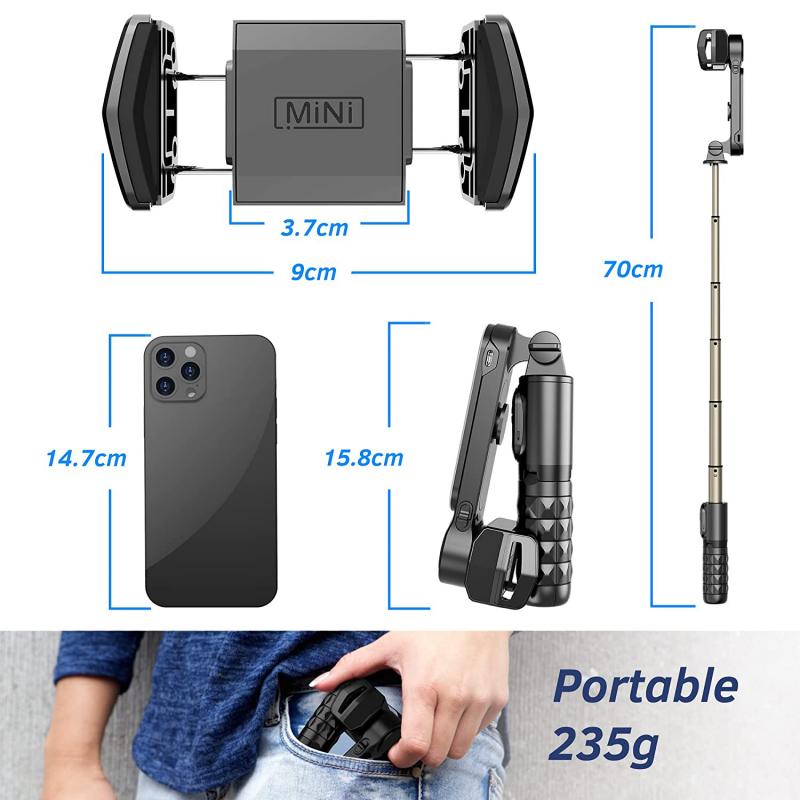
An audio jack selfie stick is a type of selfie stick that connects to your smartphone via the 3.5mm headphone jack. Unlike Bluetooth selfie sticks, which require pairing and charging, audio jack selfie sticks are plug-and-play devices. They typically feature a button on the handle that, when pressed, sends a signal through the audio jack to trigger the camera shutter on your phone.

Step-by-Step Guide to Using an Audio Jack Selfie Stick
how to use audio jack selfie stick 2

1. Check Compatibility

Before using an audio jack selfie stick, ensure that your smartphone is compatible. Most modern smartphones support this feature, but it’s always good to double-check. Some newer phones without a headphone jack will require an adapter.

2. Connect the Audio Jack

Insert the 3.5mm audio jack of the selfie stick into the headphone port of your smartphone. If your phone does not have a headphone jack, use the appropriate adapter to connect the selfie stick.

3. Secure Your Phone

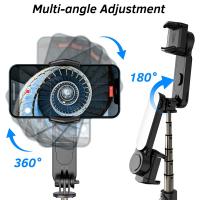
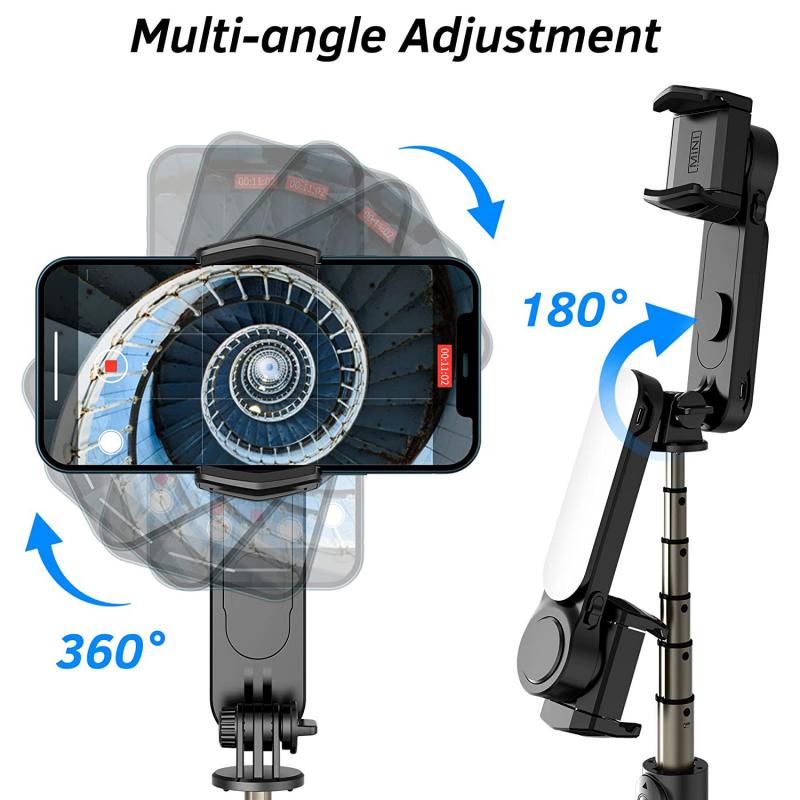
Extend the clamp on the selfie stick and securely place your smartphone in it. Make sure the phone is held firmly to avoid any accidental drops.

4. Open the Camera App

Open the camera application on your smartphone. Most default camera apps will automatically recognize the selfie stick and allow you to use the button on the stick to take photos.

5. Adjust the Stick

Extend the selfie stick to your desired length. Most selfie sticks have a telescopic design, allowing you to adjust the length to capture the perfect shot.

6. Take the Photo

Position the selfie stick to frame your shot. Press the button on the handle of the selfie stick to take a photo. The button sends a signal through the audio jack, triggering the camera shutter.

Troubleshooting Common Issues
how to use audio jack selfie stick 3

Issue 1: The Button Doesn’t Work

- Solution: Ensure that the audio jack is fully inserted into the headphone port. Sometimes, a loose connection can prevent the button from working. Also, check if your camera app supports external shutter buttons. If not, try downloading a third-party camera app that does.

Issue 2: The Phone Falls Out of the Clamp

- Solution: Make sure the clamp is adjusted to fit your phone snugly. If the clamp is too loose, your phone may fall out. Some selfie sticks come with adjustable clamps that can be tightened to secure your phone better.

Issue 3: The Camera App Doesn’t Recognize the Selfie Stick

- Solution: Restart your camera app or your phone. If the problem persists, check for any software updates for your camera app or phone. Sometimes, compatibility issues can be resolved with an update.

Tips for Getting the Best Results
how to use audio jack selfie stick 4

1. Use a Timer

Using a timer can help you avoid any shaking that might occur when pressing the button. Set a 3-5 second timer to give yourself enough time to stabilize the stick and pose for the photo.

2. Experiment with Angles

Don’t be afraid to experiment with different angles. The extendable nature of the selfie stick allows you to capture unique perspectives that you wouldn’t be able to achieve with just your arm.

3. Use the Rear Camera

While it might be tempting to use the front camera for selfies, the rear camera usually offers better resolution and quality. Use the rear camera for higher-quality photos, and use the front camera for quick, casual shots.

4. Be Mindful of Your Surroundings

When using a selfie stick in public places, be mindful of your surroundings. Ensure you’re not obstructing pathways or causing inconvenience to others. Also, be cautious of your phone’s security, especially in crowded areas.

Advanced Techniques

1. Panoramic Shots

Use the selfie stick to capture panoramic shots. Extend the stick fully and slowly move it from one side to the other while keeping the camera steady. This technique works well for capturing wide landscapes or large groups of people.

2. Video Recording

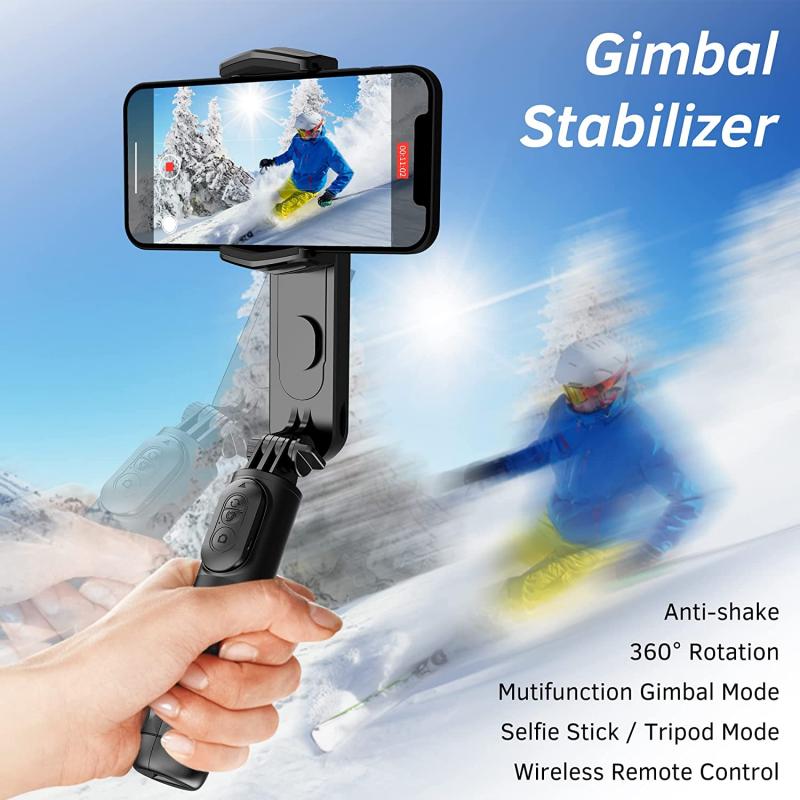
The audio jack selfie stick can also be used for video recording. Use it to capture steady, smooth videos by holding the stick with both hands. This method is particularly useful for vlogging or recording events.

3. Group Photos

For group photos, extend the selfie stick to its maximum length and position it at an angle that captures everyone in the frame. Use the timer function to give everyone enough time to get ready.

Using an audio jack selfie stick is a straightforward and effective way to enhance your photography experience. By following the steps outlined in this guide, you can easily set up and use your selfie stick to capture stunning photos and videos. Remember to troubleshoot any issues that arise and experiment with different techniques to get the best results. With a little practice, you’ll be able to take your selfie game to the next level and capture memories that last a lifetime.
Leave your comment
Cancel reply
Note: HTML is not translated!
Related products
Cell Phone Tripod MS02 13.4''/34cm bluetooth selfie stick Desktop Stand Orange Gray
97
$29.99 $21.99
MS04 62''/1.58m Tripod Phone Selfie Stick, Black And Orange With Bluetooth Remote Control + Gopro Adapter
107
$49.99 $29.99
DJI Osmo Action 4 & Osmo Action 5 Pro Action Camera Filter and Selfie Stick Kit, 4 Pack (CPL + ND8 + ND16 + ND32) Screw On Polarizing Neutral Density Filter HD Optical Glass / Multi-Coated / Metal Frame and Portable 2-in-1 Selfie Stick Tripod
$49.99
67''/170cm Eccentric Tube Cellphone Tripod, Lightweight Super Portable Selfie Stick, DSLR Camera Tripod E224A3+BH-18 Silver
36
$89.99 $49.99
67''/1.7m Eccentric Tube Cellphone Tripod, Lightweight Super Portable Selfie Stick, DSLR Camera Tripod E224A3+BH-18 Black
36
$85.99 $49.99
MS03 13''/33cm Action Camera Mounts Selfie Stick Desktop Stand (Small Size) For Gopro, Action, And Insta Black Orange
5
$37.99 $18.99
63'' Magnetic Iphone Tripod Phone Selfie Stick Tripod And Clip-On ND Filter(1-9 stops) For All Phone Set
207
$113.99 $59.99
23.6‘’/60cm 3 in 1 selfie stick desktop stand with ball head + mobile phone holder + GoPro adapter + Bluetooth remote control MS11
45
$37.99 $23.99
60 inch Invisible Selfie Stick, Extension Pole compatiable with Insta360 Sports Camera, GoPro, DJI Action, 1/4" Extended Monopod Pole with GoPro Adapter
11
$25.99
Products You May Like
58mm Star Filters 3pcs Set 4+6+8 Points Cross Screen Starburst Filter Special Effect Camera Lens Filter 18 Layer Coating with 3 Cleaning Cloth
58
$32.99 $26.99
1296P 24MP Wildlife Camera, Trail Camera with 120°Wide-Angle Motion Latest Sensor View 0.2s Trigger Time IP66 Waterproof|white rock
$71.99
BF-UV5R (third generation UV-5R) 5W dual-band two-way radio (136-174MHz VHF and 400-520MHz UHF) 1800mAh long battery life (USB connector)
597
$51.99
90 inch /2.3m Camera Tripods magnesium aluminum  alloy tripods Reversible Detachable Monopod Plate Lock Transverse Center Column horizontal 360 ° panoramic BH-28L head (orange)
90 inch /2.3m Camera Tripods magnesium aluminum alloy tripods Reversible Detachable Monopod Plate Lock Transverse Center Column horizontal 360 ° panoramic BH-28L head (orange)
100
$199.99 $99.99
82mm Spiral Halo Camera Lens Filter Premium Optical Glass Halo Swirl Special Effect Filter Nano-B Series
26
$41.99 $29.69
4G home security cameras System 4G Wireless LTE cctv camera PIR human sensor + Built-in Battery 3000mAh 1080P Infrared Night Vision 8m/26ft EU Version(Only applicable to EU countries)
800
$95.99 $86.99
Hiding A Trail Camera
10
$162.99 $106.99
DJI Mini 3 Landing Gear Leg Foldable Extended Kit for DJI Mini 3 Accessories (Only for Mini 3)
$16.24 $12.99
Lens Mount Adapter MD-NEX IV Manual Focus Compatible with Minolta Rokkor (SR/MD/MC) Lens and Sony E Mount Camera Body
74
$70.99 $39.99
night vision trail camera
10
$135.99 $74.99
Related articles
How Does Selfie Stick Work With Headphone Jack?
How To Use Camera Selfie Stick?
How Use Button On Selfie Stick?
How To Use Selfie Stick For Video?
How To Use Selfie Stick With Iphone 10?
How To Use Selfie Stick With Shutter Button?
How Do You Use A Bluetooth Selfie Stick?
How To Connect My Selfie Stick?
How To Connect Selfie Stick Shutter?
How To Clean Camera Lens Canon?
Blog You May Like
When To Use A Camera Flash?
Speakers Making Noise When Radio Is Off?
Which Binoculars Are Best For Birding?
How To Make Solar Filter For Lens?
Telescope How Does It Work?
How To Use Camera Selfie Stick?
Can Mirrorless Camera Change Lens?
How To Use External Microphone Android Camera App ?
Can Surveillance Cameras Have Audio?
Can I Connect Iphone To Projector With Usb?
Related categories
C mount lens adapter m4/3 adapter battery operated outdoor security camera Sony A Mount Lens Adapters black pro mist 1 2 filter camera lens cap graduated neutral density lens filter Action Camera Mount 1/4 black pro mist filter
Popular products
mirrorless selfie stick phone tripod selfie stick insta 360 camera case camera selfie stick tripod safe selfie stick mi selfie stick tripod black dji osmo action camera selfie stick iphone 15 selfie stick supercardioid condenser microphone
Related searches
Gopro Selfie Stick Selfie Stick Bluetooth Small Selfie Stick Selfie Stick Tripod Selfie Stick Battery Phone Selfie Stick Selfie Stick Stand Magsafe Selfie Stick Dji Selfie Stick Portable Selfie Stick
Popular searches
Mft Adapter Minolta Af Canon Sx400 Lens Adapter Anamorphic Lens X Mount Smc Pentax-f 1 7x Af Adapter Ipad Tripod Holder 67mm Magnetic Nd Filter Ir Night Vision Monocular Polarizer Filter 82mm Vesa Adapter Kit For Sony W6 Rokinon 14mm Canon Mount
Blog Category
  • Activities
  • Guide
    • Filter Guide
    • Lens Adapter
    • Product Review
  • News & Reviews
    • Camera Reviews
    • Sample Gallery
    • News
  • Tutorials
    • Solar eclipse photography
    • Photography Basics
    • Landscape Photography
  • Inspiration
    • Travel
    • Travel Stories
Search Article
Latest from the Blog
How Do Trail Cameras Work? The Ultimate Guide to Trail Cameras
How Big A Memory Card For Camera?
Camera That Can Wifi Photos To Phone?
How Do Cellular Trail Cameras Work? – The Complete Guide for Hunters and Wildlife Enthusiasts
How To Remove Memory Card From Nikon Camera?
What Tripod To Buy?
What Is The Best Camera To Record Videos?
How To Fix The Straps On A Camera?
How Many Stops Is An Nd 8 Filter?
How To Stream Live From Surveillance Camera?
  • Easy Payment Multilple Payment Options

  • Free Shipping Global WareHouse Shipment

  • No Risk 30-Day No Reason Return

  • Limited Deals Buy More, Save More

  • Tax Free No any surcharges or tax fee

Information
  • About us
  • Contact Us
  • Site Map
  • Blog
  • Video
  • Gallery
  • VIP Membership Rewards
Service
  • Privacy Policy
  • Terms & Conditions
  • Shipping & Delivery
  • Payment Info
  • Warranty, Return & Refund
  • Intellectual Property Rights
  • Ambassador
  • Affiliates
  • Wholesale
Support
  • My account
  • Order History
  • FAQs
  • Extend Warranty
  • Logistics Tracking
Follow us
NewsLetter

Get the latest product, K&F Concept respects your privacy.

Powered By KENTFAITH © 2025