kfconcept

KENTFAITH
K&F Concept    Blog >

Enjoy Your Selected Digital Life

Recently Viewed
  • Recently Viewed
  • K&F Concept Go 3S Circular Polarizers CPL Filter, CPL Filter Compatible with Insta360 GO 3S Action Camera, Optical Glass with 28 Multi-Coated Filter, (NOT for Insta360 GO 3)
    K&F Concept Go 3S Circular Polarizers CPL Filter, CPL Filter Compatible with Insta360 GO 3S Action Camera, Optical Glass with 28 Multi-Coated Filter, (NOT for Insta360 GO 3)
    $19.99
    86mm ND2-32 (1-5 Stop) Variable ND Filter and CPL Circular Polarizing Filter 2 in 1 for Camera Lens Nano-Xcel Series
    86mm ND2-32 (1-5 Stop) Variable ND Filter and CPL Circular Polarizing Filter 2 in 1 for Camera Lens Nano-Xcel Series
    $159.99 $119.99
    USB condenser mic bracket set home computer recording game high sampling noise reduction monitoring wired microphone
    USB condenser mic bracket set home computer recording game high sampling noise reduction monitoring wired microphone
    $47.99
    AI Voice Recorder, Transcribe Summarize Translation, App Control, 40H Recording Time, 64GB Memory, Kentfaith
    AI Voice Recorder, Transcribe Summarize Translation, App Control, 40H Recording Time, 64GB Memory, Kentfaith
    $137.49 $109.99
    46mm Variable ND Filter (1-5 Stop)  and CPL Filter 2 in 1 for Camera Filter Lens Nano-Klear Series
    46mm Variable ND Filter (1-5 Stop) and CPL Filter 2 in 1 for Camera Filter Lens Nano-Klear Series
    $46.99 $37.49
    37mm ND2-32 (1-5 Stop) Variable ND Filter and CPL Circular Polarizing Filter 2 in 1 for Camera Lens Nano-Xcel Series
    37mm ND2-32 (1-5 Stop) Variable ND Filter and CPL Circular Polarizing Filter 2 in 1 for Camera Lens Nano-Xcel Series
    $78.99 $62.99
    72mm Variable ND Filter (1-5 Stop)  and CPL Filter 2 in 1 for Camera Filter Lens Nano-Klear Series
    72mm Variable ND Filter (1-5 Stop) and CPL Filter 2 in 1 for Camera Filter Lens Nano-Klear Series
    $62.99 $49.99
    Variable ND2-32 Filter Compatible with DJI Osmo Action 5 Pro/Osmo Action 4/Osmo Action 3, Snap-on Installation, no need to remove the original filter
    Variable ND2-32 Filter Compatible with DJI Osmo Action 5 Pro/Osmo Action 4/Osmo Action 3, Snap-on Installation, no need to remove the original filter
    $24.99
    95mm ND2-32 (1-5 Stop) Variable ND Filter and CPL Circular Polarizing Filter 2 in 1 for Camera Lens Nano-Xcel Series
    95mm ND2-32 (1-5 Stop) Variable ND Filter and CPL Circular Polarizing Filter 2 in 1 for Camera Lens Nano-Xcel Series
    $157.99 $125.99
    50X-2000X Digital Microscope, 500W Pixel, HD Visual WiFi Digital Microscope, Portable Microscope
    50X-2000X Digital Microscope, 500W Pixel, HD Visual WiFi Digital Microscope, Portable Microscope
    $151.19 $95.99
Compare (0) 0
  • Compare
  • You have not chosen any products to compare.

  • Compare
Currency: USD
  • Currency
Shop by Scene Shop by Rank

Log Into Your Account

Account

Order History

Wish List

Login

Forgotten Password?

Or connect with

Register Account

Already have an Account?Log In

  • Shopping Cart
  • Your shopping cart is empty!

  • Register/Login to purchase, earn points
  • Favorite
  • Your wish list is empty.

  • Register/Login to like, earn points
  • Activities
  • Guide
    • Filter Guide
    • Lens Adapter
    • Product Review
  • News & Reviews
    • Camera Reviews
    • Sample Gallery
    • News
  • Tutorials
    • Solar eclipse photography
    • Photography Basics
    • Landscape Photography
  • Inspiration
    • Travel
    • Travel Stories
  • Home
  • Blog
  • How To Use Selfie Stick With Shutter Button?

How To Use Selfie Stick With Shutter Button?

Kentfaith 2024-10-14 01:09:45 0 Comments

Using a selfie stick with a shutter button can greatly enhance your photo-taking experience, giving you more control and flexibility for capturing moments. While it may seem straightforward, proper understanding and usage can maximize benefits and diminish potential issues. Here, we will dive into the steps and tips necessary to perfect using a selfie stick with a shutter button. We will also address common problems and provide solutions, ensuring you're well-prepared for all your photography adventures.

What Is a Selfie Stick with a Shutter Button?
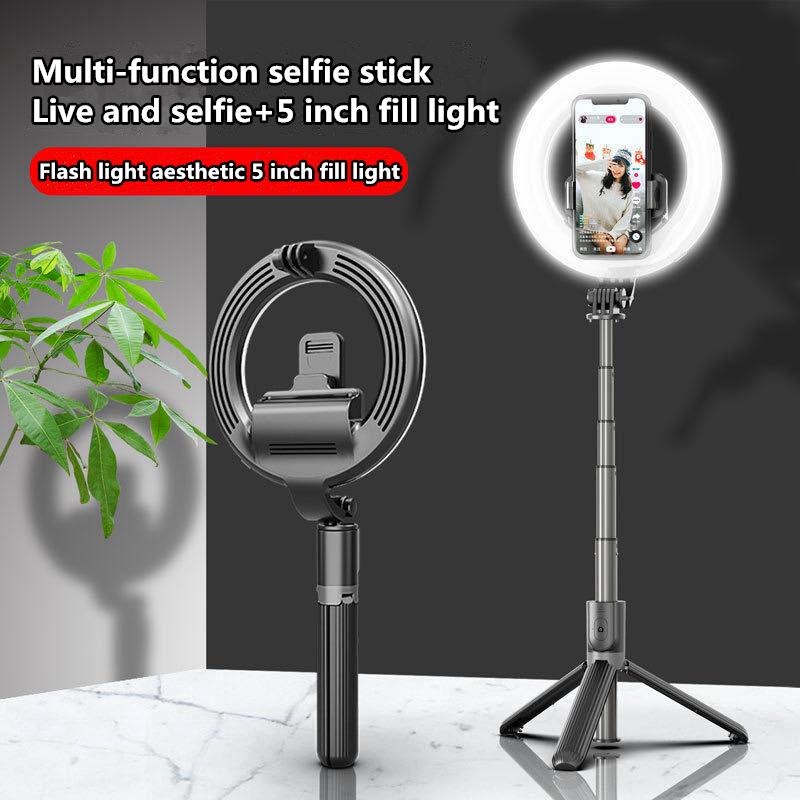
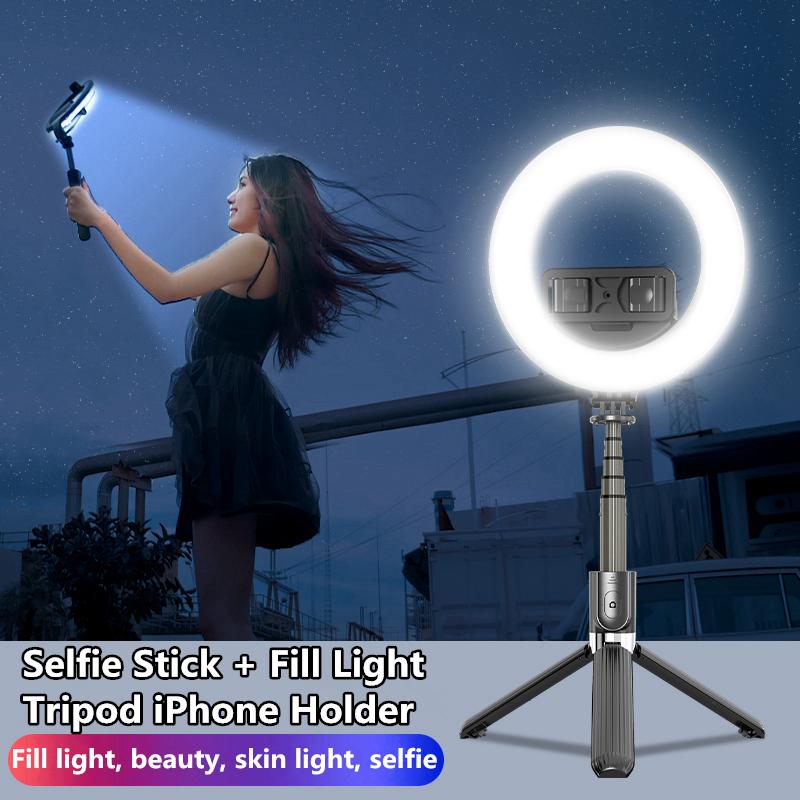
how to use selfie stick with shutter button 1

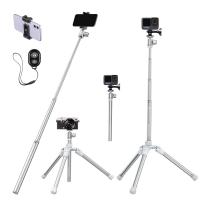
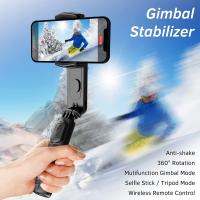
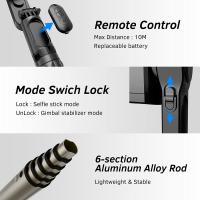
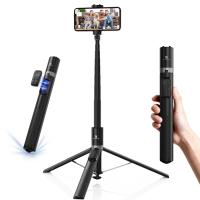
A selfie stick with a shutter button is a device that combines the extendable arm of a traditional selfie stick with a built-in shutter control. The shutter button, usually located on the handle, enables you to take photos remotely without having to touch your smartphone. This feature can either be connected via Bluetooth or a wired connection depending on the model.

Types of Selfie Sticks with Shutter Buttons
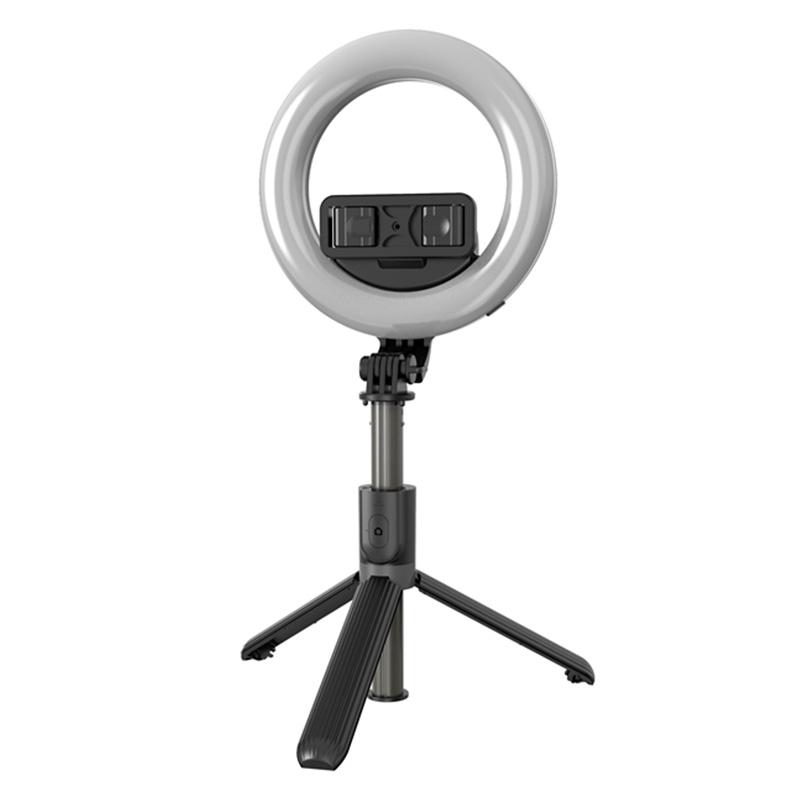
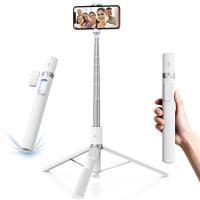
how to use selfie stick with shutter button 2

1. Wired Selfie Sticks:

- Connection: These sticks have a wire that connects to your smartphone’s headphone jack or charging port.

- Ease of Use: Generally simple to set up and use.

- Compatibility: May not be compatible with all smartphones, especially newer models that lack headphone jacks.

2. Bluetooth Selfie Sticks:

- Connection: These sticks pair with your smartphone via Bluetooth.

- Portability: No wires make them more convenient to carry and use.

- Battery: Requires charging, adding another device to keep charged.

Step-by-Step Guide to Using Your Selfie Stick
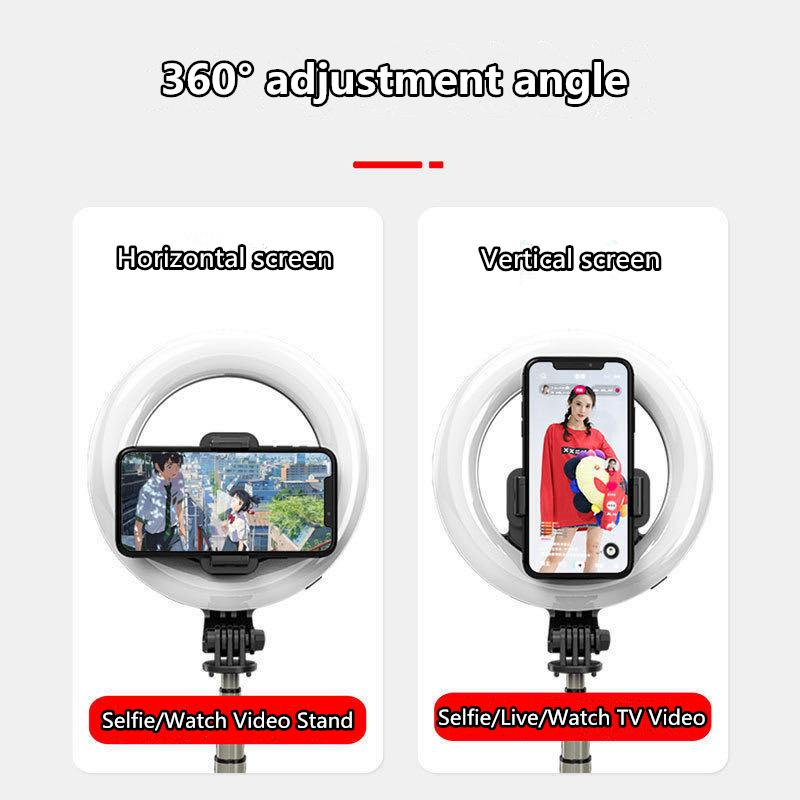
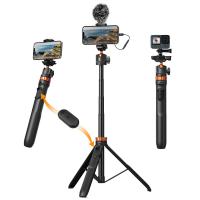
how to use selfie stick with shutter button 3

1. Initial Setup

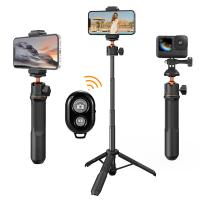
how to use selfie stick with shutter button 4

1. Unbox your selfie stick: Ensure all components are present and undamaged.

2. Charge (if necessary): If your stick is Bluetooth-enabled, fully charge it before first use.

2. Pairing or Connecting to Your Smartphone

For Wired Selfie Sticks:

1. Connect the stick into your phone’s headphone jack or charging port.

2. Open your camera app.

For Bluetooth Selfie Sticks:

1. Turn on the Bluetooth feature on your smartphone.

2. Switch on the selfie stick.

3. Pair the device by searching for the selfie stick in your phone’s Bluetooth settings.

4. Once connected, open your camera app.

3. Attaching Your Smartphone

1. Extend the Clamp: Most selfie sticks come with an adjustable clamp. Open the clamp to fit your phone.

2. Secure your Phone: Ensure your phone is firmly seated to avoid any accidents.

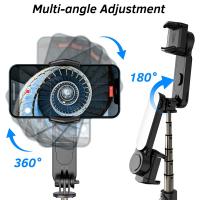
3. Adjust the Angle: Set the angle by using the adjustable head to get the perfect shot.

4. Taking Photos

1. Extend the Stick: Pull the stick out to the desired length.

2. Frame Your Shot: Use your phone’s front-facing camera to frame your photo.

3. Press the Shutter Button: Press the button on the handle to capture your photo.

Tips for Taking Better Photos

1. Lighting: Always consider your lighting. Natural light usually works best.

2. Angle: Experiment with different angles to find the most flattering shot.

3. Stability: Use two hands or lean against a stable surface to reduce shaking.

4. Background: Be mindful of what’s in your background. A clean, clutter-free background often enhances the subject.

Troubleshooting Common Issues

Connection Issues

- Wired Sticks: Ensure the jack is fully inserted. Check for lint or debris in the port that could obstruct the connection.

- Bluetooth Sticks: Ensure that your stick is fully charged and correctly paired. Restart your Bluetooth if necessary.

Shutter Button Not Working

- Compatibility: Ensure your phone’s operating system is supported.

- App Issues: Some camera apps might not support external shutter buttons. Try using your phone’s default camera app.

Phone Not Staying in Place

- Adjust the clamp tension if possible. Make sure your phone’s case is not interfering with the clamp’s grip.

Accessories to Enhance Your Experience

1. Tripod Attachments: Some selfie sticks double as tripods, offering more versatility.

2. Remote Shutter: Consider an additional remote control for more dynamic shoots.

3. Lens Attachments: Enhance your photos with wide-angle or macro lenses.

Conclusion: Elevate Your Photography Skills

A selfie stick with a shutter button can be a fantastic tool for both casual users and photography enthusiasts. By understanding the types of selfie sticks available, following proper setup steps, and utilizing best practices for taking photos, you can leverage this handy gadget to take high-quality and creative pictures effortlessly. The key is to experiment, be mindful of your surroundings, and familiarize yourself with your equipment to achieve optimal results.

Above all, enjoy your photography experience. The best photos often come from experimenting and having fun with your device. Happy snapping!
Leave your comment
Cancel reply
Note: HTML is not translated!
Related products
Cell Phone Tripod MS02 13.4''/34cm bluetooth selfie stick Desktop Stand Orange Gray
97
$29.99 $21.99
MS04 62''/1.58m Tripod Phone Selfie Stick, Black And Orange With Bluetooth Remote Control + Gopro Adapter
107
$49.99 $29.99
DJI Osmo Action 4 & Osmo Action 5 Pro Action Camera Filter and Selfie Stick Kit, 4 Pack (CPL + ND8 + ND16 + ND32) Screw On Polarizing Neutral Density Filter HD Optical Glass / Multi-Coated / Metal Frame and Portable 2-in-1 Selfie Stick Tripod
$49.99
23.6‘’/60cm 3 in 1 selfie stick desktop stand with ball head + mobile phone holder + GoPro adapter + Bluetooth remote control MS11
45
$37.99 $23.99
67''/170cm Eccentric Tube Cellphone Tripod, Lightweight Super Portable Selfie Stick, DSLR Camera Tripod E224A3+BH-18 Silver
36
$89.99 $49.99
67''/1.7m Eccentric Tube Cellphone Tripod, Lightweight Super Portable Selfie Stick, DSLR Camera Tripod E224A3+BH-18 Black
36
$85.99 $49.99
60 inch Invisible Selfie Stick, Extension Pole compatiable with Insta360 Sports Camera, GoPro, DJI Action, 1/4" Extended Monopod Pole with GoPro Adapter
11
$25.99
MS03 13''/33cm Action Camera Mounts Selfie Stick Desktop Stand (Small Size) For Gopro, Action, And Insta Black Orange
5
$37.99 $18.99
63'' Magnetic Iphone Tripod Phone Selfie Stick Tripod And Clip-On ND Filter(1-9 stops) For All Phone Set
207
$113.99 $59.99
Products You May Like
M39-L Manual Focus Compatible with Leica M39 Lens to L Mount Camera Body Lens Mount Adapter
80
$51.99 $27.99
Minolta MD MC Mount Lens to Canon EOS R Camera Body Lens Mount Adapter
50
$87.99 $48.99
Camera Screen Protector*3 Compatible with Sony NEX 7, NEX 6, NEX 6L, NEX 5, NEX 3N, A6600, A6100, A6400, A6300, A6000, A5000, 0.3mm 9H Hardness Tempered Glass with Hot Shoe Level*3 + Vacuum Cleaning Coth*1
$15.99 $7.99
52mm Magnetic Variable ND2-ND32 (1-5 Stop) Lens Filters NO X Spot, Nano-Xcel Series (Compatible with 55mm magnetic cap)
22
$72.99 $57.99
55mm CPL & ND2-32 Lens Filter in Brass Filter Ring, 36-layer-coated Ultra-thin HD Optical Glass Nano-Xcel Pro Series
21
$187.99 $149.99
Anti-Shake 3-Axis Gimbal Stabilizer Kit for iPhone, Android Phones, Gopro Sports Cameras, Dynamic Face/Object Tracking
1
$106.99
Multifunctional Large DSLR Camera Backpack for Outdoor Travel Photography 11.41*6.69*18.11 inches
56
$61.99
72mm UV Filter 0.1% Ultra-low Reflection (titanium coating ) with 28 Multi-Layer Coatings Nano-Xcel Series
76
$48.99 $38.99
High Quality Trail Cameras
10
$162.99 $106.99
4K Night Vision Monocular for Adults 3 inch Display 7 Gears Infrared Night Vision Setting 5x Digital Zoom, Support for Video and Photo, Suitable for Day and Night Camping and Surveillance
42
$167.99 $94.99
Related articles
How Use Button On Selfie Stick?
How To Connect Selfie Stick Shutter?
How To Fix Selfie Stick Button?
How To Use Selfie Stick With Iphone 10?
How To Use Camera Selfie Stick?
How To Record Video With Selfie Stick?
How To Use Audio Jack Selfie Stick?
How To Use Selfie Stick For Video?
Can You Record With A Selfie Stick?
How To Record Facebook Audio Calls?
Blog You May Like
How Can The Sun Damage A Camera Lens?
When Do You Use Nd Filter Photography?
How Use Ring Light?
How Use Ring Light?
What Is Digital Slr Cameras?
How To Set Up Home Security Camera?
Where Do My Sound Recorder Files Go?
Solar Panel Where To Buy?
How To Install Wireless Video Cameras?
Where To Find Metal Detectors?
Which Sd Card For Dash Cam?
Related categories
C mount lens adapter Baby Movement Monitor led ring light with stand golf rangefinder trail camera with screen hunting binoculars
Popular products
phone tripod selfie stick mirrorless selfie stick insta 360 camera case camera selfie stick tripod safe selfie stick mi selfie stick tripod black dji osmo action camera selfie stick iphone 15 selfie stick compact camera selfie stick
Related searches
Selfie Stick With Gimbal Camera 360 With Selfie Stick Camera With Invisible Selfie Stick Long Selfie Stick With Tripod Selfie Stick Tripod With Remote Gopro Selfie Stick Selfie Stick Bluetooth Small Selfie Stick Selfie Stick Tripod Selfie Stick Battery
Popular searches
Professional Carbon Fiber Tripod Mini Sound Recorder Elgeet No 400 Interchangable Lens Adapter Pentax 67 To Nikon Adapter Single Earphone Headset Iphone 15 Pro Nd Filter Canon 50mm 1.8 Wide Angle Adapter Best Backpack For Drone Lumix Lx7 Lens Adapter Pentax Auto 110 To Pentax Q Adapter
Blog Category
  • Activities
  • Guide
    • Filter Guide
    • Lens Adapter
    • Product Review
  • News & Reviews
    • Camera Reviews
    • Sample Gallery
    • News
  • Tutorials
    • Solar eclipse photography
    • Photography Basics
    • Landscape Photography
  • Inspiration
    • Travel
    • Travel Stories
Search Article
Latest from the Blog
Where Can I Buy Samsung Camera Battery?
What Is Nd Filter On Video Camera?
Can Security Cameras Detect Motion Through Glass?
Neutral Density Filter: The Ultimate Guide for Photographers and Videographers
Black Friday 2025 Special at Kentfaith
What Is A Good Quality Dash Cam?
What To Look For In A Dash Cam?
How To Fix The Straps On A Camera?
ND Filter: The Complete Guide to Neutral Density Filters for Photography and Video
Where Can I Find Hidden Cameras?
  • Easy Payment Multilple Payment Options

  • Free Shipping Global WareHouse Shipment

  • No Risk 30-Day No Reason Return

  • Limited Deals Buy More, Save More

  • Tax Free No any surcharges or tax fee

Information
  • About us
  • Contact Us
  • Site Map
  • Blog
  • Video
  • Gallery
  • VIP Membership Rewards
Service
  • Privacy Policy
  • Terms & Conditions
  • Shipping & Delivery
  • Payment Info
  • Warranty, Return & Refund
  • Intellectual Property Rights
  • Ambassador
  • Affiliates
  • Wholesale
Support
  • My account
  • Order History
  • FAQs
  • Extend Warranty
  • Logistics Tracking
Follow us
NewsLetter

Get the latest product, K&F Concept respects your privacy.

Powered By KENTFAITH © 2025