kfconcept

KENTFAITH
K&F Concept    Blog >

Enjoy Your Selected Digital Life

Recently Viewed
  • Recently Viewed
  • 46mm Variable ND Filter ND2-400 (1-9 Stop) Lens Filter Waterproof Scratch Resistant Nano-Xcel Series
    46mm Variable ND Filter ND2-400 (1-9 Stop) Lens Filter Waterproof Scratch Resistant Nano-Xcel Series
    $62.99 $49.99
    DJI Osmo Pocket 3 ND32-512 (5-9 Stop) Filter Magnetic Variable  Neutral Density Filters 28 Layer nano-coated HD Optical Glass
    DJI Osmo Pocket 3 ND32-512 (5-9 Stop) Filter Magnetic Variable Neutral Density Filters 28 Layer nano-coated HD Optical Glass
    $24.99
    94" Camera Tripod Transverse Center Column 22lbs/10kg Load With Detachable Monopod High Aluminum Video Tripod For Dslr Slr, T254a8+Bh-28l (Sa254t1)
    94" Camera Tripod Transverse Center Column 22lbs/10kg Load With Detachable Monopod High Aluminum Video Tripod For Dslr Slr, T254a8+Bh-28l (Sa254t1)
    $209.99 $129.99
    127mm CPL Filter 28 Layer Super Slim Circular Polarizing Filter Multi-coated Polarized MRC Filter NANO-X Series
    127mm CPL Filter 28 Layer Super Slim Circular Polarizing Filter Multi-coated Polarized MRC Filter NANO-X Series
    $179.99
    55mm UV Filter 0.1% Ultra-low Reflection (titanium coating ) with 28 Multi-Layer Coatings Nano-Xcel Series
    55mm UV Filter 0.1% Ultra-low Reflection (titanium coating ) with 28 Multi-Layer Coatings Nano-Xcel Series
    $39.99 $31.99
    52mm Solar Filter 16.6-Stops,ND100000 Solid Neutral Density Filter For Eclipse With 18 Multi-Layer Coatings Nano-Klear Series
    52mm Solar Filter 16.6-Stops,ND100000 Solid Neutral Density Filter For Eclipse With 18 Multi-Layer Coatings Nano-Klear Series
    $22.99 $17.99
    K&F Concept MCN1 49mm Lens Filter Kit ND1000 CPL with Multiple Layer Nano Coated
    K&F Concept MCN1 49mm Lens Filter Kit ND1000 CPL with Multiple Layer Nano Coated
    $30.99
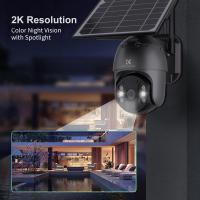
    WIFI Outdoor Security Camera Outdoor Camera 2K Ultra HD Picture Audible Alarm IP66 Waterproof Two-Way Voice Night Vision Range 8m/26ft US Version
    WIFI Outdoor Security Camera Outdoor Camera 2K Ultra HD Picture Audible Alarm IP66 Waterproof Two-Way Voice Night Vision Range 8m/26ft US Version
    $89.99 $58.99
    49mm Black Mist 1/4 Filter + Lens Cap, Mist Cinematic Effect Filter with 18 Multi-Layer Coatings for Video, Vlog, Portrait Photography Nano-Klear Series
    49mm Black Mist 1/4 Filter + Lens Cap, Mist Cinematic Effect Filter with 18 Multi-Layer Coatings for Video, Vlog, Portrait Photography Nano-Klear Series
    $37.99 $21.99
    67mm ND & CPL 2 in 1 Lens Filter, ND2-ND32 (1-5 Stop) Variable Neutral Density and Polarizer for Camera Lens Nano-Dazzle Series
    67mm ND & CPL 2 in 1 Lens Filter, ND2-ND32 (1-5 Stop) Variable Neutral Density and Polarizer for Camera Lens Nano-Dazzle Series
    $74.99 $62.99
Compare (0) 0
  • Compare
  • You have not chosen any products to compare.

  • Compare
Currency: USD
  • Currency
Shop by Scene Shop by Rank

Log Into Your Account

Account

Order History

Wish List

Login

Forgotten Password?

Or connect with

Register Account

Already have an Account?Log In

  • Shopping Cart
  • Your shopping cart is empty!

  • Register/Login to purchase, earn points
  • Favorite
  • Your wish list is empty.

  • Register/Login to like, earn points
  • Activities
  • Guide
    • Filter Guide
    • Lens Adapter
    • Product Review
  • News & Reviews
    • Camera Reviews
    • Sample Gallery
    • News
  • Tutorials
    • Solar eclipse photography
    • Photography Basics
    • Landscape Photography
  • Inspiration
    • Travel
    • Travel Stories
  • Home
  • Blog
  • How To Use Camera Selfie Stick?

How To Use Camera Selfie Stick?

Kentfaith 2025-08-17 02:03:06 0 Comments

Mastering the Art of Using a Camera Selfie Stick: A Comprehensive Guide

In the age of social media and digital photography, capturing the perfect shot has become an essential part of our daily lives. Whether you're traveling, attending an event, or simply enjoying a day out, a selfie stick can be a game-changer for taking photos and videos. However, many people are unsure of how to use a camera selfie stick effectively. In this article, we’ll walk you through everything you need to know about using a selfie stick, from setup to advanced tips for capturing stunning shots.

---

What Is a Camera Selfie Stick?

how to use camera selfie stick 1

how to use camera selfie stick 4

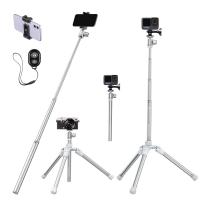
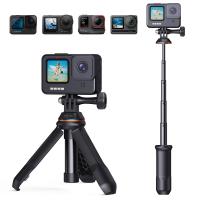
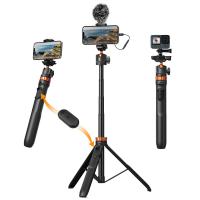
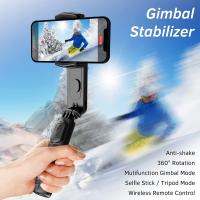
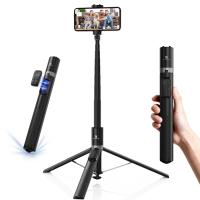
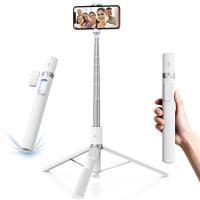
A selfie stick is a telescoping pole designed to hold a camera or smartphone at a distance, allowing you to take wider-angle selfies or group photos. Modern selfie sticks often come with features like Bluetooth connectivity, remote controls, and adjustable mounts, making them versatile tools for photography enthusiasts.

---

Step-by-Step Guide to Using a Camera Selfie Stick

how to use camera selfie stick 2

1. Choose the Right Selfie Stick for Your Camera
how to use camera selfie stick 3

Before diving into the usage, it’s important to select a selfie stick that is compatible with your device. Here are some factors to consider:

- Device Compatibility: Ensure the mount fits your camera or smartphone. Some selfie sticks are designed specifically for smartphones, while others can accommodate action cameras like GoPros or compact digital cameras.

- Weight Capacity: Check the weight limit of the selfie stick to ensure it can securely hold your device.

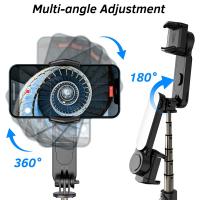
- Features: Look for features like Bluetooth remote control, adjustable angles, and extendable length.

2. Attach Your Camera or Smartphone

how to use camera selfie stick 4

Once you have the right selfie stick, follow these steps to attach your device:

- For Smartphones: Open the adjustable clamp and place your phone securely in the mount. Ensure the phone is centered to maintain balance.

- For Cameras: Use the screw mount (usually a 1/4-inch thread) to attach your camera. Tighten it securely to prevent wobbling.

3. Connect the Remote (If Applicable)

Many selfie sticks come with a Bluetooth remote or built-in shutter button. To connect:

- Turn on the Bluetooth on your smartphone or camera.

- Pair the selfie stick’s remote with your device. This is usually done by pressing and holding the remote’s power button until it appears in your device’s Bluetooth settings.

- Once paired, test the shutter button to ensure it works.

4. Adjust the Angle and Length

- Extend the telescoping pole to your desired length. Be cautious not to overextend, as this can compromise stability.

- Adjust the angle of the mount to frame your shot. Most selfie sticks have a ball joint or adjustable head for this purpose.

5. Frame Your Shot

- Hold the selfie stick at arm’s length and position it to capture the desired background and subjects.

- Use the live view on your smartphone or camera screen to ensure everyone is in the frame.

6. Take the Photo or Video

- Press the shutter button on the remote or the built-in button on the selfie stick to capture your shot.

- For videos, start recording before extending the stick to avoid shaky footage.

---

Tips for Capturing the Perfect Shot

how to use camera selfie stick 3

1. Use the Right Lighting

Lighting can make or break your photo. Natural light is ideal, so try to position yourself facing the light source. Avoid harsh midday sunlight, as it can create unflattering shadows.

2. Experiment with Angles

Don’t limit yourself to straight-on shots. Experiment with different angles to add variety and creativity to your photos. For example:

- Hold the stick above your head for a bird’s-eye view.

- Extend it downward for a dramatic low-angle shot.

3. Stabilize Your Shots

To avoid blurry photos or shaky videos:

- Use both hands to hold the selfie stick steady.

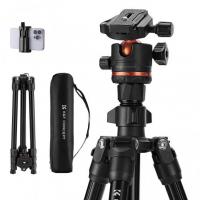
- If possible, rest the stick on a stable surface or use a tripod attachment.

4. Use Timer Mode

how to use camera selfie stick 2

If your selfie stick doesn’t have a remote, use the timer mode on your camera or smartphone. This gives you a few seconds to adjust your pose before the photo is taken.

5. Capture Candid Moments

how to use camera selfie stick 1

Not every photo needs to be posed. Use your selfie stick to capture candid moments, such as laughing with friends or enjoying a scenic view.

---

Advanced Techniques for Selfie Stick Photography

1. Panoramic Shots

Many smartphones and cameras have a panoramic mode. Use your selfie stick to slowly pan across a landscape, capturing a wide-angle view.

2. Action Shots

If you’re using an action camera like a GoPro, a selfie stick can help you capture dynamic shots while skiing, biking, or swimming. Look for waterproof and durable selfie sticks for these activities.

3. Group Photos

A selfie stick is perfect for group photos, especially in crowded or tight spaces. Extend the stick fully to fit everyone in the frame.

4. Vlogging

For vloggers, a selfie stick can double as a portable camera rig. Use it to record smooth, handheld videos while walking or exploring.

---

Common Mistakes to Avoid

1. Overextending the Stick

While it’s tempting to extend the stick to its maximum length, doing so can make your photos look unnatural and increase the risk of the stick breaking.

2. Ignoring Safety

Be mindful of your surroundings when using a selfie stick, especially in crowded areas or near hazards like cliffs or water.

3. Forgetting to Charge the Remote

If your selfie stick has a Bluetooth remote, ensure it’s fully charged before heading out. A dead remote can ruin your photo session.

4. Poor Framing

Take a moment to check the composition of your shot. Avoid cutting off heads or leaving too much empty space.

---

Maintaining Your Selfie Stick

To ensure your selfie stick lasts, follow these maintenance tips:

- Clean Regularly: Wipe down the pole and mount to remove dirt and debris.

- Check Screws and Clamps: Tighten any loose parts to prevent accidents.

- Store Safely: Collapse the stick and store it in a protective case when not in use.

---

Conclusion

A camera selfie stick is a versatile tool that can elevate your photography and videography. By following the steps and tips outlined in this guide, you can master the art of using a selfie stick to capture stunning photos and videos. Whether you’re a casual user or a professional content creator, the key is to experiment, practice, and have fun. So grab your selfie stick, head out, and start capturing memories like a pro!
Leave your comment
Cancel reply
Note: HTML is not translated!
Related products
Cell Phone Tripod MS02 13.4''/34cm bluetooth selfie stick Desktop Stand Orange Gray
97
$29.99 $21.99
67''/170cm Eccentric Tube Cellphone Tripod, Lightweight Super Portable Selfie Stick, DSLR Camera Tripod E224A3+BH-18 Silver
36
$89.99 $49.99
67''/1.7m Eccentric Tube Cellphone Tripod, Lightweight Super Portable Selfie Stick, DSLR Camera Tripod E224A3+BH-18 Black
36
$85.99 $49.99
DJI Osmo Action 4 & Osmo Action 5 Pro Action Camera Filter and Selfie Stick Kit, 4 Pack (CPL + ND8 + ND16 + ND32) Screw On Polarizing Neutral Density Filter HD Optical Glass / Multi-Coated / Metal Frame and Portable 2-in-1 Selfie Stick Tripod
$49.99
MS03 13''/33cm Action Camera Mounts Selfie Stick Desktop Stand (Small Size) For Gopro, Action, And Insta Black Orange
5
$37.99 $18.99
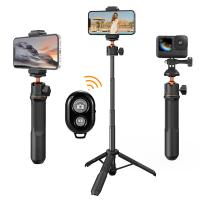
MS04 62''/1.58m Tripod Phone Selfie Stick, Black And Orange With Bluetooth Remote Control + Gopro Adapter
107
$49.99 $29.99
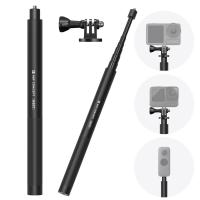
60 inch Invisible Selfie Stick, Extension Pole compatiable with Insta360 Sports Camera, GoPro, DJI Action, 1/4" Extended Monopod Pole with GoPro Adapter
11
$25.99
63'' Magnetic Iphone Tripod Phone Selfie Stick Tripod And Clip-On ND Filter(1-9 stops) For All Phone Set
207
$113.99 $59.99
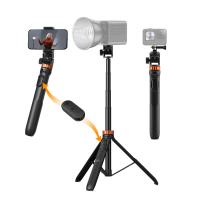
K&F Concept 69''/175cm Iphone Selfie Stick Tripod, Compact Tripod with Phone Holder, Light Stand with Detachable Remote Control, Action Camera Adapter, Compatible with Phone/GoPro/Camera
1
$43.99 $26.99
Products You May Like
Zhiyun Smooth Q2, 3-axis handheld smartphone gimbal stabilizer for iPhone, Samsung, Android, iOS, with time-lapse subject tracking
31
$136.99 $100.99
52mm Black Diffusion 1/2 Filter Mist Cinematic Effect Filter with 18 Multi-Layer Coatings Nano-Klear Series
212
$27.99 $21.99
Square Blue Streak Filter 4'' x 5.65'' Cinema Filter Compatible with Tilta Compatible with SmallRig and Other Matte Box, 4mm Slim/HD Optical Glass/Multi Layer Coating
64
$124.99 $99.99
M9 Wireless Lavalier Microphone Plug-Play Noise Reduction Auto-Sync
$20.99
Industrial Pipeline Endoscope, 8 LED Lights, 8mm Lightning Interface Snake Camera, for iPHONE14 13 12 11 X XR 8 7 6 Series IP67 Waterproof 2 Meters Rigid Cable
37
$51.59 $24.99
K&F Concept Universal Magic Arm with Cold Shoe
20
$37.99 $19.99
72mm Black Diffusion Black Diffusion Pro-Mist 1/4 + 1/8 Filter Kit (each 1 pcs) Mist Cinematic Effect Filter for Vlog/Video/Portrait Image with 28 Multi-Layer Coated-Nano-X
$124.99 $74.99
Nikon DK-29 Camera Viewfinder Eyecup*2+Hot Shoe Level*2+Vacuum Cleaning Cloth*1 for Nikon Z6, Z7, Z6II, Z7II
$8.99
72mm Black Mist Filter 1/8 + 3pcs Cleaning Cloth with 18 Multi-Layer Coatings Nano-Klear Series
212
$37.99 $29.99
Tamron Adaptall II  Lenses to Pentax K Lens Mount Adapter K&F Concept M23221 Lens Adapter
Tamron Adaptall II Lenses to Pentax K Lens Mount Adapter K&F Concept M23221 Lens Adapter
$30.99
Related articles
How Use Button On Selfie Stick?
How To Use Audio Jack Selfie Stick?
How To Use Selfie Stick For Video?
How To Use Selfie Stick With Iphone 10?
How To Use Selfie Stick With Shutter Button?
How Do You Use A Bluetooth Selfie Stick?
How To Connect My Selfie Stick?
How To Connect Selfie Stick Shutter?
How To Fix Selfie Stick Button?
How To Find Value Of Old Cameras?
Blog You May Like
How Long Can A 16gb Sd Card Record?
Can You Turn Your Iphone Into A Projector?
How Many Security Cameras For A House?
Can You Put Trail Cameras On Public Land?
How To Get Pink Lighting Video?
What Binoculars To Buy For Astronomy?
How To Take Good Selfie Stick Photos?
How To Use Sd Card For Games?
What's A Good Lighting Budget Video?
Which Lighting Temperature For Studio?
Related categories
C mount lens adapter m4/3 adapter Camera Parts | Studio Camera Accessories streaming video camera digital camera for beginner Solar Cellular Trail Camera Non Cellular Trail Camera camera shoulder bag digital camera cases
Popular products
mirrorless selfie stick insta 360 camera case camera selfie stick tripod safe selfie stick dji osmo action camera selfie stick phone tripod selfie stick mi selfie stick tripod black iphone 15 selfie stick compact camera selfie stick
Related searches
Action Camera Selfie Stick Camera And Selfie Stick Gopro Selfie Stick Selfie Stick Bluetooth Small Selfie Stick Selfie Stick Tripod Selfie Stick Battery Phone Selfie Stick Selfie Stick Stand Magsafe Selfie Stick
Popular searches
Digital Camera For Landscape Photography Camera With Wifi Transfer Polarising Filter 67mm Autofocus Nikon To Lumix G5 Adapter Camera Light Stand Bag Metal And Plastic Detector Iphone 15 Pro Max Tripod Moment Lens To 37mm Adapter Film Camera Digital Adapter Wireless In Home Camera
Blog Category
  • Activities
  • Guide
    • Filter Guide
    • Lens Adapter
    • Product Review
  • News & Reviews
    • Camera Reviews
    • Sample Gallery
    • News
  • Tutorials
    • Solar eclipse photography
    • Photography Basics
    • Landscape Photography
  • Inspiration
    • Travel
    • Travel Stories
Search Article
Latest from the Blog
Best Metal Detector for Kids in 2025
Which Camera Is Best For Low Light Photography?
How To Buy A Security Camera System?
How To Find Camera Roll On Iphone 5s?
How To Make Your Eyes Flash On Camera?
How To Find A Good Digital Camera?
UV Filter: Everything You Need to Know About UV Protection Lens Filters
Can You Save Facebook Videos To Camera Roll?
What Is The Best Wireless Outdoor Security Camera?
How To Remove Memory Card From Nikon Camera?
  • Easy Payment Multilple Payment Options

  • Free Shipping Global WareHouse Shipment

  • No Risk 30-Day No Reason Return

  • Limited Deals Buy More, Save More

  • Tax Free No any surcharges or tax fee

Information
  • About us
  • Contact Us
  • Site Map
  • Blog
  • Video
  • Gallery
  • VIP Membership Rewards
Service
  • Privacy Policy
  • Terms & Conditions
  • Shipping & Delivery
  • Payment Info
  • Warranty, Return & Refund
  • Intellectual Property Rights
  • Ambassador
  • Affiliates
  • Wholesale
Support
  • My account
  • Order History
  • FAQs
  • Extend Warranty
  • Logistics Tracking
Follow us
NewsLetter

Get the latest product, K&F Concept respects your privacy.

Powered By KENTFAITH © 2025