kfconcept

KENTFAITH
K&F Concept    Blog >

Enjoy Your Selected Digital Life

Recently Viewed
  • Recently Viewed
  • 82mm Variable ND3-ND1000 ND Filter (1.5-10 Stops) Neutral Density Lens Filter with 24 Multi-Layer Coatings for Camera Lens Nano-Dazzle
    82mm Variable ND3-ND1000 ND Filter (1.5-10 Stops) Neutral Density Lens Filter with 24 Multi-Layer Coatings for Camera Lens Nano-Dazzle
    $81.99 $64.99
    62mm Shimmer Diffusion 1 Filter Effect Filter Optical Glass 18 Multi-Coated Glimmer Glass Effect Filter for Camera Lens Nano-Klear Series
    62mm Shimmer Diffusion 1 Filter Effect Filter Optical Glass 18 Multi-Coated Glimmer Glass Effect Filter for Camera Lens Nano-Klear Series
    $31.99 $22.49
    37mm True Color Ultra-Low Reflectivity CPL Filter Polarizer Lens Filter Circular Polarizing for Camera Lenses with 28 Multi-Coated Nano-Xcel Series
    37mm True Color Ultra-Low Reflectivity CPL Filter Polarizer Lens Filter Circular Polarizing for Camera Lenses with 28 Multi-Coated Nano-Xcel Series
    $68.99 $54.99
    46mm CPL Filter 28 Layer Super Slim Circular Polarizing Filter Multi-coated Polarized MRC Filter NANO-X Series
    46mm CPL Filter 28 Layer Super Slim Circular Polarizing Filter Multi-coated Polarized MRC Filter NANO-X Series
    $36.99
    Hand held metal detector with LCD display, high sensitivity, 360 ° scanning, suitable for searching all metals and gold coins
    Hand held metal detector with LCD display, high sensitivity, 360 ° scanning, suitable for searching all metals and gold coins
    $27.49 $21.99
    J20 One-two Wireless Lavalier Microphone Charging Case, one-touch Noise Cancellation, for Youtube, Recording, Video Blogging, Facebook Live Streaming, for Lightning Interface
    J20 One-two Wireless Lavalier Microphone Charging Case, one-touch Noise Cancellation, for Youtube, Recording, Video Blogging, Facebook Live Streaming, for Lightning Interface
    $32.99 $29.99
    Black Mist 1/8 Filter 4"x5.65" Dreamy Effect Cinema Square Filter Compatible with Tilta and SmallRig Matte Box for Cinematic Photo Videography, 4mm Slim/HD Optical Glass/Multi Layer Coating
    Black Mist 1/8 Filter 4"x5.65" Dreamy Effect Cinema Square Filter Compatible with Tilta and SmallRig Matte Box for Cinematic Photo Videography, 4mm Slim/HD Optical Glass/Multi Layer Coating
    $124.99 $99.99
    Square ND8 (3 Stops) + ND64 (6 Stops) Filter, 4"x5.65" Neutral Density Filter Compatible with Tilta Compatible with SmallRig Matte Box, Slim Multi Coated HD Optical Glass
    Square ND8 (3 Stops) + ND64 (6 Stops) Filter, 4"x5.65" Neutral Density Filter Compatible with Tilta Compatible with SmallRig Matte Box, Slim Multi Coated HD Optical Glass
    $112.99 $94.99
    AP004 Plug and Play Wireless Lavalier Microphone for for iPhone 14 pro Recording, Wireless Microphone for YouTube, TikTok, Facebook Live, Vlog No App
    AP004 Plug and Play Wireless Lavalier Microphone for for iPhone 14 pro Recording, Wireless Microphone for YouTube, TikTok, Facebook Live, Vlog No App
    $22.99
    Magnifier for reading, 3x luminous magnifier with 12 LED lights, foldable magnifier with 2 power modes, provides evenly illuminated reading area, suitable for reading, low vision and the elderly
    Magnifier for reading, 3x luminous magnifier with 12 LED lights, foldable magnifier with 2 power modes, provides evenly illuminated reading area, suitable for reading, low vision and the elderly
    $29.99
Compare (0) 0
  • Compare
  • You have not chosen any products to compare.

  • Compare
Currency: USD
  • Currency
Shop by Scene Shop by Rank

Log Into Your Account

Account

Order History

Wish List

Login

Forgotten Password?

Or connect with

Register Account

Already have an Account?Log In

  • Shopping Cart
  • Your shopping cart is empty!

  • Register/Login to purchase, earn points
  • Favorite
  • Your wish list is empty.

  • Register/Login to like, earn points
  • Activities
  • Guide
    • Filter Guide
    • Lens Adapter
    • Product Review
  • News & Reviews
    • Camera Reviews
    • Sample Gallery
    • News
  • Tutorials
    • Solar eclipse photography
    • Photography Basics
    • Landscape Photography
  • Inspiration
    • Travel
    • Travel Stories
  • Home
  • Blog
  • How To Use Selfie Stick For Video?

How To Use Selfie Stick For Video?

Kentfaith 2025-02-19 03:59:20 0 Comments

# How to Use a Selfie Stick for Video: A Complete Guide

In the age of vlogs, social media content, and personal filming, a selfie stick has evolved from a simple tool for taking photos to a versatile device for creating high-quality videos. Whether you're shooting travel vlogs, tutorials, or just recording a personal moment, mastering the art of using a selfie stick for video can make a huge difference in your content. This guide will take you through everything you need to know to get the best possible results with a selfie stick.

Understanding the Basics of a Selfie Stick
how to use selfie stick for video 1

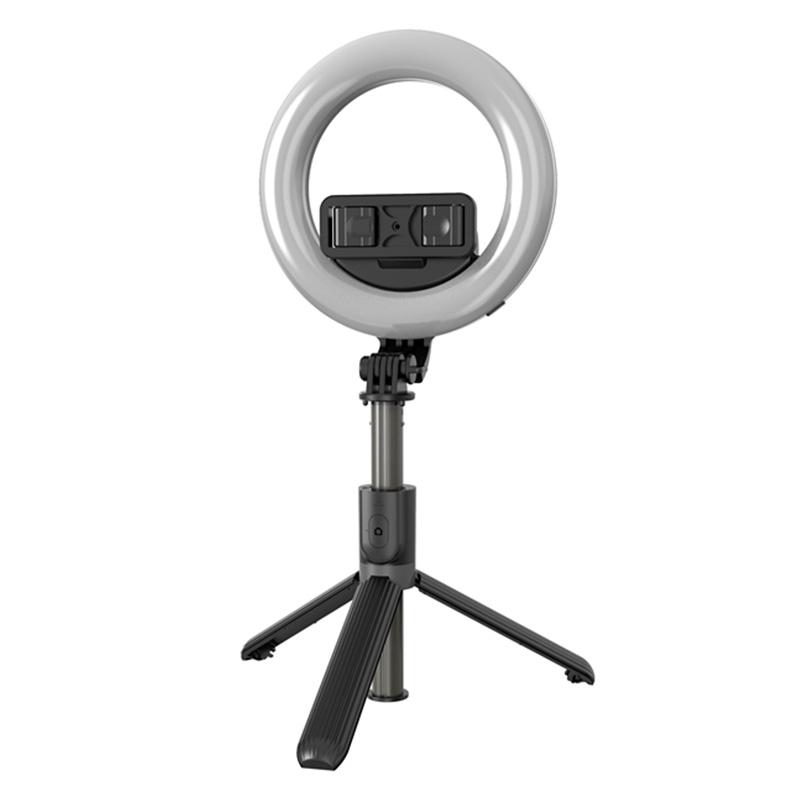
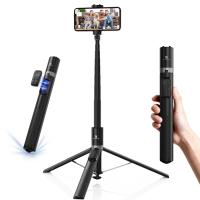
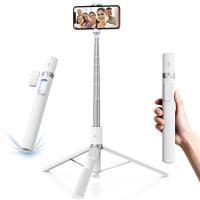
Before jumping into advanced tips, let's first make sure we understand what a selfie stick is and why it's so useful for video. A selfie stick is essentially a handheld extendable pole designed to hold your smartphone or camera. Its main purpose is to allow users to take photos or record videos from a wider angle, at a distance that would normally be difficult to achieve with just holding the phone in hand.

Selfie sticks typically come in three types:

1. Wired Selfie Sticks: These sticks use a cable to connect to your phone’s headphone jack, allowing you to remotely trigger the camera shutter.

2. Bluetooth Selfie Sticks: These wireless sticks connect to your phone via Bluetooth, providing more flexibility and no need for wires.

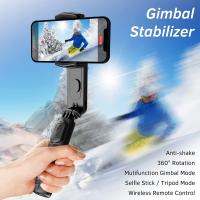
3. Motorized (Smart) Selfie Sticks: Some modern selfie sticks have built-in motors and gimbals for stabilization, allowing for smoother footage.

While most people use selfie sticks for selfies, they can be used to enhance your video production by offering more dynamic angles, smooth shots, and greater range. Let’s look at how you can effectively use a selfie stick to shoot high-quality videos.

Step 1: Set Up Your Selfie Stick Properly
how to use selfie stick for video 2

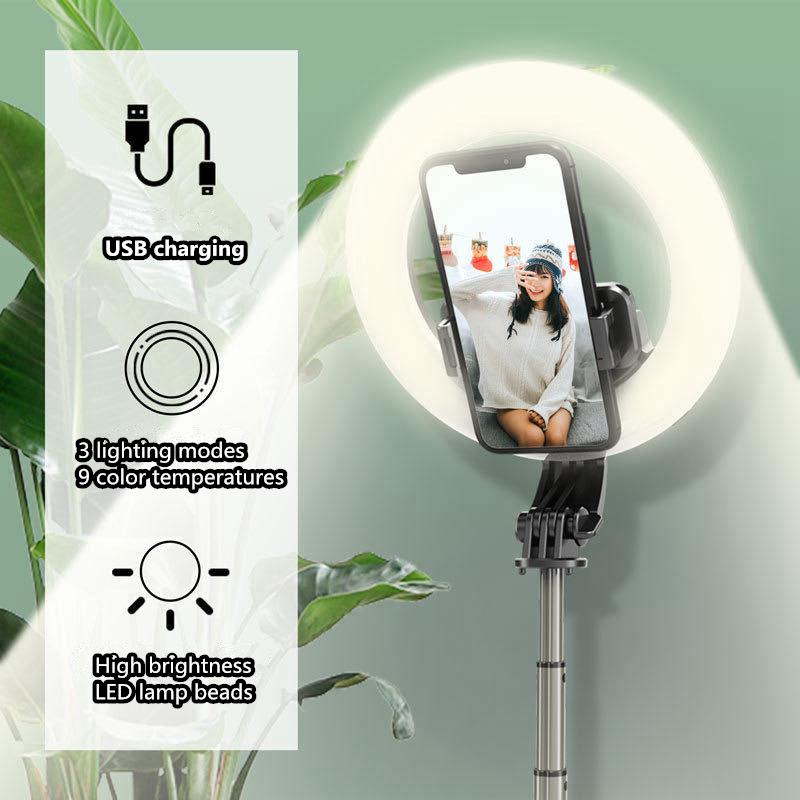
Before you start recording, ensure that your selfie stick is properly set up. Here are a few things to check:

- Extend the Stick: Fully extend the stick to achieve the right distance. For close-up shots, you may only need a small extension, but for wide-angle or travel shots, you’ll want to maximize the length.

- Secure Your Phone: Make sure your phone or camera is securely placed in the holder or clamp. Some selfie sticks come with adjustable clamps that can fit various phone sizes, while others may require you to use a separate phone holder.

- Balance the Stick: It’s important that your phone is balanced and not too heavy on one side. If the stick feels lopsided, adjust the holder to ensure your device is positioned properly. This prevents the stick from tilting or causing unintentional movements while filming.

Step 2: Choose the Right Angle for Your Video
how to use selfie stick for video 3

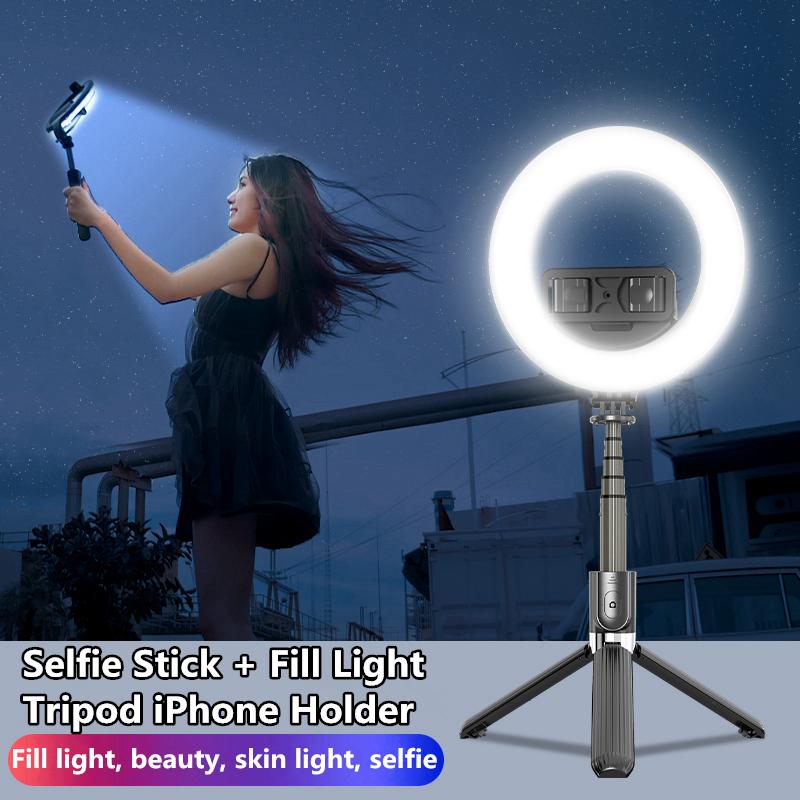
One of the primary advantages of using a selfie stick for video is that it allows you to achieve a variety of angles and perspectives that would be difficult to get from simply holding your phone. Here’s how to make the most of those angles:

- High-Angle Shots: For a flattering look, try holding the selfie stick high above your head to create an aerial view. This is ideal for outdoor scenes, group shots, or showing off the environment around you. High-angle shots make the subject appear smaller and can add a sense of grandeur.

- Low-Angle Shots: Conversely, holding the stick at a low angle (pointing upwards) can give the subject a larger-than-life appearance. This angle is often used for dramatic effect in films and videos, such as capturing towering structures or creating an empowering shot of the subject.

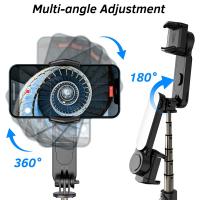
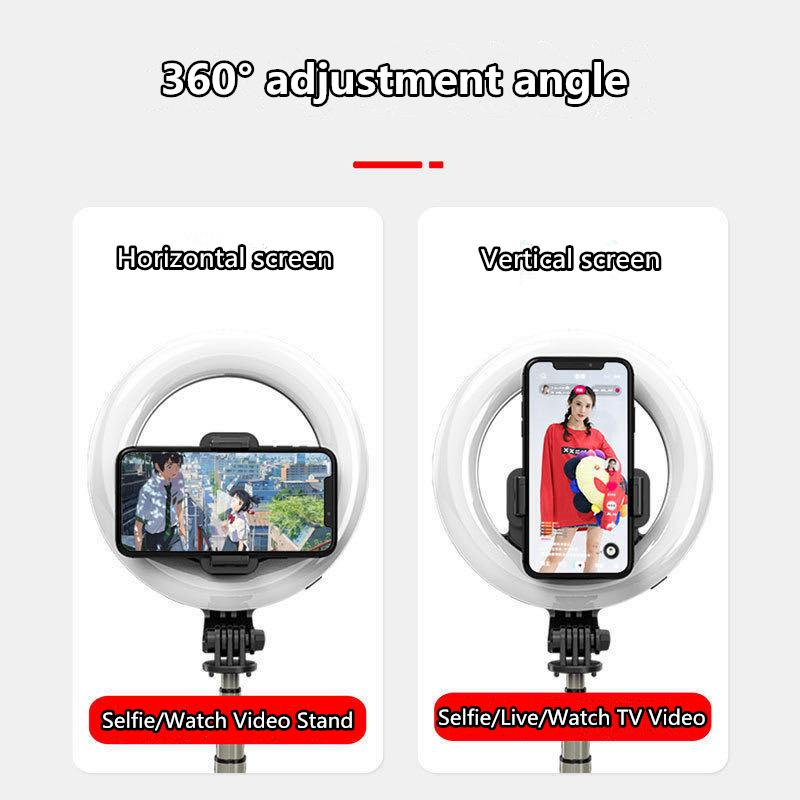
- 360-Degree Rotation: For dynamic shots, try rotating the selfie stick while filming. This works particularly well for vlogs or any situation where you want to show off your surroundings. The ability to move the stick around can add fluidity and engagement to your content.

- Wide-Angle Shots: The main benefit of using a selfie stick is the ability to widen your frame. In crowded places, for example, a wide-angle shot allows you to include everything in your scene, making the video feel more immersive. You can also achieve this by fully extending the selfie stick and holding it at arm’s length.

Step 3: Use a Bluetooth Remote for Smooth Control
how to use selfie stick for video 4

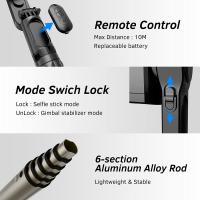
If you’re using a Bluetooth-enabled selfie stick, you’ll have a remote control built into the handle. This allows you to start and stop your recording without having to touch your phone, ensuring a smoother filming experience. Here’s how to use the remote effectively:

1. Pairing the Remote: Make sure to pair the Bluetooth remote with your phone before starting your shoot. Simply turn on Bluetooth on your phone and follow the pairing instructions that come with your selfie stick.

2. Start Recording Hands-Free: The Bluetooth remote allows you to start and stop the video recording without physically touching your phone. This helps prevent shaky footage caused by accidentally bumping the phone while pressing the record button.

3. Take Advantage of the Remote Zoom Feature: Some selfie sticks come with a remote that allows you to zoom in or out, which is especially helpful for close-up shots or when you want to adjust the framing on the fly.

Step 4: Stabilization is Key

Shaky footage can be distracting and unprofessional, especially when you're shooting videos for a platform like YouTube or Instagram. Here are a few tips to keep your video steady:

- Use the Stick’s Built-in Stabilizer (if applicable): If your selfie stick has a built-in gimbal or motorized stabilizer, take advantage of it. These features help minimize shaky footage by automatically adjusting the position of the stick as you move.

- Keep Your Movements Smooth: When you’re holding the selfie stick, try to keep your movements as fluid and gentle as possible. Jerky or quick movements will result in shaky footage. Consider using your whole body to stabilize the stick rather than relying solely on your arms.

- Invest in a Separate Gimbal (Optional): For those who want to take their video quality to the next level, consider investing in a separate gimbal. Gimbals are more advanced stabilization tools that can be attached to your phone and offer greater control over motion, resulting in incredibly smooth footage even while walking or moving.

Step 5: Framing Your Subject

Good video framing is crucial for keeping the viewer’s attention. Here’s how to use your selfie stick to properly frame your subject:

- Center the Subject: Make sure the subject you’re filming is properly centered in the frame. This is especially important for talking-head videos or interviews. You want the subject to remain in focus and not cut off at the edges of the shot.

- Follow the Rule of Thirds: If you want your video to feel more dynamic, apply the rule of thirds. Imagine your frame divided into a 3x3 grid. Place the key elements of your shot along these lines or at their intersections. This technique creates a more visually interesting video and draws attention to important parts of the scene.

- Wide Shots and Establishing Shots: Use wide shots to introduce a scene or provide context. These are particularly helpful when you're vlogging or doing a travel video. For example, in a travel vlog, a wide shot of a beautiful landmark or a bustling street can help immerse your audience in the experience.

Step 6: Avoid Common Pitfalls

While selfie sticks are easy to use, there are a few common mistakes that can ruin your video. Here’s what to avoid:

- Overextending the Stick: While it may seem tempting to extend the selfie stick to its full length, doing so can make the footage shaky, especially if you're walking or moving around. The further you extend the stick, the less stable it will be, so use the optimal length for each shot.

- Unintended Hand Movements: It’s easy to unintentionally create jerky footage by moving the stick too much. Try to keep your hands steady while filming, and avoid sudden movements that can affect the video’s quality.

- Not Considering Lighting: Good lighting is essential for high-quality video. If you're filming outside, make sure the lighting is flattering for the subject. Avoid filming directly into harsh sunlight or at night without sufficient lighting.

Step 7: Editing Your Video

After you’ve captured your video with your selfie stick, the next step is editing. Selfie sticks provide a lot of flexibility in terms of framing, so now is the time to enhance your footage. Here are some basic editing tips:

- Stabilization: If you notice any shakiness in your footage, many video editing software tools (like Adobe Premiere Pro, Final Cut Pro, or even mobile apps like iMovie) offer stabilization features that can smooth out minor jitters.

- Cutting Out Unnecessary Movements: If your selfie stick was accidentally swaying during the shoot, you can cut out the rough parts or trim the video to focus on the best moments.

- Adding Transitions: To create a seamless viewing experience, add smooth transitions between different shots. This will make your video feel more professional and cohesive.

Using a selfie stick for video opens up a world of creative possibilities. Whether you’re looking for a steady shot while walking, a wide-angle view for scenic shots, or a hands-free recording experience, the selfie stick is an essential tool for creating dynamic video content. By choosing the right angles, ensuring proper stabilization, and avoiding common mistakes, you can significantly enhance your video production quality. The key to mastering a selfie stick for video lies in practicing different techniques and understanding how the tool fits into your creative vision.
Leave your comment
Cancel reply
Note: HTML is not translated!
Related products
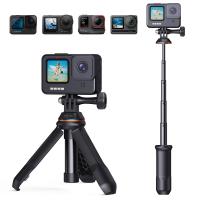
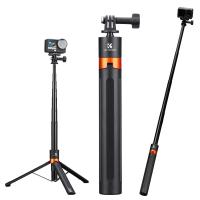
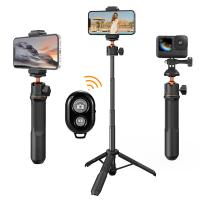
Cell Phone Tripod MS02 13.4''/34cm bluetooth selfie stick Desktop Stand Orange Gray
97
$29.99 $21.99
MS03 13''/33cm Action Camera Mounts Selfie Stick Desktop Stand (Small Size) For Gopro, Action, And Insta Black Orange
5
$37.99 $18.99
63'' Magnetic Iphone Tripod Phone Selfie Stick Tripod And Clip-On ND Filter(1-9 stops) For All Phone Set
207
$113.99 $59.99
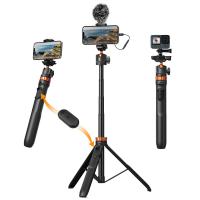
MS04 62''/1.58m Tripod Phone Selfie Stick, Black And Orange With Bluetooth Remote Control + Gopro Adapter
107
$49.99 $29.99
DJI Osmo Action 4 & Osmo Action 5 Pro Action Camera Filter and Selfie Stick Kit, 4 Pack (CPL + ND8 + ND16 + ND32) Screw On Polarizing Neutral Density Filter HD Optical Glass / Multi-Coated / Metal Frame and Portable 2-in-1 Selfie Stick Tripod
$49.99
Handheld Photography Light Stick, Dual Color Temperature, 2000mAh Rechargeable Battery, RGB LED Video Light Stick, Stepless Dimming Tube Light, 3000K-6000K, 0-100% Brightness, Suitable for Live Streaming, Video Conferencing, YouTube, TikTok, Makeup
26
$48.99
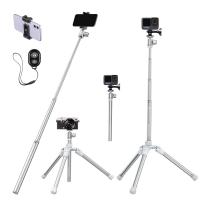
67''/170cm Eccentric Tube Cellphone Tripod, Lightweight Super Portable Selfie Stick, DSLR Camera Tripod E224A3+BH-18 Silver
36
$89.99 $49.99
67''/1.7m Eccentric Tube Cellphone Tripod, Lightweight Super Portable Selfie Stick, DSLR Camera Tripod E224A3+BH-18 Black
36
$85.99 $49.99
23.6‘’/60cm 3 in 1 selfie stick desktop stand with ball head + mobile phone holder + GoPro adapter + Bluetooth remote control MS11
45
$37.99 $23.99
Products You May Like
58mm True Color Variable ND2-32 (1-5 Stops) ND Lens Filter, Adjustable Neutral Density Filter with 28 Multi-Layer Coatings Nano-Xcel Series
88
$99.99 $79.99
58mm Black Pro-Mist Filter 1/2 Special Effects Filter Ultra-Clear Multi-layer Coated, Waterproof, Scratch-Resistant, Anti-Reflection Nano-Xcel Series
134
$49.99 $39.99
Pocket Thermal Camera with Visible Light 256*192 IR Pixel 25Hz Refresh Rate WiFi Connection
16
$479.99 $335.99
BETAFPV Cetus FPV RTF Drone Kit for Brushed Racing Drone from Player-to-pilot with LiteRadio 2 SE Remote and FPV Goggles Ready to Fly FPV Drone Kit for Beginners
$249.99 $199.99
Canon FD FL Lens to Canon EOS R Camera Body Lens Mount Adapter
49
$87.99 $49.99
Lens Mount Adapter Compatible with Nikon AI AI-S F Lens to Sony DSLR Camera Camera Body
147
$53.99 $32.99
Yongnuo YN50mm F/1.4 Standard Fixed Focus Lens Autofocus for Canon EF-mount EOS Cameras
38
$269.99 $198.99
77mm Solar Filter ND100000,16.6-Stop Solid Neutral Density Filter for DSLR Camera Nano-Xcel Series
104
$57.99 $45.99
49mm Circular Polarizer Filter with 24 Multi-Layer Green Coatings HD/Hydrophobic/Scratch Resistant CPL Filters Nano-Dazzle
42
$30.99 $24.74
black flash trail camera
10
$135.99 $74.99
Related articles
How To Record Video With Selfie Stick?
How To Use Camera Selfie Stick?
How To Remove The Selfie Stick From Video?
How Use Button On Selfie Stick?
How To Use Audio Jack Selfie Stick?
How To Use Selfie Stick With Iphone 10?
How To Use Selfie Stick With Shutter Button?
How Do You Use A Bluetooth Selfie Stick?
How To Connect My Selfie Stick?
What Is A Good Starter Video Camera?
Blog You May Like
How To Display Temperature On Outdoor Camera?
How To Connect Bluetooth Tripod?
Does Camera Bag Count As Personal Item?
Are Iphone Camera Lens Protectors Worth It ?
How To Choose The Best Digital Camera?
Smart Watch That Can Take Blood Pressure?
What Is The Best Surveillance Camera For Home?
How Does A Simple Lens Camera Work?
How To Set Earphone In Pc?
What People Look Like Under Uv Filter?
Related categories
tripod light stand Video Shooting lightweight video tripod C mount lens adapter m4/3 adapter streaming video camera
Popular products
insta 360 camera case mirrorless selfie stick mi selfie stick tripod black dji osmo action camera selfie stick mobile phone selfie ring light iphone 15 selfie stick phone tripod selfie stick camera selfie stick tripod safe selfie stick
Related searches
Selfie Stick For Iphone Selfie Stick For Cameras Gopro Selfie Stick Selfie Stick Bluetooth Small Selfie Stick Selfie Stick Tripod Selfie Stick Battery Phone Selfie Stick Selfie Stick Stand Magsafe Selfie Stick
Popular searches
Deer Camera For Security Tilt Shift Lens Or Tilt Shift Adapter Noise Cancelling Studio Headphones Bowens S Mount Softbox Sony Alpha E Mount Sel 16f28 62mm Filter Viewing Eclipse With Welding Filter Lens Minolta A Mount Lenses Yashica Fx-3 Lens Adapter Best Nikon F-mount Cameras
Blog Category
  • Activities
  • Guide
    • Filter Guide
    • Lens Adapter
    • Product Review
  • News & Reviews
    • Camera Reviews
    • Sample Gallery
    • News
  • Tutorials
    • Solar eclipse photography
    • Photography Basics
    • Landscape Photography
  • Inspiration
    • Travel
    • Travel Stories
Search Article
Latest from the Blog
How To Find Camera Roll On Iphone 5s?
How To Wear Monocular?
Camera That Can Wifi Photos To Phone?
What To Look For In A Dash Cam?
What Is The Difference Between Binoculars And Telescope?
Where Can I Find Hidden Cameras?
UV Filter: Everything You Need to Know About UV Protection Lens Filters
How Do Metal Detectors Work? A Complete Guide for Beginners and Pros
How Does a WiFi Trail Camera Work?
How To Buy A Security Camera System?
  • Easy Payment Multilple Payment Options

  • Free Shipping Global WareHouse Shipment

  • No Risk 30-Day No Reason Return

  • Limited Deals Buy More, Save More

  • Tax Free No any surcharges or tax fee

Information
  • About us
  • Contact Us
  • Site Map
  • Blog
  • Video
  • Gallery
  • VIP Membership Rewards
Service
  • Privacy Policy
  • Terms & Conditions
  • Shipping & Delivery
  • Payment Info
  • Warranty, Return & Refund
  • Intellectual Property Rights
  • Ambassador
  • Affiliates
  • Wholesale
Support
  • My account
  • Order History
  • FAQs
  • Extend Warranty
  • Logistics Tracking
Follow us
NewsLetter

Get the latest product, K&F Concept respects your privacy.

Powered By KENTFAITH © 2025