kfconcept

KENTFAITH
K&F Concept    Blog >

Enjoy Your Selected Digital Life

Recently Viewed
  • Recently Viewed
  • 40.5mm ND2-32 (1-5 Stop) Variable ND Filter and CPL Circular Polarizing Filter 2 in 1 for Camera Lens Nano-Xcel Series
    40.5mm ND2-32 (1-5 Stop) Variable ND Filter and CPL Circular Polarizing Filter 2 in 1 for Camera Lens Nano-Xcel Series
    $78.99 $62.99
    ND4 (2 Stops) Square ND Filter, 4"x5.65" Neutral Density Filter Compatible with Tilta Compatible with SmallRig Matte Box, Slim Multi Coated HD Optical Glass
    ND4 (2 Stops) Square ND Filter, 4"x5.65" Neutral Density Filter Compatible with Tilta Compatible with SmallRig Matte Box, Slim Multi Coated HD Optical Glass
    $62.99 $49.99
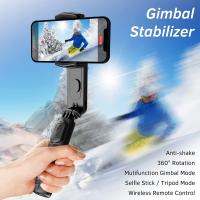
    Anti-Shake 3-Axis Gimbal Stabilizer, for iPhone, Android Phones and Gopro Sports Cameras, Dynamic Face/Object Tracking
    Anti-Shake 3-Axis Gimbal Stabilizer, for iPhone, Android Phones and Gopro Sports Cameras, Dynamic Face/Object Tracking
    $79.99
    ND64 (6 Stops) Square ND Filter, 4"x5.65" Neutral Density Filter Compatible with Tilta Compatible with SmallRig Matte Box, Slim Multi Coated HD Optical Glass
    ND64 (6 Stops) Square ND Filter, 4"x5.65" Neutral Density Filter Compatible with Tilta Compatible with SmallRig Matte Box, Slim Multi Coated HD Optical Glass
    $62.99 $49.99
    Matte Box Kit+ND4+ND32 Square Filter Compatible with Two 4x5.65" Square Filters Includes 67/72/77/82/95mm Adapter Rings Nano-Xcel Series
    Matte Box Kit+ND4+ND32 Square Filter Compatible with Two 4x5.65" Square Filters Includes 67/72/77/82/95mm Adapter Rings Nano-Xcel Series
    $162.99 $129.99
Compare (0) 0
  • Compare
  • You have not chosen any products to compare.

  • Compare
Currency: USD
  • Currency
Shop by Scene Shop by Rank

Log Into Your Account

Account

Order History

Wish List

Login

Forgotten Password?

Or connect with

Register Account

Already have an Account?Log In

  • Shopping Cart
  • Your shopping cart is empty!

  • Register/Login to purchase, earn points
  • Favorite
  • Your wish list is empty.

  • Register/Login to like, earn points
  • Activities
  • Guide
    • Filter Guide
    • Lens Adapter
    • Product Review
  • News & Reviews
    • Camera Reviews
    • Sample Gallery
    • News
  • Tutorials
    • Solar eclipse photography
    • Photography Basics
    • Landscape Photography
  • Inspiration
    • Travel
    • Travel Stories
  • Home
  • Blog
  • How Use Button On Selfie Stick?

How Use Button On Selfie Stick?

Kentfaith 2024-08-09 01:42:29 0 Comments

Selfie sticks have become an essential accessory for photography enthusiasts and casual users alike. They offer a convenient way to capture wide-angle selfies, group photos, and scenic backgrounds without the need for an extended arm or a second person. However, many users often find themselves puzzled by the button on their selfie stick. This article aims to demystify the process of using the button on a selfie stick, providing a comprehensive guide to ensure you get the most out of your device.

Understanding the Basics
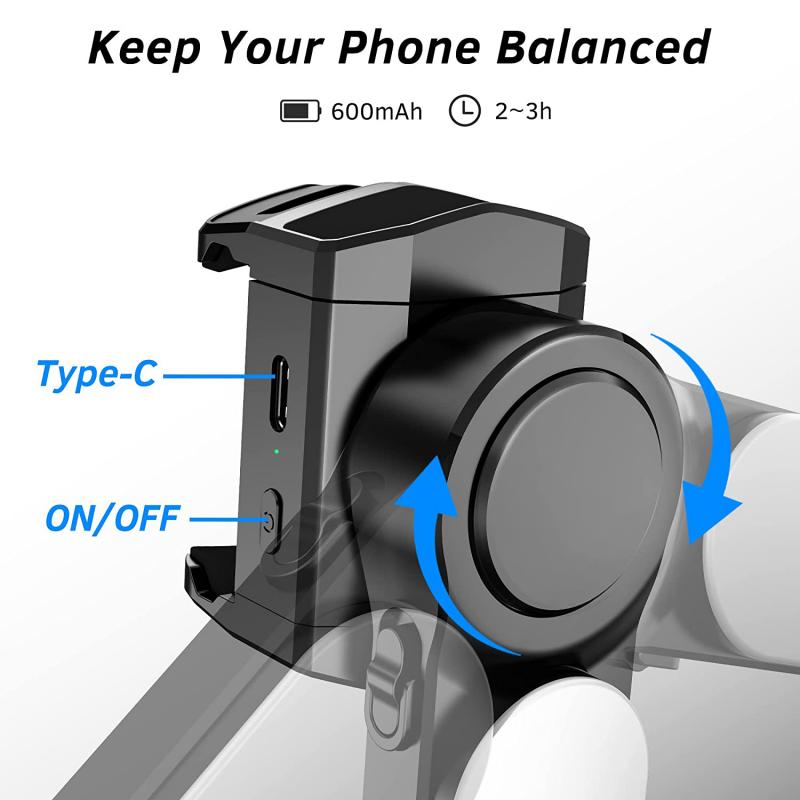
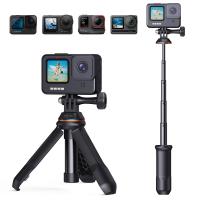
how use button on selfie stick 1

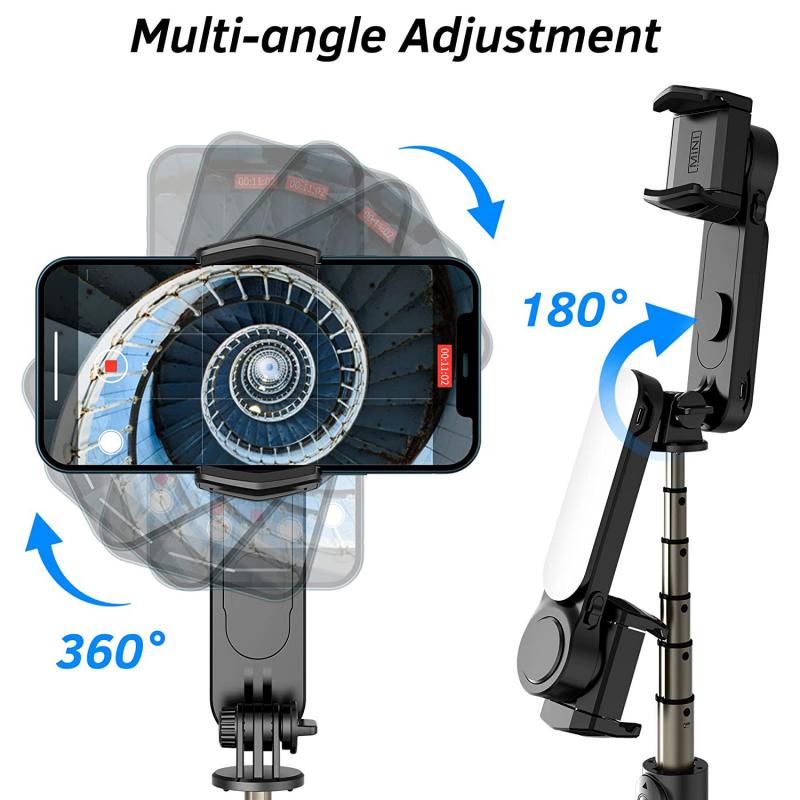
Before diving into the specifics of using the button on a selfie stick, it's crucial to understand the basic components of the device. A typical selfie stick consists of the following parts:

1. Handle: The part you hold onto.

2. Extendable Arm: The telescopic section that can be extended or retracted.

3. Phone Holder: The clamp that holds your smartphone in place.

4. Button: Usually located on the handle, this button is used to take photos or videos.

Types of Selfie Sticks
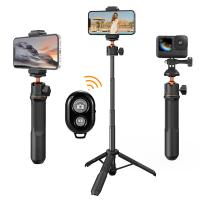
how use button on selfie stick 2

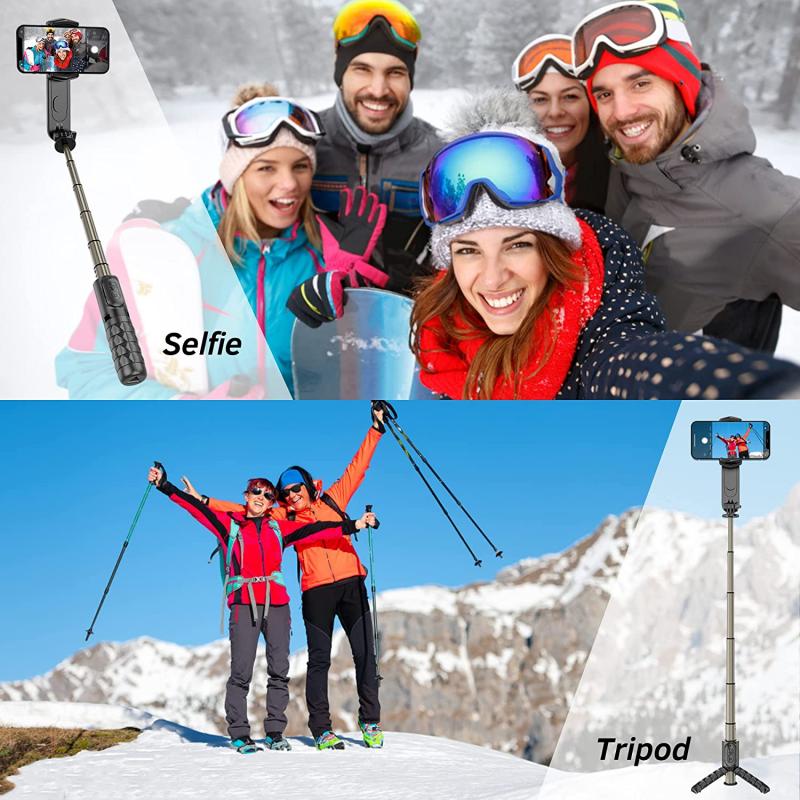
There are primarily two types of selfie sticks based on how the button functions:

1. Wired Selfie Sticks: These come with a 3.5mm audio jack that plugs into your phone's headphone port. The button on the handle sends a signal through this wire to trigger the camera shutter.

2. Wireless (Bluetooth) Selfie Sticks: These connect to your phone via Bluetooth. The button on the handle sends a wireless signal to your phone to take a photo or video.

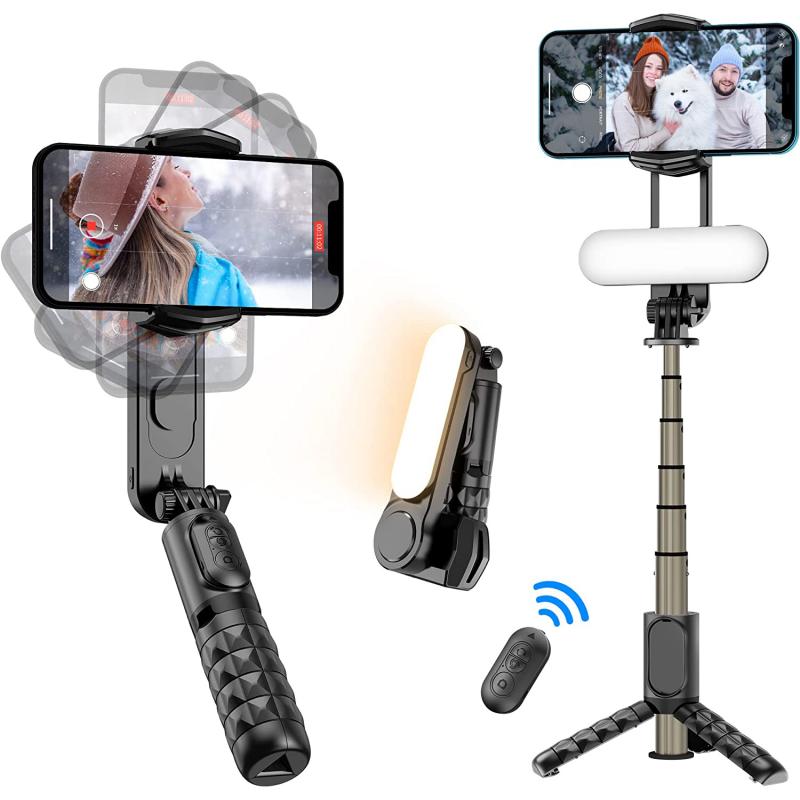
Setting Up Your Selfie Stick
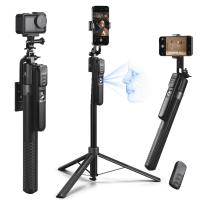
how use button on selfie stick 3

For Wired Selfie Sticks

how use button on selfie stick 4

1. Attach Your Phone: Secure your smartphone in the phone holder. Make sure it is tightly clamped to avoid any accidental drops.

2. Plug In the Audio Jack: Insert the 3.5mm audio jack into your phone's headphone port.

3. Open Your Camera App: Launch the camera application on your smartphone.

4. Extend the Arm: Adjust the length of the extendable arm to your desired length.

5. Press the Button: Once everything is set up, press the button on the handle to take a photo or start recording a video.

For Wireless (Bluetooth) Selfie Sticks

1. Charge the Selfie Stick: Ensure your selfie stick is fully charged. Most Bluetooth selfie sticks come with a USB charging cable.

2. Pair with Your Phone: Turn on the Bluetooth function on your smartphone. Press and hold the button on the selfie stick to enter pairing mode. Select the selfie stick from the list of available devices on your phone.

3. Attach Your Phone: Secure your smartphone in the phone holder.

4. Open Your Camera App: Launch the camera application on your smartphone.

5. Extend the Arm: Adjust the length of the extendable arm to your desired length.

6. Press the Button: Once everything is set up, press the button on the handle to take a photo or start recording a video.

Troubleshooting Common Issues

Button Not Working

- Wired Selfie Sticks: Ensure the audio jack is fully inserted into the headphone port. Some phones may require you to change the camera settings to recognize the selfie stick button as a shutter trigger.

- Wireless Selfie Sticks: Make sure the selfie stick is charged and properly paired with your phone. If the connection is unstable, try re-pairing the devices.

Phone Not Fitting Properly

- Adjust the Clamp: Most phone holders are adjustable. Ensure that the clamp is wide enough to hold your phone securely.

- Use a Case: If your phone is too thin, consider using a case to provide a better grip.

Poor Photo Quality

- Stabilize the Stick: Ensure that the selfie stick is stable and not shaking. Use both hands if necessary.

- Check Camera Settings: Make sure your camera settings are optimized for the best photo quality. Adjust the focus and exposure as needed.

Advanced Tips for Better Photos

1. Use a Timer: Some camera apps allow you to set a timer. This can be useful for reducing shake and ensuring everyone is ready for the photo.

2. Experiment with Angles: Don't just stick to the standard front-facing angle. Experiment with different angles to capture unique perspectives.

3. Utilize the Rear Camera: The rear camera on most smartphones offers better quality than the front camera. Use it for higher-quality photos.

4. Lighting: Ensure you have good lighting. Natural light is often the best, but if you're indoors, make sure the area is well-lit.

Using the button on a selfie stick may seem straightforward, but understanding the nuances can significantly enhance your photography experience. Whether you're using a wired or wireless selfie stick, following the steps outlined in this guide will help you capture stunning photos and videos with ease. Remember to troubleshoot common issues and experiment with advanced tips to take your selfie game to the next level. Happy snapping!

Leave your comment
Cancel reply
Note: HTML is not translated!
Related products
63'' Magnetic Iphone Tripod Phone Selfie Stick Tripod And Clip-On ND Filter(1-9 stops) For All Phone Set
207
$113.99 $59.99
DJI Osmo Action 4 & Osmo Action 5 Pro Action Camera Filter and Selfie Stick Kit, 4 Pack (CPL + ND8 + ND16 + ND32) Screw On Polarizing Neutral Density Filter HD Optical Glass / Multi-Coated / Metal Frame and Portable 2-in-1 Selfie Stick Tripod
$49.99
Cell Phone Tripod MS02 13.4''/34cm bluetooth selfie stick Desktop Stand Orange Gray
97
$29.99 $21.99
MS04 62''/1.58m Tripod Phone Selfie Stick, Black And Orange With Bluetooth Remote Control + Gopro Adapter
107
$49.99 $29.99
67''/170cm Eccentric Tube Cellphone Tripod, Lightweight Super Portable Selfie Stick, DSLR Camera Tripod E224A3+BH-18 Silver
36
$89.99 $49.99
67''/1.7m Eccentric Tube Cellphone Tripod, Lightweight Super Portable Selfie Stick, DSLR Camera Tripod E224A3+BH-18 Black
36
$85.99 $49.99
MS03 13''/33cm Action Camera Mounts Selfie Stick Desktop Stand (Small Size) For Gopro, Action, And Insta Black Orange
5
$37.99 $18.99
23.6‘’/60cm 3 in 1 selfie stick desktop stand with ball head + mobile phone holder + GoPro adapter + Bluetooth remote control MS11
45
$37.99 $23.99
60 inch Invisible Selfie Stick, Extension Pole compatiable with Insta360 Sports Camera, GoPro, DJI Action, 1/4" Extended Monopod Pole with GoPro Adapter
11
$25.99
Products You May Like
K&F Concept KF-150 I-TTL Macro Ring Light Flashs LCD Display and Wireless Slave Function Speedlite with 6pcs Adapter Rings Compatible with Nikon DSLR Cameras
102
$119.99 $115.99
58mm MC UV Protection Filter Slim Frame with Multi-Resistant Coating for Camera Lens Nano-Klear
254
$15.99 $12.49
55mm HD Soft GND8 Lens Filter 3 Stop (0.9) Soft Graduated Neutral Density Filter K&F Concept Nano-Xcel Series
41
$56.99 $44.99
Nikon S Lenses to Fuji X Lens Mount Adapter K&F Concept M33111 Lens Adapter
$58.99 $30.99
WiFi Solar Eclipse Telescope Camera with 1.5in Screen 1080P Video 1000mAh Battery for Monoculars Binoculars Microscopes Telescopes
13
$119.99 $83.99
52mm Adapter Ring for 100mm Pro Square Filter System Nano-Xcel Pro Series
1
$17.99
49mm MCUV+CPL+ND1000+Adapter Ring Magnetic 4 in 1 Lens Filter Kit Waterproof Scratch-Resistant Anti-Reflection with Filter Pouch
43
$99.99 $79.99
35" / 90cm Softbox Parabolic Hexadecagon Compatible with Bowens Mount with Honeycomb Grid Light Diffusers Carrying Bag for Photography Studio Speedlite Flash and Monolight
3
$108.99
D Mount Lenses to Pentax Q Lens Mount Adapter K&F Concept M38161 Lens Adapter
$42.99 $29.99
Compound Microscope with 11.6-inch Smart Screen, 40X-2500X Magnification, PC Connection, Plan Optical System, Mechanical Stage, Kentfaith
14
$1,324.99 $1,059.99
Related articles
How To Use Selfie Stick With Shutter Button?
How To Fix Selfie Stick Button?
How To Use Camera Selfie Stick?
How To Use Audio Jack Selfie Stick?
How To Use Selfie Stick For Video?
How To Use Selfie Stick With Iphone 10?
How Do You Use A Bluetooth Selfie Stick?
How To Change Battery On Selfie Stick L01?
Can You Put Polaroid On Selfie Stick?
Can You Save Apps On An Sd Card?
Blog You May Like
Can We Repair Bluetooth Earphones?
How To Make Video Look White Light?
How To Choose Camera Filter Size?
What Does A Smart Health Watch Do?
What Is Built In Wifi On A Camera?
How To Record Audio Without Background Noise?
Can We Put Camera With Microphone?
Can Solar Eclipse Damage Camera?
What Mount Does The Nikon D3200?
How To Replace Ring Light Bulb?
Related categories
On-Dash Camera graduated neutral density lens filter Square GND Filter Konica AR Mount Lens Adapters GND filter kit​ industrial endoscope Lens Filter Holder Brand-specific Filters
Popular products
iphone 15 selfie stick mirrorless selfie stick phone tripod selfie stick insta 360 camera case camera selfie stick tripod safe selfie stick mi selfie stick tripod black dji osmo action camera selfie stick iphone tripod stand holder
Related searches
Gopro Selfie Stick Selfie Stick Bluetooth Small Selfie Stick Selfie Stick Tripod Selfie Stick Battery Phone Selfie Stick Selfie Stick Stand Magsafe Selfie Stick Dji Selfie Stick Portable Selfie Stick
Popular searches
50mm Prime Lens Nikon Mount Dx 49mm Polarizing Filter Wireless Microphone Case Camera Recording Filter Best Solar Panel System Zenmuse X5 Lens Mount Best 4k Video Camera For Wildlife Best Sony A-mount Portrait Lens Camera Lens Ring Dji Pocket 3 Pov Mount
Blog Category
  • Activities
  • Guide
    • Filter Guide
    • Lens Adapter
    • Product Review
  • News & Reviews
    • Camera Reviews
    • Sample Gallery
    • News
  • Tutorials
    • Solar eclipse photography
    • Photography Basics
    • Landscape Photography
  • Inspiration
    • Travel
    • Travel Stories
Search Article
Latest from the Blog
What Power Binoculars For Long Distance Viewing?
Best Metal Detector for Kids in 2025
Can Security Cameras Detect Motion Through Glass?
What To Look For In A Dash Cam?
Neutral Density Filter: The Ultimate Guide for Photographers and Videographers
What Does A Uv Camera Filter Do?
What Tripod To Buy?
How To Wear Monocular?
Which Camera Is Best For Low Light Photography?
What Does Tripod?
  • Easy Payment Multilple Payment Options

  • Free Shipping Global WareHouse Shipment

  • No Risk 30-Day No Reason Return

  • Limited Deals Buy More, Save More

  • Tax Free No any surcharges or tax fee

Information
  • About us
  • Contact Us
  • Site Map
  • Blog
  • Video
  • Gallery
  • VIP Membership Rewards
Service
  • Privacy Policy
  • Terms & Conditions
  • Shipping & Delivery
  • Payment Info
  • Warranty, Return & Refund
  • Intellectual Property Rights
  • Ambassador
  • Affiliates
  • Wholesale
Support
  • My account
  • Order History
  • FAQs
  • Extend Warranty
  • Logistics Tracking
Follow us
NewsLetter

Get the latest product, K&F Concept respects your privacy.

Powered By KENTFAITH © 2025