Which Camera Is Good For Home Security?
The Ultimate Guide to Choosing the Best Camera for Home Security
Home security has become a top priority in today’s fast-paced world. With technological advancements, surveillance cameras now offer groundbreaking features to help homeowners monitor and secure their properties effectively. However, with so many options on the market, selecting the right camera for your home can feel overwhelming. This article serves as a comprehensive guide to help you identify the best camera for your home security needs while addressing common concerns and practical tips.
Why Invest in a Quality Home Security Camera?

A home security camera does more than just capture footage; it provides peace of mind, deters potential intruders, allows you to monitor your loved ones and property, and even helps in case of emergencies. Whether you’re worried about package theft or simply want to check on your home while you’re away, the right camera can make a significant difference.
Key Considerations Before Choosing a Camera

Choosing the right home security camera depends on several factors. Evaluating your specific needs will help narrow down the options. Here are some points to consider:
1. Primary Purpose:
- Are you protecting against burglars? Monitoring entry points? Or keeping an eye on your pets and children? Different scenarios demand different types of cameras.
2. Coverage Area:
- The size and layout of your home will dictate how many cameras you need and where they should be installed.
3. Budget:
- With cameras ranging from $50 to well over $500, your budget will play a significant role in your choice. Keep in mind that higher cost often means better features, but it’s also possible to find budget-friendly options with great functionality.
4. Installation Preferences:
- Are you comfortable with wired installations, or do you prefer wireless systems for easy setup?
5. Additional Features:
- Consider advanced options such as motion detection, night vision, cloud storage, and AI-based alerts.
Diverse Types of Home Security Cameras

Understanding the types of cameras available will help you pinpoint which one works best for your needs. Below are the main categories:
1. Indoor Cameras
Designed for use inside the house, indoor cameras monitor activities in living spaces, bedrooms, or hallways. These cameras are ideal for keeping tabs on children, pets, or caregivers (like babysitters).
- *Recommended Features*: Two-way audio, AI for pet or human detection, and integration with smart home systems.
- *Top Picks*: Google Nest Cam (Indoor), Wyze Cam v3.
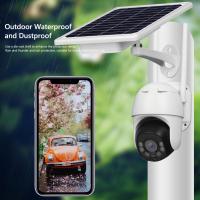
2. Outdoor Cameras
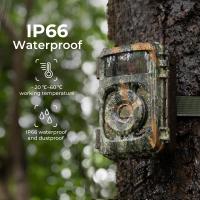
Outdoor cameras provide surveillance around the perimeter of your home. They’re built to be weather-resistant and tough enough to handle temperature extremes.
- *Recommended Features*: IP65+ waterproof rating, high-resolution video, motion alerts, and integrated floodlights.
- *Top Picks*: Arlo Pro 4, Ring Spotlight Cam.
3. Doorbell Cameras
Video doorbells replace traditional doorbells and allow you to see, hear, and talk to visitors at your door via your smartphone.
- *Recommended Features*: Wide-angle view, two-way communication, and motion zones.
- *Top Picks*: Ring Video Doorbell Pro 2, Google Nest Doorbell.
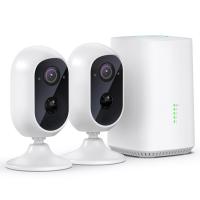
4. Wireless Cameras
These cameras are powered either by Wi-Fi or a battery, making them easy to install. While convenient, they may face connectivity interruptions.
- *Recommended Features*: Rechargeable batteries, mobile alerts, compatibility with smart home systems.
- *Top Picks*: Blink Outdoor, EufyCam 2C.
5. Wired Cameras
Wired cameras require a physical connection to power and/or storage (like a DVR). They provide reliable, high-quality footage but can be challenging to install.
- *Recommended Features*: Continuous recording, local storage, and high resolution.
- *Top Picks*: Reolink RLK8-810B4-A, Swann 8-Channel Security Kit.
Essential Features to Look For
When evaluating your camera options, the most effective security cameras should have the following features:
1. High-Resolution Video
- Video clarity is critical. Opt for cameras with at least 1080p resolution, although 4K cameras provide even sharper images.
2. Night Vision
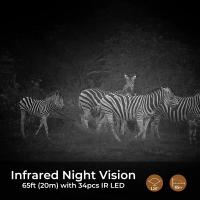
- Cameras with infrared or color night vision ensure that footage remains clear after dark, which is particularly crucial for outdoor monitoring.
3. Motion Detection
- Cameras with advanced motion detection reduce false alerts and notify you when significant activity is detected.
4. Two-Way Audio
- Ideal for interacting with visitors or scaring off potential intruders with your voice.
5. Cloud and Local Storage
- Look for a camera offering a balance between cloud storage (for remote access) and local storage (for privacy).
6. Wide Field of View
- A wide-angle lens reduces blind spots, which may reduce the number of cameras you need to cover an area.
7. Smart Integration
- Choose cameras that sync with smart home platforms like Alexa, Google Home, or Apple HomeKit for added automation.
Best Cameras for Every Scenario
To make your decision easier, we’ve compiled recommendations for specific use cases:
1. Best Budget Camera: Wyze Cam v3
Wyze Cam v3 offers a suite of essential features, such as 1080p video quality, night vision, motion detection, and voice integration, at an affordable price point.
2. Best for Outdoors: Arlo Pro 4
With 2K resolution, color night vision, and a wire-free setup, the Arlo Pro 4 is designed to withstand extreme weather conditions.
3. Best for Doorsteps: Ring Video Doorbell Pro 2
Offering a crystal-clear head-to-toe video, advanced motion detection, and Alexa integration, this camera is perfect for monitoring package deliveries.
4. Best Wireless Option: EufyCam 3
EufyCam 3 is a long-lasting wireless camera with AI-powered facial recognition and an impressive battery life of 12 months on a single charge.
5. Best Long-Term Investment: Google Nest Cam (Battery)
This camera combines versatility, smart AI alerts, and sleek design with the tech integration of the Google ecosystem.
Common Challenges and Solutions
Challenge 1: Difficulty in Installation
- *Solution*: Opt for wireless cameras if you’re looking for an easier, DIY-friendly installation. Professional installation services are also available for wired systems.
Challenge 2: Privacy Concerns
- *Solution*: Use a camera that supports local storage or encrypts cloud footage. Always change default passwords and update firmware regularly.
Challenge 3: False Alerts
- *Solution*: Invest in cameras with smart motion zones or AI-driven detection, which can distinguish between humans, animals, and vehicles.
Challenge 4: Connectivity Issues
- *Solution*: For wireless systems, ensure a strong Wi-Fi signal or invest in a camera with dual-band Wi-Fi support.
Tips to Maximize Security Camera Effectiveness
1. Strategic Placement:
- Position outdoor cameras in high, hard-to-reach spots with clear views of entry points. Indoor cameras should cover major living areas.
2. Secure Your Network:
- Use strong, unique passwords for all devices and your Wi-Fi network. Always enable two-factor authentication.
3. Post Visible Cameras:
- Visible cameras can act as effective deterrents for potential burglars.
4. Test the System:
- Regularly review footage and update settings to ensure your cameras are working optimally.
Final Thoughts
The market for security cameras is constantly evolving, and choosing the right one depends on aligning the features with your specific needs. By understanding the types of cameras available, evaluating key features, and considering common challenges, you can find a solution that provides effective protection for your home while staying within your budget. Whether you prioritize ease of installation, advanced technology, or robust outdoor monitoring, there’s a perfect camera waiting for you. Remember, the ultimate goal is to have peace of mind knowing that your home is safe and secure, no matter where you are.