kfconcept

KENTFAITH
K&F Concept    Blog >

Enjoy Your Selected Digital Life

Recently Viewed
  • Recently Viewed
  • Recently Viewed list is empty.

Compare (0) 0
  • Compare
  • You have not chosen any products to compare.

  • Compare
Currency: USD
  • Currency
Shop by Scene Shop by Rank

Log Into Your Account

Account

Order History

Wish List

Login

Forgotten Password?

Or connect with

Register Account

Already have an Account?Log In

  • Shopping Cart
  • Your shopping cart is empty!

  • Register/Login to purchase, earn points
  • Favorite
  • Your wish list is empty.

  • Register/Login to like, earn points
  • Activities
  • Guide
    • Filter Guide
    • Lens Adapter
    • Product Review
  • News & Reviews
    • Camera Reviews
    • Sample Gallery
    • News
  • Tutorials
    • Solar eclipse photography
    • Photography Basics
    • Landscape Photography
  • Inspiration
    • Travel
    • Travel Stories
  • Home
  • Blog
  • How To Find Pinhole Cameras?

How To Find Pinhole Cameras?

Kentfaith 2024-07-09 03:42:51 0 Comments

In today's world, privacy is a growing concern, and the proliferation of surveillance technology has made it easier than ever for individuals to be monitored without their knowledge. One of the most insidious forms of surveillance is the use of pinhole cameras. These tiny, often undetectable devices can be hidden almost anywhere, making it crucial to know how to find them. This article will provide a comprehensive guide on how to detect pinhole cameras, ensuring your privacy and security.

Understanding Pinhole Cameras

Before diving into detection methods, it's essential to understand what pinhole cameras are and how they work. Pinhole cameras are small, covert devices designed to capture video or images through a tiny aperture. They can be hidden in everyday objects such as smoke detectors, clocks, air purifiers, and even electrical outlets. Due to their small size and the minimal opening required for the lens, they are incredibly difficult to spot with the naked eye.

Why Detecting Pinhole Cameras is Important

The primary reason for detecting pinhole cameras is to protect your privacy. These devices can be used for various malicious purposes, including spying, theft of personal information, and even blackmail. Whether you're in a hotel room, a rental property, or your own home, knowing how to find these hidden cameras can help you maintain your privacy and peace of mind.

Methods to Detect Pinhole Cameras

1. Visual Inspection

The first step in detecting a pinhole camera is a thorough visual inspection of the area. Look for any unusual or out-of-place objects. Pay special attention to items that are new or have been moved recently. Common hiding spots include:

- Smoke detectors

- Air purifiers

- Electrical outlets

- Clocks

- Picture frames

- Bookshelves

Use a flashlight to help you see better in dimly lit areas. Shine the light at various angles to catch any reflections from the camera lens. Pinhole cameras often have a small, reflective surface that can give them away when light hits them directly.

2. Use a Camera Detector

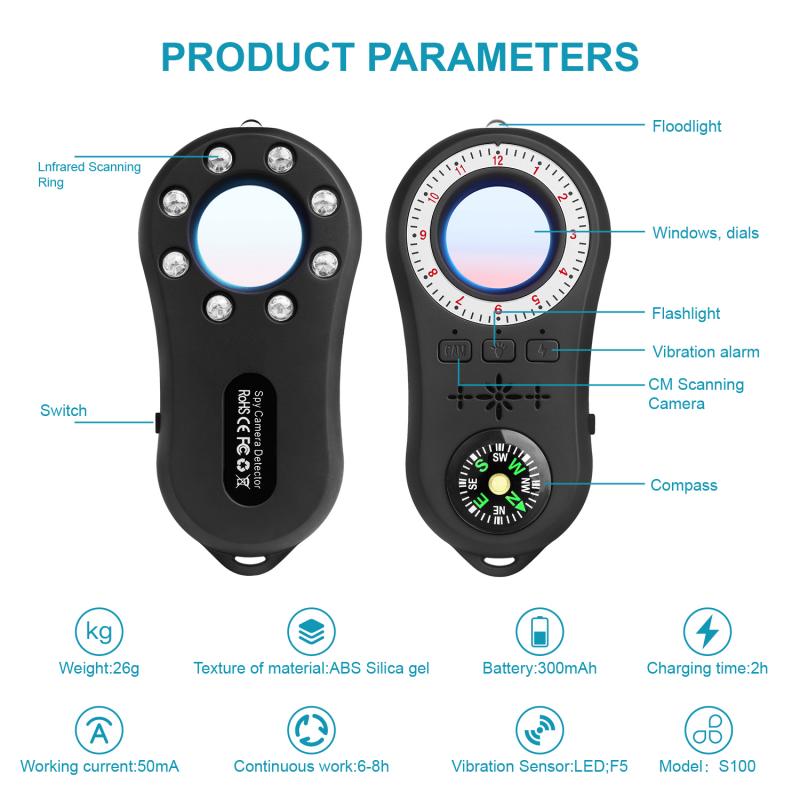
Camera detectors are specialized devices designed to locate hidden cameras. These detectors work by identifying the radio frequency (RF) signals emitted by wireless cameras or by detecting the lens of a camera through infrared light. There are two main types of camera detectors:

- RF Detectors: These devices scan for RF signals that wireless cameras transmit. When an RF signal is detected, the device will alert you with a sound or light indicator. Keep in mind that RF detectors can also pick up other wireless signals, so it's essential to use them in conjunction with other methods.

- Lens Detectors: These devices use infrared light to detect the reflective surface of a camera lens. When you look through the viewfinder of a lens detector, any hidden camera lenses will appear as bright spots.

3. Smartphone Detection

Your smartphone can also be a valuable tool in detecting pinhole cameras. There are several ways to use your phone for this purpose:

- Camera Flashlight Method: Turn off the lights in the room and use your phone's flashlight to scan the area. Look for any reflections that could indicate a camera lens.

- Camera App: Some hidden cameras emit infrared light, which is invisible to the naked eye but can be detected by your smartphone camera. Open your camera app and scan the room. If you see any bright spots on your screen that are not visible to the naked eye, it could be an infrared light from a hidden camera.

- Detection Apps: There are various apps available for both Android and iOS devices that can help detect hidden cameras. These apps use your phone's sensors to scan for RF signals or infrared light.

4. Check for Unusual Wi-Fi Networks

Many modern pinhole cameras are connected to Wi-Fi networks to stream video footage. By scanning for unusual or unfamiliar Wi-Fi networks in your vicinity, you may be able to identify hidden cameras. Use a Wi-Fi scanner app to see all the networks in the area and look for any that seem out of place or have strong signals in unexpected locations.

5. Physical Inspection

In some cases, a physical inspection may be necessary to find hidden cameras. This involves checking behind or inside objects where a camera could be concealed. Be cautious when handling electrical devices or fixtures, and consider seeking professional help if you're unsure about disassembling anything.

What to Do If You Find a Pinhole Camera

If you discover a hidden camera, it's essential to take the following steps:

1. Document the Evidence: Take photos or videos of the camera and its location. This documentation can be crucial if you need to report the incident to authorities.

2. Do Not Touch the Camera: Avoid tampering with or removing the camera, as this could destroy evidence.

3. Report to Authorities: Contact local law enforcement to report the discovery. Provide them with the documentation you collected and any other relevant information.

4. Notify Property Management: If you're in a rental property or hotel, inform the property management or owner about the hidden camera. They may need to take additional steps to ensure the safety and privacy of other guests.

Preventative Measures

While knowing how to detect pinhole cameras is essential, taking preventative measures can also help protect your privacy:

- Use a Camera Cover: When not in use, cover the cameras on your devices with a physical cover or tape. This simple step can prevent unauthorized access to your camera.

- Secure Your Wi-Fi Network: Ensure your home Wi-Fi network is secure with a strong password and encryption. This can prevent unauthorized access to any connected devices, including cameras.

- Regular Inspections: Periodically inspect your living or working space for any new or unusual objects. Regular inspections can help you catch hidden cameras before they become a significant issue.

- Invest in Privacy Tools: Consider investing in privacy tools such as camera detectors or signal jammers. These devices can provide an added layer of security and peace of mind.

In an age where surveillance technology is becoming increasingly sophisticated, knowing how to detect pinhole cameras is a valuable skill. By conducting thorough visual inspections, using specialized detection devices, leveraging your smartphone, and taking preventative measures, you can protect your privacy and ensure your personal space remains secure. Remember, vigilance and awareness are your best defenses against hidden surveillance.


Leave your comment
Cancel reply
Note: HTML is not translated!
Related products
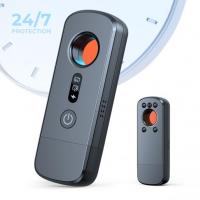
Anti-Spy Detector Scan & Disconnect for 24/7 Protection Find Bugs Hidden Cams
15
$89.99 $59.99
Metal Detectors for Adults and Kids, Gold Detector Kit with LCD Display & IP68 Waterproof Search Coil for Find Valuables
NEW Arrival
Metal Detectors for Adults and Kids, Gold Detector Kit with LCD Display & IP68 Waterproof Search Coil for Find Valuables
285
$215.99 $151.99
Olympus OM Mount Lens to M4/3 MFT Olympus Pen Cameras Lens Mount Adapter
24
$64.99 $35.99
PL-L Mount Lens Adapter, Compatible with PL Lens Converter to L Mount Cameras
$99.99
PL-RF Mount Lens Adapter, Compatible with PL Mount Lens Converter to RF Mount Cameras Adapter
$89.99
Pentax PK DA Mount Lens to Micro Four Thirds M4/3 MFT Mount Cameras Manual Lens Mount Adapter
107
$60.99 $33.99
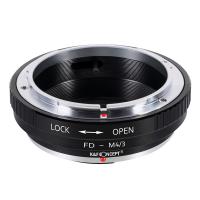
Canon FD Lens to Micro Four Thirds M4/3 Olympus Pen and Panasonic Lumix Cameras Lens Mount Adapter Ring
130
$45.99 $28.99
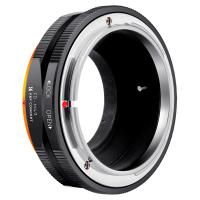
FD to M4/3 Lens Mount Adapter Ring Compatible for Canon FD Lens to Micro Four Thirds M43 Olympus Pen and Panasonic Lumix Cameras with Matting Varnish Design
24
$55.99 $30.99
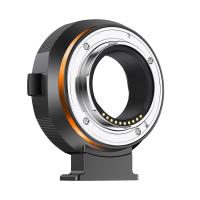
Canon EF EF-S Mount Lens to Fuji FX Mount Cameras EF/EF-S to FX Electronic Lens Adapter K&F Concept Auto Focus Lens Mount Adapter Ring
92
$362.99 $199.99
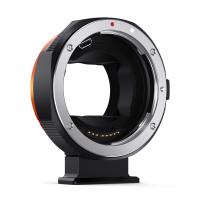
Canon EF EF-S Mount Lens to Sony E Mount Cameras EF/EF-S to E Electronic Lens Adapter K&F Concept Auto Focus Lens Mount Adapter Ring
94
$248.99 $189.99
Products You May Like
77mm Black Mist 1 Filter Mist Cinematic Effect Filter Black Diffusion 1 Filter with 18 Multi-Layer Coatings Nano-Klear Series
212
$37.99 $29.99
Business Bluetooth Headset with Mic, V5.0 Wireless Bluetooth Headset, Bluetooth Headset with Mic, Phone Headset, Headset for VOIP, Skype, Call Center, Office, Truck Driver Black
$25.99
Wing Home Trail Camera
10
$162.99 $106.99
Motorcycle Bluetooth Headset with 2K Camera 6 Riders Intercom 2000m Range Kentfaith
57
$232.49 $162.99
DJI Mavic 3 Classic Filter ND64 with Single-sided Anti-reflection Green Film Waterproof and Scratch-resistant
27
$29.99 $17.99
S9 kids digital camera with flip lens, tripod, 1080p, 40 megapixels, best kids camera for boys and girls from 3 years blue
$36.99
K&F Concept Camera Lens Pouch Case, Waterproof Zipper Lens Protective Bag, Camera Lens Carry Bag Fits Lenses Below 3.14x5.5 (D x H) - M
99
$35.99 $24.99
ID115HR PLUS Smart Bracelet Sports Watch Fitness Tracker Heart Rate Monitor - Black  ( One flash sale item per customer )
ID115HR PLUS Smart Bracelet Sports Watch Fitness Tracker Heart Rate Monitor - Black ( One flash sale item per customer )
$0.10
55mm Circular Polarizer Filter with Lens Cap Optical Glass Ultra Slim 18 Multi-Layer Coatings Polarizing Filter for Camera Lens Nano-Klear Series
43
$26.99 $13.99
72mm Gold Streak Effect Lens Filter (2mm) Anamorphic Optical Glass Light Flare Effect Filter for Camera Lens Nano-Xcel Series
30
$62.99 $49.99
Related articles
How To Find Game Cameras?
How To Find Spy Cameras?
How To Find Tiny Hidden Cameras?
How To Find Cameras With Phone?
Where To Find Disposable Cameras?
How To Find Cameras In A House?
How To Find Value Of Old Cameras?
How To Find The Right Video Cameras?
How To Find Ip Cameras On Network?
Camcorder That Can Live Stream?
Blog You May Like
How To Insert Micro Sd Card Into Pc?
How To Setup Selfie Stick Bluetooth Remote?
How To Find Lost Wired Earphones?
How To Ship Camera With Battery?
What Is A Rubber Lens Hood?
Can You Use A Variable Nd Filter?
How To Do Studio Lighting On Iphone?
When To Use Polarized Lens Filter?
How Do You Record Facetime With Audio?
How To Capture Video On Pc From Camcorder?
Related categories
4G Cameras C mount lens adapter m4/3 adapter endoscope cameras endoscope cameras Wifi Trail Cameras digital camera for beginner trail camera with screen
Popular products
no spy hidden camera detector Gold Detector Kit nikon f mount to micro 4 3 adapter olympus om d lens adapter pentax mft adapter canon panasonic adapter fd to e mount adapter canon ef sony e mount quick release adapter for tripod nikon ais to ef
Related searches
Metal Detector Find Bag C Mount Pinhole Lens Pinhole Lens E Mount Sony E Mount Pinhole Camcorder Pinhole Lens Adapter Pinhole Adapter For Nikon Nikon F Mount Pinhole Metal Detectors That Find Gold And Silver Rising Standard Pinhole For Canon Ef Mount Rising Standard Pinhole For Nikon F Mount
Popular searches
Hidden Audio Recorder For Car Macro Lens Adapter For Canon 43 Mm Nd Filter Pentax 645 Hasselblad Adapter Microphone And Camera For Zoom Meetings 17mm Lens E Mount Lens Adapter For Dcr-pc101 Tripod Top Plate Cs Mount Telephoto Lens Canon Ef-s Mount Digital Slr Cameras
Blog Category
  • Activities
  • Guide
    • Filter Guide
    • Lens Adapter
    • Product Review
  • News & Reviews
    • Camera Reviews
    • Sample Gallery
    • News
  • Tutorials
    • Solar eclipse photography
    • Photography Basics
    • Landscape Photography
  • Inspiration
    • Travel
    • Travel Stories
Search Article
Latest from the Blog
What Tripod To Buy?
What Is A Good Quality Dash Cam?
How To Find Camera Roll On Iphone 5s?
How To Stream Live From Surveillance Camera?
What Is Surveillance Camera Control System?
How Does a WiFi Trail Camera Work?
Can Security Cameras Detect Motion Through Glass?
Best Metal Detector for Kids in 2025
How To Buy A Security Camera System?
How To Make Your Eyes Flash On Camera?
  • Easy Payment Multilple Payment Options

  • Free Shipping Global WareHouse Shipment

  • No Risk 30-Day No Reason Return

  • Limited Deals Buy More, Save More

  • Tax Free No any surcharges or tax fee

Information
  • About us
  • Contact Us
  • Site Map
  • Blog
  • Video
  • Gallery
  • VIP Membership Rewards
Service
  • Privacy Policy
  • Terms & Conditions
  • Shipping & Delivery
  • Payment Info
  • Warranty, Return & Refund
  • Intellectual Property Rights
  • Ambassador
  • Affiliates
  • Wholesale
Support
  • My account
  • Order History
  • FAQs
  • Extend Warranty
  • Logistics Tracking
Follow us
NewsLetter

Get the latest product, K&F Concept respects your privacy.

Powered By KENTFAITH © 2026