kfconcept

KENTFAITH
K&F Concept    Blog >

Enjoy Your Selected Digital Life

Recently Viewed
  • Recently Viewed
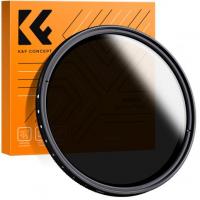
  • 67mm Variable ND2-400 Filter With Cap, K Pro Fader ND2 to ND400 (9 Stop)
    67mm Variable ND2-400 Filter With Cap, K Pro Fader ND2 to ND400 (9 Stop)
    $33.99
    82mm Fader ND2-ND32 (1-5 Stop) Variable ND Lens Filter Neutral Density Filter for Camera Lens NO X Spot Nanotec Ultra-Slim Weather-Sealed
    82mm Fader ND2-ND32 (1-5 Stop) Variable ND Lens Filter Neutral Density Filter for Camera Lens NO X Spot Nanotec Ultra-Slim Weather-Sealed
    $66.99
Compare (0) 0
  • Compare
  • You have not chosen any products to compare.

  • Compare
Currency: USD
  • Currency
Shop by Scene Shop by Rank

Log Into Your Account

Account

Order History

Wish List

Login

Forgotten Password?

Or connect with

Register Account

Already have an Account?Log In

  • Shopping Cart
  • Your shopping cart is empty!

  • Register/Login to purchase, earn points
  • Favorite
  • Your wish list is empty.

  • Register/Login to like, earn points
  • Activities
  • Guide
    • Filter Guide
    • Lens Adapter
    • Product Review
  • News & Reviews
    • Camera Reviews
    • Sample Gallery
    • News
  • Tutorials
    • Solar eclipse photography
    • Photography Basics
    • Landscape Photography
  • Inspiration
    • Travel
    • Travel Stories
  • Home
  • Blog
  • How To Find Ip Cameras On Network?

How To Find Ip Cameras On Network?

Kentfaith 2024-09-19 00:55:26 0 Comments

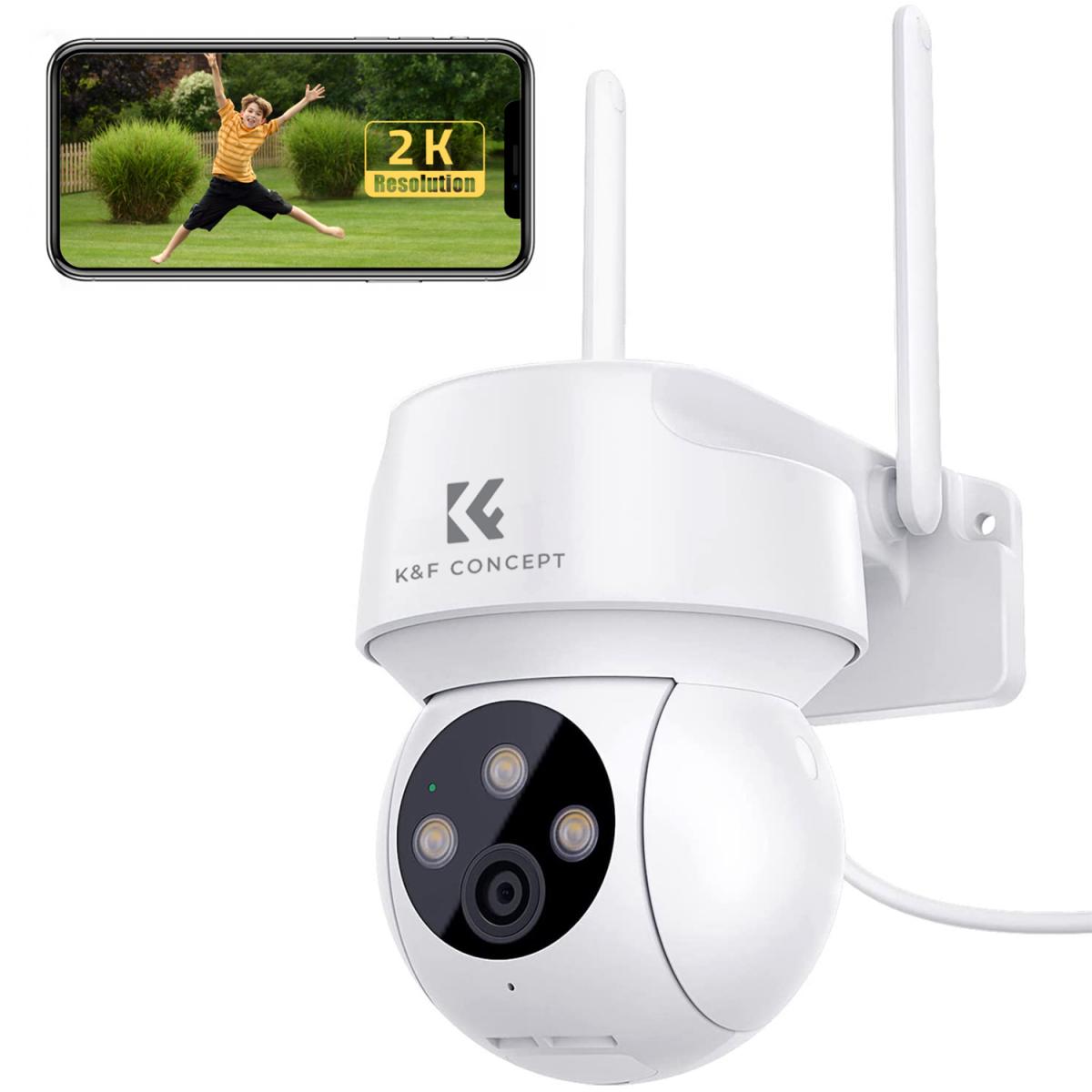
In today's interconnected world, IP cameras have become an essential tool for security and surveillance. Whether you're a homeowner looking to secure your property, a business owner wanting to monitor your premises, or an IT professional tasked with managing a network of cameras, knowing how to find IP cameras on a network is crucial. This article will guide you through the process, providing practical steps and tips to ensure you can efficiently locate and manage your IP cameras.

Understanding IP Cameras

Before diving into the methods of finding IP cameras on a network, it's important to understand what an IP camera is. An IP camera, or Internet Protocol camera, is a type of digital video camera that receives and sends video footage via an IP network. Unlike analog closed-circuit television (CCTV) cameras, IP cameras do not require a local recording device, only a local network. This makes them more flexible and scalable for various surveillance needs.

Why Finding IP Cameras is Important

Finding IP cameras on a network is essential for several reasons:

1. Security: Ensuring that all cameras are accounted for and properly configured helps maintain the security of the surveillance system.

2. Maintenance: Regularly checking the status of IP cameras can help in timely maintenance and troubleshooting.

3. Network Management: Knowing the IP addresses of cameras helps in managing network resources and bandwidth.

Methods to Find IP Cameras on a Network

There are several methods to locate IP cameras on a network. These methods range from using built-in tools in operating systems to specialized software designed for network management.

1. Using Network Scanning Tools

Network scanning tools are one of the most effective ways to find IP cameras on a network. These tools scan the network for devices and provide detailed information about each device, including IP addresses, MAC addresses, and device types.

Popular Network Scanning Tools:

- Advanced IP Scanner: This free tool is user-friendly and provides a comprehensive list of devices on the network. It can identify IP cameras and provide their IP addresses.

- Nmap: A powerful open-source network scanner that can be used to discover devices on a network. It requires some technical knowledge but offers detailed information.

- Angry IP Scanner: Another free tool that is easy to use and can quickly scan a network to find IP cameras.

Steps to Use Network Scanning Tools:

1. Download and install the network scanning tool of your choice.

2. Open the tool and enter the IP range of your network.

3. Start the scan and wait for the results.

4. Look for devices that match the manufacturer or model of your IP cameras.

2. Using the Router’s Web Interface

Most modern routers come with a web interface that allows you to see all connected devices. This can be a quick way to find IP cameras on your network.

Steps to Use the Router’s Web Interface:

1. Open a web browser and enter the IP address of your router (usually 192.168.1.1 or 192.168.0.1).

2. Log in with your router’s username and password.

3. Navigate to the section that shows connected devices (often under “Device List” or “Attached Devices”).

4. Look for devices that match the manufacturer or model of your IP cameras.

3. Using Camera Manufacturer’s Software

Many IP camera manufacturers provide their own software for managing and discovering cameras on a network. This software is often tailored to work seamlessly with their products.

Steps to Use Manufacturer’s Software:

1. Download and install the software from the manufacturer’s website.

2. Open the software and follow the instructions to scan the network.

3. The software will list all compatible IP cameras along with their IP addresses.

4. Using Command Line Tools

For those comfortable with command line interfaces, tools like `arp-scan` and `ping` can be used to find IP cameras on a network.

Using `arp-scan`:

1. Open a terminal or command prompt.

2. Install `arp-scan` (if not already installed).

3. Run the command `arp-scan -l` to list all devices on the local network.

4. Look for devices that match the manufacturer or model of your IP cameras.

Using `ping`:

1. Open a terminal or command prompt.

2. Use the `ping` command to check each IP address in the network range.

3. Note the responses and identify the IP addresses of the cameras.

Best Practices for Managing IP Cameras

Once you have located your IP cameras, it’s important to follow best practices for managing them to ensure security and efficiency.

1. Assign Static IP Addresses

Assigning static IP addresses to your IP cameras can make them easier to manage and prevent IP conflicts. This can usually be done through the camera’s web interface or the router’s DHCP settings.

2. Change Default Passwords

Always change the default passwords of your IP cameras to prevent unauthorized access. Use strong, unique passwords for each camera.

3. Regularly Update Firmware

Keep the firmware of your IP cameras up to date to ensure they have the latest security patches and features. Check the manufacturer’s website regularly for updates.

4. Monitor Network Traffic

Use network monitoring tools to keep an eye on the traffic generated by your IP cameras. This can help you detect any unusual activity that might indicate a security breach.

5. Secure Your Network

Ensure your network is secure by using strong passwords for your Wi-Fi and enabling encryption. Consider setting up a separate network for your IP cameras to isolate them from other devices.

Finding IP cameras on a network is a critical task for ensuring the security and efficiency of your surveillance system. By using network scanning tools, the router’s web interface, manufacturer’s software, or command line tools, you can easily locate your IP cameras and manage them effectively. Following best practices such as assigning static IP addresses, changing default passwords, updating firmware, monitoring network traffic, and securing your network will help you maintain a robust and secure surveillance system. Whether you are a homeowner, business owner, or IT professional, these steps will empower you to take control of your IP camera network and ensure it operates smoothly.

Leave your comment
Cancel reply
Note: HTML is not translated!
Related products
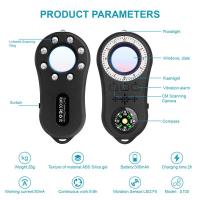
Anti-Spy Detector Scan & Disconnect for 24/7 Protection Find Bugs Hidden Cams
15
$89.99 $59.99
Metal Detectors for Adults and Kids, Gold Detector Kit with LCD Display & IP68 Waterproof Search Coil for Find Valuables
285
$215.99 $151.99
67mm Clip-on CPL Phone Camera Lens Filter Kit Applicable to All Mobile Phone Models
24
$18.99
67mm Clip-on ND2-32 Phone Camera Lens Filter Kit Applicable to All Mobile Phone Models
24
$37.99
67mm Clip-on Black Mist 1/4 Phone Camera Lens Filter Kit Applicable to All Mobile Phone Models
24
$29.99
52mm Clip-on CPL Phone Camera Lens Filter Kit, Circular Polarizer Polarizing Filter Applicable to All Mobile Phone Models
24
$16.99
AI(G) to M4/3 Adapter Manual Lens Adapter with Matting Varnish Design Compatible with Nikon Nikkor AI/F G-Mount Lens to MFT Micro 4/3 Mount Cameras Olympus Panasonic Lumix Cameras
24
$66.99 $34.99
Olympus OM Mount Lens to M4/3 MFT Olympus Pen Cameras Lens Mount Adapter
24
$64.99 $35.99
PL-L Mount Lens Adapter, Compatible with PL Lens Converter to L Mount Cameras
$99.99
67mm Clip-on CPL&Black Mist 1/4 2-in-1 Phone Camera Lens Filter Kit Applicable to All Mobile Phone Models
24
$29.99
Products You May Like
62mm MCUV Lens Protection Filter with Lens Cap Optical Glass Ultra Slim 18 Multi-Layer Coatings UV Filter for Camera Lens Nano-Klear Series
82
$17.99 $13.99
82mm Lens Filter Kit Neutral Density ND8+ND64+CPL Circular Polarizer for Professional Camera Lens with Multiple Layer Nano Coated
22
$126.99 $79.99
43mm Black Mist Filter 1/4 + 3pcs Cleaning Cloth with 18 Multi-Layer Coatings Nano-Klear Series
212
$26.99 $21.99
72mm Kaleidoscope Filter Special Effects Filter with 3pcs Vacuum Cleaning Cloths Nano B Series
49
$37.99 $26.99
EN-EL15/EN-EL15A/EN-EL15B Battery Charger, Dual Slot Quick Charger for Nikon D7000, D7100, D7200, D750, D850, D810, D800, D800E, D750, D610, D600, D500, Z6, Z7, V1 Camera
16
$16.99
Pentax PK Lens to CCTV Industrial Monitoring Series C Mouth Thread Camera Body K&F Concept Mount Adapter
34
$53.99 $27.99
Automatic Chicken Coop Door, Solar Powered with Timer & Light Sensor, Aluminum Weatherproof Multi-Mode, Anti-Pinch
19
$250.49 $175.99
SJCAM SJ10X Gyro Remote Action Camera Supersmooth Novatek 96683 Chipset + 4K / 24FPS WiFi DV Sports Camera
76
$126.99
67mm Color Filter Set (Orange, Blue, Grey, Red, Green, Brown, Yellow, Purple, Pink)
4
$53.99 $26.99
55mm ND8 Magnetic Lens Filter HD Waterproof Scratch-Resistant Anti-Reflection Nano-Xcel Series
8
$49.99 $39.99
Related articles
How Many Wireless Ip Cameras On A Network?
How To Find Ip Cameras On Google?
How To View Cameras On Wifi Network?
How Do I Find A Wifi Camera Ip Address ?
How To Find Game Cameras?
How To Find Pinhole Cameras?
How To Find Spy Cameras?
How To Change Ring Camera Wifi Network ?
How To Find Tiny Hidden Cameras?
What Does A Scanning Electron Microscope Show?
Blog You May Like
How Much Are Nintendo Switch Sd Cards?
What Does A Camera Filter Adapter Do?
How To Hide Security Camera?
How To Record Audio On Zoom For Podcast?
How Long Does A Dash Cam Battery Last?
How To Build A Camera Lens?
Which Cars Have Built In Dash Cam?
Can Projector Work On Wall?
What Is Better Binoculars Or Monocular?
What Does The Apple Smart Watch Do?
Related categories
On-Dash Camera 4G Cameras C mount lens adapter m4/3 adapter endoscope cameras endoscope cameras Wifi Trail Cameras digital camera for beginner
Popular products
Smart Home Hd Wifi Camera 1080P Outdoor Security Camera wireless ip trail camera no spy hidden camera detector Gold Detector Kit HD Conference camera outdoor night camera surveillance outdoor hd wireless ip camera iphone 15 selfie stick M4/3 Adapter
Related searches
Ip Home Security Cameras Outdoor Ip Camera Network Security Camera Metal Detector Find Bag Find Hidden Camera Detector Security Cameras On Sale Trail Cameras On Sale Video Cameras On Sale Wireless Ip Security Camera Small Ip Camera Wifi
Popular searches
Canon 60d Wireless Mobile Adapter Best Low Light E Mount Lens Motion Detector Wildlife Camera 6 Stop Nd Filter 67mm Home Security Camera No Wifi B4 Lens Mount Adapter Smart Watch With Battery Samsung S8 Lens Adapter Sony X3000 Gopro Adapter Canon Hdmi Clean Output Adapter
Blog Category
  • Activities
  • Guide
    • Filter Guide
    • Lens Adapter
    • Product Review
  • News & Reviews
    • Camera Reviews
    • Sample Gallery
    • News
  • Tutorials
    • Solar eclipse photography
    • Photography Basics
    • Landscape Photography
  • Inspiration
    • Travel
    • Travel Stories
Search Article
Latest from the Blog
Which Binoculars To Buy?
Dash Cam That Can Connect To Phone?
What Is The Best Camera To Record Videos?
How Do Trail Cameras Work? The Ultimate Guide to Trail Cameras
Can You Zoom In With Binoculars?
How Do Metal Detectors Work? A Complete Guide for Beginners and Pros
How Do Cellular Trail Cameras Work? – The Complete Guide for Hunters and Wildlife Enthusiasts
What Is Surveillance Camera Control System?
How Many Stops Is An Nd 8 Filter?
What Is Nd Filter On Video Camera?
  • Easy Payment Multilple Payment Options

  • Free Shipping Global WareHouse Shipment

  • No Risk 30-Day No Reason Return

  • Limited Deals Buy More, Save More

  • Tax Free No any surcharges or tax fee

Information
  • About us
  • Contact Us
  • Site Map
  • Blog
  • Video
  • Gallery
  • VIP Membership Rewards
Service
  • Privacy Policy
  • Terms & Conditions
  • Shipping & Delivery
  • Payment Info
  • Warranty, Return & Refund
  • Intellectual Property Rights
  • Ambassador
  • Affiliates
  • Wholesale
Support
  • My account
  • Order History
  • FAQs
  • Extend Warranty
  • Logistics Tracking
Follow us
NewsLetter

Get the latest product, K&F Concept respects your privacy.

Powered By KENTFAITH © 2025