kfconcept

KENTFAITH
K&F Concept    Blog >

Enjoy Your Selected Digital Life

Recently Viewed
  • Recently Viewed
  • SD Card Reader for iPhone/iPad/Android/Mac/Computer/Camera, 4 in 1 Micro SD Card Reader Tracking Camera Viewer, Portable Memory Card Reader SD Card Adapter Compatible with SD and Micro SD Card/TF Card ( black)
    SD Card Reader for iPhone/iPad/Android/Mac/Computer/Camera, 4 in 1 Micro SD Card Reader Tracking Camera Viewer, Portable Memory Card Reader SD Card Adapter Compatible with SD and Micro SD Card/TF Card ( black)
    $14.99
    Offline Voice Translator Device with 144 Languages 5" Touch Screen ChatGPT Integrated
    Offline Voice Translator Device with 144 Languages 5" Touch Screen ChatGPT Integrated
    $149.99 $99.99
    Upgrade Rotatable Multi-Angle Center Column for Camera Tripod Magnesium Alloy & Locking System (Old model KF31.010 )
    Upgrade Rotatable Multi-Angle Center Column for Camera Tripod Magnesium Alloy & Locking System (Old model KF31.010 )
    $41.99
Compare (0) 0
  • Compare
  • You have not chosen any products to compare.

  • Compare
Currency: USD
  • Currency
Shop by Scene Shop by Rank

Log Into Your Account

Account

Order History

Wish List

Login

Forgotten Password?

Or connect with

Register Account

Already have an Account?Log In

  • Shopping Cart
  • Your shopping cart is empty!

  • Register/Login to purchase, earn points
  • Favorite
  • Your wish list is empty.

  • Register/Login to like, earn points
  • Activities
  • Guide
    • Filter Guide
    • Lens Adapter
    • Product Review
  • News & Reviews
    • Camera Reviews
    • Sample Gallery
    • News
  • Tutorials
    • Solar eclipse photography
    • Photography Basics
    • Landscape Photography
  • Inspiration
    • Travel
    • Travel Stories
  • Home
  • Blog
  • How To Replace Front Door Lock With Keyless?

How To Replace Front Door Lock With Keyless?

Kentfaith 2025-02-11 02:49:32 0 Comments

How to Replace a Front Door Lock with a Keyless System: A Step-by-Step Guide

In recent years, keyless entry systems have become increasingly popular, offering convenience, enhanced security, and eliminating the need for physical keys. Whether you’re tired of fumbling with keys or simply looking to upgrade the security of your home, replacing your front door lock with a keyless one is a straightforward task you can easily do yourself. In this guide, we will walk you through the entire process, from choosing the right keyless lock to installing and programming it.

Why Replace Your Front Door Lock with a Keyless System?
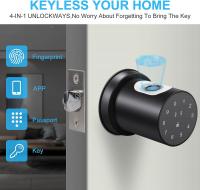
how to replace front door lock with keyless 1

Before we dive into the installation process, let’s briefly discuss why you might want to switch to a keyless entry system:

1. Convenience: No more dealing with lost keys or struggling to find the right one. Keyless locks offer a simple solution that can be operated by entering a code, using a smartphone, or even with biometrics.

2. Increased Security: Many keyless locks are more difficult to pick than traditional locks. Plus, they often feature enhanced security options such as temporary access codes, which allow you to grant access to visitors or service personnel without giving them a physical key.

3. Smart Integration: Keyless locks can integrate with home automation systems, allowing you to control and monitor your lock remotely through apps or voice assistants like Alexa or Google Assistant.

4. No Keys to Lose: Losing your house keys can be a hassle, and rekeying the locks every time is both costly and time-consuming. A keyless entry eliminates this issue entirely.

Choosing the Right Keyless Lock for Your Front Door
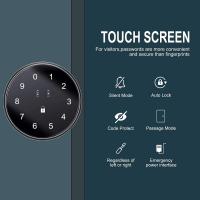
how to replace front door lock with keyless 2

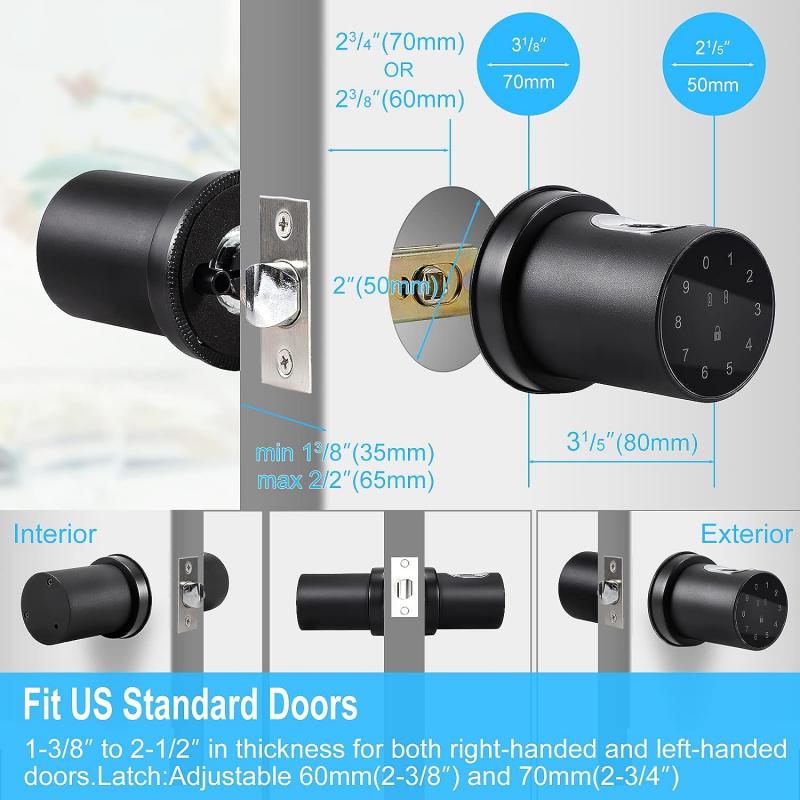
There are several types of keyless locks to choose from, each offering different features. Here are some of the most common types of keyless entry systems:

- Keypad Locks: These locks require a numeric code to unlock the door. They are simple to use and don't require any special device or technology.

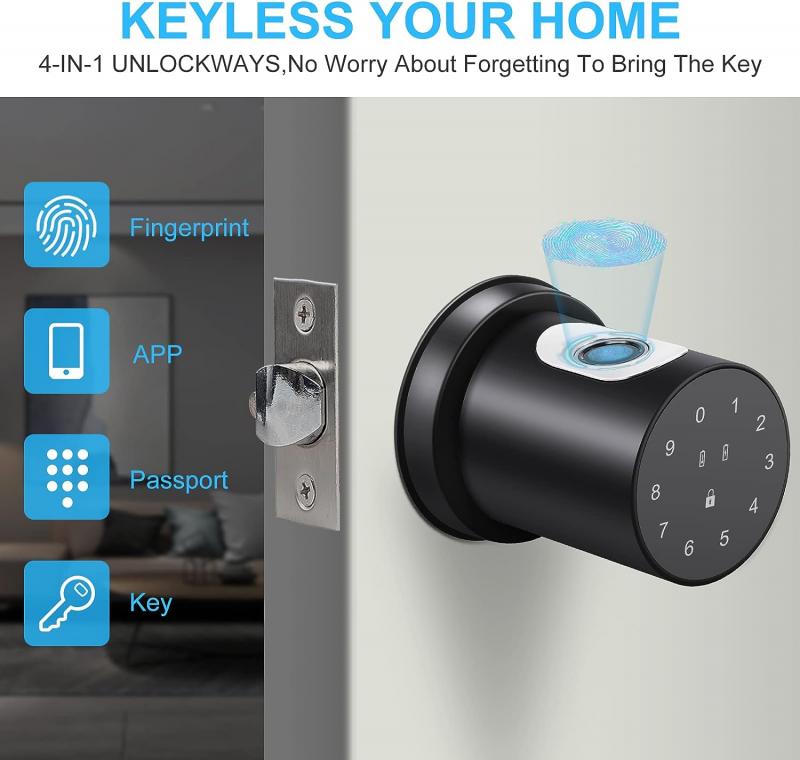
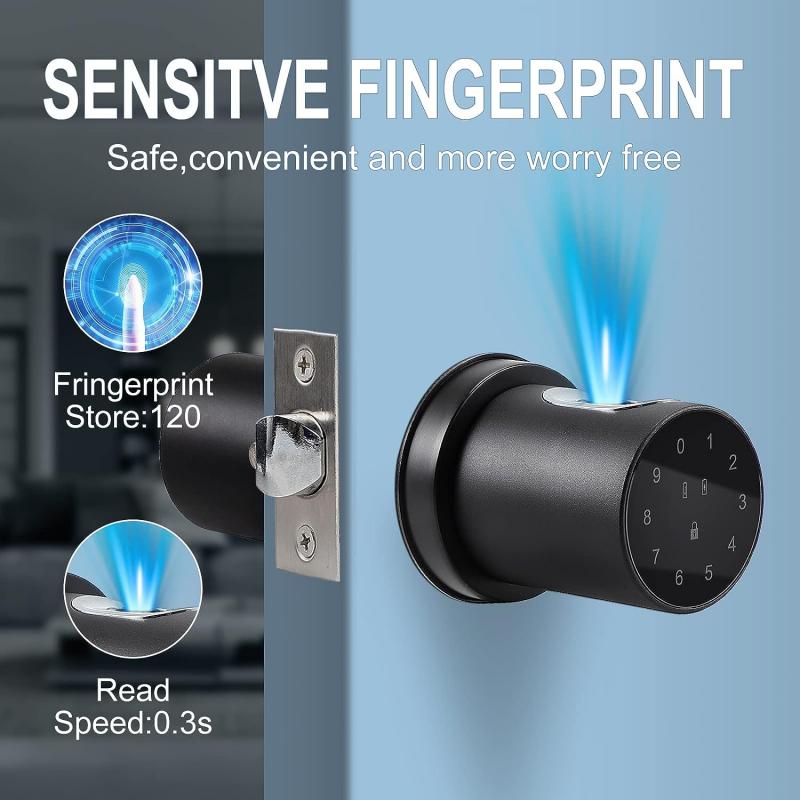
- Biometric Locks: These use fingerprint recognition for access. They are generally more secure but can be expensive and may require occasional calibration to maintain accuracy.

- Bluetooth/Smartphone-enabled Locks: These locks use Bluetooth to communicate with your smartphone, allowing you to unlock the door via a mobile app. Some models even support remote unlocking.

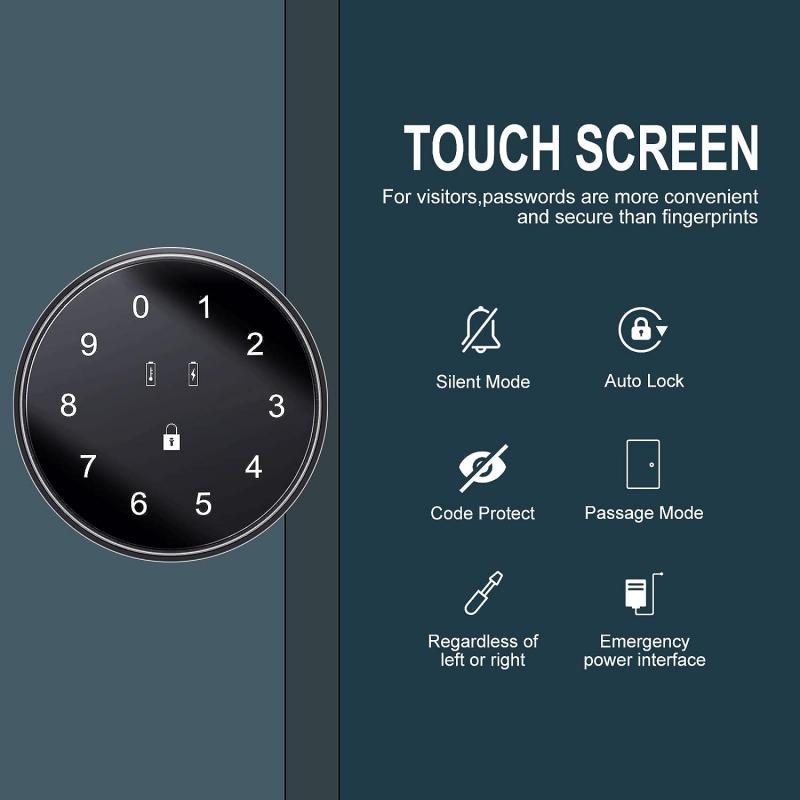
- Keyless Touchscreen Locks: These operate similarly to keypad locks, but with a more modern interface. The touchscreen often features backlighting for ease of use in low-light environments.

When choosing a lock, consider factors like your budget, desired features, and how tech-savvy you want the system to be. If you’re looking for something easy to install and budget-friendly, a simple keypad lock might be your best choice. On the other hand, if you want the most secure and modern option, a biometric or Bluetooth-enabled lock could be more appropriate.

Tools and Materials Needed for Installation
how to replace front door lock with keyless 3

Before you begin replacing your front door lock with a keyless system, make sure you have the following tools and materials:

- Screwdriver (Phillips and flathead)

- Measuring tape (to check the size of your existing lock and ensure the new one fits)

- Drill (if needed to install new mounting holes)

- Keyless lock system (make sure the lock is compatible with your door)

- Level (for accurate alignment of the new lock)

- Power source (if the lock requires batteries or an adapter)

Now that you have everything you need, let’s get started!

Step-by-Step Instructions to Replace Your Front Door Lock with a Keyless Entry System
how to replace front door lock with keyless 4

Step 1: Remove the Existing Lock

The first step is to remove your existing lock from the door. You’ll typically need a screwdriver to do this:

1. Unscrew the Door Handle and Lock: Start by unscrewing the screws that hold the door handle and lock in place. Keep the screws in a safe spot as you’ll need them later (if you are reusing the old handle).

2. Remove the Lock Mechanism: Once the handle and exterior parts of the lock are removed, you can take out the internal locking mechanism. Depending on the type of lock, this may require additional screws to be removed.

3. Inspect the Door: After the lock is removed, inspect the hole for any damage or imperfections. If the keyless lock you're installing is a different size, you may need to adjust the hole size, which can be done with a drill.

Step 2: Install the New Keyless Lock Mechanism

Once the old lock is out, it’s time to install the new keyless system. This process will vary depending on the type of lock you’ve purchased, but most keyless entry systems follow a similar installation pattern:

1. Insert the Lock Mechanism into the Door: Place the internal part of the new keyless lock into the hole where the old mechanism was. Align it properly to ensure that it fits snugly and securely.

2. Attach the Exterior Keypad or Handle: On the outside of the door, attach the keypad, fingerprint scanner, or Bluetooth device, depending on your lock model. Make sure that the exterior components are positioned correctly and flush with the door surface.

3. Align and Secure the Lock: Use a screwdriver to secure all the parts in place. Be careful not to overtighten the screws, as this can cause the lock to misalign. Check that all the components are level and properly fitted.

Step 3: Mount the Strike Plate and Test Fit

The strike plate is the metal plate on the door frame that the latch or bolt extends into when the door is locked. You may need to replace the strike plate or adjust its position if the new lock has a different bolt length.

1. Install the New Strike Plate: If your new keyless lock requires a different strike plate, use the included screws to mount it in place. Ensure it aligns with the latch mechanism.

2. Test the Lock: Before moving on, test the door by turning the handle and checking that the latch or bolt properly engages with the strike plate.

Step 4: Program the Lock

Once the lock is physically installed, it’s time to program it to your preferences. This step can vary widely depending on the brand and model of your keyless lock, but here are some common steps:

1. Insert Batteries: If your keyless lock requires batteries, install them now. Ensure the battery compartment is secure and the battery life is sufficient for the upcoming weeks.

2. Program a User Code: For keypad locks, you will likely need to input a default master code to start the programming. Follow the manufacturer’s instructions to input a new user code.

3. Link a Smartphone or Fingerprint Scanner: If your lock supports Bluetooth or biometrics, follow the setup instructions to connect your smartphone or register your fingerprint.

4. Test the New System: After programming, test the system multiple times to make sure it’s working properly. Lock and unlock the door using the new code, app, or biometric reader.

Step 5: Final Adjustments and Maintenance

Once the lock is installed and programmed, do a final inspection:

1. Check the Alignment: Ensure the door closes properly and the lock engages without any issues.

2. Regularly Change Your Codes: For security, it’s advisable to change your user code periodically, especially if you’ve granted access to guests or service people.

3. Check Battery Levels: Keyless locks require power, so check the batteries regularly to avoid being locked out.

4. Maintain the Lock: Clean and maintain the lock regularly to keep it working smoothly. Follow the manufacturer’s maintenance guidelines for the best performance.

Troubleshooting Common Issues

While installing and using a keyless entry system is typically straightforward, you may encounter a few issues. Here are some common problems and how to solve them:

1. The Lock Isn’t Responding: If the lock isn’t responding to your input, check the batteries first. Many keyless locks will stop functioning properly when their batteries are low. Replace them if necessary.

2. Incorrect Code Entry: Double-check the code you’ve programmed. If you’ve forgotten it, most systems offer a master reset option, but this may require the removal of the lock or a reset button inside the mechanism.

3. Lock Misalignment: If the door isn’t closing properly or the lock doesn’t engage correctly, inspect the strike plate and latch. Make sure they’re aligned correctly and adjust if needed.

Replacing your front door lock with a keyless entry system can seem like a daunting task, but with the right tools, a bit of patience, and following the steps outlined above, you can easily upgrade your home’s security and convenience. Whether you choose a simple keypad lock or a more advanced biometric model, a keyless system offers benefits that far outweigh the traditional mechanical lock. You'll enjoy the added peace of mind and the convenience of never having to worry about lost or forgotten keys again. Plus, keyless systems are a great way to future-proof your home’s security and integrate with smart home devices.

Happy locking!
Leave your comment
Cancel reply
Note: HTML is not translated!
Related products
Automatic chicken coop door, solar powered chicken coop door, with timer and light sensor, all aluminum weatherproof multi-mode poultry coop door, with anti pinch design
$206.24 $164.99
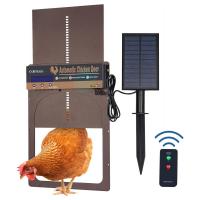
Automatic Chicken Coop Door, Solar Powered with Timer & Light Sensor, Manual & Remote Control,  4 Modes, Waterproof & Anti-Pinch
Automatic Chicken Coop Door, Solar Powered with Timer & Light Sensor, Manual & Remote Control, 4 Modes, Waterproof & Anti-Pinch
19
$181.99 $157.99
70” Lightweight Travel Tripod 33lbs Load For Dslr Cameras With Twist Lock And Monopod
65
$304.99 $179.99
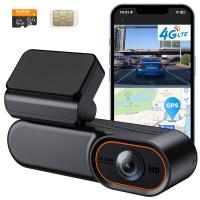
4G LTE Dash Cam Front Camera for Cars, Remote Live-View & Location, Event Video Alarm & Upload to Cloud Storage, 24/7 Parking Mode OBD Power Cable, Kentfaith
12
$112.49 $89.99
Dash Cam Front with 1080P Built-in WiFi G-sensor 170° Wide Angle Kentfaith
13
$119.99 $59.99
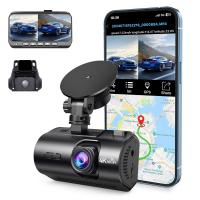
4K Dash Cam Front and Rear with GPS WiFi Night Vision 24H Parking Mode Kentfaith
13
$124.99 $99.99
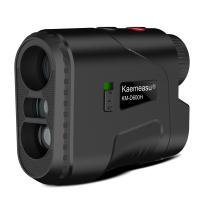
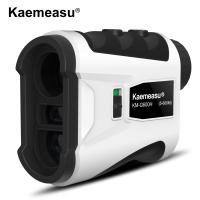
KM-D600H 6X Golf Rangefinder with Slope, Rechargeable Laser Rangefinder 600 Yards Flag Lock, Tournament Legal Golf Rangefinder
70
$207.59 $76.99
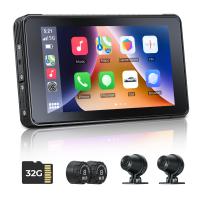
CarPlay for Motorcycle Android Auto Dash Cam Front and Rear GPS Navigation
12
$299.99 $209.99
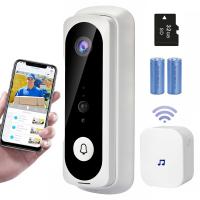
V20 WiFi Video Doorbell 1080p HD Video Motion Activated Alerts 2 Way Audio Night Vision 32GB Pre-Installed Door Chime - European Version
127
$43.99
KM-G1000H 1000m Laser Rangefinder for Golf & Hunting, Distance Measurement with High-Precision Flagpole Lock Vibration Slope Mode Continuous Scanning
$251.99 $97.99
Products You May Like
37mm ND Filters ND1000 (10 Stops) Lens Filter 28 Multi-Layer Coatings Waterproof Scratch Resistant Super Slim for Camera Lens (Nano-Xcel Series)
88
$27.99 $21.99
K&F Concept CK03 24mm APS full-frame cleaning stick set (16PCS cleaning stick + 20ml cleaning liquid bottle+ a pair of PU coated palm dust-free rubber gloves)
9
$17.99
67mm CPL+MCUV+Lens Cap Circular Polarizing Filter MCUV Protection Lens Filters Kit with 28 Multi-Layer Coatings for Camera Lens Nano-Xcel Series
33
$113.99 $59.99
32X Macro Lens for iPhone Android 40-90mm Focus Distance with CPL & Starlight Filter
13
$89.99 $62.99
Cleaning Cloth Set Needle-free Cleaning Cloth Dry Cloth 15*15cm Color Box 5PCS
$20.99 $10.99
Magnetic Wide Angle Lens & Effect & ND & CPL Filter Set Compatible with DJI Osmo Pocket 3, 4 Pack Wide-Angle Lens CPL Black Diffusion 1/4 ND2-32 Filters, HD Optical Glass/Multi-Coated
51
$49.99
Capture Perfect Trail Camera
10
$135.99 $74.99
Konica AR Lenses to Fuji X Lens Mount Adapter K&F Concept M24111 Lens Adapter
3
$53.99 $27.99
4K 30FPS Dual-Screen Waterproof Sports Camera Support Wifi Control Remote Control Anti-Shake Black
363
$83.99
46mm Camera Center Pinch Lens Cap with Lens Cap Leash*3+Cleaning Cloth*3+Anti-lost Rope*3 for Canon Nikon Sony Olympus Fujifilm Pentax Panasonic Leica
29
$28.99 $14.99
Related articles
How To Install Keyless Front Door Lock?
How To Lock A Keyless Door Apartment?
How Does A Keypad Door Lock Work?
Which Smart Lock Works With Alexa?
How To Get Flash On Front Camera?
How To Replace Ring Light Bulb?
Backup Camera Lens How To Replace?
How To Install Security Cameras Front Of House?
How To Replace Sd Card Reader Switch?
How Many Wireless Ip Cameras On A Network?
Blog You May Like
What Does Tripod?
What Does Tripod?
What Is Drone Technology?
Will Sound Play When Screen Record?
Can You Put Memory Card In S23?
How To Transfer Photos From Micro Sd Card?
How To Find Voice Recordings On Whatsapp?
How Many Stops Is An Nd 8 Filter?
What's the Best SD Cards for Trail Cameras?
How To Pick A Telescope?
What Filter Should I Keep On My Lens?
Related categories
C mount lens adapter m4/3 adapter Baby Movement Monitor led ring light with stand golf rangefinder
Popular products
fingerprint door lock smart lock keyless home entry black keyless door lock Fingerprint Smart Door Lock touch keyless door lock smart lock office dual car dash camera computer compressed air duster dash cam with loop recording solar power chicken coop door
Related searches
Smart Keyless Door Lock Keyless Screen Door Lock Office Keyless Entry Door Lock Keyless Entry Security Door Lock Keyless Smart Lock Front Door Security Camera With Monitor Front Door Security Camera Smart Door Lock With Phone Access Smart Entry Door Lock Smart Lock Security Door
Popular searches
Canon M100 Lens Adapter Go Pro Microphone Camera Connect With Wifi Camera Leash Fd Eos Adapter Nikon P-300 Blk Mount Good Camera For Night Video Nikon Coolpix B500 Lens Adapter Magnetic Camera Filters Noise Cancelling Headphones With Bluetooth
Blog Category
  • Activities
  • Guide
    • Filter Guide
    • Lens Adapter
    • Product Review
  • News & Reviews
    • Camera Reviews
    • Sample Gallery
    • News
  • Tutorials
    • Solar eclipse photography
    • Photography Basics
    • Landscape Photography
  • Inspiration
    • Travel
    • Travel Stories
Search Article
Latest from the Blog
UV Filter: Everything You Need to Know About UV Protection Lens Filters
What Tripod To Buy?
How To Place Cameras Around Your House?
Camera Use Which Lens?
Can You Save Facebook Videos To Camera Roll?
What Is The Best Wireless Outdoor Security Camera?
What Does Tripod?
What Power Binoculars For Long Distance Viewing?
Can You Zoom In With Binoculars?
How To Wear Monocular?
  • Easy Payment Multilple Payment Options

  • Free Shipping Global WareHouse Shipment

  • No Risk 30-Day No Reason Return

  • Limited Deals Buy More, Save More

  • Tax Free No any surcharges or tax fee

Information
  • About us
  • Contact Us
  • Site Map
  • Blog
  • Video
  • Gallery
  • VIP Membership Rewards
Service
  • Privacy Policy
  • Terms & Conditions
  • Shipping & Delivery
  • Payment Info
  • Warranty, Return & Refund
  • Intellectual Property Rights
  • Ambassador
  • Affiliates
  • Wholesale
Support
  • My account
  • Order History
  • FAQs
  • Extend Warranty
  • Logistics Tracking
Follow us
NewsLetter

Get the latest product, K&F Concept respects your privacy.

Powered By KENTFAITH © 2025