kfconcept

KENTFAITH
K&F Concept    Blog >

Enjoy Your Selected Digital Life

Recently Viewed
  • Recently Viewed
  • Retro Handheld Gaming Console with Built in 5,000+ Classic Games & 15+ Emulators Portable Kentfatih
    Retro Handheld Gaming Console with Built in 5,000+ Classic Games & 15+ Emulators Portable Kentfatih
    $142.49 $99.99
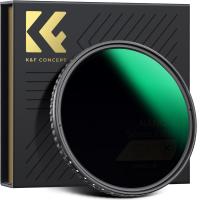
    72mm Variable ND Filter ND2-ND32 (1-5 Stops) Lens Filter Waterproof Scratch Resistant with 18 Layers of Nano-coating Nano-Klear Series
    72mm Variable ND Filter ND2-ND32 (1-5 Stops) Lens Filter Waterproof Scratch Resistant with 18 Layers of Nano-coating Nano-Klear Series
    $48.99 $38.99
    95mm CPL Filter Circular Polarizer Filter with Lens Cap Optical Glass Ultra Slim 18 Multi-Layer for Camera Lens Nano-Klear Series
    95mm CPL Filter Circular Polarizer Filter with Lens Cap Optical Glass Ultra Slim 18 Multi-Layer for Camera Lens Nano-Klear Series
    $32.99
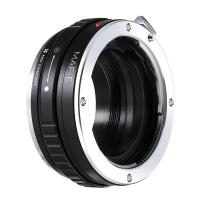
    M42 Thread Lenses to Pentax K Lens Mount Adapter K&F Concept M10221 Lens Adapter
    M42 Thread Lenses to Pentax K Lens Mount Adapter K&F Concept M10221 Lens Adapter
    $19.99
    58mm Magnetic CPL Filter Circular Polarizer Lens Filter Optical Glass Ultra Slim with 18 Multi-Layer Coatings Nano-Klear Series
    58mm Magnetic CPL Filter Circular Polarizer Lens Filter Optical Glass Ultra Slim with 18 Multi-Layer Coatings Nano-Klear Series
    $28.99 $22.99
    46mm Black Mist 1/4 Filter + Lens Cap, Mist Cinematic Effect Filter with 18 Multi-Layer Coatings for Video, Vlog, Portrait Photography Nano-Klear Series
    46mm Black Mist 1/4 Filter + Lens Cap, Mist Cinematic Effect Filter with 18 Multi-Layer Coatings for Video, Vlog, Portrait Photography Nano-Klear Series
    $37.99 $21.99
    Portable eclipse Set-Include 95mm Solar Filter + KF09.123 Carbon Fiber Tripod + KF13.087AV6 Camera Backpack + KF28.0024 6700mAh V Mount Battery
    Portable eclipse Set-Include 95mm Solar Filter + KF09.123 Carbon Fiber Tripod + KF13.087AV6 Camera Backpack + KF28.0024 6700mAh V Mount Battery
    $379.99
    82mm Variable ND2-ND400 Filter+ Cleaning Cloth+ Filter Cap
    82mm Variable ND2-ND400 Filter+ Cleaning Cloth+ Filter Cap
    $33.99
    43mm Circular Polarizer Filter with 24 Multi-Layer Green Coatings HD/Hydrophobic/Scratch Resistant CPL Filters Nano-Dazzle
    43mm Circular Polarizer Filter with 24 Multi-Layer Green Coatings HD/Hydrophobic/Scratch Resistant CPL Filters Nano-Dazzle
    $24.99 $19.79
    64GB Multifunctional Recorder, Active Noise Reduction Voice Recorder, Mp3 Playback, Video Playback, Suitable for Lectures, Meetings, Interviews, Classrooms, Etc.
    64GB Multifunctional Recorder, Active Noise Reduction Voice Recorder, Mp3 Playback, Video Playback, Suitable for Lectures, Meetings, Interviews, Classrooms, Etc.
    $53.99
Compare (0) 0
  • Compare
  • You have not chosen any products to compare.

  • Compare
Currency: USD
  • Currency
Shop by Scene Shop by Rank

Log Into Your Account

Account

Order History

Wish List

Login

Forgotten Password?

Or connect with

Register Account

Already have an Account?Log In

  • Shopping Cart
  • Your shopping cart is empty!

  • Register/Login to purchase, earn points
  • Favorite
  • Your wish list is empty.

  • Register/Login to like, earn points
  • Activities
  • Guide
    • Filter Guide
    • Lens Adapter
    • Product Review
  • News & Reviews
    • Camera Reviews
    • Sample Gallery
    • News
  • Tutorials
    • Solar eclipse photography
    • Photography Basics
    • Landscape Photography
  • Inspiration
    • Travel
    • Travel Stories
  • Home
  • Blog
  • Will Sound Play When Screen Record?

Will Sound Play When Screen Record?

Kentfaith 2025-01-14 02:18:22 0 Comments

When it comes to screen recording on various devices, whether or not sound is included in the recording depends on the platform, the settings you choose, and the type of audio you wish to capture. Below, we'll explore this topic in-depth, covering common devices, operating systems, and recording scenarios, providing a comprehensive answer to whether sound will play during a screen recording and how to control this feature.
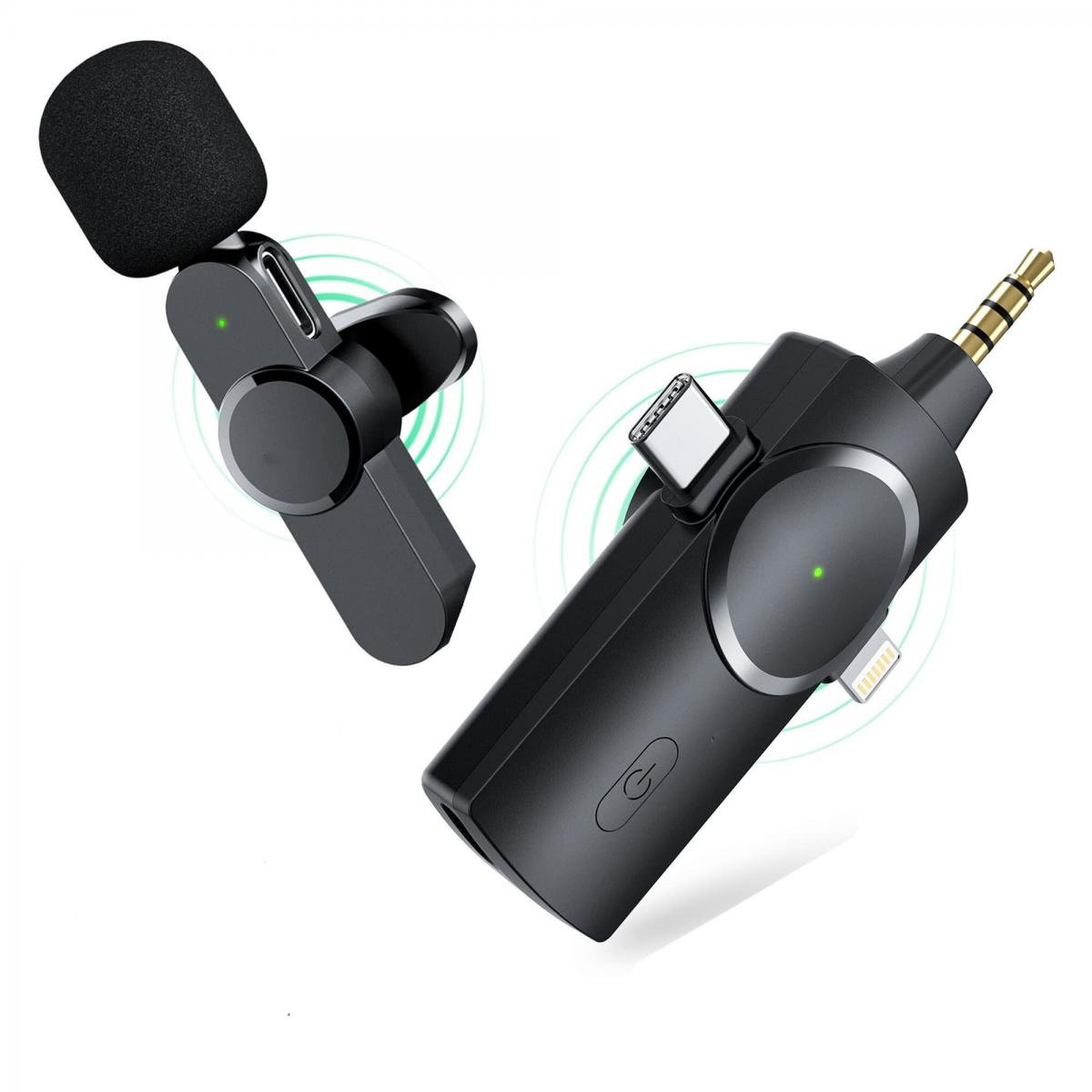

1. General Concept of Screen Recording

Screen recording refers to the process of capturing what is happening on the display of a device, including visual elements, interactions, and, in some cases, sound. Most screen recording tools, whether built-in or third-party, allow users to record both video and audio (or just one of the two). Sound can include system audio (the audio from the apps or websites you're using) and microphone input (your voice or any external sounds picked up by the device).

2. Sound in Screen Recording: What Can You Capture?

Sound captured during a screen recording typically falls into two categories:

- System Audio (Internal Audio): This is the sound generated by the operating system or apps. For example, sounds from video playback, games, music, or any notification sounds you hear while interacting with your device.

- Microphone Audio (External Audio): This refers to the sound picked up by the device’s microphone. This could be your voice, sounds from your environment, or audio from external devices you’ve connected, like a Bluetooth headset.

3. Sound During Screen Recording: Device-Specific Variations

Let's look at how different devices and operating systems handle audio during screen recording.

Windows Screen Recording

On Windows, the built-in screen recording tool is part of the Xbox Game Bar. When using this feature, the following audio options are available:

- System Audio: Xbox Game Bar typically captures internal audio by default, but if you want to capture sound from a specific app or game, you may need to adjust the app’s volume within the Game Bar or select the audio sources explicitly in the settings.

- Microphone Audio: The microphone is usually not enabled by default. However, users can choose to record their microphone input while screen recording by enabling this option in the Game Bar’s settings.

Limitation: On many Windows computers, it can be tricky to capture system audio directly during a screen recording because the operating system does not natively allow internal audio recording for most apps. Third-party software like OBS Studio or Camtasia is often required to fully capture both system and microphone audio.

MacOS Screen Recording

On a Mac, screen recording is built into the macOS via the “Screenshot” toolbar, accessible using the keyboard shortcut `Command + Shift + 5`. This native tool allows users to:

- System Audio: By default, macOS does not allow internal audio capture while screen recording. However, third-party applications such as Soundflower or BlackHole can be used to enable this functionality by routing internal audio into the recording process.

- Microphone Audio: You can choose to enable microphone input during the screen recording by selecting the microphone option in the toolbar.

Limitation: As with Windows, capturing system audio requires additional software, but microphone audio can be recorded seamlessly with macOS’s built-in features.

iOS and iPadOS Screen Recording

On iPhones and iPads, the screen recording feature is integrated into the Control Center. To use it, swipe down from the top-right corner of the screen (on iPhone X and newer) or up from the bottom (on older models) to access the Control Center, then tap the screen recording button.

- System Audio: Starting from iOS 11, you can capture system audio along with the screen recording. To include the internal audio, ensure that the microphone is turned off in the Control Center. Otherwise, the microphone will be activated, and external sounds will also be captured.

- Microphone Audio: You can toggle the microphone on or off from the Control Center while the screen recording is active. Turning the microphone on will record external sounds like your voice.

Limitation: While system audio can be recorded, the feature is limited to apps and content where audio is played aloud (such as video or music). It won't capture audio from apps that do not output sound to the speakers.

Android Screen Recording

Android devices, starting from Android 10, have a built-in screen recording feature. This can be accessed through the quick settings menu.

- System Audio: Depending on the Android manufacturer and version, capturing system audio during a screen recording may be possible, but it can sometimes be limited. On some Android devices, you may need to enable the option to record system sound explicitly, which can vary between models.

- Microphone Audio: Android allows users to toggle microphone audio on or off when recording the screen. If the microphone is enabled, it captures sound from the environment or your voice, in addition to the system audio.

Limitation: Some Android phones (particularly budget or older models) might not allow for the recording of system audio at all or may have limitations in what apps can capture internal sound.

Web-based or Third-party Screen Recording Software

Many users turn to third-party apps for more robust features, especially when native options fall short. Some popular third-party tools include:

- OBS Studio: OBS (Open Broadcaster Software) is a powerful, open-source software widely used for live streaming and screen recording. OBS allows users to capture both system and microphone audio simultaneously and can be configured for high-quality recordings.

- Camtasia: Camtasia is a professional video editing and screen recording software that enables users to capture system audio, microphone audio, and even webcam video simultaneously. It offers extensive post-production editing options for adding, mixing, and adjusting audio tracks.

- ScreenFlow (Mac): Like Camtasia, ScreenFlow is a powerful screen recording tool for Mac that allows users to capture both system and microphone audio. It also includes a robust suite of editing tools.

Limitation: For third-party apps, some may require additional setup, especially when trying to capture internal audio, and not all tools are free or accessible to beginners.

4. Potential Issues with Audio in Screen Recording

There are several challenges or issues that users may encounter when trying to capture audio during screen recordings:

- No Internal Audio Recording: On certain platforms, particularly on macOS and some versions of Windows, capturing system audio can be tricky, requiring third-party software or complex setups to make it work.

- Low Quality Audio: Sometimes, users may experience issues with the quality of recorded audio, especially microphone input. Background noise, volume inconsistencies, or distortion can sometimes degrade the sound quality, even if the recording process itself is smooth.

- Microphone and System Audio Conflicts: In some cases, if both microphone and system audio are being recorded at the same time, there can be an imbalance or overlap that makes it difficult to differentiate between the two. This is particularly problematic when recording presentations or tutorials where both spoken word and application audio are necessary.

- App Restrictions: Certain apps or media content may block or prevent audio from being recorded during a screen capture, especially for copyrighted materials like streaming videos, games, or proprietary content.

5. Best Practices for Ensuring Sound Capturing in Screen Recordings

To ensure that you get the best possible sound in your screen recordings, consider the following best practices:

- Use Quality Software: Whether you're using built-in tools or third-party software, choose a tool that suits your needs and offers robust audio capture features. OBS Studio and Camtasia are great for advanced users, while native options like macOS's Screenshot toolbar or Windows Game Bar are sufficient for casual recording.

- Configure Settings: Always double-check your audio settings before starting the screen recording. Ensure that the right microphone and system audio options are selected. You may also want to adjust volume levels to ensure a balanced recording.

- Test Before Recording: Perform a short test recording to check both video and audio quality. Play some audio on your device while testing to make sure the sound is being captured. This step can save you time and frustration later.

- Use External Microphones for Better Quality: If you need high-quality voice recording, invest in a good external microphone. Built-in microphones often pick up unwanted noise or deliver poor sound quality, especially in a noisy environment.

In summary, whether sound plays during a screen recording depends on a variety of factors, including the device you're using, the software you've selected, and the settings you configure. Both system and microphone audio can usually be captured, but the process might require additional tools or steps, especially for internal audio. For the best results, choose reliable screen recording software, adjust your settings appropriately, and always test your audio before recording a final video.


Leave your comment
Cancel reply
Note: HTML is not translated!
Related products
128G Mini Digital Voice Recorder with Color Screen Bluetooth Call Record 3072kbps Kentfaith
15
$119.99 $83.99
Mini Sound Recorder 128GB 1600H Recording Capacity with 1.4" Screen, Voice Activated Mode Kentfaith
12
$99.99 $79.99
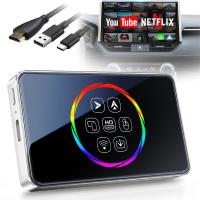
Wireless Carplay Adapter Android Auto Netflix YouTube Streaming Plug & Play Kentfaith
13
$137.49 $109.99
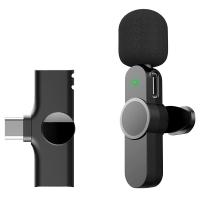
AP031 Wireless Lavalier Microphone 3-in-1 Plug-Play Noise Reduction Auto-Sync
24
$54.99
Instant Cross-APP Translator Device for Business & Trade, Video Call Translation, Record, & Transcription, Kentfaith AI Translator Devices
12
$124.99 $99.99
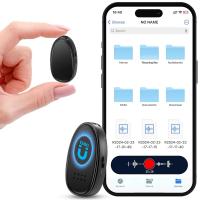
Mini Voice Recorder, Sound-activated & Magnetic, 128GB 1600H Capacity with AI Noise Cancelling Kentfaith
13
$94.99 $53.99
5K Video Camera with 75MP Photos, 8X Optical Zoom, WiFi Transfer, Wireless Mic, Dual Batteries, Support PIP Record, Kentfaith
16
$274.99 $239.99
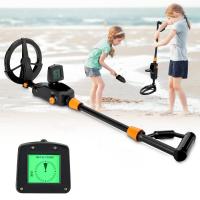
Children’s Entry-Level Metal Detector, High Sensitivity, With LCD Display and Sound Indication, Suitable for Beginners
144
$64.49 $50.99
K3 One Drag Two Wireless Lavalier Microphone for iPhone 14 pro, 2.4G Noise Reduction, Plug and Play Wireless Lavalier Microphone for YouTube TikTok
33
$37.19 $31.99
Indoor security camera, 2.4Ghz WiFi, infrared night vision, human detection, intelligent motion tracking, sound alarm, two-way talk, monitor for babies, pets, elderly, with 64G Memory Card
$49.99
Products You May Like
4G home security cameras System 4G Wireless LTE cctv camera PIR human sensor + Built-in Battery 3000mAh 1080P Infrared Night Vision 8m/26ft EU Version(Only applicable to EU countries)
800
$95.99 $86.99
TM2235 Lightweight Aluminium DSLR Camera Tripod 50 Inch 180-Degree Ball Head Quick Rlease
24
$79.99
67mm MCUV Lens Protection Filter with Lens Cap Optical Glass Ultra Slim 18 Multi-Layer Coatings UV Filter for Camera Lens Nano-Klear Series
82
$17.99 $13.99
55mm ND8 (3 Stop) Neutral Density Filter + CPL Circular Polarising Filter 2 in 1 for Camera Lens, Ultra Clear Super Slim Waterproof (Only ship to USA)
23
$36.99 $18.99
Magic Arm 1/4" Screw with Dual Ball Heads Ms14
16
$27.99 $17.99
Superhunter Trail Camera 21 Mp
10
$162.99 $106.99
trail cameras for hunting
10
$135.99 $74.99
PK/DA-NIK Z Manual Focus Compatible with Pentax K Mount (PK/DA) DSLR Lens to Nikon Z Mount Camera Body K&F Concept Lens Mount Adapter
24
$100.99 $56.99
75MP 4K Digital Camera for Photography, 12X Optical Zoom, 180° Flip Screen, WiFi Vlogging Camera for Video, YouTube, Kentfaith
15
$269.99 $229.99
43mm Black Mist Filter 1/4 + 3pcs Cleaning Cloth with 18 Multi-Layer Coatings Nano-Klear Series
212
$26.99 $21.99
Related articles
Does Screen Record Include Sound?
Sound Not Working When Screen Recording?
How To Screen Record Including Sound?
How To Screen Record Internal Sound?
Bad Quality Sound When I Record?
When Screen Recording Does It Record Audio?
How To Record Phone Screen With Sound?
How To Put Screen Record With Sound?
How To Record Video On Screen With Sound?
Can You Combine Nd Filter And Polarizer?
Blog You May Like
How To Find Out Your Canon Camera Wifi Password ?
Can One Ring Solar Panel Charge Two Cameras?
How To Connect Wifi Camera To Android Phone ?
How To Make Your Selfie Stick Invisible?
Can T Find Camera On Ipad?
How Many Lumens Is A Camera Flash?
How Do I Charge Up My Digital Camera?
How To Insert Micro Sd Card Into Pc?
Can T Find Camera On Samsung Phone?
When Not To Use Cpl Filter?
Related categories
trail camera with screen camera lens cap 55mm lens filter Variable Neutral Density Filter 86mm Lens Filters m4/3 adapter magnetic ND filter
Popular products
Mini Digital Voice Recorder​ bluetooth stereo earbuds a condenser microphone portable wireless lavalier microphone iphone 7 lavalier microphone ipad lavalier microphone play bluetooth earphones lavalier microphone background noise entry level metal detector lavalier microphone laptop
Related searches
Record Wifi Camera Plug And Play Webcam Cameras That Record Audio Best Microphones To Record Vocals Sony Ericsson Xperia Play Headphone Adapter Sound Recorder Usb Video Sound Recorder Smart Sound Recorder Tiny Sound Recorder Advanced Sound Recorder
Popular searches
Zwo Camera Lens Adapter Canon 70d Mount Size Sony Rikenon Lens Adapter Telescope Tripod And Mount 55mm Sony E Mount F-lens C-mount Spacer Ring Wrist Strap For Digital Camera Earphone And Headset Canon G11 Filter Adapter Big Camera Lens
Blog Category
  • Activities
  • Guide
    • Filter Guide
    • Lens Adapter
    • Product Review
  • News & Reviews
    • Camera Reviews
    • Sample Gallery
    • News
  • Tutorials
    • Solar eclipse photography
    • Photography Basics
    • Landscape Photography
  • Inspiration
    • Travel
    • Travel Stories
Search Article
Latest from the Blog
What is A Variable ND Filter? The Complete Guide to Mastering Exposure Control
Can You Save Facebook Videos To Camera Roll?
What Is The Best Wireless Outdoor Security Camera?
Camera That Can Wifi Photos To Phone?
What Power Binoculars For Long Distance Viewing?
How To Wear Monocular?
Camera Use Which Lens?
How Many Stops Is An Nd 8 Filter?
What Does Tripod?
How To Put Sd Card In Camera?
  • Easy Payment Multilple Payment Options

  • Free Shipping Global WareHouse Shipment

  • No Risk 30-Day No Reason Return

  • Limited Deals Buy More, Save More

  • Tax Free No any surcharges or tax fee

Information
  • About us
  • Contact Us
  • Site Map
  • Blog
  • Video
  • Gallery
  • VIP Membership Rewards
Service
  • Privacy Policy
  • Terms & Conditions
  • Shipping & Delivery
  • Payment Info
  • Warranty, Return & Refund
  • Intellectual Property Rights
  • Ambassador
  • Affiliates
  • Wholesale
Support
  • My account
  • Order History
  • FAQs
  • Extend Warranty
  • Logistics Tracking
Follow us
NewsLetter

Get the latest product, K&F Concept respects your privacy.

Powered By KENTFAITH © 2025