kfconcept

KENTFAITH
K&F Concept    Blog >

Enjoy Your Selected Digital Life

Recently Viewed
  • Recently Viewed
  • Recently Viewed list is empty.

Compare (0) 0
  • Compare
  • You have not chosen any products to compare.

  • Compare
Currency: USD
  • Currency
Shop by Scene Shop by Rank

Log Into Your Account

Account

Order History

Wish List

Login

Forgotten Password?

or connect with

Register Account

Already have an Account?Log In

  • Shopping Cart
  • Your shopping cart is empty!

  • Register/Login to purchase, earn points
  • Favorite
  • Your wish list is empty.

  • Register/Login to like, earn points
  • Activities
  • Guide
    • Filter Guide
    • Lens Adapter
    • Product Review
  • News & Reviews
    • Camera Reviews
    • Sample Gallery
    • News
  • Tutorials
    • Solar eclipse photography
    • Photography Basics
    • Landscape Photography
  • Inspiration
    • Travel
    • Travel Stories
  • Home
  • Blog
  • How To Record On Pc With Audio?

How To Record On Pc With Audio?

Kentfaith 2024-12-25 02:33:05 0 Comments

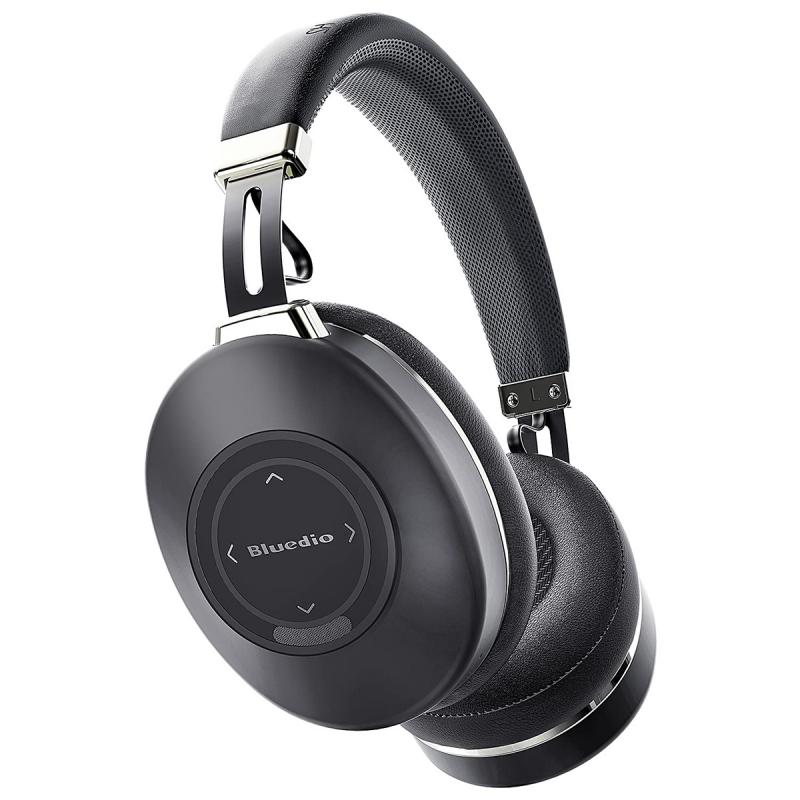
In today’s digital age, recording on a PC with audio is a fundamental skill, whether you're creating content, capturing a lecture, or preserving a virtual meeting. This article provides a comprehensive breakdown of how to record on your PC with audio, the tools and techniques involved, and practical tips to optimize your experience.

## Why Audio Recording on PC Matters

Audio recording on a PC is essential for a variety of tasks:

- Content Creation: Podcasts, voiceovers, and tutorials often require high-quality recordings.

- Professional Use: Meeting recordings or interviews are vital for reference.

- Educational Purposes: Students can record lectures for later review.

Achieving a seamless recording requires attention to both the software and hardware used.

---

## Step-by-Step Guide to Recording on a PC

1. Understand Your PC Setup

Before recording, evaluate your PC's hardware and software capabilities:

- Microphone: Internal microphones are convenient but often lack quality. External USB or XLR microphones provide better clarity.

- Sound Card: Ensure your PC's sound card supports audio input from your microphone and can process the desired audio quality.

- Operating System: Windows and macOS offer built-in recording tools, but their functionality may be basic compared to third-party software.

2. Choose the Right Recording Software

The software you select determines your recording's quality and editing flexibility. Here are some options:

Built-In Tools:

- Windows Voice Recorder: Found on Windows PCs, it is simple and ideal for quick recordings.

- QuickTime Player: A macOS utility for basic audio and video recording.

Free Software:

- Audacity: A powerful open-source tool with advanced editing options.

- OBS Studio: Though primarily for screen recording, it supports high-quality audio recording.

Paid Options:

- Adobe Audition: Professional-grade audio editing software.

- Camtasia: Excellent for combining audio and screen recordings, especially for tutorials.

3. Set Up Your Recording Environment

Ambient noise can ruin an otherwise good recording. Optimize your environment with these steps:

- Choose a Quiet Location: Minimize external sounds like traffic, fans, or background conversations.

- Use Acoustic Treatments: If possible, use foam panels or similar materials to reduce echo.

- Check Microphone Placement: Position your microphone at an appropriate distance (6-12 inches) to balance clarity and minimize distortion.

4. Configure Your PC Settings

Proper configuration ensures your PC captures high-quality audio:

- Input Device: Select your microphone as the primary audio input in your PC’s sound settings.

- Recording Levels: Adjust the input levels to prevent distortion or faint audio.

- Enhancements: Some operating systems provide features like noise suppression or echo cancellation.

5. Test Your Setup

Before recording, perform a test:

- Record a short clip to ensure the audio quality is acceptable.

- Adjust levels and eliminate issues such as clipping or background noise.

6. Begin Recording

With your setup optimized, start recording:

- Open your chosen software.

- Select the input source (microphone) and confirm other settings like format and quality.

- Click the record button and start speaking.

---

## Advanced Tips for High-Quality Recordings

1. Use a Pop Filter

A pop filter reduces plosive sounds (like “p” and “b”) that can create unwanted bursts of air in recordings.

2. Enable Monitoring

Monitoring lets you hear your own voice through headphones while recording. This feature helps you identify issues in real time.

3. Record in a High-Quality Format

Choose formats like WAV or FLAC for lossless quality, especially if you plan to edit or archive the audio.

4. Edit Your Audio

Post-production is crucial for professional results:

- Remove noise using tools like Audacity’s noise reduction feature.

- Equalize (EQ) the audio to balance frequencies.

- Normalize the recording to achieve consistent volume.

---

## Troubleshooting Common Issues

1. Low Audio Levels

- Solution: Increase the microphone gain in your recording software or operating system settings.

2. Background Noise

- Solution: Use noise reduction software or enhance your recording environment.

3. Echo

- Solution: Avoid recording in large, empty rooms or use acoustic treatment.

4. Distorted Audio

- Solution: Lower the input gain to prevent clipping.

---

## Applications and Use Cases

The ability to record audio on a PC has broad applications:

- Podcasting: High-quality audio elevates your podcast’s professionalism.

- Education: Record lectures, tutorials, or discussions for educational content.

- Professional Settings: Capture meetings or interviews for later reference.

Regardless of the purpose, a strong foundational understanding of the tools and techniques ensures success.

---

## Conclusion

Recording on a PC with audio is accessible and highly versatile, whether you’re a beginner or a professional. By understanding your hardware, selecting the right software, and following best practices, you can consistently produce high-quality recordings. With the guidance provided in this article, you’re well-equipped to start recording audio on your PC for any purpose.
Leave your comment
Cancel reply
Note: HTML is not translated!
Related products
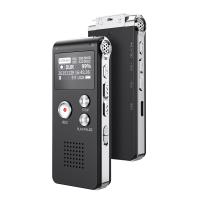
128G Mini Digital Voice Recorder with Color Screen Bluetooth Call Record 3072kbps Kentfaith
HOT Seller
128G Mini Digital Voice Recorder with Color Screen Bluetooth Call Record 3072kbps Kentfaith
15
$119.99 $83.99
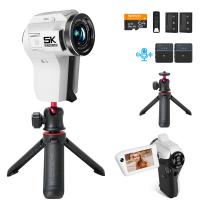
5K Video Camera with 75MP Photos, 8X Optical Zoom, WiFi Transfer, Wireless Mic, Dual Batteries, Support PIP Record, Kentfaith
16
$369.99 $239.99
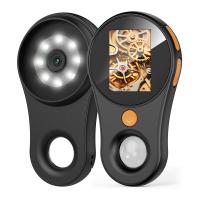
500X Handheld Digital Microscope with 8 LEDs 2" IPS Screen PC Compatible
12
$97.49 $68.99
5K Video Camera with 75MP Photos, 8X Optical Zoom, WiFi Transfer, Foldable Tripod, Wireless Mic, Dual Batteries, Support PIP Record, Kentfaith
16
$312.49 $249.99
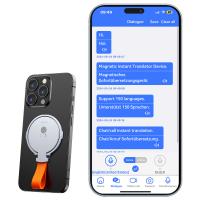
Instant Cross-APP Translator Device for Business & Trade, Video Call Translation, Record, & Transcription, Kentfaith AI Translator Devices
12
$124.99 $99.99
Handheld Microcsope, 500X Zoom, 1080P Videos,  PC Connect, with Large 5X Magnifier, Autofocus, Kentfaith
Handheld Microcsope, 500X Zoom, 1080P Videos, PC Connect, with Large 5X Magnifier, Autofocus, Kentfaith
15
$87.49 $69.99
Digital Voice Recorder with 64Gb Storage, 1536 kbps, Voice Activated & Line-in Record, 85H Battery Life, Stores 800 Hours of Recording, Kentfaith
18
$99.99 $79.99
Compound Microscope with 4K Camera, 40X-2500X Magnification, PC Connection, Plan Optical System, Mechanical Stage, Kentfaith
12
$824.99 $659.99
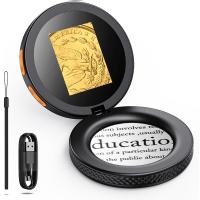
DM101 Digital USB Microscope Camera Coin Magnifier, 10X-500X Magnification, PC Compatible
HOT Seller
DM101 Digital USB Microscope Camera Coin Magnifier, 10X-500X Magnification, PC Compatible
41
$109.99 $74.99
67mm Clip-on CPL Phone Camera Lens Filter Kit Applicable to All Mobile Phone Models
40
$18.99
Products You May Like
M9 Wireless Microphone Metal Shell Support SLR Cameras, Digital Cameras, Receivers, for iPhone 14 pro Android, Laptops, DV
2
$84.99
16FT/5M Waterproof Digital Camera, 48MP Auto Focus, Fill Light, 2.4in IPS Display, Selfie Mirror, 32GB Card Included, Under Water Camera for Snorkeling, Pool, Beach, Kentfaith
14
$93.74 $74.99
78"/2m Overhead Aluminum DSLR Tripod Compact Portable Vlog Tripod Monopod 22lbs/10kg Load with Rotatable 360° Center Column K234A7+BH-28L (S210)
65
$219.99 $119.99
DJI Avata Drone ND32 Filter Circular Polarizing Filter with Single-sided Anti-reflection Waterproof Anti-scratch Green Film Compatible with O3 Air Unit
8
$28.99 $16.99
Red Glow Trail Camera
10
$162.99 $106.99
49mm Ultra-Low Reflection Variable ND Lens Filter, ND2-400 (1-9 Stop)  HD Adjustable Neutral Density Filter with 28 Multi-Layer Coatings for Camera Lenses - Nano-X Series
NEW Arrival
49mm Ultra-Low Reflection Variable ND Lens Filter, ND2-400 (1-9 Stop) HD Adjustable Neutral Density Filter with 28 Multi-Layer Coatings for Camera Lenses - Nano-X Series
52
$110.99 $82.99
95mm Variable ND2-ND32 (1-5 Stop)  Lens Filter Neutral Density Filter Waterproof Scratch Resistant with 28 Layers of Nano-coating Nano-X Series
95mm Variable ND2-ND32 (1-5 Stop) Lens Filter Neutral Density Filter Waterproof Scratch Resistant with 28 Layers of Nano-coating Nano-X Series
$159.99 $109.99
NP-FZ100 Battery with 2600mAh Capacity and Type-C Fast Charging for Sony A7iii, A7iv, A7C, ZV-E1, FX3, FX30, A9, A6600, A6700, Alpha 9, Alpha 9S, A9S, A7R III, A7R IV, A7R V
82
$34.99
72mm Magnetic ND1000 Filter, HD Waterproof Scratch-Resistant Anti-Reflection Nano-Xcel Series
43
$62.99 $49.99
Leica M Rangefinder Lens to Nikon Camera Body K&F Concept Lens Mount Adapter
3
$66.99 $34.99
Related articles
How Record Audio On Pc?
How To Record External Audio On Pc?
How To Record Video With Sound On Pc?
How To Record Screen With System Audio?
How To Record Line Video Call With Audio?
How To Record Your Ipad Screen With Audio?
How Do You Record Facetime With Audio?
How To Record Video And Voice On Pc?
How To Listen With 2 Headphones On Pc ?
How To Put Psp Games On Memory Card?
Blog You May Like
How Bright Should Photography Light Be?
What Mount Is Nikon D750?
How To Change A Smart Watch Time?
What Are The Uses Of A Compound Microscope?
How To Build A Light Table For Photography?
How Deep Will Metal Detectors Work?
What Nd Filter To Photograph The Sun?
How To View Sd Card From Security Camera?
How Many Pictures Fit On A Memory Card?
How To Put Headphones In Pc?
Related categories
On-Dash Camera C mount lens adapter m4/3 adapter Baby Movement Monitor
Popular products
light with power bank on camera shotgun microphone the best rangefinder for golf body worn camera with audio pocket camera for video video projector with screen portable projector for phone mini portable projector for iphone usb microphone for recording music usb microphone for computer
Related searches
Cheap Camera To Record Videos Best Camera To Record Time Lapse Microphone For Recording Audio On Computer Headset For Pc With Microphone Usb Pc Camera With Microphone Pc Gaming Headset With Microphone Pc Usb Headset With Microphone Best Pc Headphones With Microphone Night Vision Binoculars That Record Surveillance Cameras With Audio
Related Scenes
Best Tripod To Travel With Best Trail Camera With Audio Best Wireless Security Camera With Audio Best Carry On Camera Bag Best Security Camera With 2 Way Audio Best Home Security Camera With 2 Way Audio Best Wireless Security Camera With Two Way Audio Best Camera To Video Sports Best Camera To Capture Wildlife Best 4K Video Camera For Vlogging
Blog Category
  • Activities
  • Guide
    • Filter Guide
    • Lens Adapter
    • Product Review
  • News & Reviews
    • Camera Reviews
    • Sample Gallery
    • News
  • Tutorials
    • Solar eclipse photography
    • Photography Basics
    • Landscape Photography
  • Inspiration
    • Travel
    • Travel Stories
Search Article
Latest from the Blog
Can You Wear A Smartwatch In The Shower?
What Is The Best In Ear Wireless Headphones?
Smartwatch That You Can Call From?
How To Make Calls On Smartwatch?
How To Take Off Camera Lens?
What Is The Use Of A Compound Microscope?
How To Ship Lithium Batteries?
How Does A Wireless Headphones Work?
How To Get Noise Cancellation On Any Headphones?
Where To Find Coins With A Metal Detector?
  • Easy Payment Multilple Payment Options

  • Free Shipping Global WareHouse Shipment

  • No Risk 30-Day No Reason Return

  • Limited Deals Buy More, Save More

  • Tax Free No any surcharges or tax fee

Information
  • About us
  • Contact Us
  • Site Map
  • Blog
  • Video
  • Gallery
  • VIP Membership Rewards
Service
  • Privacy Policy
  • Terms & Conditions
  • Shipping & Delivery
  • Payment Info
  • Warranty, Return & Refund
  • Intellectual Property Rights
  • Ambassador
  • Affiliates
  • Wholesale
Support
  • My account
  • Order History
  • FAQs
  • Extend Warranty
  • Logistics Tracking
Follow us
NewsLetter

Get the latest product, K&F Concept respects your privacy.
Powered By KENTFAITH © 2026