How To Build Security Camera System?
Building a security camera system is less about buying the most cameras and more about putting the right cameras in the right places, recording them reliably, and making sure you can actually use the footage when something happens.
A good system should answer three practical questions:
- What happened?
- Who was involved?
- Can I find the clip quickly when I need it?
If your cameras only show the top of someone’s head, if night footage is a blurry mess, or if recordings disappear after two days, the system will feel useful until the exact moment you need it.
Start with the areas you actually need to see
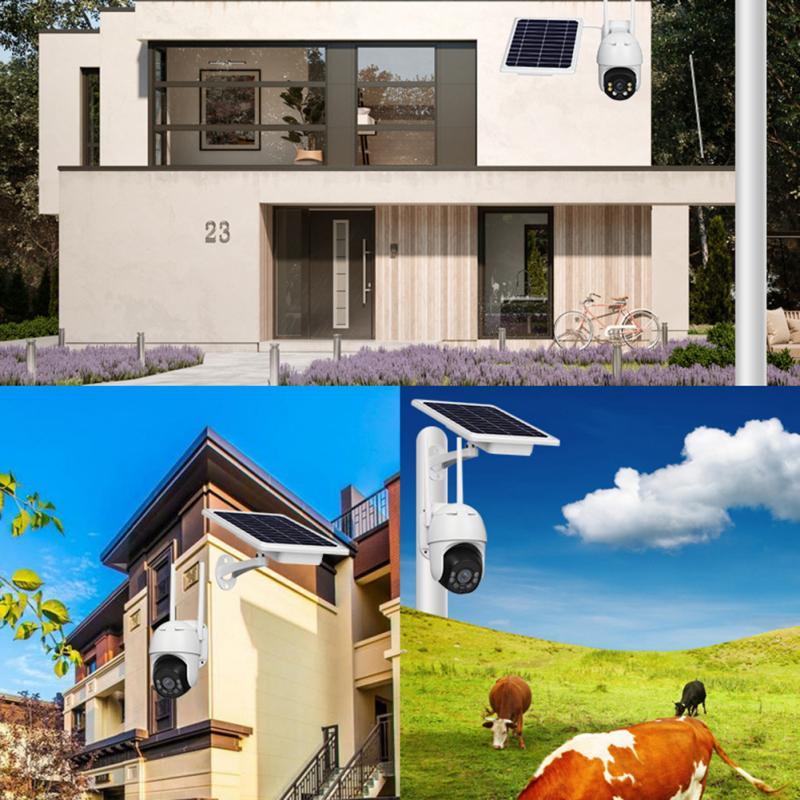
Walk around the property before buying anything. Do it during the day, then again at night. Most people pick camera locations too quickly and end up covering wide open areas while missing the spots where people actually enter, park, hide, or approach.
For a house, the priority areas are usually:
- Front door
- Driveway
- Garage doors
- Back door
- Side gates
- Ground-level windows that are hidden from the street
- Backyard access points
- Porch package area
For a small business, focus on:
- Customer entrance
- Cash register or payment area
- Stockroom door
- Delivery entrance
- Parking area
- Hallways leading to restricted areas
- Exterior doors
- Areas where disputes or theft are likely
Try not to think of cameras as general “watch everything” devices. Think of them as evidence collectors. A wide shot of the whole driveway is useful, but you may also need a closer view that can capture a face or license plate.
One common mistake is mounting a single camera high under the roofline and expecting it to identify people. High cameras are harder to tamper with, but they often capture hats, hair, and shoulders instead of faces. For identification, a camera around 8 to 10 feet high usually works better than one mounted 18 feet up, as long as it is not easy to grab.
Choose between wired, wireless, and battery cameras
There are three main ways to build a system: wired PoE cameras, Wi-Fi cameras, or battery cameras.
For most permanent setups, PoE cameras are the best choice. PoE stands for Power over Ethernet, which means one Ethernet cable carries both power and video. You run a cable from each camera back to a PoE switch or NVR, and the system stays stable. No charging batteries, no weak Wi-Fi signal at the far corner of the house, and fewer recording gaps.
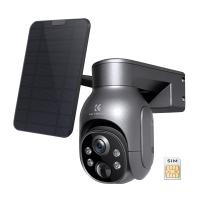
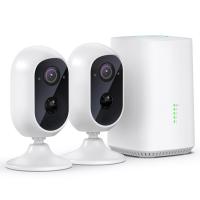
Wi-Fi cameras are easier to install, especially indoors or where running cable is difficult. They still need power unless they are battery-powered. The weak point is reliability. A Wi-Fi camera on the edge of your signal may work fine during setup, then drop out during storms, router updates, or when several devices are using the network.
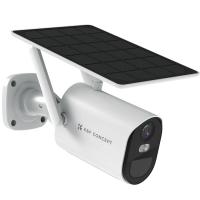
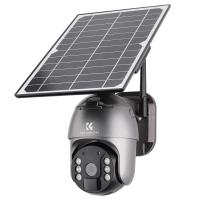
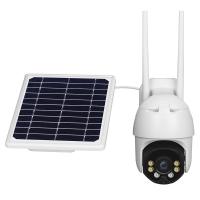
Battery cameras are convenient, but they are not ideal as the backbone of a serious security system. They usually record only when motion is detected, and they can miss the beginning of an event. They are useful for low-traffic areas, rentals, temporary coverage, or spots where wiring is impossible. Just be realistic: if a camera sleeps to save battery, it may not behave like a continuous recording camera.
If you own the property and can run cable, build around PoE. It takes more effort up front, but it pays off every week after that.
Decide how recordings will be stored

A camera system needs somewhere to save footage. The main options are an NVR, cloud storage, a memory card inside each camera, or a NAS/server setup.
An NVR, or network video recorder, is the simplest serious option for PoE systems. Cameras connect to it directly or through a PoE switch, and it records continuously to a hard drive. If you want a practical home or business system without tinkering, an NVR is usually the cleanest route.
Cloud cameras are easier to manage remotely, but ongoing subscription costs add up. They also depend on internet access. If your internet goes down, some cloud cameras stop recording or lose remote access. Some models have local backup, but not all do.
MicroSD cards inside cameras can work for small systems, but they are not my favorite for important coverage. Cards fail, cameras can be stolen, and managing footage across several cameras becomes annoying. They are better as backup storage than the only storage.
For most people building a real system, use local recording with enough storage for at least 14 days. Thirty days is better for businesses or vacation homes. Use surveillance-rated hard drives, not random old desktop drives. Recording video all day is a different workload than storing documents.
Don’t buy cameras based only on resolution
Resolution matters, but it is not the whole story. A bad 8MP camera can look worse at night than a good 4MP camera. The lens, sensor size, field of view, lighting, compression, and placement all matter.
For general home use, 4MP or 5MP cameras are often a sweet spot. They give more detail than 1080p without demanding huge storage. 8MP/4K cameras are useful for driveways, larger yards, parking lots, and places where you need more detail at distance. Just remember that higher resolution needs more storage and better lighting.
Pay close attention to field of view. A very wide lens covers more area but makes faces and plates smaller. A narrower lens sees less but captures better detail at distance. This is why one camera rarely does everything well.
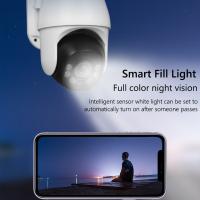
Night performance is where cheap systems often disappoint. Infrared night vision works, but it can wash out faces if someone walks too close. Color night vision can look great, but it needs some ambient light or built-in white lights. For dark areas, a motion floodlight can improve camera footage more than buying a more expensive camera.
Plan your cable runs before installing anything
If you are using PoE cameras, sketch your cable routes before drilling holes. Decide where the NVR or network equipment will live. A closet, utility room, basement, or office can work, but avoid hot attics if possible. Heat shortens the life of electronics and hard drives.
Use outdoor-rated Ethernet cable for exterior runs. If cable will be exposed to sun or weather, regular indoor cable will crack and degrade over time. For most camera installs, Cat5e is enough, though Cat6 is also fine and not much more expensive.
Keep cable ends protected from water. Many camera failures blamed on “bad cameras” are really water-damaged connectors. Use junction boxes, drip loops, silicone where appropriate, and proper weatherproof boots. Do not leave Ethernet connections dangling behind a camera exposed to rain.
Before permanently mounting each camera, plug it in and test the view from your phone or monitor. Hold it roughly where it will be installed. Check the angle, glare, blind spots, and night view if possible. Moving a camera two feet left or lowering it slightly can make a big difference.
Build the system in a sensible order
A practical build usually goes like this:
- Choose camera locations based on entry points and important activity areas.
- Decide whether each spot needs identification detail or general awareness.
- Pick wired PoE, Wi-Fi, or battery cameras based on the location.
- Choose recording storage: usually an NVR for a dependable system.
- Plan cable routes and network placement.
- Install one or two cameras first and test them before doing the whole property.
- Adjust angles, motion zones, and recording settings.
- Add the rest once the first cameras are working properly.
Installing one camera first saves headaches. You learn how the mounting hardware works, how the app behaves, how the cable run feels, and whether your chosen camera model performs well at night. If you bought the wrong style, it is better to learn that after one camera than after installing eight.
Camera placement matters more than camera count
A four-camera system placed well can outperform a twelve-camera system placed lazily.
For doors, angle the camera so it catches faces as people approach, not just the back of their head after they pass. For porches, avoid pointing directly at bright streetlights or the rising sun. For driveways, decide whether you want vehicle overview, license plate detail, or both. License plates are difficult at night because headlights, motion, and reflective plates cause problems. If plate capture really matters, use a dedicated camera angle and proper settings.
For side yards and gates, long narrow views often work better than wide views. A camera looking down a side path can clearly capture anyone walking through. A wide camera from across the yard may show movement but little detail.
Indoors, avoid pointing cameras directly at windows during the day. The bright background can make people appear dark. In businesses, place cameras where they document transactions and movement without feeling unnecessarily invasive.
Set recording and motion alerts carefully
Continuous recording is best for important cameras if your storage allows it. Motion-only recording saves space, but it can miss key moments, especially with cheap cameras or tricky lighting. A good compromise is continuous recording with motion markers, so you can scan events quickly but still have the full timeline.
Motion alerts need tuning. If every passing car, tree shadow, or insect triggers a notification, you will stop paying attention. Set motion zones to exclude roads, sidewalks, flags, branches, and busy background areas. Human or vehicle detection helps, though it is not perfect.
For homes, alerts are usually most useful on front door, driveway, backyard, and side gate cameras. For businesses, after-hours alerts on entrances and restricted areas are more useful than constant daytime notifications.
Secure the system, not just the property
Security cameras can become a weak point if you leave default settings in place.
Change default passwords immediately. Use strong, unique passwords for the NVR, camera accounts, and app login. Turn on two-factor authentication if the brand offers it.
Keep firmware updated, but do it deliberately. For critical systems, avoid updating everything five minutes before leaving town. Update one device, make sure it works, then continue.
If remote viewing is needed, use the manufacturer’s secure app or a VPN instead of opening random ports on your router. Port forwarding can expose your camera system to the internet if you do not know exactly what you are doing.
Also think about physical security. If the NVR is sitting in plain view near the front door, a thief can take the recorder with the footage. Put it somewhere less obvious. For important locations, consider a locked cabinet, hidden placement, or backup recording.
Expect some adjustment after installation
The first week is for tuning. You will notice spider webs glowing in infrared, headlights triggering alerts, rain causing false motion, or one camera looking great at noon and terrible at sunset. This is normal.
Clean lenses occasionally, especially outdoor cameras under eaves where dust and webs collect. Check recordings every month or so. Many people discover a failed hard drive only after they need footage. A camera system should be tested like a smoke detector: not daily, but often enough that you trust it.
A realistic starter setup
For a typical home, a strong starter system might include:
- One camera at the front door
- One camera covering the driveway
- One camera at the back door or patio
- One camera covering a side gate or vulnerable side path
- An NVR with enough storage for 2 to 4 weeks
- PoE wiring where possible
- A small UPS battery backup for the NVR and network equipment
The UPS is easy to overlook. A short power outage can stop recording at exactly the wrong time. Even a modest battery backup can keep the recorder, router, and PoE switch alive for a while.
Final practical advice
Spend more time planning than shopping. Camera systems fail in boring ways: poor angles, bad cable connections, weak Wi-Fi, insufficient storage, default passwords, and alerts so noisy nobody checks them.
You do not need the most expensive system. You need one that records reliably, sees the right areas, works at night, and lets you find footage without a struggle. Start with the critical spots, test before mounting permanently, and build in a way you can maintain. A security camera system is not just hardware on the wall — it is a small recording network that needs thoughtful placement, clean installation, and occasional checking to stay useful.