kfconcept

KENTFAITH
K&F Concept    Blog >

Enjoy Your Selected Digital Life

Recently Viewed
  • Recently Viewed
  • Recently Viewed list is empty.

Compare (0) 0
  • Compare
  • You have not chosen any products to compare.

  • Compare
Currency: USD
  • Currency
Shop by Scene Shop by Rank

Log Into Your Account

Account

Order History

Wish List

Login

Forgotten Password?

Or connect with

Register Account

Already have an Account?Log In

  • Shopping Cart
  • Your shopping cart is empty!

  • Register/Login to purchase, earn points
  • Favorite
  • Your wish list is empty.

  • Register/Login to like, earn points
  • Activities
  • Guide
    • Filter Guide
    • Lens Adapter
    • Product Review
  • News & Reviews
    • Camera Reviews
    • Sample Gallery
    • News
  • Tutorials
    • Solar eclipse photography
    • Photography Basics
    • Landscape Photography
  • Inspiration
    • Travel
    • Travel Stories
  • Home
  • Blog
  • How To Use Mobile As Car Dash Cam?

How To Use Mobile As Car Dash Cam?

Kentfaith 2024-08-26 01:01:43 0 Comments

In today's fast-paced world, technology has become an integral part of our daily lives, and our smartphones are at the forefront of this technological revolution. One of the many versatile uses of a smartphone is transforming it into a car dash cam. This can be a cost-effective and convenient solution for those who want to record their driving experiences, enhance their safety, or simply capture scenic drives. In this article, we will explore how to use your mobile phone as a car dash cam, covering everything from the necessary equipment to the best apps and tips for optimal performance.

Why Use a Mobile Phone as a Dash Cam?
how to use mobile as car dash cam 1

Before diving into the how-to, it's essential to understand why you might want to use your mobile phone as a dash cam. Here are some compelling reasons:

1. Cost-Effective: Dedicated dash cams can be expensive. Using your existing smartphone can save you money.

2. Convenience: You already carry your phone with you, so there's no need for additional devices.

3. High-Quality Recording: Modern smartphones come equipped with high-resolution cameras that can capture clear and detailed footage.

4. Multi-Functional: Your phone can serve multiple purposes, from navigation to communication, and now, as a dash cam.

Essential Equipment
how to use mobile as car dash cam 2

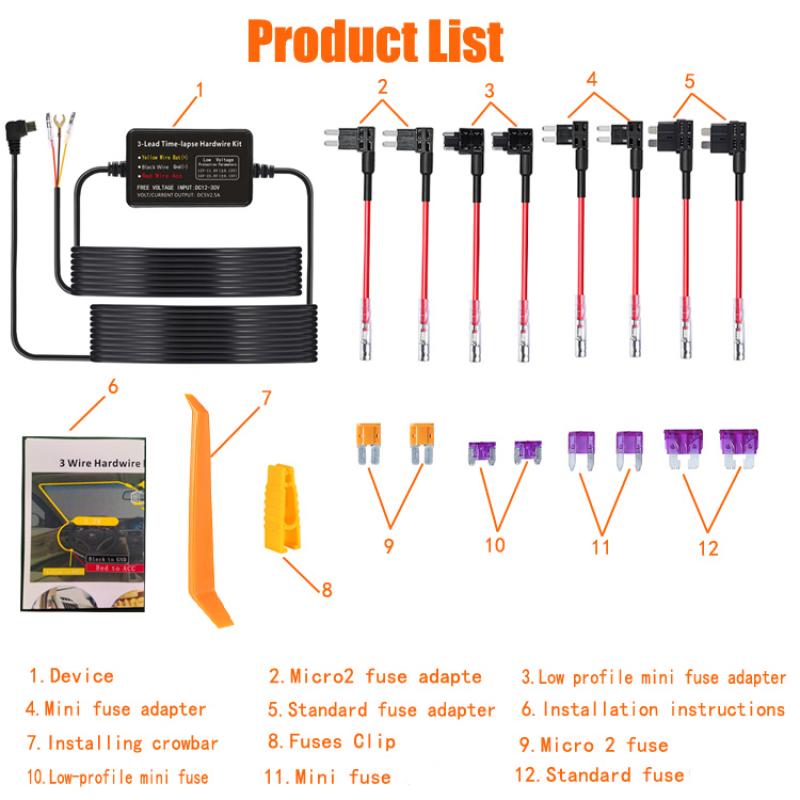
To use your mobile phone as a dash cam, you'll need a few essential pieces of equipment:

1. Phone Mount: A sturdy and adjustable phone mount is crucial. It should securely hold your phone in place and allow for a clear view of the road. Windshield mounts or dashboard mounts are popular choices.

2. Power Supply: Continuous power is necessary for long drives. A car charger or a power bank can ensure your phone remains charged throughout your journey.

3. Storage: High-definition video recording consumes a lot of storage space. Ensure your phone has sufficient internal storage or use a microSD card if your phone supports it.

Choosing the Right Dash Cam App
how to use mobile as car dash cam 3

Several apps are available that can turn your smartphone into a dash cam. Here are some of the best options:

1. AutoBoy Dash Cam: This app offers features like loop recording, background recording, and GPS tracking. It also supports high-resolution video recording.

2. DailyRoads Voyager: Known for its user-friendly interface, this app provides continuous recording, loop recording, and the ability to save important videos with a single tap.

3. CamOnRoad: This app not only functions as a dash cam but also offers navigation features. It supports cloud storage, which can be useful for saving important footage.

4. Car Camera: This app provides high-quality video recording, GPS tracking, and the ability to overlay speed and location data on the video.

Setting Up Your Mobile Phone as a Dash Cam
how to use mobile as car dash cam 4

Once you have the necessary equipment and have chosen a suitable app, follow these steps to set up your mobile phone as a dash cam:

1. Install the App: Download and install your chosen dash cam app from the app store.

2. Mount Your Phone: Securely mount your phone on the windshield or dashboard using the phone mount. Ensure the camera has an unobstructed view of the road.

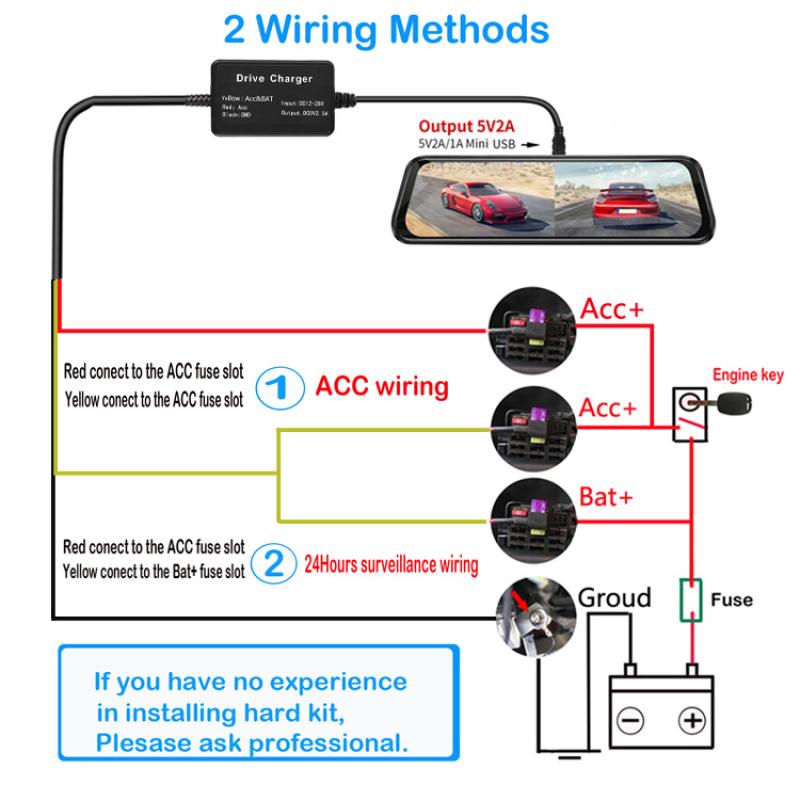
3. Power Supply: Connect your phone to a power source to ensure it remains charged throughout your drive.

4. Configure the App: Open the app and configure the settings according to your preferences. This may include setting the video resolution, loop recording duration, and enabling GPS tracking.

5. Start Recording: Once everything is set up, start the recording function on the app. Some apps may offer automatic recording when the car starts moving.

Tips for Optimal Performance

To ensure your mobile phone dash cam performs optimally, consider the following tips:

1. Heat Management: Prolonged use of your phone as a dash cam can cause it to overheat, especially in hot weather. Use a phone mount with ventilation or position it away from direct sunlight.

2. Storage Management: Regularly check and manage your phone's storage. Delete unnecessary videos to free up space for new recordings.

3. Video Quality: Adjust the video resolution based on your storage capacity and needs. Higher resolution provides better quality but consumes more storage.

4. Safety First: Ensure the phone mount does not obstruct your view of the road. Safety should always be a priority.

5. Regular Updates: Keep your dash cam app updated to benefit from the latest features and improvements.

Legal Considerations

Before using your mobile phone as a dash cam, it's essential to be aware of the legal considerations in your region:

1. Mounting Regulations: Some regions have specific regulations regarding where you can mount devices on your windshield or dashboard. Ensure your phone mount complies with these regulations.

2. Privacy Laws: Be mindful of privacy laws related to recording in public spaces. In some areas, recording audio without consent may be illegal.

3. Insurance Implications: Check with your insurance provider to understand how dash cam footage can be used in the event of an accident.

Using your mobile phone as a car dash cam is a practical and cost-effective solution that leverages the capabilities of modern smartphones. With the right equipment, a suitable app, and proper setup, you can enhance your driving experience, improve safety, and capture memorable moments on the road. Remember to consider legal regulations and prioritize safety when using your phone as a dash cam. By following the steps and tips outlined in this article, you'll be well on your way to transforming your smartphone into a reliable and efficient dash cam.
Leave your comment
Cancel reply
Note: HTML is not translated!
Related products
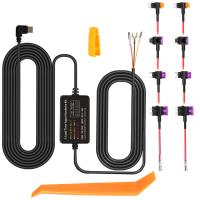
Dash Cam Hardwire Kit, Mini-USB Hard Wire Kit 11.5ft, 12-24V to 5V Car Dash Camera Charger Power Cord, Gift 5 Fuse Tap Cable with Battery Drain Protection for 24h Parking Monitor
$29.99 $20.99
Dash Cam Hardwire Kit, Micro-USB Hard Wire Kit 11.5ft, 12-24V to 5V Car Dash Camera Charger Power Cord, Gift 5 Fuse Tap Cable with Battery Drain Protection for 24h Parking Monitor
$29.99 $20.99
Dash Cam Hardwire Kit, Type-C Hard Wire Kit 11.5ft, 12-24V to 5V Car Dash Camera Charger Power Cord, Gift 5 Fuse Tap Cable with Battery Drain Protection for 24h Parking Monitor
$29.99 $20.99
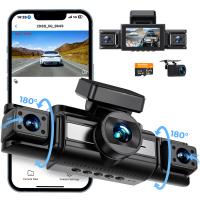
3 Channel 4K Dash Cam, WiFi Dual Dash Camera for Cars, 3 Channel Dash Cam with APP, WDR Loop Recording, GPS, 24 Hours Parking Monitor, G-Sensor, Night Vision, Emergency Lock, Support 256GB Max
$224.99 $146.99
4 Channel Dash Cam, 360° View, 2K Front 1080P Rear Inside Left Right Car Camera, IR Night Vision, WDR, 5G WiFi,  24H Parking Mode, G-Sensor, OBD Cable Included, Kentfaith
4 Channel Dash Cam, 360° View, 2K Front 1080P Rear Inside Left Right Car Camera, IR Night Vision, WDR, 5G WiFi, 24H Parking Mode, G-Sensor, OBD Cable Included, Kentfaith
16
$187.49 $149.99
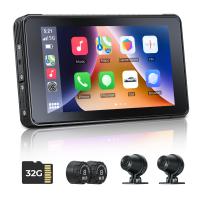
CarPlay for Motorcycle Android Auto Dash Cam Front and Rear GPS Navigation
12
$299.99 $209.99
Dash Cam Front with 1080P Built-in WiFi G-sensor 170° Wide Angle Kentfaith
13
$119.99 $59.99
4K Dash Cam Front and Rear with WiFi 170° Wide Angle G-Senosr Kentfaith
13
$124.99 $99.99
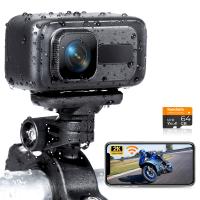
Motorcycle Dash Cam with 2K Resolution 140° Wide Angle WiFi Control USB Power Kentfaith
10
$84.99 $67.99
4K Dash Cam Front and Rear with GPS WiFi Night Vision 24H Parking Mode Kentfaith
13
$124.99 $99.99
Products You May Like
LTE 4G cellular tracking camera 30MP 4K wireless camera for wildlife monitoring 3 PIR120° detection range HD outdoor waterproof hunting infrared night vision camera (Australian regulations)
$183.99
K&F Concept 6" Suction Cup Camera Mount with Magic Arm
32
$42.99
62mm Variable ND Filter ND2-ND32 (1-5 Stops) Lens Filter Waterproof Scratch Resistant with 24 Layers of Nano-coating Nano-Dazzle Series
31
$56.99 $44.99
55mm MCUV Lens Protection Filter with Lens Cap Optical Glass Ultra Slim 18 Multi-Layer Coatings Nano-Klear Series
55
$18.99 $9.99
72mm Filter Set (ND2, ND4, ND8)
5
$28.99 $15.99
67mm MCUV Filter Brass Frame MultifunctionalHD Ultra-Thin Brass Frame 36-Layer Anti-Reflection Green Film Nano-Xcel Pro Series
78
$106.99 $84.99
49mm UV Filter 0.1% Ultra-low Reflection (titanium coating ) with 28 Multi-Layer Coatings Nano-Xcel Series
76
$41.99 $32.99
Big Rack Trail Camera
10
$135.99 $74.99
best batteries for trail cameras
10
$135.99 $106.99
WIFI solar security camera outdoor camera 2K Ultra HD picture Audible alarm IP66 waterproof two-way voice Built-in Battery 9000mAh
794
$87.99 $59.99
Related articles
How Does Car Dash Cam Work?
Can Dash Cam Work When Car Is Off?
How To Use Your Mobile Camera As PC Webcam Discord?
What Is The Use Of Dash Cam?
Can You Use Go Pro For Dash Cam?
How To Buy A Car Dash Camera?
How To Make Dash Cam Always On?
How To Hard Wire A Dash Cam?
Dash Cam Can Connect To Phone?
How To Delete Files From My Sd Card?
Blog You May Like
Which Mirrorless Cameras Have The Same Lens Mount?
How To Build A Light Table For Photography?
Which Cars Have Built In Dash Cam?
Can I Sleep With Earbuds?
Does Stolen Camera Finder Work?
How To Watch On Smart Tv From Android?
How Does The Digital Camera Work?
How To Record Screen With System Audio?
How To Put Headphones In Pc?
Why Lens Hood Is Used?
Related categories
On-Dash Camera C mount lens adapter m4/3 adapter 72mm camera filter DJI Mini 5 Pro filter infrared night vision monocular​ T2 Mount Lens Adapters Digital Night Vision Goggles graduated neutral density GND filter
Popular products
car dash cam front battery power dash cam Dash Cam Hardwire Kit car dash cam kit dashcam 3 channel front rear dash camera 4k dash cam front rear infrared dash camera wide angle hd dash cam ghost cam trail camera
Related searches
Best Car Dash Cam Car And Driver Dash Cam Hard Wire Kit Car Dash Cam The Best Dash Cam For Car Dash Cam Recorder Dash Cam Cameras Vehicle Dash Cam Car Cam Recorder Best Wireless Dash Cam Night Vision Dash Cam
Popular searches
62mm Uv Filter Sewer Inspection Camera For Rent Sony Camera Car Mount Canon 1500d Lens Mount Video Tripod Praktica Camera Lens Mount Flexible Tripod Head Solar Camera With 4g 62mm Filter Tripod Head For Telephoto Lens
Blog Category
  • Activities
  • Guide
    • Filter Guide
    • Lens Adapter
    • Product Review
  • News & Reviews
    • Camera Reviews
    • Sample Gallery
    • News
  • Tutorials
    • Solar eclipse photography
    • Photography Basics
    • Landscape Photography
  • Inspiration
    • Travel
    • Travel Stories
Search Article
Latest from the Blog
How Do Metal Detectors Work? A Complete Guide for Beginners and Pros
How Does a WiFi Trail Camera Work?
What To Look For In A Dash Cam?
How To Remove Memory Card From Nikon Camera?
How To Find Camera Roll On Iphone 5s?
How To Fix The Straps On A Camera?
Black Friday 2025 Special at Kentfaith
What Tripod To Buy?
What is A Variable ND Filter? The Complete Guide to Mastering Exposure Control
How To Find A Good Digital Camera?
  • Easy Payment Multilple Payment Options

  • Free Shipping Global WareHouse Shipment

  • No Risk 30-Day No Reason Return

  • Limited Deals Buy More, Save More

  • Tax Free No any surcharges or tax fee

Information
  • About us
  • Contact Us
  • Site Map
  • Blog
  • Video
  • Gallery
  • VIP Membership Rewards
Service
  • Privacy Policy
  • Terms & Conditions
  • Shipping & Delivery
  • Payment Info
  • Warranty, Return & Refund
  • Intellectual Property Rights
  • Ambassador
  • Affiliates
  • Wholesale
Support
  • My account
  • Order History
  • FAQs
  • Extend Warranty
  • Logistics Tracking
Follow us
NewsLetter

Get the latest product, K&F Concept respects your privacy.

Powered By KENTFAITH © 2025