kfconcept

KENTFAITH
K&F Concept    Blog >

Enjoy Your Selected Digital Life

Recently Viewed
  • Recently Viewed
  • Recently Viewed list is empty.

Compare (0) 0
  • Compare
  • You have not chosen any products to compare.

  • Compare
Currency: USD
  • Currency
Shop by Scene Shop by Rank

Log Into Your Account

Account

Order History

Wish List

Login

Forgotten Password?

Or connect with

Register Account

Already have an Account?Log In

  • Shopping Cart
  • Your shopping cart is empty!

  • Register/Login to purchase, earn points
  • Favorite
  • Your wish list is empty.

  • Register/Login to like, earn points
  • Activities
  • Guide
    • Filter Guide
    • Lens Adapter
    • Product Review
  • News & Reviews
    • Camera Reviews
    • Sample Gallery
    • News
  • Tutorials
    • Solar eclipse photography
    • Photography Basics
    • Landscape Photography
  • Inspiration
    • Travel
    • Travel Stories
  • Home
  • Blog
  • Can I Add A Microphone To My Headphones?

Can I Add A Microphone To My Headphones?

Kentfaith 2024-08-22 01:13:56 0 Comments

Adding a microphone to your headphones can significantly enhance your audio experience, whether you're using them for gaming, video conferencing, podcasting, or simply making phone calls. This article will guide you through the various methods and considerations for adding a microphone to your headphones, ensuring you make an informed decision that best suits your needs.

Understanding Your Needs
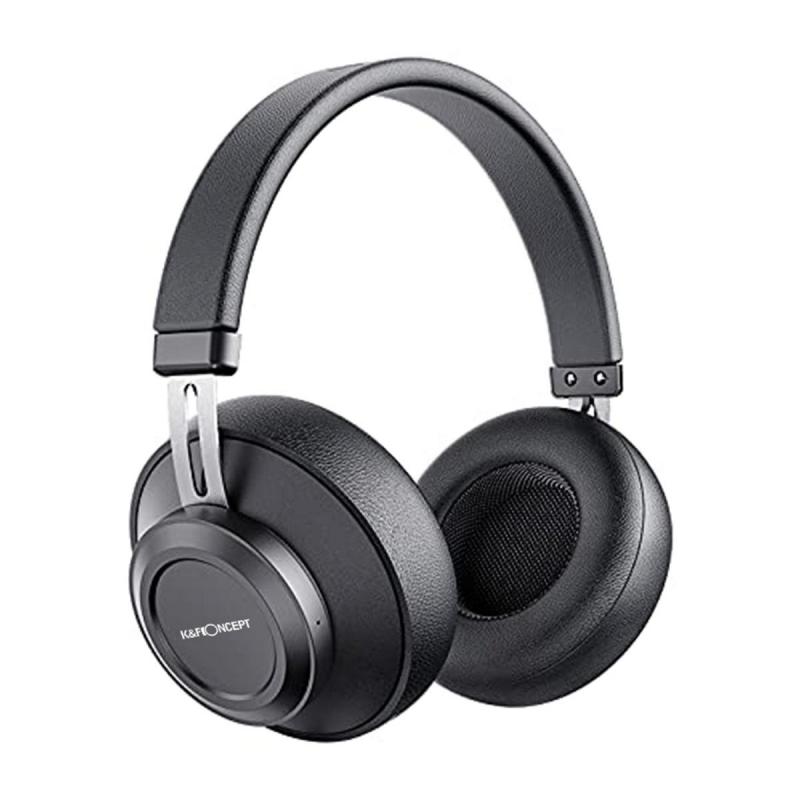
can i add a microphone to my headphones 1

Before diving into the technical aspects, it's crucial to understand why you want to add a microphone to your headphones. Different use cases may require different types of microphones. Here are some common scenarios:

1. Gaming: Requires a microphone with good noise cancellation and clear audio quality.

2. Video Conferencing: Needs a microphone that can pick up your voice clearly without picking up too much background noise.

3. Podcasting: Requires a high-quality microphone that can capture a wide range of frequencies.

4. Phone Calls: Needs a simple, easy-to-use microphone that offers clear voice transmission.

Types of Microphones

There are several types of microphones you can add to your headphones, each with its own set of advantages and disadvantages.

1. Inline Microphones

Inline microphones are built into the cable of your headphones. They are convenient and easy to use but may not offer the best audio quality. These are ideal for casual use, such as phone calls or basic video conferencing.

Pros:

- Easy to install

- Affordable

- Convenient for mobile use

Cons:

- Limited audio quality

- May pick up cable noise

2. Boom Microphones

Boom microphones are attached to a flexible arm that can be positioned close to your mouth. These are commonly used in gaming headsets and offer excellent audio quality and noise cancellation.

Pros:

- High audio quality

- Good noise cancellation

- Adjustable positioning

Cons:

- Can be bulky

- More expensive

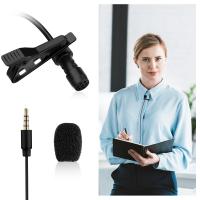
3. Clip-On Microphones

Clip-on microphones can be attached to your clothing or the headphone cable. They offer a good balance between convenience and audio quality, making them suitable for video conferencing and casual podcasting.

Pros:

- Versatile

- Decent audio quality

- Affordable

Cons:

- May pick up background noise

- Less convenient than inline microphones

4. External USB Microphones

External USB microphones are standalone devices that connect to your computer via USB. They offer the highest audio quality and are ideal for professional podcasting and high-stakes video conferencing.

Pros:

- Superior audio quality

- Advanced features (e.g., gain control, mute button)

- Versatile

Cons:

- Not portable

- More expensive

- Requires additional setup

Installation and Setup

Once you've chosen the type of microphone that best suits your needs, the next step is installation and setup. Here are some general guidelines for each type of microphone.

Inline Microphones

1. Purchase an inline microphone adapter: These adapters usually come with a built-in microphone and a button for answering calls.

2. Connect the adapter: Plug the adapter into your headphone jack and then plug your headphones into the adapter.

3. Test the microphone: Make a test call or record a voice memo to ensure the microphone is working correctly.

Boom Microphones

1. Purchase a boom microphone: Look for one that is compatible with your headphones.

2. Attach the boom microphone: Most boom microphones come with a clip or a magnetic attachment that can be secured to your headphones.

3. Connect the microphone: Plug the microphone into your device's microphone jack or use an adapter if necessary.

4. Test the microphone: Make a test call or record a voice memo to ensure the microphone is working correctly.

Clip-On Microphones

1. Purchase a clip-on microphone: Ensure it has a long enough cable to reach your device comfortably.

2. Attach the microphone: Clip the microphone to your clothing or the headphone cable.

3. Connect the microphone: Plug the microphone into your device's microphone jack or use an adapter if necessary.

4. Test the microphone: Make a test call or record a voice memo to ensure the microphone is working correctly.

External USB Microphones

1. Purchase an external USB microphone: Look for one that meets your audio quality requirements.

2. Connect the microphone: Plug the microphone into a USB port on your computer.

3. Install any necessary drivers: Some USB microphones require drivers or software to function correctly.

4. Configure the microphone: Go to your computer's audio settings and select the USB microphone as the input device.

5. Test the microphone: Make a test call or record a voice memo to ensure the microphone is working correctly.

Additional Tips

- Check Compatibility: Ensure that the microphone you choose is compatible with your headphones and device.

- Use Adapters if Necessary: Some devices may require adapters to connect external microphones.

- Adjust Settings: Fine-tune your device's audio settings to get the best performance from your new microphone.

- Consider Noise Cancellation: If you are in a noisy environment, consider a microphone with noise-canceling features.

- Maintenance: Keep your microphone clean and free from dust to ensure long-term performance.

Adding a microphone to your headphones can greatly enhance your audio experience, making it easier to communicate clearly and effectively in various scenarios. By understanding your needs and choosing the right type of microphone, you can ensure that you get the best possible performance. Whether you're gaming, video conferencing, podcasting, or making phone calls, there's a microphone solution that can meet your requirements. Follow the installation and setup guidelines, and you'll be well on your way to enjoying improved audio quality and functionality.


Leave your comment
Cancel reply
Note: HTML is not translated!
Related products
Wireless Earbuds Bluetooth Headphones TWS Waterproof with Microphone
66
$31.99
Cell Phone Bluetooth Headphones Bluetooth V5.1 Headphones with Charging Case Hands-Free Single Ear Headphones with CVC8.0 Noise Cancelling Microphone for Office/Driving Compatible with Android/iPhone/Laptop
HOT Seller
Cell Phone Bluetooth Headphones Bluetooth V5.1 Headphones with Charging Case Hands-Free Single Ear Headphones with CVC8.0 Noise Cancelling Microphone for Office/Driving Compatible with Android/iPhone/Laptop
57
$26.99
Gift Certificate: $200 Value - Can Use with Any Discounts
$200.00 $190.00
Gift Certificate: $300 Value  - Can Use with Any Discounts
Gift Certificate: $300 Value - Can Use with Any Discounts
$300.00 $285.00
Gift Certificate: $1000 Value  - Can Use with Any Discounts
Gift Certificate: $1000 Value - Can Use with Any Discounts
$1,000.00 $950.00
Gift Certificate: $500 Value  -Can Use with Any Discounts
Gift Certificate: $500 Value -Can Use with Any Discounts
$500.00 $475.00
Gift Certificate: $800 Value - Can Use with Any Discounts
$800.00 $760.00
Minolta A / Sony A Lenses to Pentax Q Lens Mount Adapter K&F Concept M22161 Lens Adapter
$45.99 $23.99
Minolta A / Sony A Lenses to Pentax Q Lens Mount Adapter with Tripod Mount K&F Concept M22162 Lens Adapter
$55.99 $28.99
DJI Osmo Action 3 ND64&PL Filters with Single-sided Anti-reflection Green Film
21
$29.99 $17.99
Products You May Like
Adjustable Camera Strap Etsy, Camera Neck Strap With Quick Release and Safety Tether, Suitable for Nikon, Canon, Sony, Olympus SLR Cameras
5
$13.99
Aluminum Alloy 360 Degree Panoramic Gimbal Tripod Head with 1/4'' Standard Quick Release Plate
98
$184.99 $80.99
Inexpensive Trail Cameras
10
$162.99 $106.99
SD Card Reader for iPhone/iPad/Android/Mac/Computer/Camera, 4 in 1 Micro SD Card Reader Tracking Camera Viewer, Portable Memory Card Reader SD Card Adapter Compatible with SD and Micro SD Card/TF Card ( black)
$14.99
43mm True Color Variable ND2-400 (1-9 Stops) ND Lens Filter Adjustable Neutral Density Filter with 18 Multi-Layer Coatings for Camera Lens Nano-Klear Series
42
$43.99 $32.99
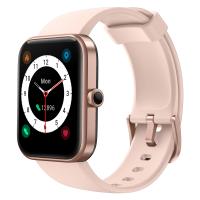
ID206 smart watch, built-in fitness tracker, with heart rate and blood oxygen monitor, sleep monitor, compatible with iPhone and Android, pink
$51.99
52mm Magnetic Metal Lens Cap 2-in-1
41
$35.99 $17.99
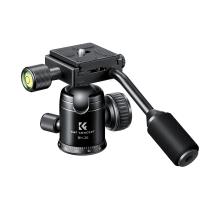
26mm Metal Tripod Ball Head with Handle 360 Degree Rotating Panoramic with 1/4 inch Quick Release Plate Bubble Level for Monopod Camera Camcorder Load Capacity up to 17.6 lbs/8KG Black
2
$49.99 $37.99
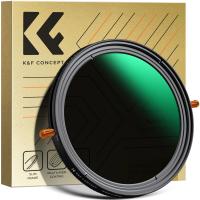
58mm ND & CPL 2 in 1 Lens Filter, ND2-ND32 (1-5 Stop) Variable Neutral Density and Polarizer for Camera Lens Nano-Dazzle Series
66
$70.99 $56.49
Square Lens Holder Adapter 37mm (Laser Size)
$17.99 $9.99
Related articles
Can I Download A Microphone For My Computer?
Can You Attach A Microphone To Headphones?
Can I Use Alexa As A Microphone?
How Can I Connect A Microphone To A Bluetooth Speaker ?
Can I Have A Camera Outside My House?
Can I Use Sony Headphones On Xbox One?
How To Add A Blink Outdoor Camera?
How Can I Mount My Sd Card?
Where Can I Sell My Video Camera?
What Memory Card Does Psp Go Use?
Blog You May Like
How Many Photos Does 16gb Memory Card Hold?
Where To Buy Apple Smart Watch?
What Does Static Sound Like On A Record?
How To Search For Sound Recordings?
When Not To Use Cpl Filter?
How To Built An Wifi Camera?
How To Choose A Camera Filter?
What Does A Scanning Electron Microscope Do?
What Samsung Tvs Have Cameras And Microphones ?
Where To Get Camera Batteries?
Related categories
A Mount Lens Adapter Sony A Mount Lens Adapters minolta a mount lenses streaming video camera C mount lens adapter
Popular products
uhf wireless microphone system tws earbuds wireless headphones and tv wireless earbuds with charging case bluetooth headphones to tv noise cancelling microphone earbuds bluetooth headphones with mic wireless bluetooth earbuds for the right ear mini web camera wifi wireless open ear bluetooth earbuds
Related searches
Wired Headphones With A Microphone Add Lens Filter Without Lens Wireless Headphones With A Mic Best Headphones With A Mic Best Headphones With Microphone Bluetooth Wireless Headphones Microphone Computer Headphones With Microphone Podcast Headphones With Microphone Best Microphone For A Laptop Microphone For A Laptop Computer
Popular searches
Mamiya Lens To Nikon Adapter Nd Filter For Iphone 15 Pro Canon Macrolite Adapter 67mm Tripod With 360 Ball Head Sony 18 55mm Lens Uv Filter Gobe Lens Filters Review Sony A7 Iii Camera Bag Sony A7ii Nikon Lens Adapter 72mm Uv Filter Nikon Tessar Lens C Mount
Blog Category
  • Activities
  • Guide
    • Filter Guide
    • Lens Adapter
    • Product Review
  • News & Reviews
    • Camera Reviews
    • Sample Gallery
    • News
  • Tutorials
    • Solar eclipse photography
    • Photography Basics
    • Landscape Photography
  • Inspiration
    • Travel
    • Travel Stories
Search Article
Latest from the Blog
How Much Storage For Security Camera?
Neutral Density Filter: The Ultimate Guide for Photographers and Videographers
How To Buy A Security Camera System?
Which Bluetooth Earphones?
What Is The Best Wireless Outdoor Security Camera?
What Tripod To Buy?
What Power Binoculars For Long Distance Viewing?
Which Binoculars To Buy?
How To Wear Monocular?
How To Fix The Straps On A Camera?
  • Easy Payment Multilple Payment Options

  • Free Shipping Global WareHouse Shipment

  • No Risk 30-Day No Reason Return

  • Limited Deals Buy More, Save More

  • Tax Free No any surcharges or tax fee

Information
  • About us
  • Contact Us
  • Site Map
  • Blog
  • Video
  • Gallery
  • VIP Membership Rewards
Service
  • Privacy Policy
  • Terms & Conditions
  • Shipping & Delivery
  • Payment Info
  • Warranty, Return & Refund
  • Intellectual Property Rights
  • Ambassador
  • Affiliates
  • Wholesale
Support
  • My account
  • Order History
  • FAQs
  • Extend Warranty
  • Logistics Tracking
Follow us
NewsLetter

Get the latest product, K&F Concept respects your privacy.
Powered By KENTFAITH © 2026