kfconcept

KENTFAITH
K&F Concept    Blog >

Enjoy Your Selected Digital Life

Recently Viewed
  • Recently Viewed
  • Recently Viewed list is empty.

Compare (0) 0
  • Compare
  • You have not chosen any products to compare.

  • Compare
Currency: USD
  • Currency
Shop by Scene Shop by Rank

Log Into Your Account

Account

Order History

Wish List

Login

Forgotten Password?

or connect with

Register Account

Already have an Account?Log In

  • Shopping Cart
  • Your shopping cart is empty!

  • Register/Login to purchase, earn points
  • Favorite
  • Your wish list is empty.

  • Register/Login to like, earn points
  • Activities
  • Guide
    • Filter Guide
    • Lens Adapter
    • Product Review
  • News & Reviews
    • Camera Reviews
    • Sample Gallery
    • News
  • Tutorials
    • Solar eclipse photography
    • Photography Basics
    • Landscape Photography
  • Inspiration
    • Travel
    • Travel Stories
  • Home
  • Blog
  • Can I Use Sony Headphones On Xbox One?

Can I Use Sony Headphones On Xbox One?

Kentfaith 2024-08-08 02:47:23 0 Comments

When it comes to gaming, having the right accessories can significantly enhance your experience. One common question among gamers is whether they can use their existing Sony headphones with an Xbox One console. This query is particularly relevant for those who already own high-quality Sony headphones and are looking to maximize their utility without having to invest in a new pair specifically designed for Xbox. In this article, we will explore the compatibility of Sony headphones with Xbox One, the methods to connect them, and the potential limitations you might encounter. By the end of this read, you should have a clear understanding of how to make the most out of your Sony headphones while gaming on an Xbox One.

Understanding Compatibility
can i use sony headphones on xbox one 1

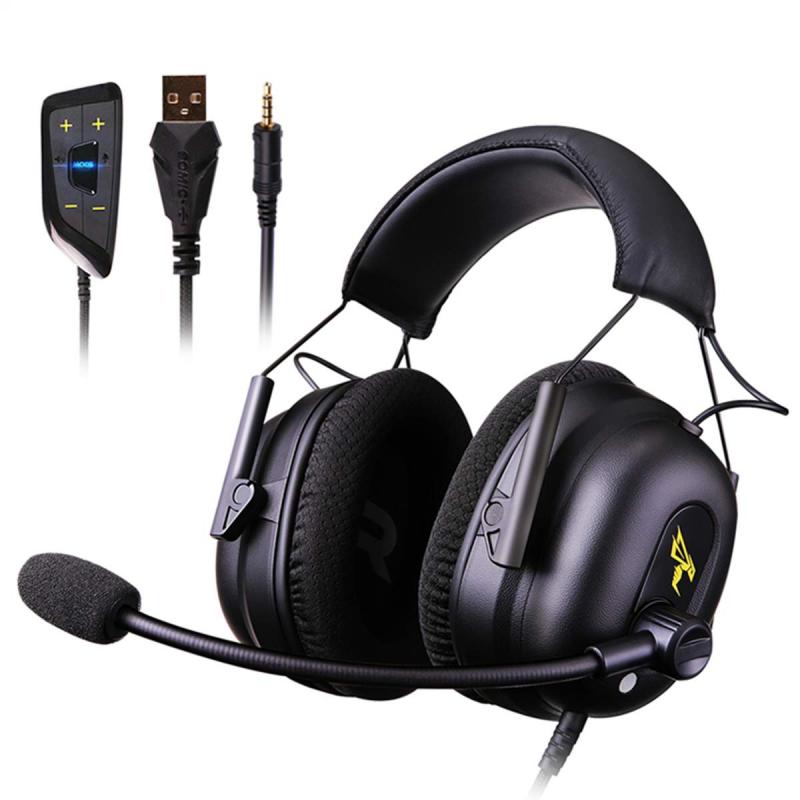
First and foremost, it’s essential to understand the basic compatibility between Sony headphones and the Xbox One. Unlike PlayStation consoles, which are designed to work seamlessly with Sony accessories, Xbox One has its own set of requirements and limitations. The Xbox One controller features a 3.5mm audio jack, which is a standard connection type for most headphones, including those made by Sony. However, the functionality you get from simply plugging in your headphones can vary.

Wired Connection
can i use sony headphones on xbox one 2

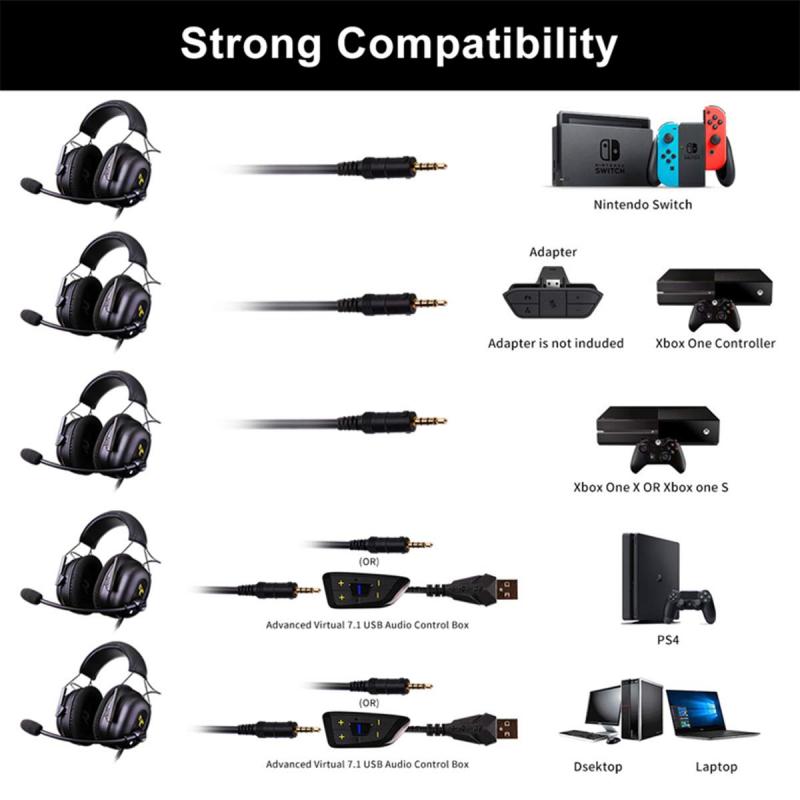
The most straightforward way to use your Sony headphones with an Xbox One is through a wired connection. Here’s how you can do it:

1. Direct Connection: If your Sony headphones have a 3.5mm audio jack, you can directly plug them into the Xbox One controller. This method is simple and doesn’t require any additional accessories. Once connected, you should be able to hear game audio through your headphones. However, you might need to adjust the audio settings on your Xbox One to ensure that the sound is routed correctly.

2. Using an Adapter: Some Sony headphones come with a proprietary connector or a USB connection. In such cases, you will need a 3.5mm adapter to connect your headphones to the Xbox One controller. These adapters are readily available and relatively inexpensive. Once you have the adapter, the process is the same as a direct connection.

Wireless Connection
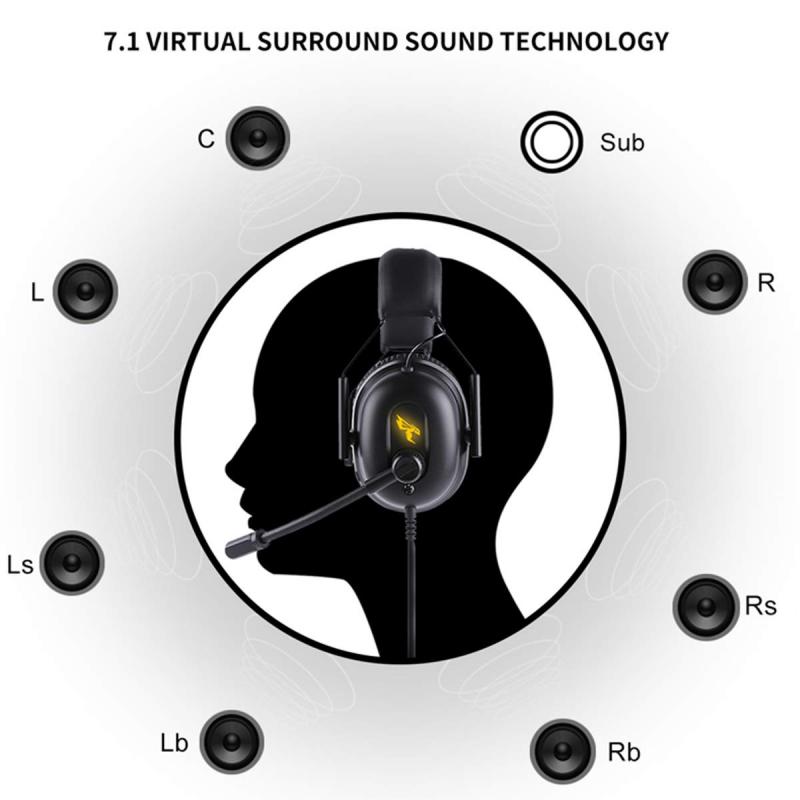
can i use sony headphones on xbox one 3

Many Sony headphones, especially the higher-end models, offer wireless connectivity via Bluetooth. Unfortunately, the Xbox One does not support Bluetooth audio devices directly. However, there are workarounds to this limitation:

1. Using a Bluetooth Transmitter: One way to connect your Sony Bluetooth headphones to an Xbox One is by using a Bluetooth transmitter. This device plugs into the 3.5mm audio jack on your Xbox One controller and transmits the audio signal to your headphones. While this method allows you to use your wireless headphones, it may introduce some audio latency, which can be a drawback in fast-paced gaming scenarios.

2. Connecting via TV: Another method is to connect your Sony Bluetooth headphones to your TV, assuming your TV supports Bluetooth audio output. In this setup, the Xbox One sends the audio signal to the TV, which then transmits it to your headphones. This method can also introduce some latency, but it’s a viable option if you prefer a wireless setup.

Microphone Functionality
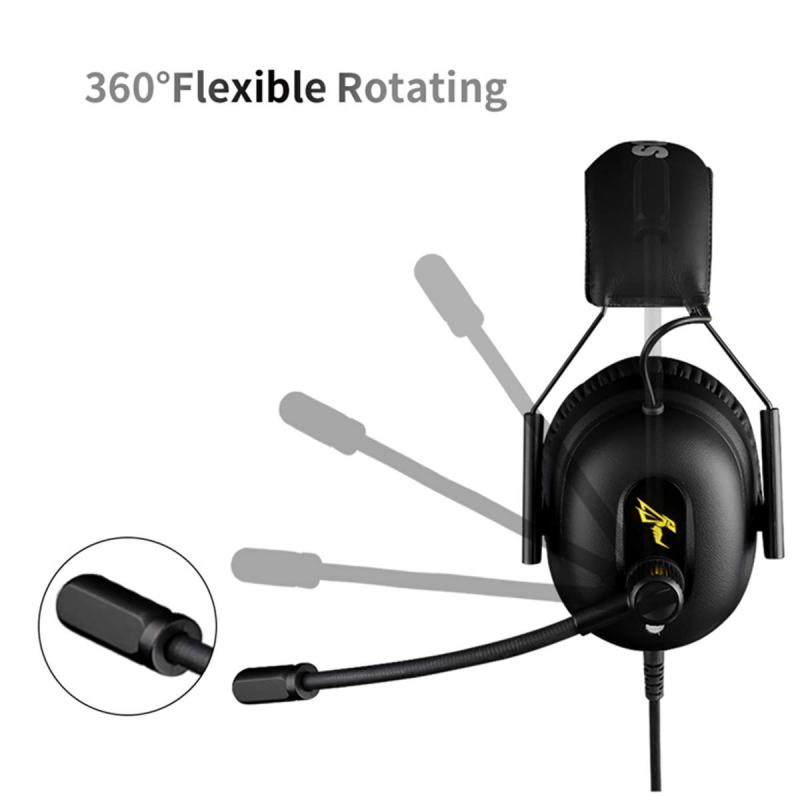
can i use sony headphones on xbox one 4

While getting audio output from your Sony headphones is relatively straightforward, using the microphone can be more complicated. The Xbox One controller’s 3.5mm jack supports both audio output and microphone input, but not all headphones are designed to work seamlessly with this setup.

1. Built-in Microphone: If your Sony headphones have a built-in microphone, you might be able to use it for in-game chat. However, the quality and functionality can vary. You may need to adjust the Xbox One’s audio settings to ensure that the microphone is recognized and working correctly.

2. External Microphone: If your Sony headphones do not have a built-in microphone or if the built-in microphone is not working well, you can use an external microphone. There are various options available, including clip-on microphones that can be attached to your headphones or standalone desktop microphones. These can be connected to the Xbox One controller or directly to the console via USB.

Audio Quality and Settings

To get the best audio experience from your Sony headphones on an Xbox One, you may need to tweak some settings:

1. Audio Output Settings: Navigate to the Xbox One’s audio settings menu and ensure that the audio output is set to “Headset.” This will route all game and chat audio through your headphones.

2. Volume Control: Adjust the volume levels on both your Xbox One and your headphones to find the optimal balance. Some Sony headphones come with built-in volume controls, which can be handy for making quick adjustments during gameplay.

3. Equalizer Settings: If your Sony headphones come with a companion app that includes an equalizer, you can use it to fine-tune the audio settings to your preference. This can enhance your gaming experience by emphasizing certain sounds, such as footsteps or gunfire, which are crucial in competitive games.

Potential Limitations

While it is possible to use Sony headphones with an Xbox One, there are some limitations to be aware of:

1. Audio Latency: As mentioned earlier, using a Bluetooth transmitter or connecting via TV can introduce audio latency. This delay can be detrimental in fast-paced games where split-second decisions are crucial.

2. Microphone Compatibility: Not all Sony headphones are designed to work seamlessly with the Xbox One’s microphone input. You may need to invest in an external microphone for the best in-game chat experience.

3. Limited Features: Some advanced features of Sony headphones, such as noise-canceling or surround sound, may not be fully supported when connected to an Xbox One. These features are often optimized for use with specific devices and may not translate well to a gaming console.

In summary, while you can use Sony headphones with an Xbox One, the experience may not be as seamless as using headphones specifically designed for the console. A wired connection is the most straightforward method, but wireless options are available with some caveats. Microphone functionality can be hit or miss, and you may need to make some adjustments to get the best audio quality. By understanding these limitations and exploring the available options, you can make the most out of your Sony headphones while gaming on an Xbox One.
Leave your comment
Cancel reply
Note: HTML is not translated!
Related products
Gift Certificate: $200 Value - Can Use with Any Discounts
$200.00 $190.00
Gift Certificate: $300 Value  - Can Use with Any Discounts
Gift Certificate: $300 Value - Can Use with Any Discounts
$300.00 $285.00
Gift Certificate: $1000 Value  - Can Use with Any Discounts
Gift Certificate: $1000 Value - Can Use with Any Discounts
$1,000.00 $950.00
Gift Certificate: $500 Value  -Can Use with Any Discounts
Gift Certificate: $500 Value -Can Use with Any Discounts
$500.00 $475.00
Gift Certificate: $800 Value - Can Use with Any Discounts
$800.00 $760.00
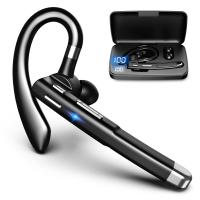
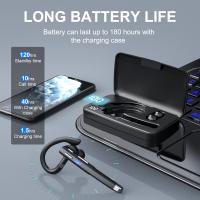
Cell Phone Bluetooth Headphones Bluetooth V5.1 Headphones with Charging Case Hands-Free Single Ear Headphones with CVC8.0 Noise Cancelling Microphone for Office/Driving Compatible with Android/iPhone/Laptop
HOT Seller
Cell Phone Bluetooth Headphones Bluetooth V5.1 Headphones with Charging Case Hands-Free Single Ear Headphones with CVC8.0 Noise Cancelling Microphone for Office/Driving Compatible with Android/iPhone/Laptop
57
$26.99
Wireless Earbuds Bluetooth Headphones TWS Waterproof with Microphone
66
$31.99
52mm Snap-On Center Pinch Lens Cap 4 in 1 with Anti-Loss Keeper Leash Compatible with Nikon, Canon, Sony, Fujifilm Camera Lenses
$11.99 $5.99
55mm Snap-On Center Pinch Lens Cap 4 in 1 with Anti-Loss Keeper Leash Compatible with Nikon, Canon, Sony, Fujifilm Camera Lenses
$11.99 $5.99
58mm Snap-On Center Pinch Lens Cap 4 in 1 with Anti-Loss Keeper Leash Compatible with Nikon, Canon, Sony, Fujifilm Camera Lenses
$11.99 $5.99
Products You May Like
52mm Filter Set (UV, CPL, ND4)
11
$35.99 $17.99
Infrared Night Vision Goggles for Helmet 4K 8X Digital Zoom Flashlight 32GB
13
$284.99 $199.99
49mm Snap-On Center Pinch Lens Cap 9 in 1 with Anti-Loss Keeper Leash Compatible with Nikon, Canon, Sony, Fujifilm Camera Lenses
73
$18.99 $9.99
77mm Filter Kit MCUV + CPL Circular Polarizer Filter & MCUV Protection Filter HD Ultra-thin with 18 Multi Layer Coatings Nano-Klear Series
45
$41.99 $32.99
WiFi Outdoor Security Camera 1080P HD with Infrared Night Vision Two-way Audio IP66 Waterproof Surveillance Camera
730
$159.99 $36.99
67mm Black Diffusion Mist 1/4 & Variable ND2-32 2-in-1 Filter Cinematic Effect Neutral Density Filter for Camera Lens with 18 Multi-Layer Coatings - Nano-Klear Series
NEW Arrival
67mm Black Diffusion Mist 1/4 & Variable ND2-32 2-in-1 Filter Cinematic Effect Neutral Density Filter for Camera Lens with 18 Multi-Layer Coatings - Nano-Klear Series
35
$117.48 $46.99
Wireless Hunting Trail Cameras
10
$162.99 $106.99
77mm Black Mist 1/4 Filter + Lens Cap, Mist Cinematic Effect Filter with 18 Multi-Layer Coatings for Video, Vlog, Portrait Photography Nano-Klear Series
NEW Arrival
77mm Black Mist 1/4 Filter + Lens Cap, Mist Cinematic Effect Filter with 18 Multi-Layer Coatings for Video, Vlog, Portrait Photography Nano-Klear Series
17
$109.98 $43.99
Kids Camera Instant Print Color Photos, Front Rear Dual Selfie, 1080P HD Video for 3-12, Blue, Kentfaith
14
$81.24 $64.99
58mm Solar Filter ND1000000,20-Stop Solid Neutral Density Filter Celestial Event Photography Filter with 28 Multi-Layer Coatings Nano-Xcel Series
100
$43.99 $34.99
Related articles
Can Bluetooth Headphones Connect To Xbox?
Can I Set Up One Outdoor Security Camera?
Can You Use A Canon Lens On A Sony Camera ?
Which One Is Better Headphones Or Earphones?
Can I Micro Adjust Sony E Mount Lens?
Can I Use Ef Lens On Rf Camera?
Can I Use Nikon Lens On Fujifilm Camera?
Can I Use Earphones As Mic On Pc?
Can I Add A Microphone To My Headphones?
Speakers Making Noise When Radio Is Off?
Blog You May Like
Does Screen Recording Include Audio?
How A Digital Camera Sensor Works?
Where To Find Hidden Cameras In Your Home?
Android Smartwatch That You Can Make Calls On?
How To Set Up Wireless Camera Security System?
How To Take Flash Off Polaroid Camera?
How Do You Clear A Sd Memory Card?
Outdoor Surveillance Cameras Which Work With Cloud?
How To Record Phone Screen With Sound?
Can I Charge Camera Battery With Power Bank?
Related categories
On-Dash Camera Sony E Mount Body Sony A Mount Lens Adapters Sony battery camera sony mount lenses sony mount lenses A Mount Lens Adapter
Popular products
headset with microphone noise cancellation xbox headphones with mic uhf wireless microphone system gaming headset xbox one gaming headset for xbox ps5 headset with microphone computer headset with microphone quadcopter drone with camera bluedio wireless bluetooth headphones wireless earbuds with charging case
Related searches
Xbox One Headphones With Mic Xbox One Mic And Headphones Usb Headphones For Xbox One Noise Cancelling Headphones For Xbox One Xbox One Headset And Microphone Xbox One Stereo Headset Adapter Xbox One Headset With Microphone Xbox One Headset With Stereo Adapter Headphones One Ear Surround Sound Headphones For Xbox
Related Scenes
Best On Dash Camera Best Carry On Camera Bag Best On Camera Light For Video Best Camera For Outdoor Use Best Borescope For Home Use Outdoor Use Best Security Camera Best Digital Camera For Home Use Best Camera Bag For Everyday Use Best Metal Detector For Beach Use Best Video Camera For Outdoor Use
Blog Category
  • Activities
  • Guide
    • Filter Guide
    • Lens Adapter
    • Product Review
  • News & Reviews
    • Camera Reviews
    • Sample Gallery
    • News
  • Tutorials
    • Solar eclipse photography
    • Photography Basics
    • Landscape Photography
  • Inspiration
    • Travel
    • Travel Stories
Search Article
Latest from the Blog
Can Cctv Camera Record Audio?
How To Play Games In Smartwatch?
How To Clean A Scope Lens?
What Color Screen Is Best For A Projector?
Can Earbuds Be Used For Phone Calls?
What Is The Best Rangefinder For 1000 Yards?
What Security Camera Records 247?
What Is Uv Filter For?
What Android Smartwatch Can You Talk On?
How Does A Lavalier Microphone Work?
  • Easy Payment Multilple Payment Options

  • Free Shipping Global WareHouse Shipment

  • No Risk 30-Day No Reason Return

  • Limited Deals Buy More, Save More

  • Tax Free No any surcharges or tax fee

Information
  • About us
  • Contact Us
  • Site Map
  • Blog
  • Video
  • Gallery
  • VIP Membership Rewards
Service
  • Privacy Policy
  • Terms & Conditions
  • Shipping & Delivery
  • Payment Info
  • Warranty, Return & Refund
  • Intellectual Property Rights
  • Ambassador
  • Affiliates
  • Wholesale
Support
  • My account
  • Order History
  • FAQs
  • Extend Warranty
  • Logistics Tracking
Follow us
NewsLetter

Get the latest product, K&F Concept respects your privacy.

Powered By KENTFAITH © 2026