kfconcept

KENTFAITH
K&F Concept    Blog >

Enjoy Your Selected Digital Life

Recently Viewed
  • Recently Viewed
  • Recently Viewed list is empty.

Compare (0) 0
  • Compare
  • You have not chosen any products to compare.

  • Compare
Currency: USD
  • Currency
Shop by Scene Shop by Rank

Log Into Your Account

Account

Order History

Wish List

Login

Forgotten Password?

or connect with

Register Account

Already have an Account?Log In

  • Shopping Cart
  • Your shopping cart is empty!

  • Register/Login to purchase, earn points
  • Favorite
  • Your wish list is empty.

  • Register/Login to like, earn points
  • Activities
  • Guide
    • Filter Guide
    • Lens Adapter
    • Product Review
  • News & Reviews
    • Camera Reviews
    • Sample Gallery
    • News
  • Tutorials
    • Solar eclipse photography
    • Photography Basics
    • Landscape Photography
  • Inspiration
    • Travel
    • Travel Stories
  • Home
  • Blog
  • Can I Use Earphones As Mic On Pc?

Can I Use Earphones As Mic On Pc?

Kentfaith 2025-02-03 03:56:10 0 Comments

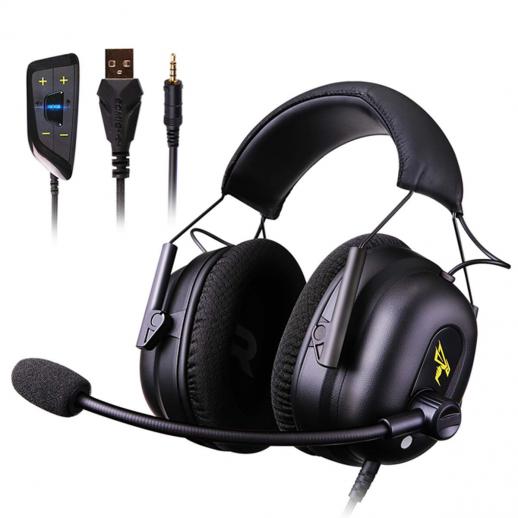
Earphones have become an indispensable accessory for modern technology users. Whether for music, video calls, or gaming, earphones are convenient, lightweight, and versatile. But what if you don’t have a dedicated microphone? Can your earphones double as a microphone on your PC? The answer is a resounding yes, but with some caveats. In this article, we’ll explore how you can use your earphones as a microphone on your PC, the technical considerations involved, and troubleshooting tips for a seamless experience.

---

## How Earphones Can Function as Microphones

Earphones, particularly those with a built-in microphone, are designed to transmit audio in both directions. The small microphone on the wire or housing of the earphones can capture sound and transmit it just like a standard microphone. This feature is particularly useful in scenarios where you don’t have a standalone mic.

However, even earphones without a dedicated microphone can sometimes function as a rudimentary input device. In these cases, the earphone's speaker component can act as a makeshift microphone, albeit with limited quality.

Understanding the Technical Setup

Modern PCs and laptops generally come with two types of audio ports:

1. Combo Jack (TRRS): A single 3.5mm port that supports both audio output (for headphones) and input (for microphones).

2. Separate Jacks (TRS): Separate 3.5mm ports for headphones (output) and microphones (input).

Earphones with a built-in microphone typically use a TRRS connector. This type of connector splits the audio signals into channels for headphones and the microphone.

---

## Steps to Use Earphones as a Microphone on a PC

1. Identify Your Earphone Type

- With a Built-in Microphone: These are most suitable for use as a mic on your PC.

- Without a Built-in Microphone: These can only work as a makeshift mic in specific cases, but the quality will be subpar.

2. Check Your PC’s Audio Ports

- For PCs with a combo jack, plug the earphones directly into the port. The system will automatically detect the microphone component.

- For PCs with separate jacks, you’ll need a splitter adapter that separates the TRRS signal into two TRS connections—one for the headphones and one for the mic.

3. Configure Audio Settings

Once the earphones are connected, configure the input settings on your PC:

1. Windows:

- Open the Control Panel and navigate to “Sound” settings.

- Go to the “Recording” tab.

- Select the earphone microphone from the list, then click “Set Default.”

- Test the microphone levels and adjust as needed.

2. Mac:

- Open System Preferences and select “Sound.”

- Navigate to the “Input” tab and choose your earphone mic.

- Speak into the microphone and adjust the input level as required.

---

## Key Considerations for Quality and Performance

Using earphones as a microphone is a practical solution, but it has limitations. Here are some factors to consider:

1. Microphone Quality

Earphone microphones are not designed to capture high-quality audio. While they are sufficient for casual voice chats, they may not perform well for professional recordings or streaming.

2. Noise Isolation

Built-in microphones on earphones often pick up background noise, especially in noisy environments. Consider using earphones with active noise cancellation features if you need cleaner audio.

3. Compatibility

Some earphones, particularly those designed for smartphones, may not be fully compatible with older PCs or laptops. Always check the specifications to ensure compatibility.

---

## Common Issues and Troubleshooting

1. Microphone Not Detected

- Cause: Incorrect configuration or a damaged port.

- Solution: Ensure the earphones are properly connected and the correct input device is selected in the sound settings.

2. Poor Audio Quality

- Cause: Low microphone sensitivity or interference.

- Solution: Increase the microphone gain in audio settings and minimize background noise.

3. Static or Buzzing Noise

- Cause: Faulty wiring or a loose connection.

- Solution: Check the earphone cable for damage and ensure a secure connection to the port.

---

## Enhancing the Experience

To optimize the performance of your earphone microphone setup, consider the following tips:

Use Audio Enhancements

- Many PCs come with built-in audio enhancement settings or software. Enabling noise suppression or echo cancellation can improve clarity.

Upgrade Your Setup

- If you regularly use your earphones as a microphone, investing in a higher-quality pair with a better mic can enhance your experience.

Use an External Adapter

- External USB sound cards or adapters can improve compatibility and audio quality, especially on PCs with outdated audio hardware.

---

## Conclusion

Using earphones as a microphone on a PC is a practical and cost-effective solution for many users. Whether you’re in a pinch for a quick video call or need a backup option for audio input, earphones with a built-in microphone can serve the purpose well. However, they do come with limitations in quality and performance, so managing expectations is key.

By understanding the technical setup, following the configuration steps, and addressing common issues, you can effectively use your earphones as a microphone for most everyday tasks. For users seeking better audio quality or specialized applications, exploring alternatives like dedicated microphones or upgraded earphones might be a wise investment. Whatever your choice, the versatility of earphones makes them a handy tool in the modern tech landscape.

---

This article addresses practical concerns, offering a detailed guide to ensure users can make the most of their existing hardware without unnecessary expenses. Whether for casual use or as a temporary solution, earphones as a microphone remain a viable option for PC users.


Leave your comment
Cancel reply
Note: HTML is not translated!
Related products
Gift Certificate: $200 Value - Can Use with Any Discounts
$200.00 $190.00
Gift Certificate: $300 Value  - Can Use with Any Discounts
Gift Certificate: $300 Value - Can Use with Any Discounts
$300.00 $285.00
Gift Certificate: $1000 Value  - Can Use with Any Discounts
Gift Certificate: $1000 Value - Can Use with Any Discounts
$1,000.00 $950.00
Gift Certificate: $500 Value  -Can Use with Any Discounts
Gift Certificate: $500 Value -Can Use with Any Discounts
$500.00 $475.00
Gift Certificate: $800 Value - Can Use with Any Discounts
$800.00 $760.00
Compound Microscope with 9" Smart Screen, 5W Koehler Lighting, 40x-1600x Magnification PC Connection for Lab, Professionals Use Kentfaith
HOT Seller
Compound Microscope with 9" Smart Screen, 5W Koehler Lighting, 40x-1600x Magnification PC Connection for Lab, Professionals Use Kentfaith
17
$799.99 $639.99
AI Translation Earbuds Real-Time, 150 Languages/Accents, Free Offline Translation, Voice & Video Call Translation, LCD Touch Screen, Clip on Earphones, Kentfaith
$139.99 $109.99
K&F Concept Premium is compatible with the Ricoh cameras GR III, GR III HDF, GR IIIx HDF, GR IIIX, WG-6 with DB-110 batteries as well as with the Olympus cameras TG7/6/5/4 with Li-90B/Li-92B batteries.

NEW Arrival
K&F Concept Premium is compatible with the Ricoh cameras GR III, GR III HDF, GR IIIx HDF, GR IIIX, WG-6 with DB-110 batteries as well as with the Olympus cameras TG7/6/5/4 with Li-90B/Li-92B batteries.
7
$29.99
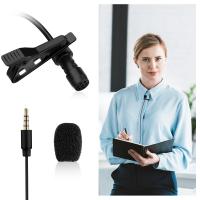
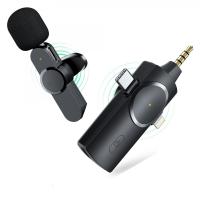
EP033 Mini Plug Play Microphone Wireless Lavalier Mic For Type-C Phones Laptop
6
$48.89
DM101 Digital USB Microscope Camera Coin Magnifier, 10X-500X Magnification, PC Compatible
HOT Seller
DM101 Digital USB Microscope Camera Coin Magnifier, 10X-500X Magnification, PC Compatible
41
$109.99 $74.99
Products You May Like
77mm Magnetic CPL Filter + Magnetic Basic Ring Kit Waterproof Scratch Resistant with 28 Multi-Coatings for Camera Lens (Nano-Xcel Series)
35
$73.99 $58.99
K&F Concept590C E-TTL Flash for Canon EOS Rebel GN56 Auto-Focus Wireless Slave
35
$56.99
100x100mm Square Black Diffusion Filter Kit Black Diffusion 1/4 Filter + Filter Holder
103
$194.99 $116.99
T-post Trail Camera Holder
10
$162.99 $106.99
67mm Black Mist Filter 1/4 + 3pcs Cleaning Cloth with 18 Multi-Layer Coatings Nano-Klear Series
213
$45.74 $30.49
SJCAM SJ8 Pro 4K WiFi Action Camera (Black)
$251.99
Indoor security camera, 2.4Ghz WiFi, infrared night vision, human detection, intelligent motion tracking, sound alarm, two-way talk, monitor for babies, pets, elderly, with 64G Memory Card
$49.99
62mm Variable ND Filter ND2-ND32 (1-5 Stops) Lens Filter Waterproof Scratch Resistant with 18 Layers of Nano-coating Nano-Klear Series
30
$41.99 $32.99
Camera Backpack, Beschoi Waterproof Camera Bag Photography Bag with Tripod Strap and Rain Cover for DSLR Camera, Camera Tripod, Ipad, Lens and Accessories
$143.99
K&F Concept Camera Sling Bag Crossbody Bag Waterproof Camera Shoulder Backpack DSLR/SLR/Mirrorless Camera Case Photography Bags Compatible with Canon/Nikon/Sony/Fuji/Gopro/DJI -  Sling Bag10L Urban Wander 02 (Green )
K&F Concept Camera Sling Bag Crossbody Bag Waterproof Camera Shoulder Backpack DSLR/SLR/Mirrorless Camera Case Photography Bags Compatible with Canon/Nikon/Sony/Fuji/Gopro/DJI - Sling Bag10L Urban Wander 02 (Green )
115
$64.99 $42.99
Related articles
How To Use Earbuds As Mic And Headphones?
Can I Use Alexa As A Microphone?
Can I Use Gopro As Security Camera?
How To Set Up Earphone Mic On Pc?
Can I Use Indoor Camera As Baby Monitor?
Can Earphones Be Used As A Microphone?
How To Use Phone As Webcam For Pc?
How To Use Your Mobile Camera As PC Webcam Discord?
How To Use Apple Headphones Mic On Ps4 ?
How To Make A Camera Detector?
Blog You May Like
How Do Metal Detector Work?
How To Turn On Camera And Microphone On Dell Laptop ?
How To Search Wifi For Hidden Camera?
Does This Lens Fit My Camera?
How To Install Outdoor Web Camera?
What Size Sd Card For Switch?
How To Play Bass With Headphones?
How To Insert Micro Sd Card Into Pc?
Which Smartwatch Is Best For Health?
How Do Camcorders Work?
Related categories
On-Dash Camera Canon EF-EOS R Mount Adapter Pentacon 6 Mount Lens Adapters square filter kit home Borescope Soft GND Filter
Popular products
camera for recording sports waterproof sports action camera xbox headphones with mic wireless bluetooth earphones headphones sports wireless headset bluetooth earbuds and mic wireless bluetooth earbuds with mic headset with microphone noise cancellation ps5 headset with microphone pocket microscope for kids
Related searches
Small Earphones With Mic Use Iphone As Wireless Microphone In Ear Earphones With Mic Sports Bluetooth Earphones With Mic Camera Bag As Carry On Earphones With Mic And Volume Control Lightweight Headphones With Mic For Pc Best Mic On Earbuds Nikon As-15 Non-dedicated Pc Sync Terminal Adapter In Ear Earphones With Mic And Volume Control
Related Scenes
Best Digital Camera As Webcam Best On Dash Camera Best Carry On Camera Bag Best On Camera Light For Video Best Camera For Outdoor Use Best Borescope For Home Use Outdoor Use Best Security Camera Best Digital Camera For Home Use Best Camera Bag For Everyday Use Best Metal Detector For Beach Use
Blog Category
  • Activities
  • Guide
    • Filter Guide
    • Lens Adapter
    • Product Review
  • News & Reviews
    • Camera Reviews
    • Sample Gallery
    • News
  • Tutorials
    • Solar eclipse photography
    • Photography Basics
    • Landscape Photography
  • Inspiration
    • Travel
    • Travel Stories
Search Article
Latest from the Blog
How To Improve Microphone Quality?
What To Clean Camera Lens With?
Which Nd Filter For Landscape Photography?
How To Make A Wired Security Camera Wireless?
What Security Camera Records 247?
What Do You Plug A Microphone Into?
Can Microfiber Cloths Be Washed?
Which Headphones Is Best Wired Or Wireless?
What Is Uv Filter For?
How To Save Dash Cam Footage?
  • Easy Payment Multilple Payment Options

  • Free Shipping Global WareHouse Shipment

  • No Risk 30-Day No Reason Return

  • Limited Deals Buy More, Save More

  • Tax Free No any surcharges or tax fee

Information
  • About us
  • Contact Us
  • Site Map
  • Blog
  • Video
  • Gallery
  • VIP Membership Rewards
Service
  • Privacy Policy
  • Terms & Conditions
  • Shipping & Delivery
  • Payment Info
  • Warranty, Return & Refund
  • Intellectual Property Rights
  • Ambassador
  • Affiliates
  • Wholesale
Support
  • My account
  • Order History
  • FAQs
  • Extend Warranty
  • Logistics Tracking
Follow us
NewsLetter

Get the latest product, K&F Concept respects your privacy.

Powered By KENTFAITH © 2026