kfconcept

KENTFAITH
K&F Concept    Blog >

Enjoy Your Selected Digital Life

Recently Viewed
  • Recently Viewed
  • Recently Viewed list is empty.

Compare (0) 0
  • Compare
  • You have not chosen any products to compare.

  • Compare
Currency: USD
  • Currency
Shop by Scene Shop by Rank

Log Into Your Account

Account

Order History

Wish List

Login

Forgotten Password?

Or connect with

Register Account

Already have an Account?Log In

  • Shopping Cart
  • Your shopping cart is empty!

  • Register/Login to purchase, earn points
  • Favorite
  • Your wish list is empty.

  • Register/Login to like, earn points
  • Activities
  • Guide
    • Filter Guide
    • Lens Adapter
    • Product Review
  • News & Reviews
    • Camera Reviews
    • Sample Gallery
    • News
  • Tutorials
    • Solar eclipse photography
    • Photography Basics
    • Landscape Photography
  • Inspiration
    • Travel
    • Travel Stories
  • Home
  • Blog
  • How Do You Clear A Sd Memory Card?

How Do You Clear A Sd Memory Card?

Kentfaith 2024-12-25 02:30:30 0 Comments

How to Safely Clear an SD Memory Card: A Step-by-Step Guide

how do you clear a sd memory card 1

SD cards, or Secure Digital cards, are commonly used for storing data in various devices such as cameras, smartphones, tablets, and even gaming consoles. Over time, you may want to clear the data on an SD card for reasons such as freeing up space, preparing it for reuse, or ensuring your personal data is erased completely. While the process may seem straightforward, there are a few key points to consider to ensure your SD card is properly and safely cleared. Below, we’ll walk through different methods for clearing an SD memory card, as well as address some best practices for doing so securely.

Why Clear an SD Card?
how do you clear a sd memory card 2

Before we dive into the "how," it’s important to understand why you may need to clear an SD card in the first place:

1. Free Up Storage Space: SD cards have limited storage, and over time, as you use the card to store photos, videos, apps, or documents, it can become full.

2. Prepare for New Data: If you’re planning to reuse the card in a new device or for a different purpose, clearing it will ensure there are no conflicting or leftover files.

3. Erase Sensitive Information: If you plan to sell, donate, or discard the card, clearing it thoroughly is essential for protecting your personal data. Simply deleting files may not be enough, as data can often be recovered from an SD card if it’s not wiped completely.

4. Fix Performance Issues: Sometimes, an SD card may become slow or corrupt due to data fragmentation. Clearing the card can restore its performance by giving it a fresh start.

Methods for Clearing an SD Card

how do you clear a sd memory card 3

There are several methods to clear an SD card, each with its own set of benefits. Depending on your needs, one method may be better than another. Let’s go over the most common techniques.

---

1. Using File Explorer (For Basic Deletion)

The easiest and most straightforward method for clearing an SD card is using your device's file manager or file explorer. This is ideal if you simply want to delete files but don’t need to erase everything securely.

On Windows:
how do you clear a sd memory card 4

1. Insert your SD card into your computer using an SD card reader.

2. Open File Explorer and locate your SD card under "This PC" or "Devices and Drives."

3. Right-click on the SD card and select Open to view its contents.

4. Select the files you wish to delete (or press `Ctrl + A` to select everything).

5. Right-click and select Delete or press the `Delete` key on your keyboard.

6. Empty the Recycle Bin to ensure that the files are permanently deleted.

On macOS:

1. Insert your SD card into your Mac.

2. Open Finder and select your SD card from the sidebar.

3. Select the files or folders you want to delete.

4. Press `Cmd + Delete` to remove them from the card.

5. Go to the Trash and right-click to Empty Trash for permanent deletion.

This method is quick and easy but doesn't fully clear the SD card of all data. Files may still be recoverable using data recovery tools.

---

2. Formatting the SD Card (Quick and Full Format)

A more thorough method than simply deleting files is to format the SD card. Formatting removes all files from the card and resets it to its original state. You can choose between a quick format (which only removes the file system) or a full format (which overwrites all sectors of the card).

On Windows:

1. Insert the SD card into your computer using a card reader.

2. Open File Explorer and locate your SD card.

3. Right-click on the SD card and select Format.

4. Choose your desired format options:

- Quick Format: This option is faster and will just erase the file system, not the data itself.

- Full Format: This option takes longer but will completely wipe the card, making it harder to recover deleted files.

5. Click Start to begin the formatting process.

On macOS:

1. Insert the SD card into your Mac.

2. Open the Disk Utility application.

3. Select your SD card from the left sidebar.

4. Click on Erase at the top of the window.

5. Choose a file format (usually ExFAT or FAT32 depending on the size and compatibility you need).

6. Click Erase again to confirm.

Formatting is the best way to prepare the card for reuse or transfer data, as it clears everything. However, note that a Quick Format does not fully erase data and can still leave traces that can be recovered.

---

3. Using Third-Party Data Erasure Software (For Secure Erasure)

If you're looking to securely erase data, especially when you need to dispose of the card or hand it over to someone else, using third-party data erasure software is a good idea. These tools overwrite the card multiple times, making recovery of deleted files nearly impossible.

Popular software options include:

- Eraser (Windows): This free tool allows you to securely delete files and erase the entire disk.

- Disk Drill (Windows, macOS): This program offers both data recovery and secure deletion options.

- CCleaner (Windows, macOS): Known for system optimization, CCleaner also includes a disk wipe feature.

Using data erasure software is crucial if you're dealing with sensitive or personal data, as simple deletion or even formatting won’t provide sufficient protection.

---

4. Using a Command Line (Advanced Users)

For more advanced users who are comfortable with the command line, you can use specific commands to format or wipe an SD card. This method is ideal for those who want precise control over the formatting process or need to handle multiple SD cards at once.

On Windows:

1. Insert the SD card into the computer.

2. Open the Command Prompt as Administrator.

3. Type `diskpart` and hit Enter.

4. Type `list disk` to display all connected disks.

5. Identify the disk number for your SD card.

6. Type `select disk X`, replacing X with the disk number of your SD card.

7. Type `clean` to erase the partition.

8. Type `create partition primary` to create a new partition on the card.

9. Type `format fs=exfat` to format the card.

On macOS (using Terminal):

1. Insert the SD card into your Mac.

2. Open Terminal.

3. Type `diskutil list` to list all connected disks.

4. Identify your SD card by its name or disk identifier.

5. Type `diskutil eraseDisk ExFAT NewVolume MBRFormat /dev/diskX` (replace `/dev/diskX` with your disk’s identifier).

Using command-line tools is powerful but should be done with care. A small mistake, like selecting the wrong disk, can result in data loss on other devices.

---

5. Physically Destroying the SD Card (For Ultimate Security)

In cases where you need to be absolutely certain that your data cannot be recovered, the final option is to physically destroy the SD card. This is typically done when the card has become obsolete, damaged, or if you are concerned about highly sensitive data.

To do this, you can:

1. Shred it: Some electronics recyclers offer shredding services for small devices like SD cards.

2. Crack it: Use pliers or a hammer to break the card into pieces, ensuring that the circuit board is damaged.

3. Burn it: For extreme security, you can burn the SD card to destroy the data storage components.

This method ensures that the data is completely unrecoverable but should be done only if you're ready to dispose of the card for good.

---

Best Practices for Clearing SD Cards

1. Backup Your Data: Before clearing your SD card, make sure to back up any important data. Whether you're deleting files or formatting the card, the process is irreversible.

2. Verify the Format: Always check the file system format you choose. ExFAT is the best for large files and cross-device compatibility, while FAT32 is ideal for smaller cards.

3. Use Reliable Software: If you're using third-party tools, make sure they are from trusted developers. Software with poor reviews could potentially leave data exposed or even harm your SD card.

4. Avoid Quick Format for Sensitive Data: If you’re trying to protect your privacy, don’t rely on quick formatting. Always choose the full format or use a data erasure tool for better security.

---

Clearing an SD card may seem like a simple task, but the method you choose can depend on your needs, whether it’s for freeing up space, preparing for reuse, or protecting sensitive information. For basic use, formatting or deleting files may suffice. However, if you’re handling sensitive or personal data, using secure erasure software or physically destroying the card is the safest option. By following these guidelines, you can ensure that your SD card is cleared properly, protecting both your data and your device’s performance.


Leave your comment
Cancel reply
Note: HTML is not translated!
Related products
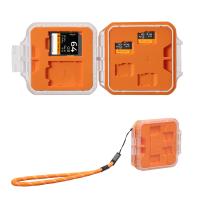
K&F Concept 24 Slots SD Card Holder Memory Card Case, Water-Resistant Shockproof Memory Card Storage Carrying Case for 12 SD SDXC SDHC Cards, 12 CFexpress Type A Cards
$18.99 $9.99
128GB MicroDrive Micro SD UHS-I Memory Card
2
$31.99
SD Card Reader for iPhone/iPad/Android/Mac/Computer/Camera, 4 in 1 Micro SD Card Reader Tracking Camera Viewer, Portable Memory Card Reader SD Card Adapter Compatible with SD and Micro SD Card/TF Card ( black)
$14.99
K&F Concept 36 Slots SD Micro SD Memory Card Case, Water-Resistant SD Card Holder, Anti-Shock Card Carrying Storage Box for 24 Micro SD SDXC SDHC TF Cards and 12 SD SDXC SDHC Cards
$18.99 $9.99
32GB Micro SD Card U3/V30/A1 with Adapter, Memory Card for Cameras, Borescopes,  Microscopes, Night Vision Goggles, Kentfaith
32GB Micro SD Card U3/V30/A1 with Adapter, Memory Card for Cameras, Borescopes, Microscopes, Night Vision Goggles, Kentfaith
$19.99 $15.99
64GB Micro SD Card U3/V30/A1 with Adapter, Memory Card for Cameras, Borescopes,  Microscopes, Night Vision Goggles, Kentfaith
64GB Micro SD Card U3/V30/A1 with Adapter, Memory Card for Cameras, Borescopes, Microscopes, Night Vision Goggles, Kentfaith
$23.75 $23.73
Memory Card Case with 25 Slots, Anti-Shock Carrying Case for 4 SD Cards, 4 CF Cards or 4XQDs, 4 CFexpress Cards, 12 Micro SD (TF) Cards, 2 Nano SIM, 2 Micro SIM and 1 SIM Card
$24.99 $12.99
K&F Concept 28 Slots Micro SD Card Case,Water-Resistant Anti-Shock Anti-Dust TF Card Holder,Micro SD/Micro SDHC/Micro SDXC Card Box Organizer Storage
$18.99 $9.99
A Camping Lantern That Dances with You, Rechargeable, Telescoping & Compact with Bluetooth Speaker, Emergency Power Bank 14000mAh Battery Kentfaith
116
$199.99 $94.99
Products You May Like
Black Mist 1/4 Filter 4"x5.65" Dreamy Effect Cinema Square Filter Compatible with Tilta and SmallRig Matte Box for Cinematic Photo Videography, 4mm Slim/HD Optical Glass/Multi Layer Coating
64
$124.99 $99.99
3 Channel Dash Cam Front and Rear Inside 3 Channel 1080P, Adjustable Lens Dash Camera for Cars with 8 IR Lamps Night Vision, Three Ways Triple Car Camera, Loop Recording, G-Sensor, Parking Monitor
$112.49 $89.99
Bluetooth Headset for Mobile Phone Wireless Headset with Microphone Bluetooth Headset 5.1 Hands-free Headset CVC8.0 Compatible with iPhone Android Business Office Driving with Charging Case
42
$26.99
77mm ND1000 Filter Brass Frame Multifunctional HD Ultra-Thin 36-Layer Anti-Reflection Green Film Nano-X PRO Series
31
$149.99 $100.99
Handheld Digital Microscope, Portable Adult and Pediatric Microscope with 4" LCD Screen, 8 Dimmable LED Lamps, Electronic FHD Video Microscope, Windows Mac Compatible Black
43
$107.99 $74.99
62mm 2 in 1 ND32 (5 Stop) and CPL Lens Filters, Multi-coated Waterproof Anti-Reflection Nano-X Japan Optical Glass
$43.99 $36.99
Yongnuo YN35mm F2 Lens 1:2 AF/ MF Wide Angle Fixed / Fixed Focus AF Lens for Canon EF mount EOS cameras
35
$191.99 $129.99
GOPRO 13 Silicone Protective Case Set Screen Protector Lens Film Screen Film Suitable for GOPRO Hero13
$14.99
Pentax PK Lens to Canon EOS R Camera Body Lens Mount Adapter
50
$58.99 $43.99
BF-888S dual-purpose walkie-talkie wireless high power (USB connector)
210
$35.99 $31.99
Related articles
How To Clear A Camera Memory Card?
How To Clear Gopro Memory Card?
How Do You Use A Memory Card Reader?
How To Clear A Write Protected Sd Card?
How Do You Mount Your Sd Card?
How To Clear Sd Card On Gopro 10?
How Do You Move Things To Sd Card?
What Is A Class 10 Sd Memory Card?
How To Expand Phone Memory Without Sd Card?
Can You Use A Microphone With An Iphone?
Blog You May Like
Best Camera Sling Bag Purchase: Five Key Points
Can Airbnb Have Cameras In The House?
How Does Refractor Telescope Work?
How To Free Space On 3ds Sd Card?
What Does The 10x50 Mean On Binoculars?
Will Blink Camera Work Without Wifi ?
How Do You Use A Memory Card Reader?
How Photographers Carry Camera Strap?
How To Install Security Cameras Hidden Outdoors?
How To Solar Power A 9 Volt Camera?
Related categories
camera card memory A Mount Lens Adapter Sony A Mount Lens Adapters minolta a mount lenses canon cameras lens nd filter lens cap​
Popular products
64Gb Micro Sd Memory Card 32gb sd flash memory card 4k sd memory card 64gb memory card micro surveillance memory card Full Size Sd Memory Card sd memory card carrying case portable sd card reader driving recorder video camera
Related searches
Memory Wifi Sd Card 32gb Sd Memory Card Sd Memory Card Holder Standard Sd Memory Card Memory Card Micro Sd 128gb Sd Memory Card Storage Case Memory Card For A Camera Sd Memory Card For Digital Camera Sandisk Micro Sd Memory Card 128gb Sd Memory Card For 4k Video
Popular searches
Canon Elph 180 Battery Adapter Mamiya Cs Lens Adapter Canon R6 Camera Bag Tripod Stand Bag Rechargeable Batteries For Camera Dsc H7 Sony Camera Memory Card Adapter Jcpenney K Mount Lens Best Small Video Cameras Solar Home Security Camera Quantum Q Flash Nikon Adapter
Blog Category
  • Activities
  • Guide
    • Filter Guide
    • Lens Adapter
    • Product Review
  • News & Reviews
    • Camera Reviews
    • Sample Gallery
    • News
  • Tutorials
    • Solar eclipse photography
    • Photography Basics
    • Landscape Photography
  • Inspiration
    • Travel
    • Travel Stories
Search Article
Latest from the Blog
How Do Night Vision Goggles Work?
Neutral Density Filter: The Ultimate Guide for Photographers and Videographers
How To Make Your Eyes Flash On Camera?
What Is The Best Wireless Outdoor Security Camera?
Which Camera Is Best For Low Light Photography?
Can I Charge Camera Battery With Power Bank?
How To Remove Memory Card From Nikon Camera?
Camera That Can Wifi Photos To Phone?
What Does A Uv Camera Filter Do?
What Tripod To Buy?
  • Easy Payment Multilple Payment Options

  • Free Shipping Global WareHouse Shipment

  • No Risk 30-Day No Reason Return

  • Limited Deals Buy More, Save More

  • Tax Free No any surcharges or tax fee

Information
  • About us
  • Contact Us
  • Site Map
  • Blog
  • Video
  • Gallery
  • VIP Membership Rewards
Service
  • Privacy Policy
  • Terms & Conditions
  • Shipping & Delivery
  • Payment Info
  • Warranty, Return & Refund
  • Intellectual Property Rights
  • Ambassador
  • Affiliates
  • Wholesale
Support
  • My account
  • Order History
  • FAQs
  • Extend Warranty
  • Logistics Tracking
Follow us
NewsLetter

Get the latest product, K&F Concept respects your privacy.

Powered By KENTFAITH © 2025