kfconcept

KENTFAITH
K&F Concept    Blog >

Enjoy Your Selected Digital Life

Recently Viewed
  • Recently Viewed
  • Recently Viewed list is empty.

Compare (0) 0
  • Compare
  • You have not chosen any products to compare.

  • Compare
Currency: USD
  • Currency
Shop by Scene Shop by Rank

Log Into Your Account

Account

Order History

Wish List

Login

Forgotten Password?

Or connect with

Register Account

Already have an Account?Log In

  • Shopping Cart
  • Your shopping cart is empty!

  • Register/Login to purchase, earn points
  • Favorite
  • Your wish list is empty.

  • Register/Login to like, earn points
  • Activities
  • Guide
    • Filter Guide
    • Lens Adapter
    • Product Review
  • News & Reviews
    • Camera Reviews
    • Sample Gallery
    • News
  • Tutorials
    • Solar eclipse photography
    • Photography Basics
    • Landscape Photography
  • Inspiration
    • Travel
    • Travel Stories
  • Home
  • Blog
  • How Do You Mount Your Sd Card?

How Do You Mount Your Sd Card?

Kentfaith 2024-08-14 01:14:45 0 Comments

Mounting an SD card is a common task that many people encounter, whether they are using it for additional storage on a smartphone, transferring files on a computer, or using it in a camera. Despite its simplicity, the process can sometimes be confusing, especially for those who are not tech-savvy. This article aims to provide a comprehensive guide on how to mount your SD card across various devices, addressing common issues and offering practical solutions.

Understanding the Basics
how do you mount your sd card 1

Before diving into the step-by-step instructions, it's essential to understand what "mounting" an SD card means. When you mount an SD card, you are essentially making it accessible to your device's operating system so that you can read and write data to it. This process is crucial for the device to recognize the SD card and allow you to use it for storage or file transfer.

Mounting an SD Card on a Smartphone
how do you mount your sd card 2

For Android Devices

how do you mount your sd card 3

1. Insert the SD Card: Locate the SD card slot on your Android device. This is usually found in the SIM card tray or a dedicated slot. Insert the SD card carefully.

2. Access Settings: Open the 'Settings' app on your device.

3. Storage Options: Navigate to 'Storage' or 'Storage & USB' depending on your device model.

4. Mount the SD Card: You should see an option for your SD card under 'Portable Storage' or 'SD Card'. Tap on it and select 'Mount'. Your device will now recognize the SD card, and you can start using it.

For iOS Devices
how do you mount your sd card 4

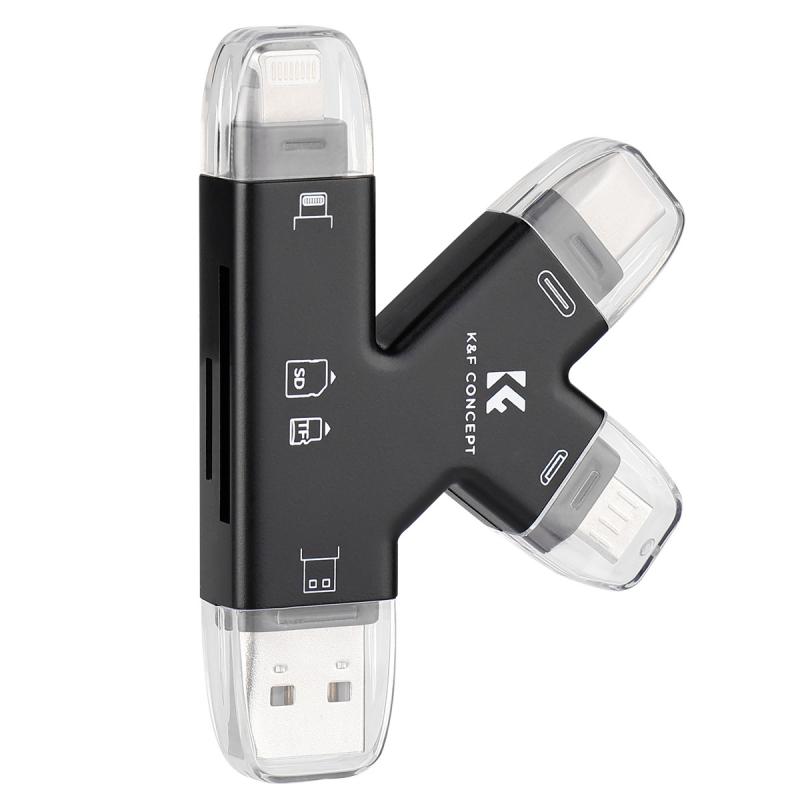
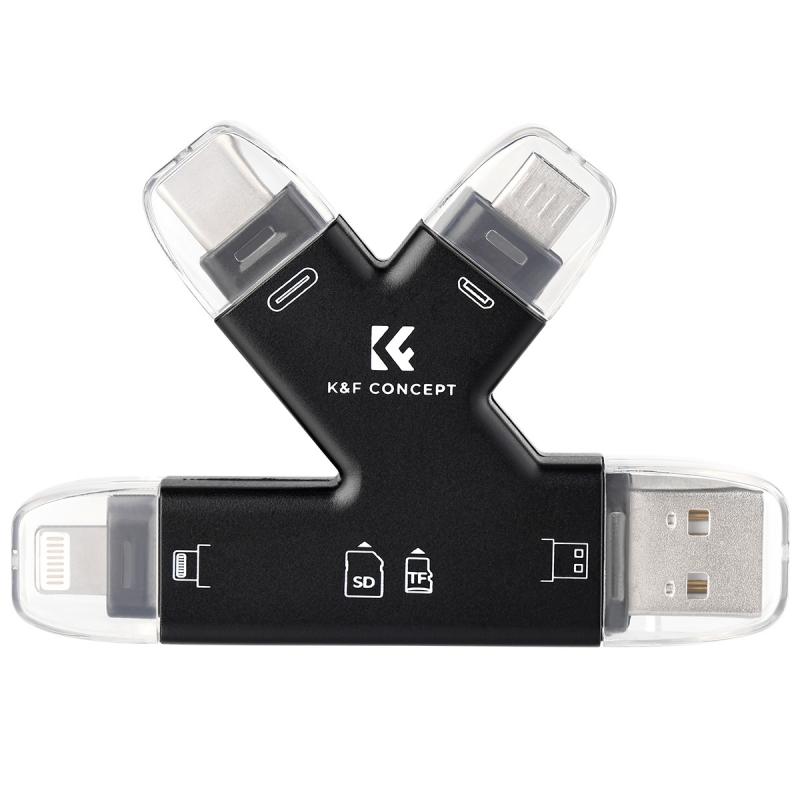
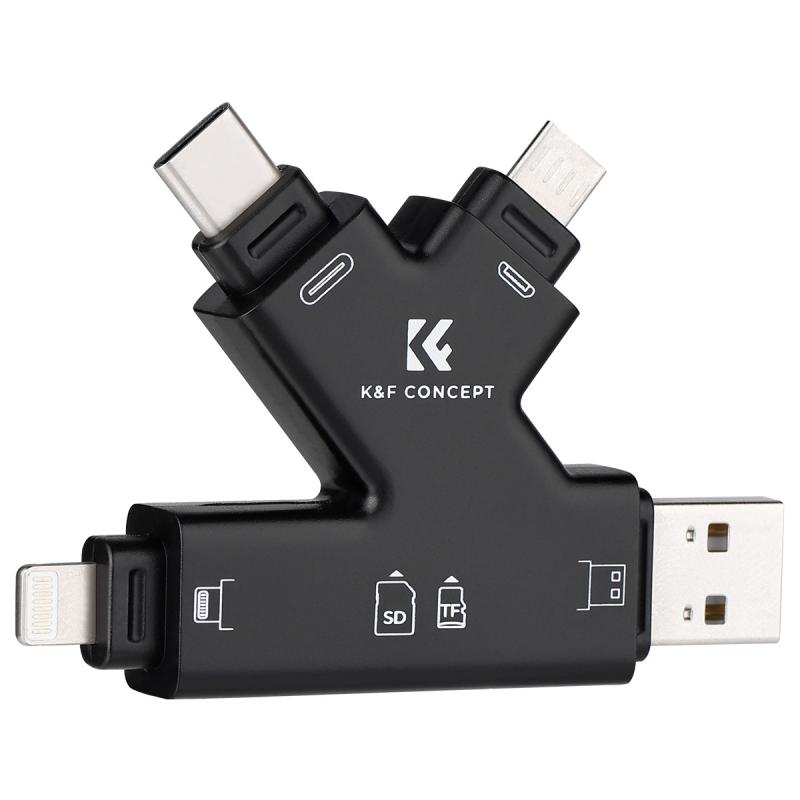
iOS devices do not support external SD cards directly. However, you can use third-party accessories like SD card readers that connect via the Lightning port. Once connected, you can use apps like 'Files' to access the data on the SD card.

Mounting an SD Card on a Computer

For Windows

1. Insert the SD Card: Insert the SD card into the SD card slot on your computer. If your computer does not have an SD card slot, you can use an external SD card reader.

2. Open File Explorer: Press `Win + E` to open File Explorer.

3. Locate the SD Card: In the left-hand pane, you should see your SD card listed under 'This PC' or 'Devices and Drives'.

4. Access the SD Card: Click on the SD card to access its contents. If the card does not appear, you may need to assign it a drive letter. Right-click on 'This PC', select 'Manage', then go to 'Disk Management'. Find your SD card, right-click on it, and select 'Change Drive Letter and Paths'.

For macOS

1. Insert the SD Card: Insert the SD card into the SD card slot on your Mac. If your Mac does not have an SD card slot, you can use an external SD card reader.

2. Open Finder: Click on the Finder icon in the Dock.

3. Locate the SD Card: In the left-hand sidebar, you should see your SD card listed under 'Devices'.

4. Access the SD Card: Click on the SD card to access its contents. If the card does not appear, open 'Disk Utility' from the 'Applications' > 'Utilities' folder. Find your SD card in the list and click 'Mount'.

Mounting an SD Card on a Camera

1. Turn Off the Camera: Always turn off your camera before inserting or removing an SD card to avoid data corruption.

2. Insert the SD Card: Locate the SD card slot, usually found in the battery compartment or a dedicated slot. Insert the SD card carefully.

3. Turn On the Camera: Power on your camera. Most cameras will automatically recognize the SD card and prompt you to format it if necessary.

4. Format the SD Card: If prompted, follow the on-screen instructions to format the SD card. This will erase all data on the card, so make sure to back up any important files first.

Troubleshooting Common Issues

SD Card Not Recognized

- Check Compatibility: Ensure that your SD card is compatible with your device. Some devices only support specific types of SD cards (e.g., SDHC, SDXC).

- Clean the Contacts: Dust and debris can interfere with the connection. Gently clean the gold contacts on the SD card with a soft, dry cloth.

- Update Drivers: For computers, make sure that your device drivers are up to date. You can usually find driver updates on the manufacturer's website.

SD Card Read-Only

- Unlock the Card: Some SD cards have a physical lock switch. Make sure it is in the 'unlock' position.

- Check Permissions: On computers, right-click the SD card in File Explorer or Finder, select 'Properties' or 'Get Info', and ensure that you have read and write permissions.

Data Corruption

- Use Reliable Brands: Always use SD cards from reputable brands to minimize the risk of data corruption.

- Safely Eject: Always use the 'Eject' option on your device before removing the SD card to prevent data corruption.

Mounting an SD card is a straightforward process, but it can vary slightly depending on the device you are using. By following the steps outlined in this guide, you should be able to mount your SD card with ease, whether you are using a smartphone, computer, or camera. Always remember to handle your SD card with care, keep it clean, and ensure it is compatible with your device to avoid any issues. If you encounter any problems, refer to the troubleshooting section for practical solutions. With these tips, you can make the most out of your SD card and enjoy seamless storage and file transfer capabilities.


Leave your comment
Cancel reply
Note: HTML is not translated!
Related products
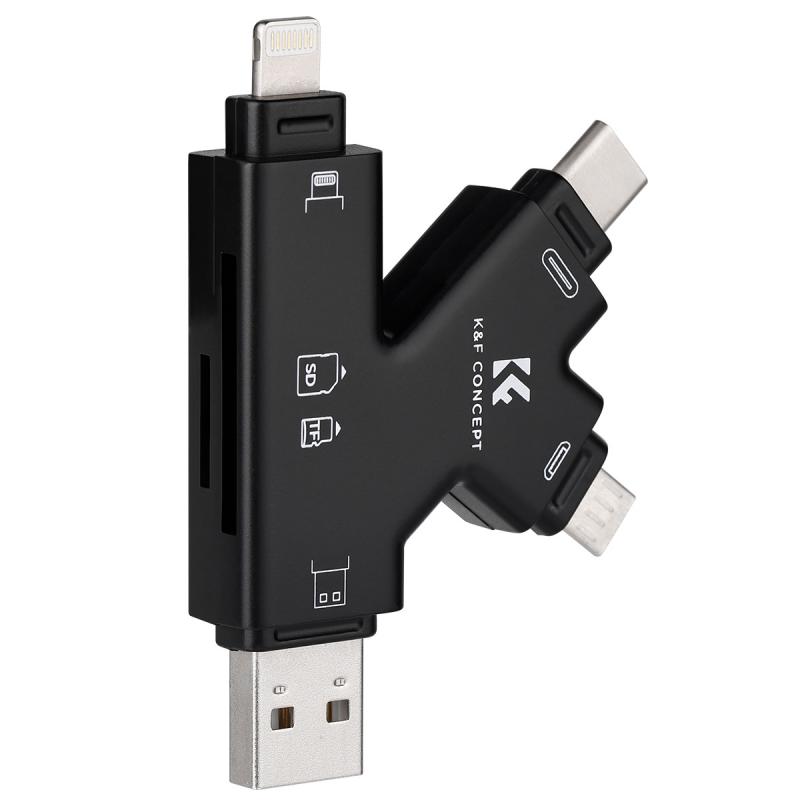
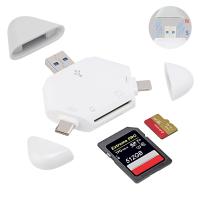
SD Card Reader for iPhone/iPad/Android/Mac/Computer/Camera, 4 in 1 Micro SD Card Reader Tracking Camera Viewer, Portable Memory Card Reader SD Card Adapter Compatible with SD and Micro SD Card/TF Card ( black)
$14.99
K&F Concept 36 Slots SD Micro SD Memory Card Case, Water-Resistant SD Card Holder, Anti-Shock Card Carrying Storage Box for 24 Micro SD SDXC SDHC TF Cards and 12 SD SDXC SDHC Cards
$18.99 $9.99
K&F Concept 28 Slots Micro SD Card Case,Water-Resistant Anti-Shock Anti-Dust TF Card Holder,Micro SD/Micro SDHC/Micro SDXC Card Box Organizer Storage
$18.99 $9.99
128GB MicroDrive Micro SD UHS-I Memory Card
2
$31.99
K&F Concept 24 Slots SD Card Holder Memory Card Case, Water-Resistant Shockproof Memory Card Storage Carrying Case for 12 SD SDXC SDHC Cards, 12 CFexpress Type A Cards
$18.99 $9.99
32GB Micro SD Card U3/V30/A1 with Adapter, Memory Card for Cameras, Borescopes,  Microscopes, Night Vision Goggles, Kentfaith
32GB Micro SD Card U3/V30/A1 with Adapter, Memory Card for Cameras, Borescopes, Microscopes, Night Vision Goggles, Kentfaith
$19.99 $15.99
64GB Micro SD Card U3/V30/A1 with Adapter, Memory Card for Cameras, Borescopes,  Microscopes, Night Vision Goggles, Kentfaith
64GB Micro SD Card U3/V30/A1 with Adapter, Memory Card for Cameras, Borescopes, Microscopes, Night Vision Goggles, Kentfaith
$23.75 $23.73
4K 32MP Hunting Camera, 100° Wide Motion Sensor 0.2s Trigger IP67 Waterproof, 2.31" Display, with 64G SD Card +Card Reader
$114.99
Digital Mini Microscope for Kids, 100x-1000x Handheld Microscope with 32GB SD Card & Battery
32
$92.99 $65.99
Products You May Like
32A new energy American standard portable charger, with screen display, adjustable current, Type1 SAE J1772 plug, CEE plug, APP control, electric vehicle portable charger
$442.99 $271.99
4K 60FPS Waterproof Action Camera 20M/66FT Underwater, 6-Axis Stabilization, Built-in WiFi, 2in Touch Screen Kentfaith
13
$174.99 $139.99
58mm Magnetic Lens Filter Kit GND8+ND8+ND64+ND1000+Magnetic Adapter Ring 5 in 1 Quick Swap System Nano X Series
$184.99 $116.99
Kentfaith Industrial Endoscope Cleaning Hook Magnet Side View Mirror Set,Including lens set cleaning cloth alcohol cotton pad, suitable for 6.0mm AGC-360 model
82
$13.99
2-in-1 Battery Car Charger Adapter Quick Charger Compatible with DJI Mini 3/mini 3 Pro Drone, Support Batteries & Remote Controller Charging Together
$37.49 $29.99
Sewer Inspection Camera with DVR Recorder 30m/100ft Cable 0.9in Camera Kentfaith
62
$1,019.99 $608.99
49mm Magnetic CPL Filter + Magnetic Basic Ring Kit Waterproof Scratch Resistant with 28 Multi-Coatings for Camera Lens (Nano-Xcel Series)
30
$66.99 $52.99
82mm  Black Mist Filter 1/8 Special Effects Filter Ultra-Clear Multi-layer Coated With Waterproof Scratch-Resistant and Anti-Reflection Nano-Xcel Series
82mm Black Mist Filter 1/8 Special Effects Filter Ultra-Clear Multi-layer Coated With Waterproof Scratch-Resistant and Anti-Reflection Nano-Xcel Series
166
$112.99 $89.99
Rut Outdoor Trail Camera
10
$162.99 $106.99
Sandisk Ultra 16GB MicroSDHC UHS-I Card, C10 A1, up to 98MB/s SDSQUNC-016G-ZN3MN
273
$9.99
Related articles
How Do You Move Things To Sd Card?
How Do You Clear A Sd Memory Card?
How Can I Mount My Sd Card?
How Do You Carry Your Stabilizer For Camera?
unsure your lens mount?
What Do You Need To Record Your Voice?
How Do I Get To My Sd Card?
How Do I Access Sd Card On Laptop?
How Do You Use A Memory Card Reader?
How To Set Up Garden Camera Wildlife?
Blog You May Like
How Do You Install A Wireless Backup Camera?
How To Pack Your Camera Bag?
How To Get Flash On Front Camera?
Camera Bag That Can Hold Gimbal?
How Do You Clear A Sd Memory Card?
How To Improve Sound Voice Recordings?
How To Built An Wifi Camera?
How To Connect A Wifi Smart Camera?
What Size Lithium Battery For Fish Finder?
What Do I Need For Off Camera Flash?
Related categories
camera card memory Action Camera Mount sony mount lenses nikon mount lenses camera tripod mount canon m mount lenses
Popular products
portable sd card reader 64Gb Micro Sd Memory Card 32gb sd flash memory card 4k sd memory card Full Size Sd Memory Card sd memory card carrying case 64gb memory card micro surveillance memory card best camping rechargeable lantern magnetic memory card
Related searches
Sd Card Cameras Sd Card Recorder Standard Sd Card Internal Sd Card Sd Card Security Cameras Camera Sd Card Holder Micro Sd Card Adapters Canon Sd Card Adapter Sd Card For Cameras Memory Wifi Sd Card
Popular searches
Canon Mr-14ex 50mm Adapter Sony Rikenon Lens Adapter Pentax 6x7 To Gfx Adapter Pentacon Six Adapter Sony Meyer Optik G?rlitz Lenses For Nikon F-mount Trail Camera With Video Nikon D70s Memory Card Adapter Phone And Tablet Tripod Iphone X Microphone Sony Ex Mount Lenses
Blog Category
  • Activities
  • Guide
    • Filter Guide
    • Lens Adapter
    • Product Review
  • News & Reviews
    • Camera Reviews
    • Sample Gallery
    • News
  • Tutorials
    • Solar eclipse photography
    • Photography Basics
    • Landscape Photography
  • Inspiration
    • Travel
    • Travel Stories
Search Article
Latest from the Blog
What Is Surveillance Camera Control System?
How To Place Cameras Around Your House?
How To Wear Monocular?
Black Friday 2025 Special at Kentfaith
How Much Storage For Security Camera?
How To Stream Live From Surveillance Camera?
Can You Save Facebook Videos To Camera Roll?
How Many Stops Is An Nd 8 Filter?
Which Bluetooth Earphones?
Which Binoculars To Buy?
  • Easy Payment Multilple Payment Options

  • Free Shipping Global WareHouse Shipment

  • No Risk 30-Day No Reason Return

  • Limited Deals Buy More, Save More

  • Tax Free No any surcharges or tax fee

Information
  • About us
  • Contact Us
  • Site Map
  • Blog
  • Video
  • Gallery
  • VIP Membership Rewards
Service
  • Privacy Policy
  • Terms & Conditions
  • Shipping & Delivery
  • Payment Info
  • Warranty, Return & Refund
  • Intellectual Property Rights
  • Ambassador
  • Affiliates
  • Wholesale
Support
  • My account
  • Order History
  • FAQs
  • Extend Warranty
  • Logistics Tracking
Follow us
NewsLetter

Get the latest product, K&F Concept respects your privacy.

Powered By KENTFAITH © 2025